Applied Avaritia
- By
Adds native 9x9 Avaritia crafting patterns and direct Applied Energistics 2 autocrafting for Minecraft 1.7.10.
Applied Avaritia adds native Avaritia crafting patterns and a dedicated ME assembler for Minecraft 1.7.10. Encode recipes in a 9×9 grid and request their results through your regular Applied Energistics 2 crafting terminal.
Automate recipes such as the Infinity Ingot using AE2’s crafting planner and CPU.
Features
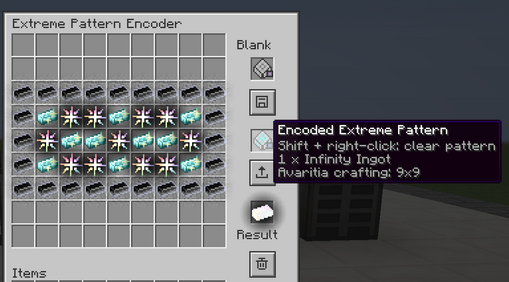
- Extreme Pattern Encoder: a 9×9 ghost grid for preparing and encoding Avaritia recipes. Setting ingredients does not consume them.
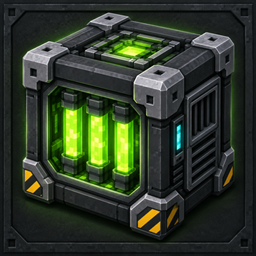
- ME Extreme Assembler: holds up to nine encoded patterns and crafts directly through your ME network.
- Recursive autocrafting: AE2 can plan intermediate crafting steps using available patterns.
- Ore Dictionary substitution: compatible material variants can be mixed when the actual Avaritia recipe accepts them. NBT-sensitive ingredients retain their exact identity.
- Direct output delivery: crafted items and returned containers go back into ME storage. Buffered outputs wait for power and available storage space.
- Result previews: assembler slots display the recipe output by default. Hold Shift in other inventories to preview an encoded pattern’s result.
- Reusable patterns: hold an encoded pattern and press Shift + right-click to turn it back into a blank pattern.
- Optional NEI recipe transfer support.
Getting started
- Place an Extreme Pattern Encoder and insert a blank extreme pattern.
- Fill the ghost grid manually or transfer a recipe from NEI, then click the save icon.
- Insert the encoded pattern into an ME Extreme Assembler.
- Connect the assembler to a powered ME network with item storage and a crafting CPU.
- Request the recipe’s output from an ME crafting terminal.
The encoder can encode patterns without a network connection. Each assembler performs one craft at a time.
Requirements
- Minecraft 1.7.10
- Minecraft Forge 10.13.4.1614
- Official Applied Energistics 2 rv3-beta-6
- Avaritia 1.13
- Java 8
Install Applied Avaritia on both the client and server. NEI 1.0.5.120 is optional on the client for recipe transfer.
Applied Avaritia Team