Applied Automata
- By
Applied Automata is an AE2 add-on that uses a flying swarm of construction drones to automatically build Litematica schematics. Connect to your ME network to pull resources, trigger auto-crafting, and let builder drones automate your blueprints!
applied_automata_logo (1).png
Description
Applied Automata: The AE2 Construction Swarm
Applied Automata is a construction add-on for Applied Energistics 2. Plug a Drone Station into your ME network, load a Litematica schematic, and a swarm of drones flies out to build it for you block by block, pulling every material straight from your storage. Big builds that would take hours by hand become something you set up, start, and watch.
Getting Started:
You need two things: the Drone Station and the Architect's Wand. The Drone Station is crafted from deepslate around an Energy Cell, a Formation Core, an ME Controller and an Annihilation Core. The Architect's Wand is crafted from diamonds, sticks and a Fluix Block. Place the station facing where you want to work. Whoever places it becomes its owner.
Connecting to AE2
The Drone Station connects with normal ME cables and uses one channel, like any other smart device. It has a small idle power draw, plus one AE per tick for every drone in the air. The station pulls blocks out of your network as it needs them, and anything the drones remove goes back into it. If the network runs low on something it can craft, the station sends the crafting request on its own and starts on the items it needs soonest. You'll usually find the materials ready before the drones reach them.
Loading a Schematic
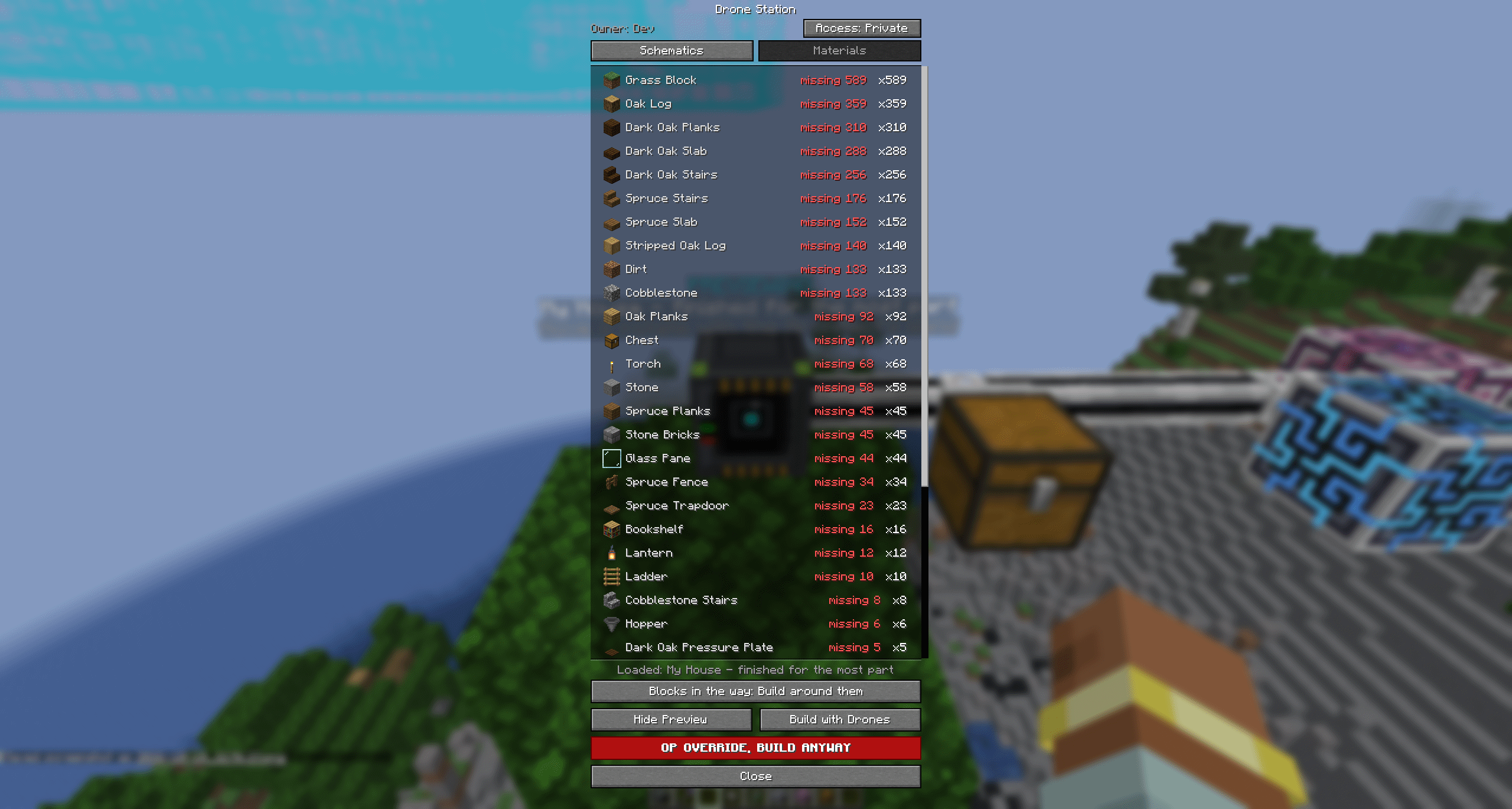
Right-click the station to open its menu. The Schematics tab lists every .litematic file in your .minecraft/schematics folder in a scrollable list, with the file size next to each name. Click one to load it. The loaded schematic is highlighted, and the status line at the bottom of the menu shows what's loaded.
The Preview Hologram
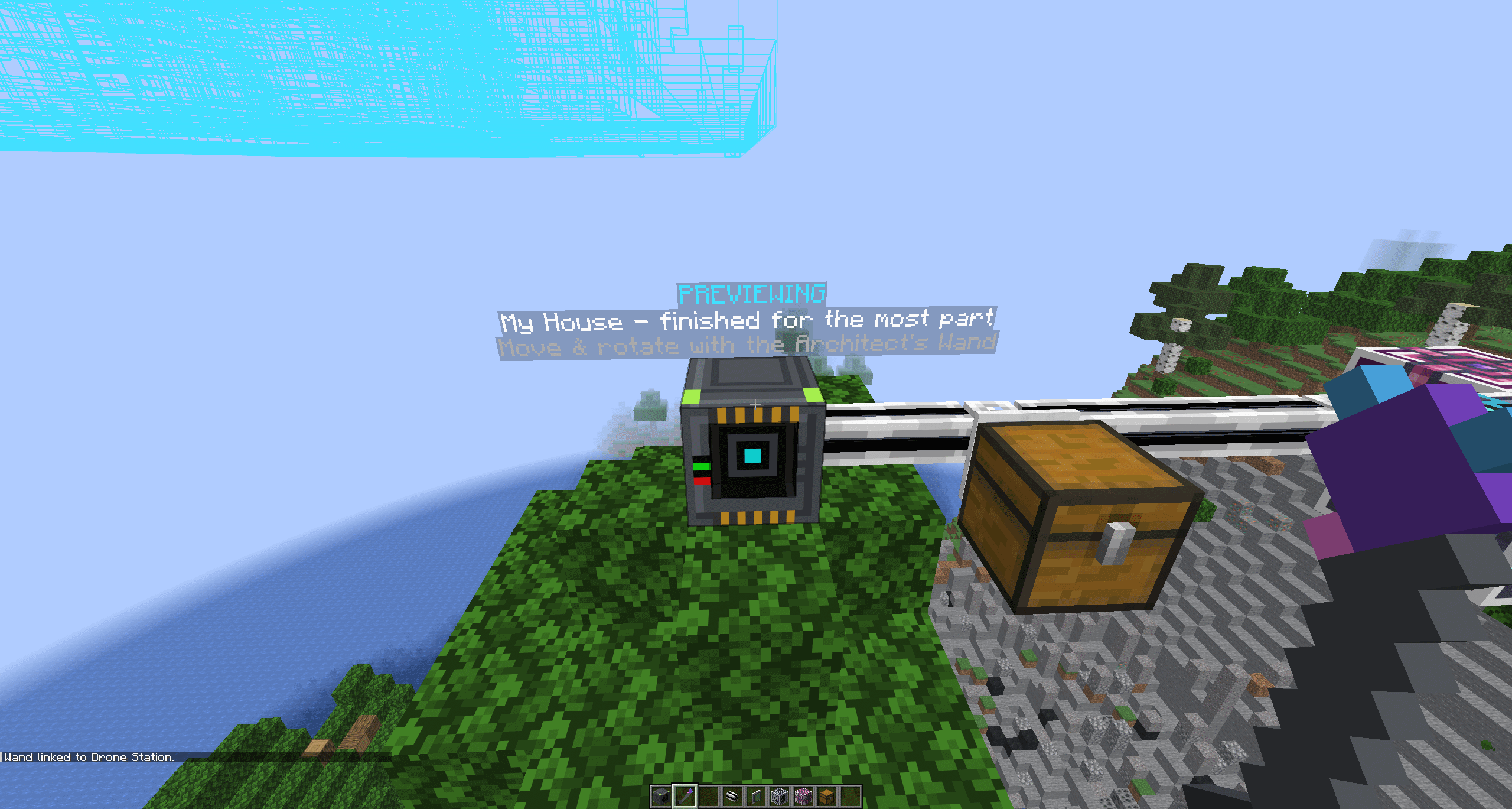
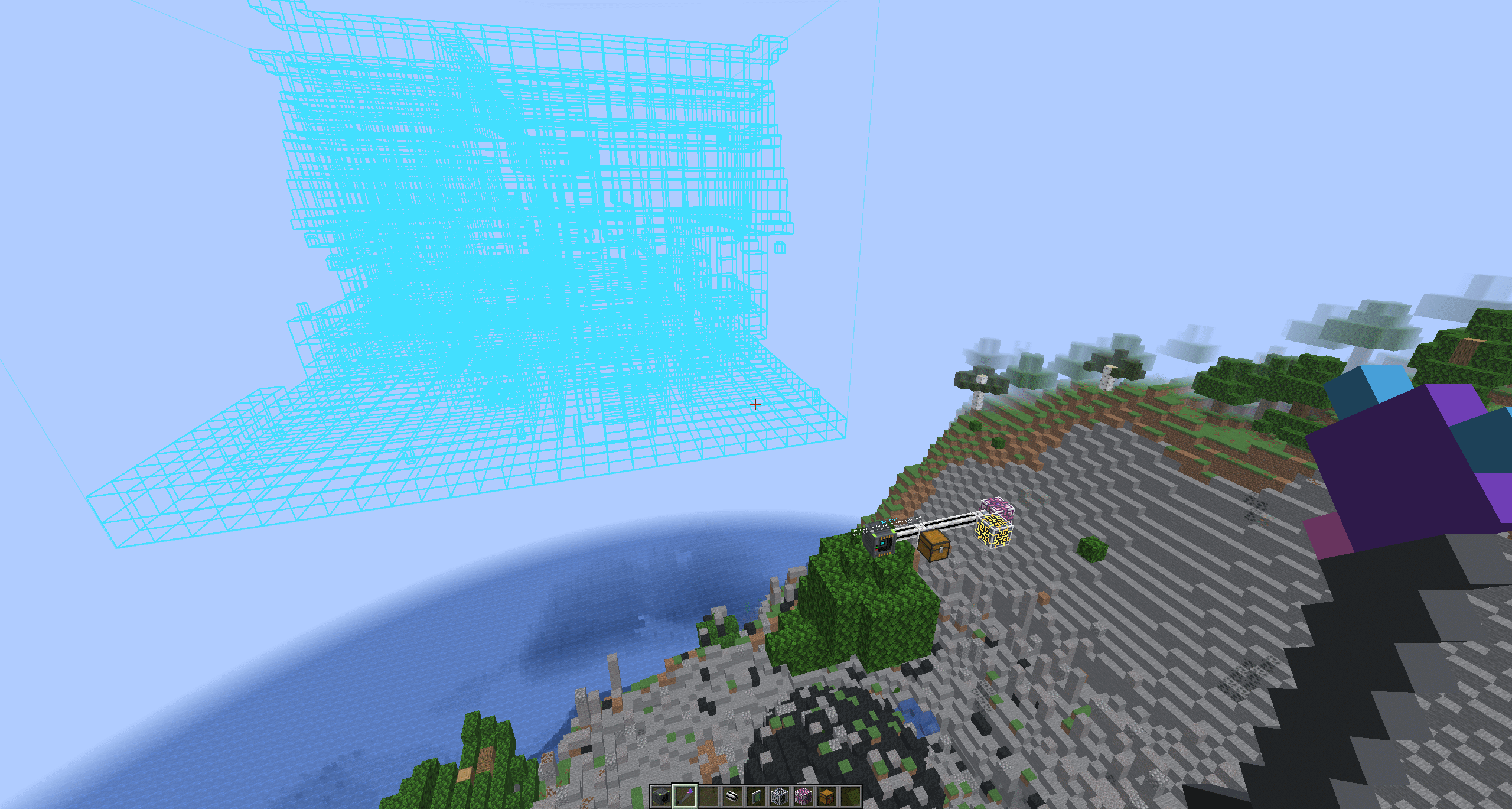
Press Preview and a light-cyan wireframe of the whole build appears in the world. It isn't a box around the build. Every block gets its own outline in its real shape, rotated the way it will be placed, so stairs look like stairs, torches look like torches and doors look like doors. Everyone nearby sees the same hologram, which makes it easy to plan a build together.
The Architect's Wand
The wand is how you put the build exactly where you want it. Sneak and right-click the Drone Station to link the wand to it. Right-click any block to set an anchor point, then right-click a second block, and the whole blueprint moves by that distance. Right-click the air to rotate the blueprint 90 degrees. Sneak and right-click a block to clear an anchor you've set. The hologram moves with every change, so you can line things up by eye. The wand's tooltip shows which station it's linked to and where your current anchor is. The wand works from up to 128 blocks away, and a blueprint can sit up to 64 blocks from its station.
Blocks in the Way
Below the list is a button that decides what happens when something is already where the schematic wants to place a block. Build around them is the default: the drones leave those spots alone and build everything else. Clear them sends Destruction Drones in first to remove whatever's in the way, and the removed blocks go into your ME network. Don't build refuses to start if anything is in the way, and tells you where the first obstruction is.
The Materials List
The Materials tab shows every item and fluid the build needs, with its icon and count. Once building starts, each row shows how many have been placed out of the total and where the rest will come from. Green means it's in your network, cyan means it's being crafted, yellow means it can be crafted, and red means it's missing and how many you're short. If something is missing and you'd rather not wait, press the Skip button on that row. The drones use whatever you have, leave out the blocks they can't supply, and keep building. At the end you're told how many blocks were left out. Run the build again once you have the items, and it fills in only the gaps.
Construction Phase
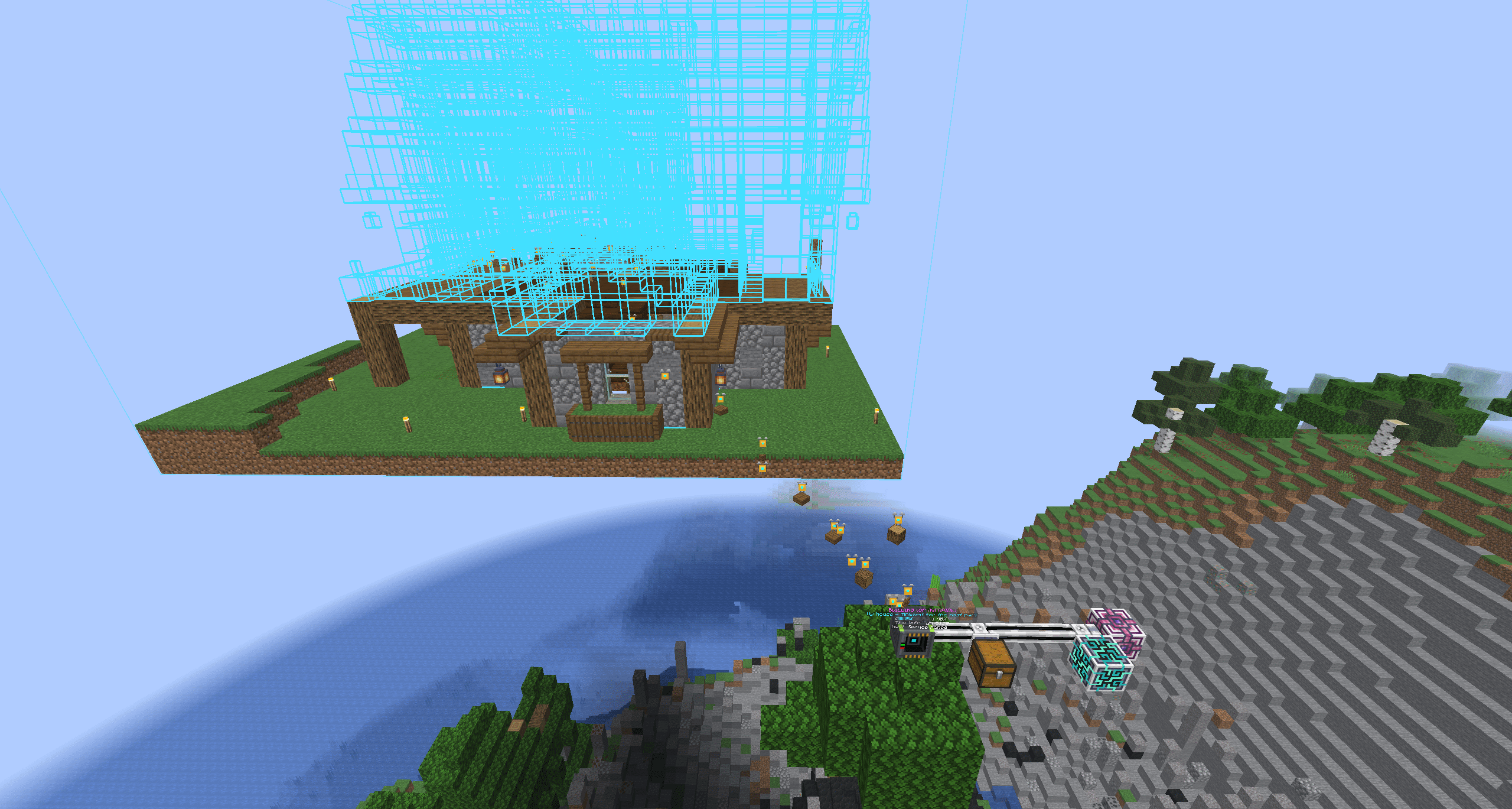
Press Build with Drones and the swarm takes off. Construction Drones carry a small spinning copy of the block they're about to place, so you can watch the build take shape. When clearing the area, Destruction Drones fly out and carry each removed block back home. As blocks go down, the preview hologram melts away piece by piece until only the finished build is left.
The station knows the details. Doors, beds and tall flowers are placed as one piece. Waterlogged blocks and liquids use water and other fluids from your network. Double slabs cost two slabs, and a cluster of candles or sea pickles costs as many as it holds. Command blocks, barriers, bedrock and spawners are never placed, and you're told when a schematic contains them. After placing, the station gives every block a proper update. Anything that can't stay where it is, like a torch whose wall was skipped, goes back into your network instead of dropping on the ground.
The Status Display
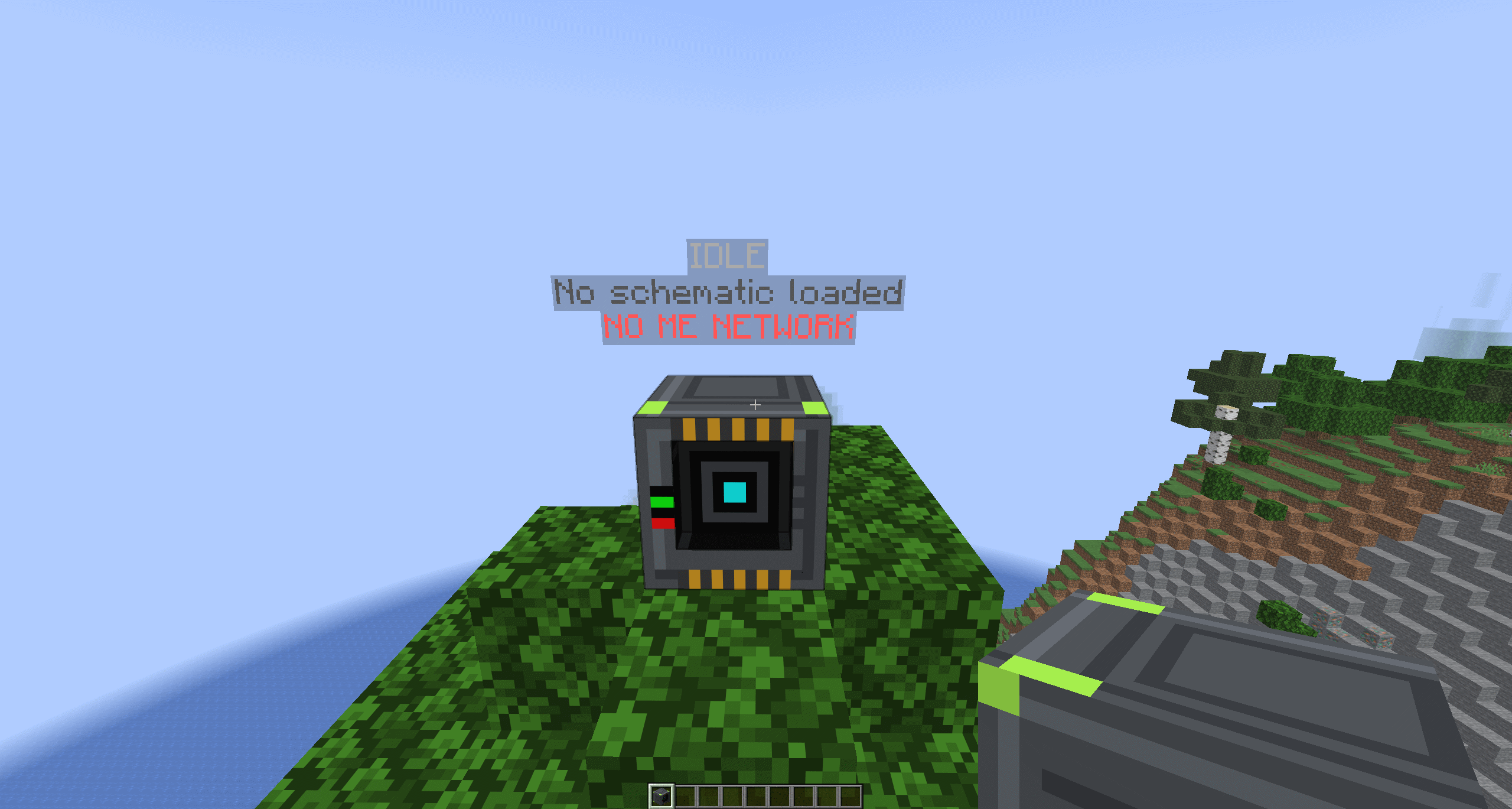
Floating text in front of the station shows what it's doing at a glance. It reads Ready when a schematic is loaded and Previewing when the hologram is up. During a build it shows Building, the schematic name, a progress bar with a percentage, an estimate of how much time is left, and the next block in line. If something is holding it up, it says so plainly: no ME network, no power, no free channel, waiting for an item, crafting an item, no free crafting CPU, or a craft that's missing ingredients. When the build finishes it shows Build Complete for a few seconds, and you get a message in chat. The menu shows the same information in its status line.
Pausing and Resuming Y
ou can stop a build at any time with Stop Build. Everything the drones were carrying goes straight back into your network. If the station's chunk unloads, the server restarts, or part of the build area unloads while the drones are working, the build pauses instead of being lost. The display shows Paused and the reason. Come back, open the station and press Resume Build, and it carries on from where it stopped, skipping everything that's already placed. Cancel Build throws a paused build away if you've changed your mind.
Multiplayer and Claims
The drones build as you. Every block they place or break counts as your action, so claim mods like FTB Chunks and spawn protection work exactly as if you'd done it by hand. Your teammates' claims are fine, and nobody else's claims can be griefed. If a drone is refused, the build stops and tells you where and why. Each station is Private by default, meaning only its owner can use it. The owner can switch it to Shared, which lets anyone the server's claim mod allows to interact with the station use it too. Server operators can always use any station. The drones, the hologram and the status display are visible to every player nearby.
OP Override
Players in creative mode and server operators get one more button: a big red OP OVERRIDE, BUILD ANYWAY. It builds the whole schematic out of thin air, with no ME network, power or items needed. It's perfect for setting up spawn areas, event builds and showcase worlds. Claims and your Blocks in the Way setting still apply.
Applied Automata Team