Apex Hosting Partner Link
- By
Monetize your modpack with ease! Give your players a 1-click Apex Hosting setup while earning partner commissions.

The Apex Hosting Partner Link mod for Minecraft Fabric, Forge, and NeoForge is designed for our partners to make it easy for their communities to create servers with their modpacks. With a quick setup, your affiliate link can be used by anyone playing the modpack. It creates a seamless experience for players to launch a multiplayer world and connect with friends right from the game menu.
Inside the client, players will be able to choose how much memory they want and see differences between pricing plans. As the partner, you retain full control over this experience by customizing the recommended RAM thresholds based on your modpack's demand. This ensures your community gets the exact hardware they need without any confusing guesswork.
Interested? Become an official partner today ✨
Apply for the Apex Hosting Partnership Program

The Apex Hosting Partner Link mod includes an in-game button for your players to purchase servers. They can choose the amount of RAM and see price differences between each plan. You can customize the recommended memory based on your modpack requirements.
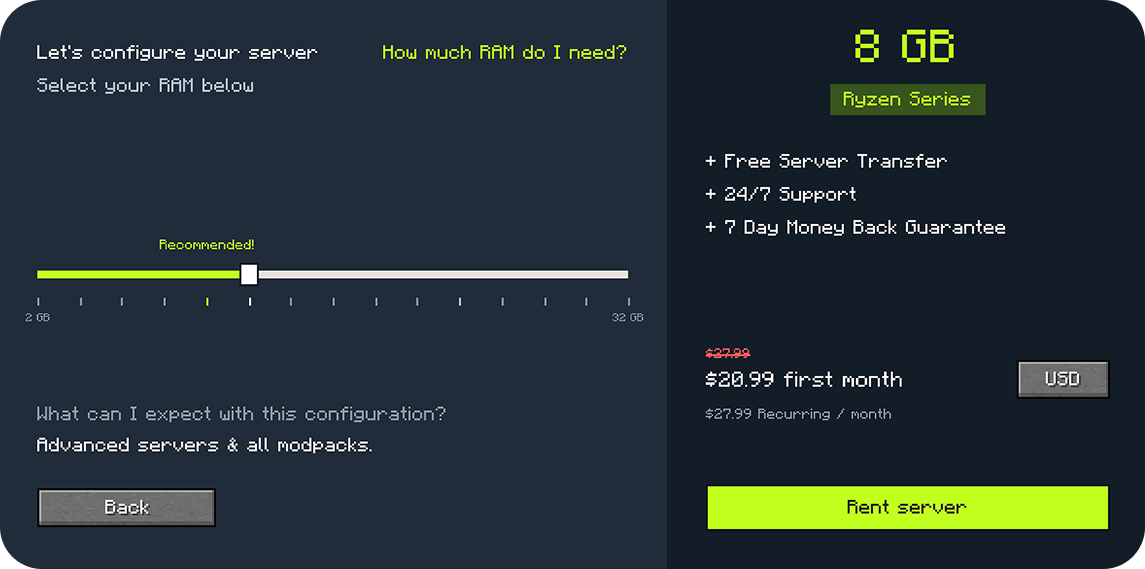
This mod uses your affiliate information at checkout whenever players rent a server from it. Enter your details in the config file, including your modpack ID from CurseForge. Upon checking out, players will have your modpack pre-selected for installation 👏

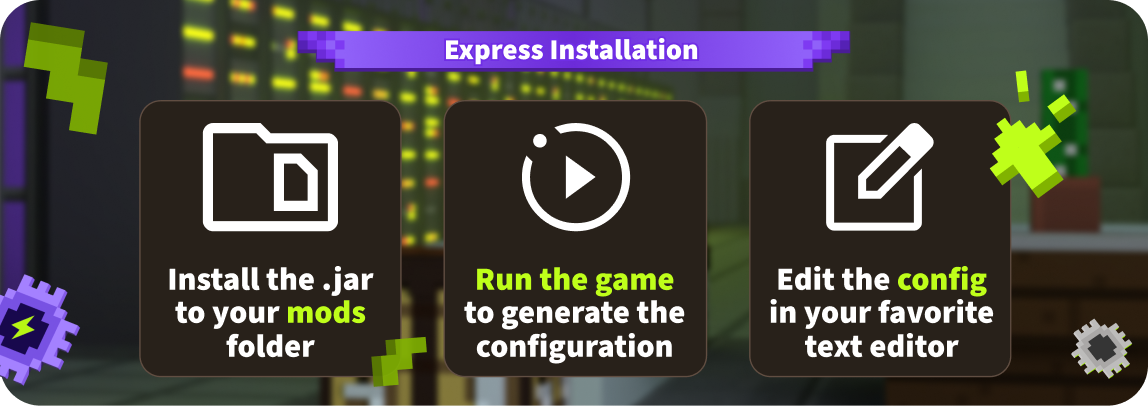
1. Download and install the .jar file into your 'mods' folder.
2. Launch the modpack one-time to generate the configuration.
3. Open the 'config' folder and edit the apexhosting-partner-link file.
4. Enter your Affiliate ID, Project ID, & modpack name then save the changes.
Finding Your Affiliate Details
Log into the Apex Hosting Billing Panel and click 'More Details' in the Affiliate Program box. Your Affiliate ID are the numbers after "aff=" in the Affiliate Link.

Need more information? Reach out to your partner manager or visit our guide here:
How to install the Partner Link Integration Mod



The Apex Hosting Partner Link Team


Owner