AnvilDisenchanter-ExtractionAddon
- By
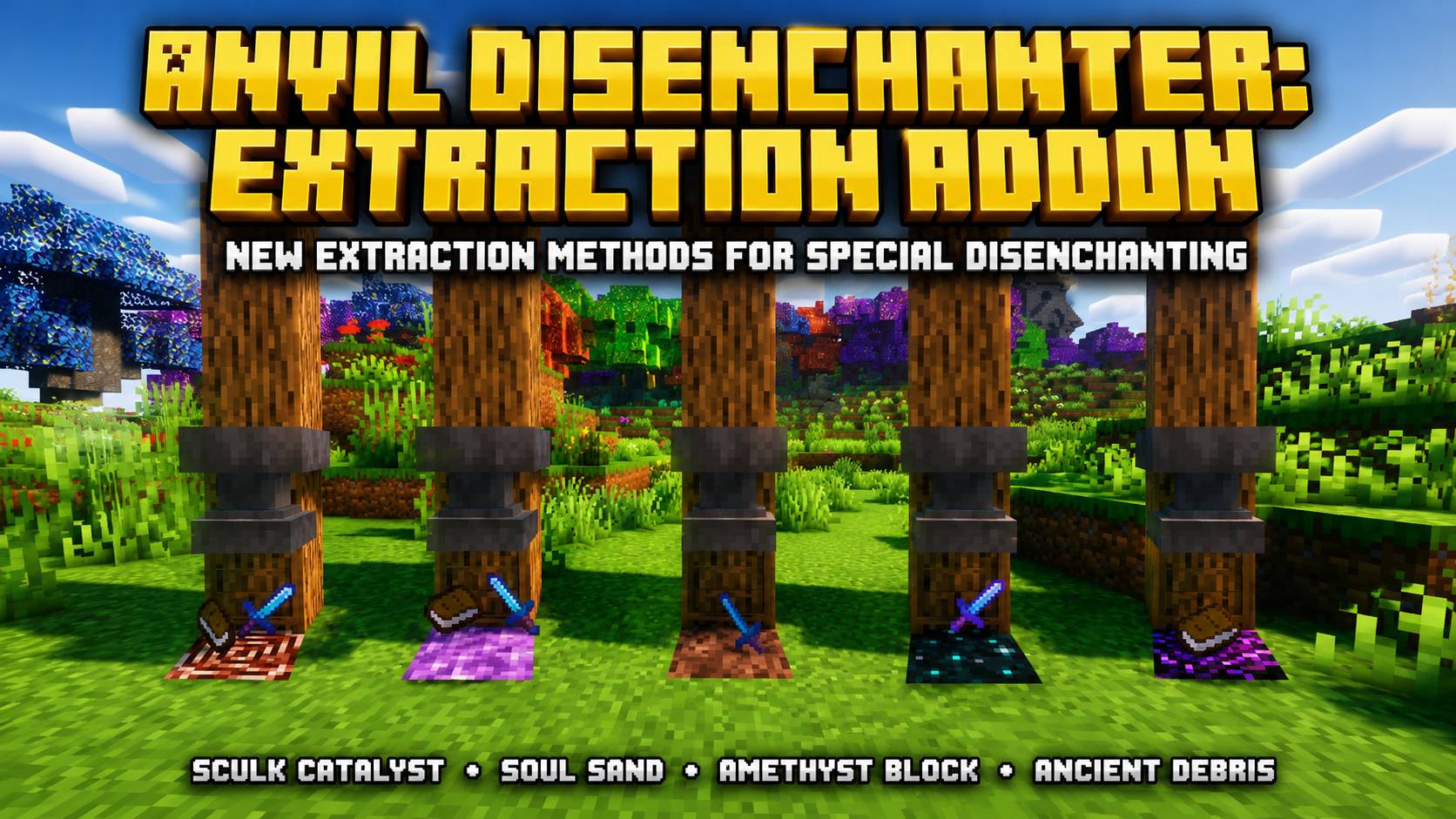
A vanilla-friendly expansion for Anvil Disenchanter that adds new extraction methods using Sculk Catalyst, Soul Sand, Amethyst Blocks, and Ancient Debris, with JEI guidance and full configuration support. Forge 1.19.2.
Anvil_Disenchanter_Extraction
Page1
Page2
Page3
Description
✨ Features
🔹 Requires Anvil Disenchanter
Anvil Disenchanter: Extraction Addon expands the main Anvil Disenchanter mod with additional extraction methods using existing Minecraft blocks.
The main Anvil Disenchanter mod must be installed for the addon to work.
This addon does not replace the original obsidian and crying obsidian mechanics. It adds new specialised options for players who want more control over enchantments, curses and recovered experience.
🔹 Four New Extraction Methods
The addon adds four specialised blocks:
- Sculk Catalyst — XP Salvage
- Soul Sand — Curse Destruction
- Amethyst Block — Careful Extraction
- Ancient Debris — Perfect Disenchanting
Each block performs a different type of disenchanting operation.
Choose the block based on what you want to do with the enchanted item.
🔹 How to Use
You will need:
- 1 supported extraction block
- 1 anvil
- 1 enchanted weapon, tool or piece of armor
- Normal books when required by the selected method
Place the chosen extraction block on the ground.
Drop exactly one enchanted source item on top of it, together with any required books.
Next, drop an anvil from above so that it lands directly on the block and the items.
The addon will detect which block is being used and perform the matching extraction method.
The supported blocks are:
- Sculk Catalyst
- Soul Sand
- Amethyst Block
- Ancient Debris
Stacked enchanted source items are not supported.
🔹 Sculk Catalyst — XP Salvage
The Sculk Catalyst provides an alternative way to process enchanted equipment by converting enchantment value into experience.
This method is intended for players who do not need the enchantments as books but still want to recover part of their value.
The amount of experience returned can be adjusted through the configuration settings.
Use this method when:
- You want experience instead of enchanted books
- The enchantments are no longer useful
- You want to recycle old enchanted equipment
- You need experience for enchanting or anvil work
🔹 Soul Sand — Curse Destruction
Soul Sand is used to destroy curses on enchanted equipment.
This method is intended for situations where a cursed item needs to be cleaned without preserving the curse as an enchanted book.
Destroyed curses are removed permanently.
Use this method when:
- An item has Curse of Binding
- An item has Curse of Vanishing
- A modded curse is making the item difficult to use
- You want the curse removed instead of extracted
Curse handling and supported behaviour can be adjusted in the configuration settings.
🔹 Amethyst Block — Careful Extraction
The Amethyst Block provides a more controlled extraction method.
It is designed for players who want a safer or more careful alternative to normal disenchanting.
Depending on the configured settings, this method can offer different costs, effects or extraction behaviour compared with standard obsidian.
Use this method when:
- The enchanted item is valuable
- You want a more controlled extraction method
- You want to preserve important enchantments
- You prefer a specialised alternative to normal obsidian
The exact behaviour can be adjusted through the addon’s configuration screen.
🔹 Ancient Debris — Perfect Disenchanting
Ancient Debris provides the addon’s highest-tier extraction method.
It is intended for valuable equipment where the player wants the best available disenchanting result.
Because Ancient Debris is rare, this method is designed as a powerful late-game option rather than an everyday extraction block.
Use this method when:
- The source item is extremely valuable
- The enchantments must be handled carefully
- You want the addon’s strongest extraction option
- You are willing to use a rare block for a better result
Its exact costs and behaviour can be changed through the configuration settings.
🔹 Exactly One Enchanted Source Item
Each operation works with exactly one enchanted weapon, tool or piece of armor.
Stacked source items are intentionally rejected.
This prevents:
- Item duplication
- Accidental mass processing
- Multiple enchanted items being mixed together
- Unclear extraction results
When multiple source items are detected, the operation is cancelled and the items remain unchanged.
🔹 Normal Books When Required
Some extraction methods may require normal books to receive transferred enchantments.
By default, each extracted enchantment can require its own normal book.
When there are not enough books:
- The operation is cancelled
- No enchantments are removed
- The source item remains unchanged
- Nearby players receive an explanation
Book requirements and output behaviour can be changed in the configuration settings.
🔹 Clear Success and Failure Feedback
The addon provides clear feedback when an extraction succeeds or fails.
Nearby players can receive messages explaining why the operation could not continue.
Possible reasons include:
- Not enough books
- More than one enchanted source item
- Stacked source items
- Unsupported extraction block
- Invalid source item
- No valid enchantments or curses
- Blacklisted items
- Blacklisted enchantments
- Disabled extraction method
Messages can be enabled or disabled in the configuration settings.
🔹 Sounds and Particle Effects
Each extraction method can use its own sounds and particles.
Successful and failed operations have separate feedback so it is immediately clear what happened.
Depending on the selected block, the addon can use effects suited to:
- Sculk and experience
- Souls and curses
- Amethyst magic
- Ancient Debris and perfect extraction
- Successful operations
- Failed operations
Sounds and particles can be adjusted or disabled through the configuration screen.
🔹 Configurable XP Returns
Experience recovered through the Sculk Catalyst method can be configured.
Settings can control how much XP is returned and whether XP salvage is enabled.
This lets modpack creators choose between:
- A more generous recycling system
- A balanced survival system
- A difficult progression system
- Completely disabling XP salvage
🔹 Item and Enchantment Blacklists
Items and enchantments can be prevented from working with the addon.
This is useful for:
- Soulbound equipment
- Quest items
- Unique modded artifacts
- Unbreakable equipment
- Special curses
- Enchantments that should never be extracted
When a blacklisted item or enchantment is detected, the operation is cancelled and the player receives feedback.
🔹 JEI Extraction Guide
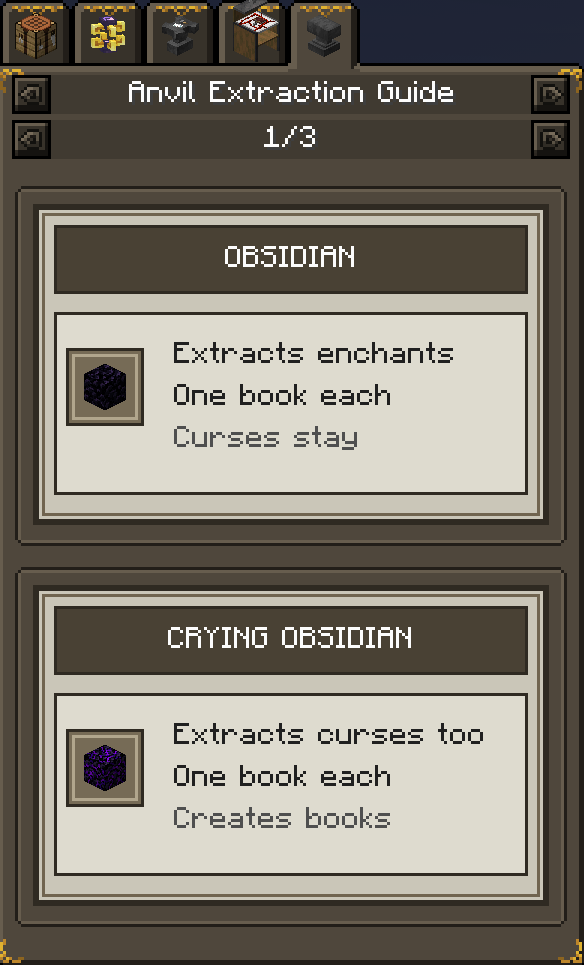
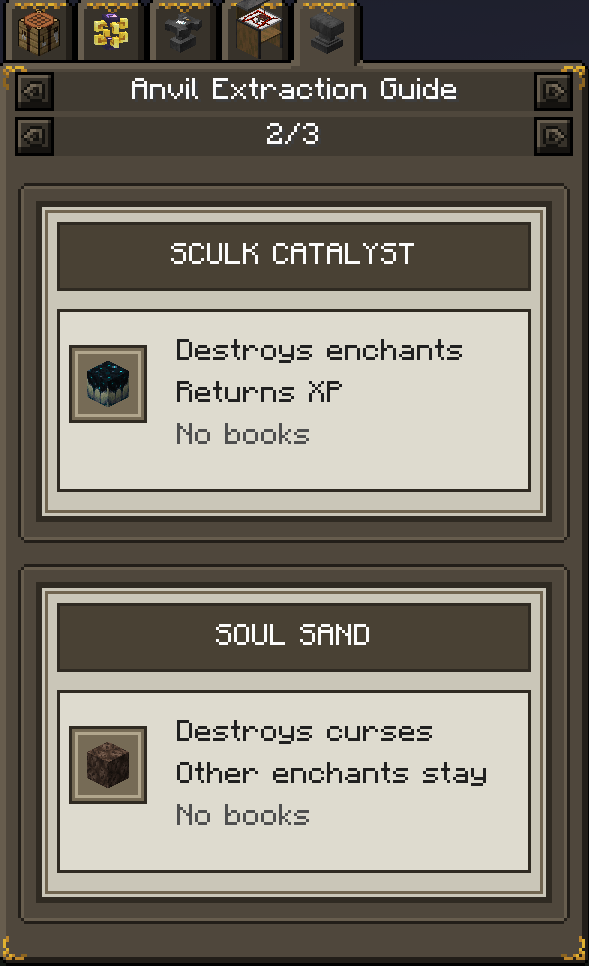
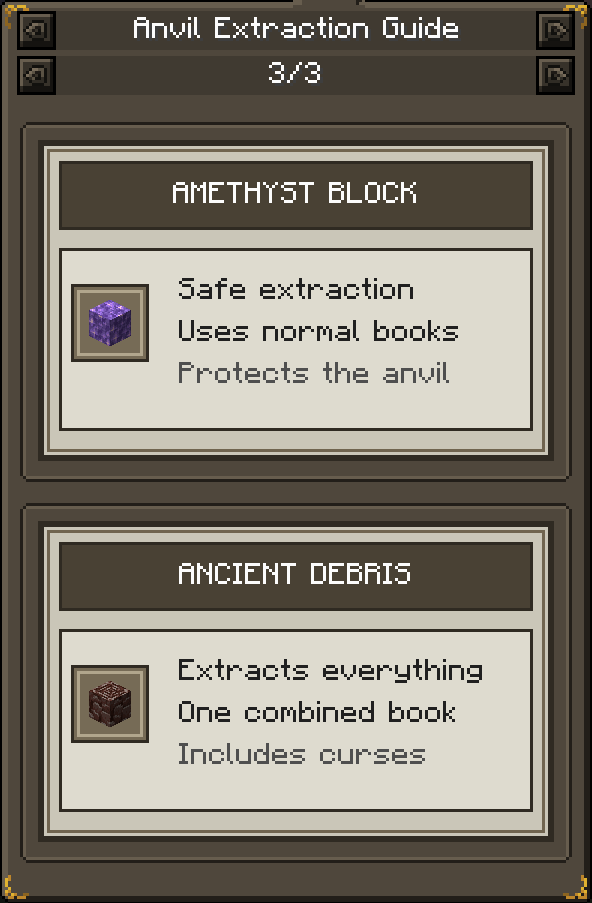
When JEI is installed, the addon adds an Anvil Extraction Guide.
The guide explains every extraction block using clear pages with icons and short descriptions.
The JEI guide covers:
- Obsidian
- Crying Obsidian
- Sculk Catalyst
- Soul Sand
- Amethyst Block
- Ancient Debris
Hover a supported block or item in JEI and press U to view its uses and open the extraction guide.
JEI is optional. The addon still works without it.
🔹 In-Game Configuration Screen
The addon includes an in-game configuration screen.
Open:
Mods
→ Anvil Disenchanter: Extraction Addon
→ Config
Settings can be changed without manually editing the configuration file.
Configurable options include:
- Enable or disable each extraction block
- Book requirements
- Curse behaviour
- XP salvage values
- Sounds
- Particle effects
- Success and failure messages
- Anvil damage behaviour
- Item blacklists
- Enchantment blacklists
- Output protection
- Pickup delay
- Output despawn time
- Debug logging
The configuration file is created inside the Minecraft config folder after starting the game once.
The AnvilDisenchanter-ExtractionAddon Team