The anvil punishes you for the order you combine things in, and never tells you.
Put four books on a pickaxe one at a time and you pay 27 levels. Combine the same four books in the right order and you pay 23. Do it wrong on a big set and the anvil just says Too Expensive! and there is nothing you can do about it.
Anvil Planner works out the cheapest order for you, and then walks you through it.
Press J, or click the book tab that appears next to any anvil.

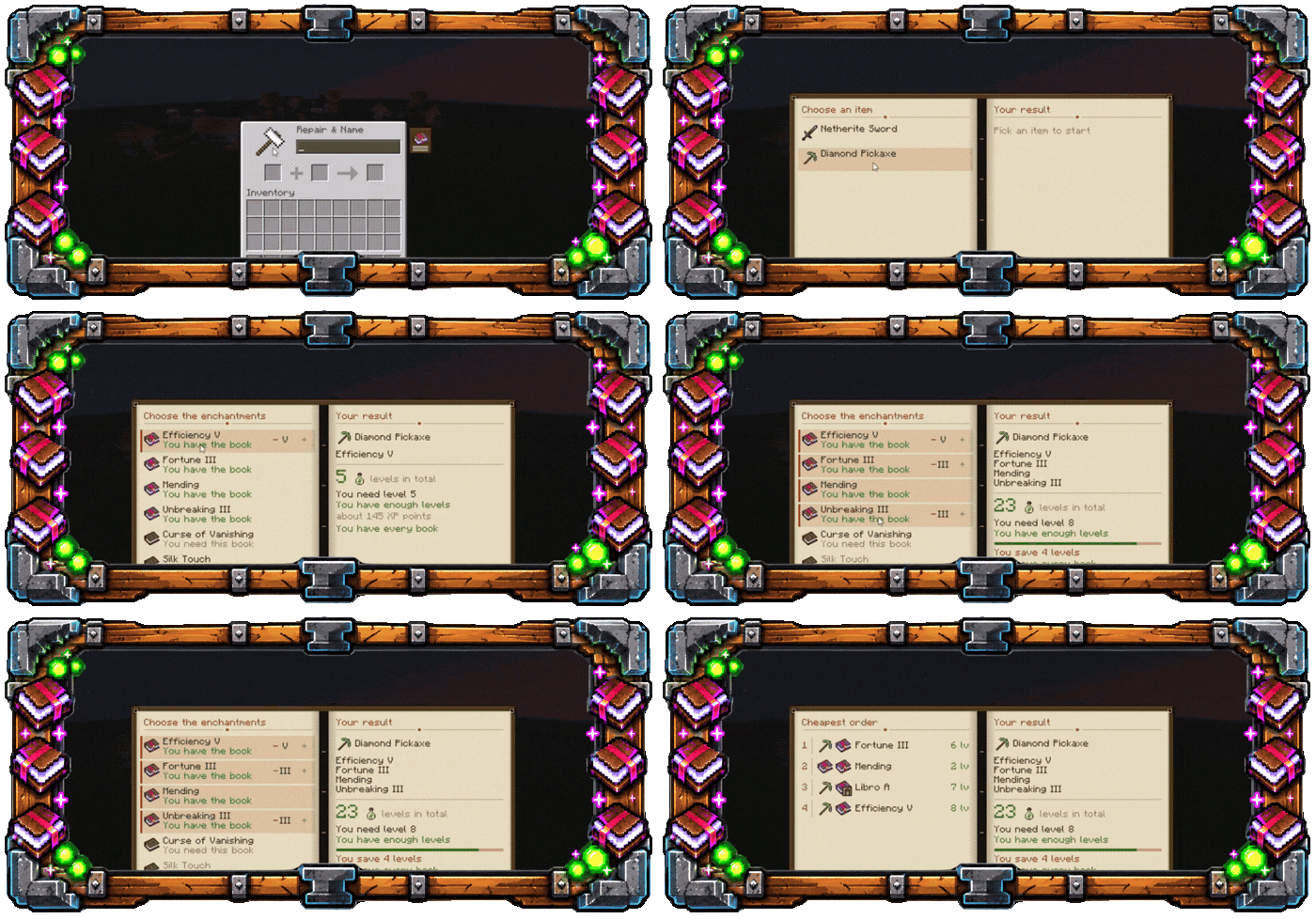
Shows you every enchantment the item can take — not only the books you happen to be carrying. Each one tells you whether you already have the book or still need to find it, so you can plan a build before you go hunting for it.
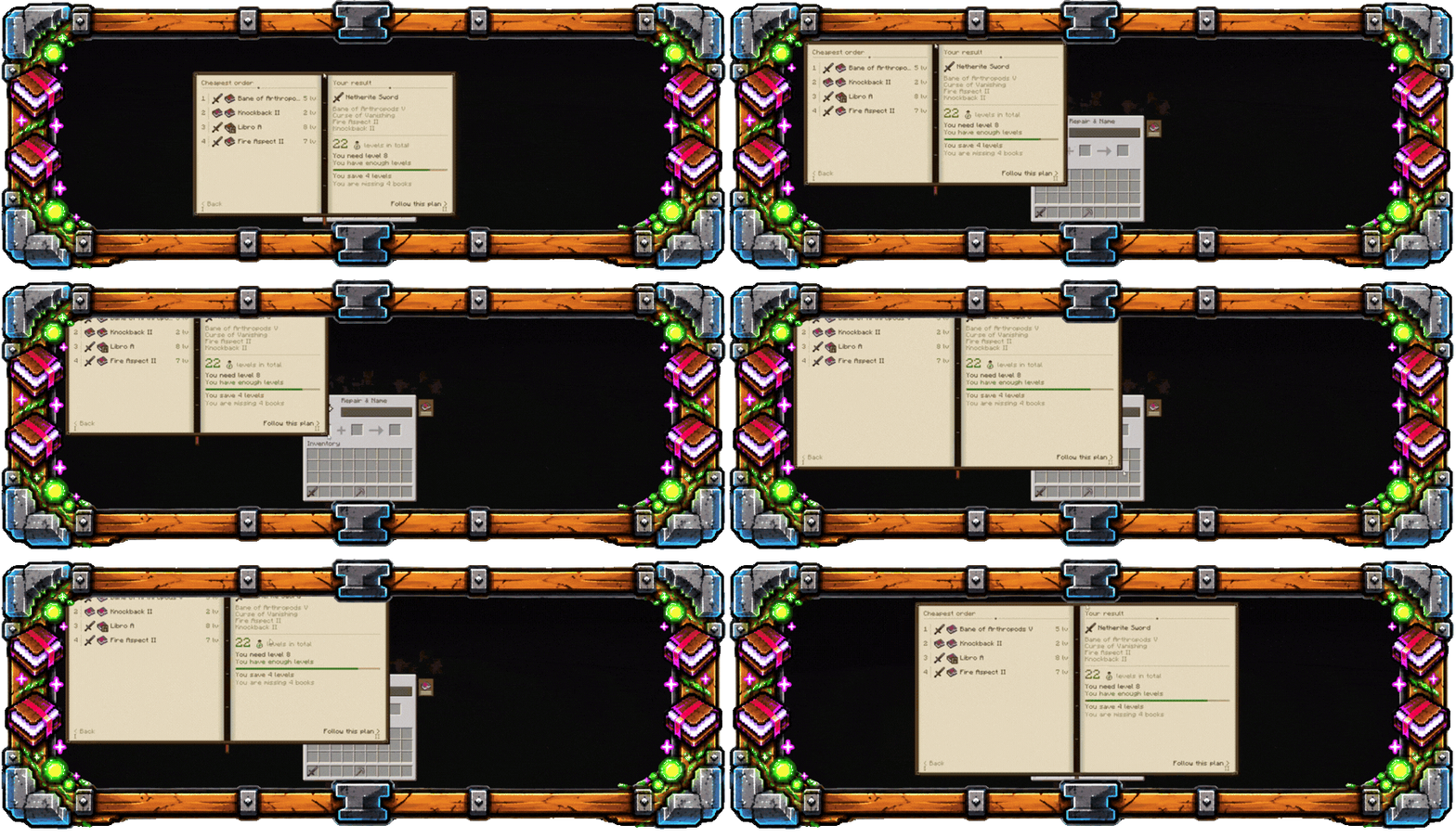
Finds the cheapest order. It searches every way of combining your books, not just the obvious ones, because the cheapest plan is usually not the order you would have picked.
Two numbers, not one. How many levels you spend in total, and the minimum level you need to reach, which is the one that decides whether the anvil will even accept the step.
The real experience cost. Twenty-eight levels from level 30 is 1,379 XP points. The same twenty-eight levels from level 28 is 1,186. Anvil Planner tells you the points, because that is what you actually have to go and mine back.
Warns you before you start. If your level is not enough for the worst step, it says so on the planning page and again next to the step while you work.
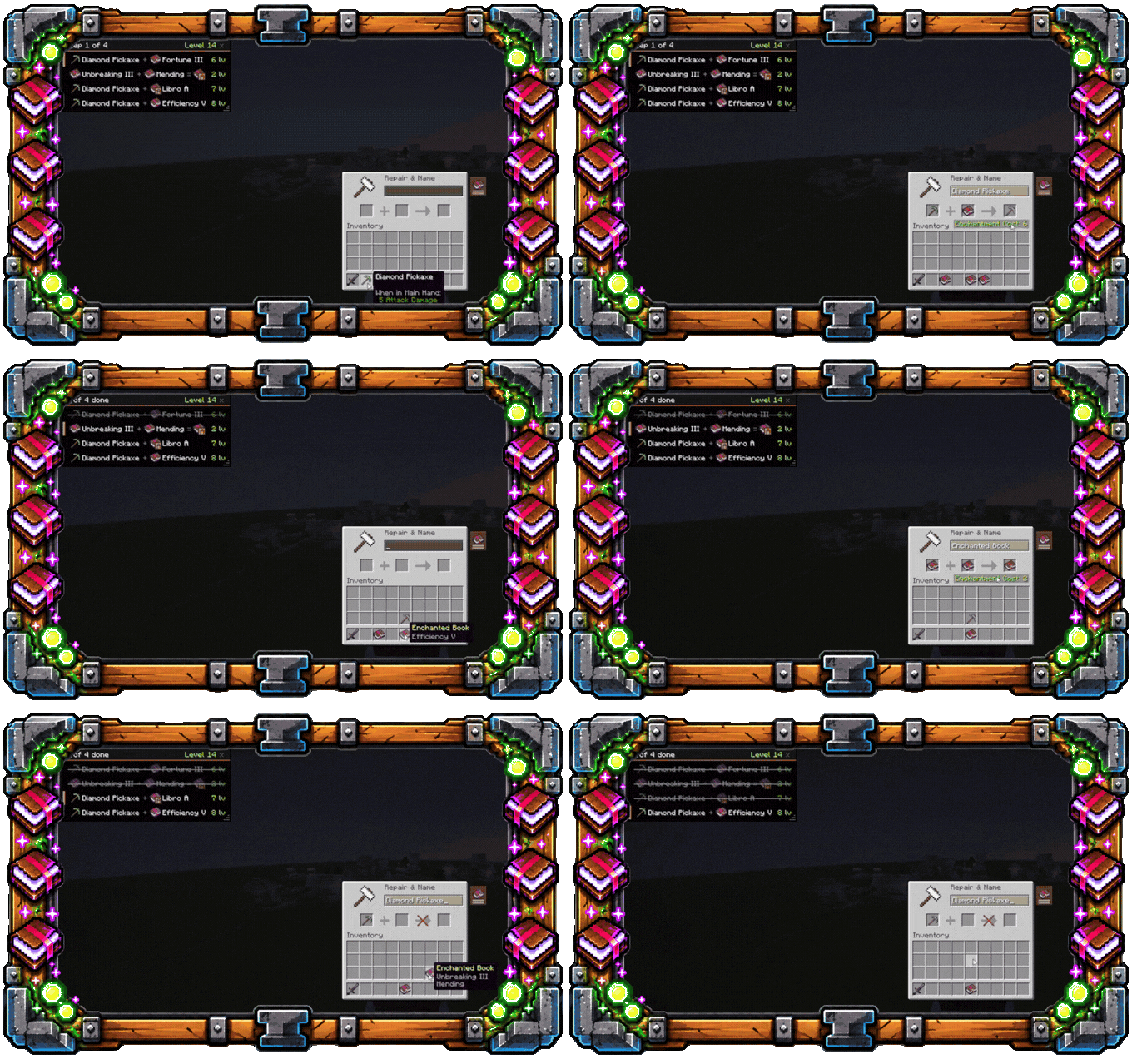
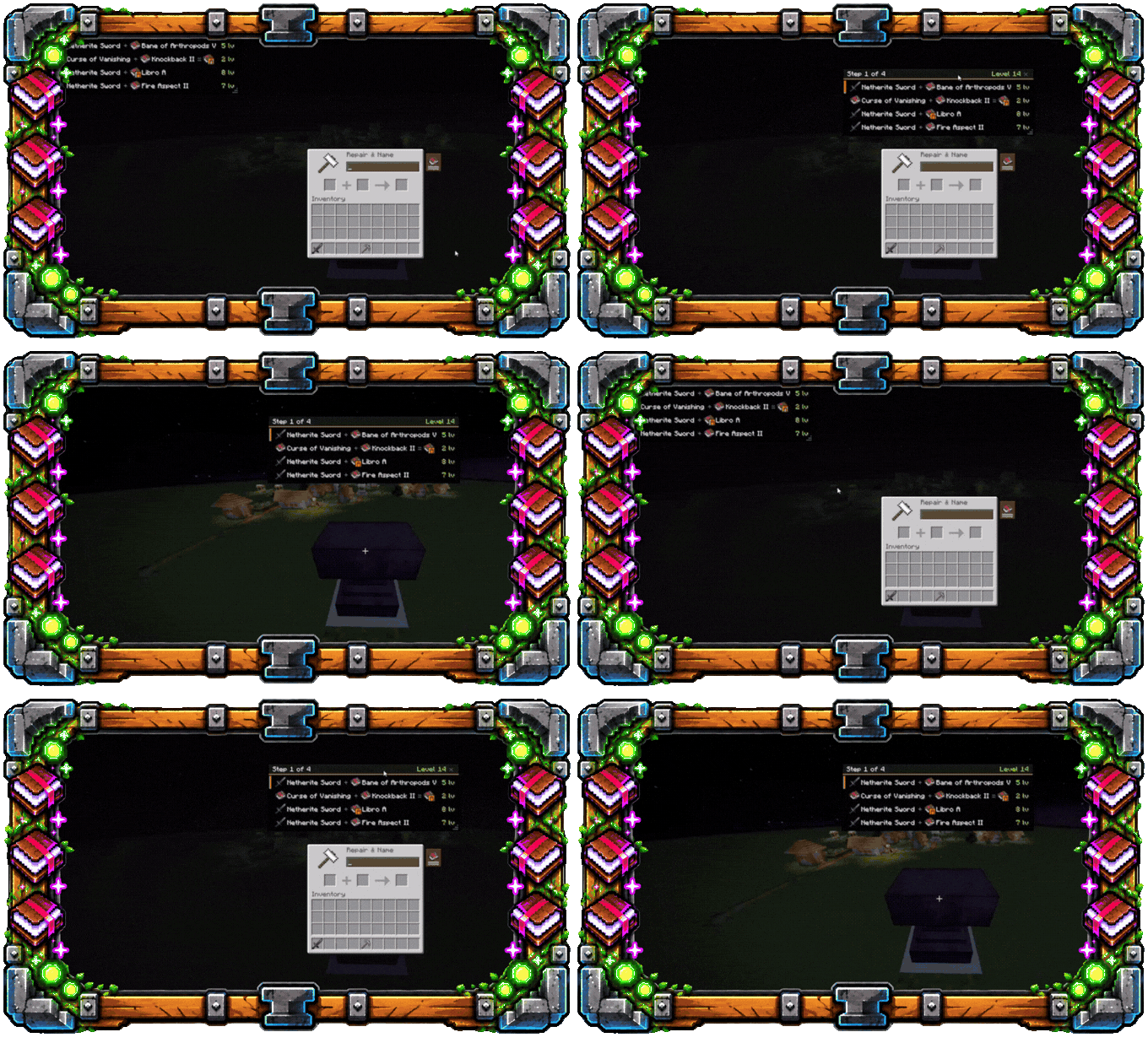
A checklist while you work. Follow the plan and a small panel tracks your progress at the anvil. Steps cross themselves off as you complete them — in any order you like. It only counts a step when what you actually combined is what the step asked for, so enchanting something else in the middle will not throw the plan off.
This is a client-side mod. It sends nothing to the server and it changes no rules. Every number it shows is vanilla's own anvil arithmetic. The costs come from the enchantment data the server sends your client, so the plan is still correct on servers with datapacks that change anvil costs or add enchantments.
The server does not need to have it installed. Nobody else needs it either.

- Press J, or open an anvil and click the book tab on its right.
- Pick the item you want to enchant.
- Pick the enchantments. Use the arrows to change a level.
- Read the plan, then hit Follow this plan.
- Work through the checklist at the anvil.
The book can be dragged by its cover and resized from the bottom right corner. So can the checklist panel, while any screen is open.

- Minecraft 1.21.6, 1.21.7 or 1.21.8
- Fabric Loader
- Fabric API
Works on Lunar Client.
English and Spanish, picked from your game language.
MIT. Use it, fork it, put it in a modpack — no need to ask.
Made by 0800rojas. Bug reports and ideas are welcome — the more specific, the faster it gets fixed.