Anvil Forecast
- By
Tells you how many anvil uses your gear has left, what the next one costs, and when to swap the two items before Too Expensive hits
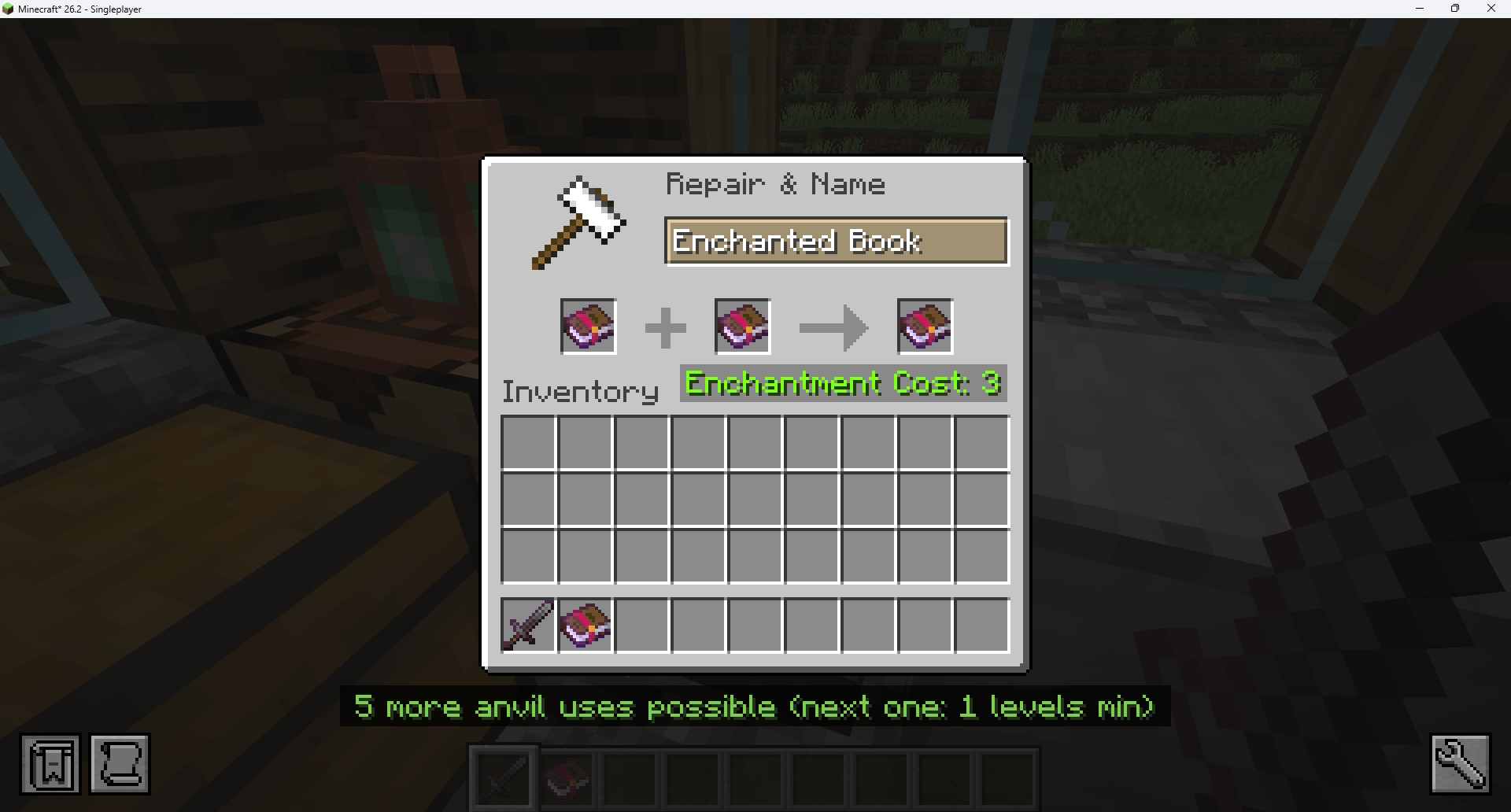
Capture d'écran 2026-08-29 020409.png
Capture d'écran 2026-08-29 020420.png
Capture d'écran 2026-08-29 020428.png
Capture d'écran 2026-08-29 020509.png
Description
The problem
You put an enchanted pickaxe in an anvil. Too Expensive!
Nothing told you it was coming. Minecraft tracks a hidden counter on every item - the anvil work penalty - that doubles every single time you use an anvil: 0, 1, 3, 7, 15, 31, 63. Once it passes 39, that item can never go in an anvil again. Permanently. The game never shows you this number.
What this mod does
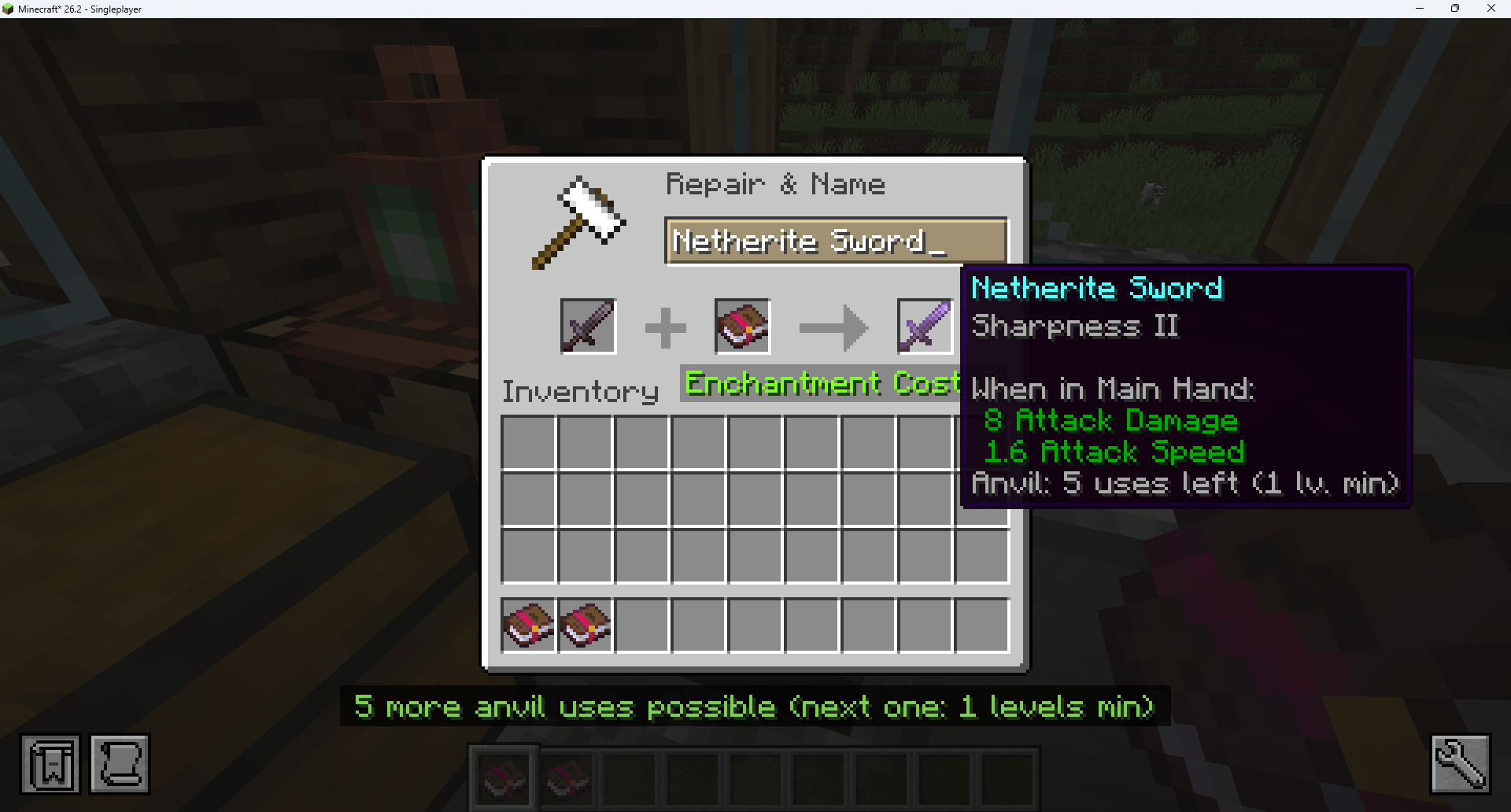
- Tells you how many anvil uses you have left. Not a cryptic number: an actual count, on the item's tooltip.
- Shows what the next use will cost before you commit to this one.
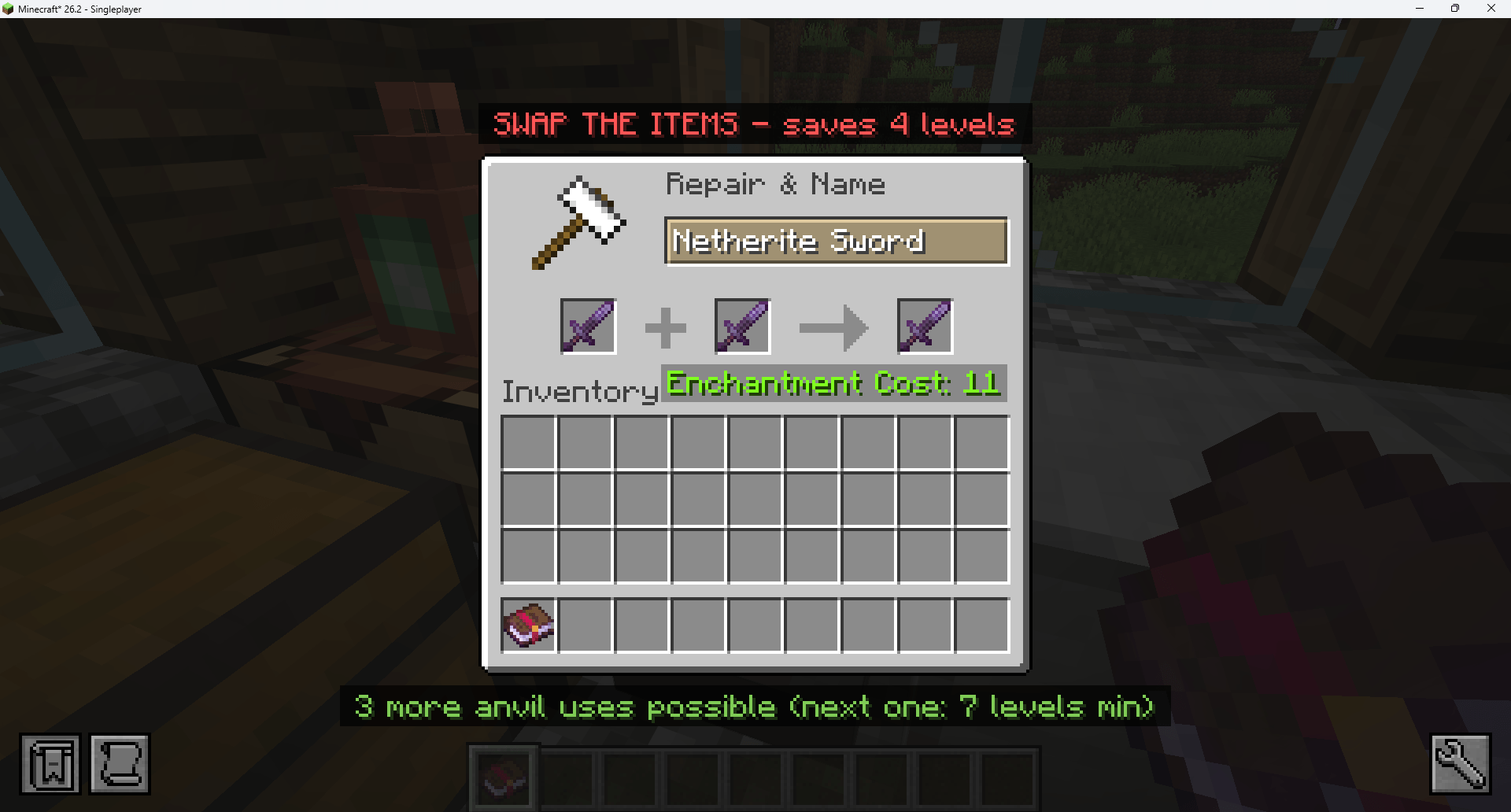
- Warns you when the order is wrong. Putting the book on the wrong side can double your cost, or make the anvil refuse outright. A red banner tells you to swap them, and how many levels it saves.
- Warns you before an item is locked forever, on its last safe use.
No new items, no new blocks, no changed recipes. It only reads what the game already tracks.
Examples
On any item that has been through an anvil
Diamond Pickaxe
3 anvil uses left
Next use will cost 7 levels minimum
Two uses later - the warning vanilla never gives you
Diamond Pickaxe
Last anvil use left
Next use will cost 31 levels minimum
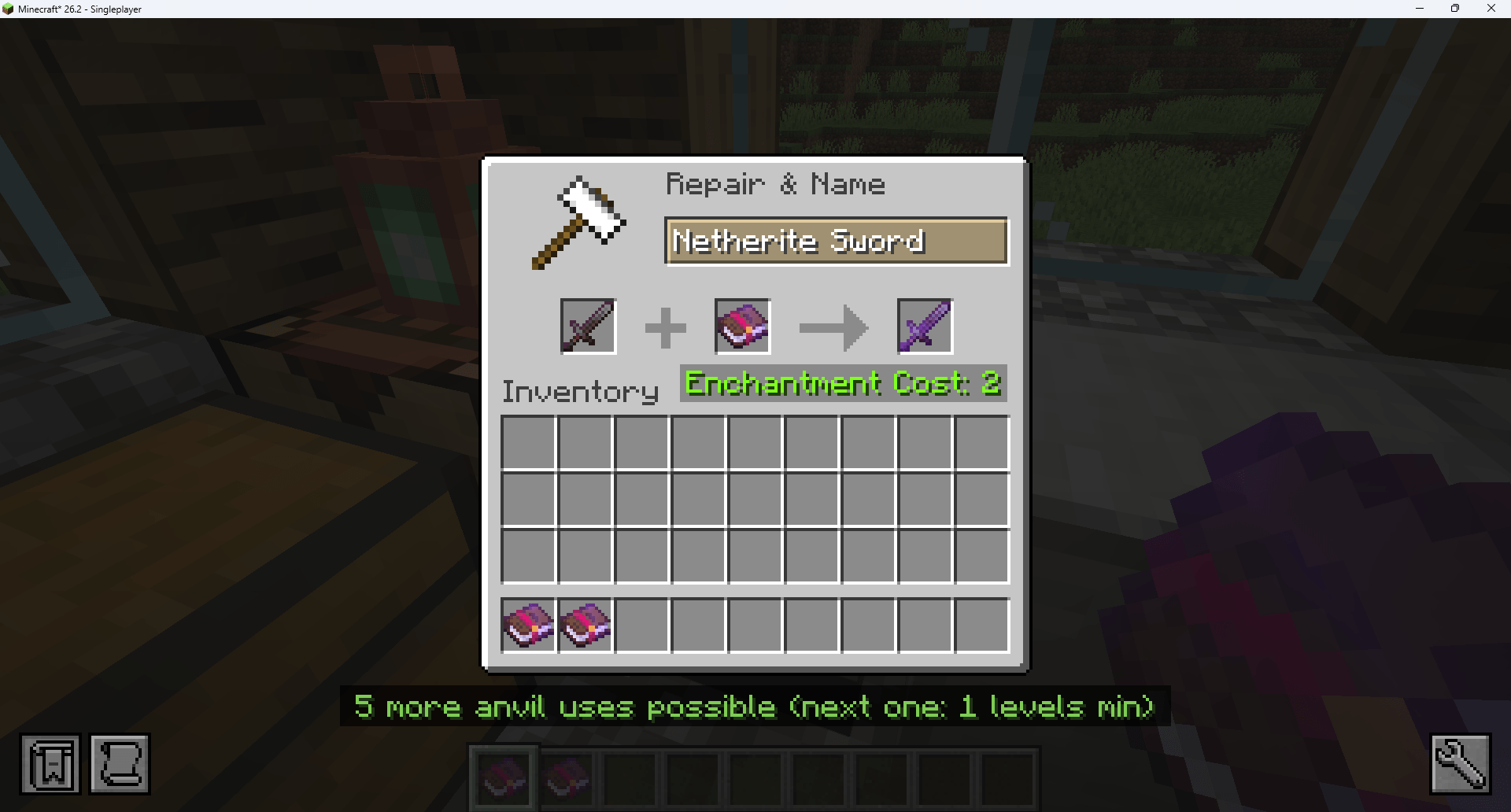
In the anvil screen, two banners frame the window: the remaining uses of the item you are about to take, and a red SWAP THE ITEMS warning when the order costs you levels for nothing.
What this mod is NOT
- Not a cheat. It never removes the Too Expensive limit, never changes a cost, never edits an item.
- Not an anvil replacement. The vanilla screen is untouched; the mod draws outside it.
- Not a recipe viewer. It does not replace JEI, REI or EMI - and it gets out of their way (see below).
- Not a HUD overhaul. Two tooltip lines, and only on items that have actually been in an anvil.
Compatibility
| Minecraft | 26.2 |
| Loader | Fabric |
| Side | Client only - works on any server, including vanilla ones |
| Dependencies | Fabric API |
| Tested with | JEI, Jade, WTHIT - no conflicts |
Items that have never been in an anvil show nothing at all, so your tooltips stay clean. When JEI, EMI or REI is installed, the two tooltip lines automatically merge into one so your tooltips do not get crowded. That behaviour can be turned off in the config.
Languages
English, French, German, Spanish, Portuguese (Brazil), Italian, Dutch, Polish, Turkish, Russian, Ukrainian, Simplified Chinese, Traditional Chinese, Japanese, Korean.
Translations other than English and French were not reviewed by native speakers - corrections are very welcome on the issue tracker.
Configuration
config/anvilforecast.json, four independent switches:
{
  "showTooltip": true,
  "showRemainingUses": true,
  "showSwapWarning": true,
  "compactWithRecipeViewer": true
}
For modpack makers
- Inclusion in modpacks is allowed (MIT).
- Client-side only: nothing on the server, no protocol, no world data, no save format.
- Adds nothing to the game - no items, blocks, recipes, tags or world generation.
- Purely additive tooltip lines: safe to add to, or remove from, an existing pack mid-save.
- Everything can be switched off individually in the config.
Links
- 🟩 Modrinth: https://modrinth.com/mod/anvil-forecast
Anvil Forecast Team