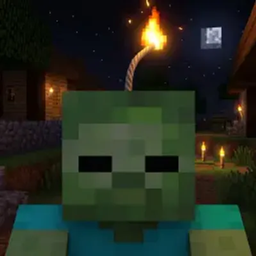
All Mobs Explode: Fabric Edition
Turn regular Minecraft mobs into walking bombs.
When a mob gets close to you, it starts flashing and hissing like a creeper — then it blows up. There's also an optional speedrun mode with a timer and a leaderboard.
Features
- Mobs blow up when they get near you
- Change how close they have to be, how long before they go off, and how big the boom is
- Turn fire and block damage on or off
- Choose whether mobs need to actually see you first
- Pick mobs that should stay safe, or make normally harmless things explode (arrows, boats, minecarts)
- Turn it on and off any time — no restart needed
- Mobs still drop their normal loot, and you still get credit for the kill
- Creepers and the Ender Dragon never explode from this
- Commands pop up as you type them, and your settings save on their own
- Won't lag your server, even when a ton of stuff goes off at once
Default settings
| Setting |
Default |
| How close a mob has to be |
5 blocks |
| Countdown before it explodes |
1.3 seconds |
| Explosion size |
2.8 (a bit smaller than TNT) |
| Starts fires |
No |
| Breaks blocks |
Yes |
| Mob has to see you first |
Yes |
All of this is in the config file, and /ame reload picks up your changes.
Downloads
| Build |
Versions |
| Fabric / Quilt |
26.2 |
Needs Fabric API. Works in singleplayer and on servers.
Playing on a server? Only the server needs it — your friends can join with a totally normal Minecraft and it'll still work. Installing it on your own game just adds a speedrun timer in the corner.
Running Paper, Purpur, or Spigot? That's a separate download — see the link at the bottom.
How to install
- Install Fabric Loader (or Quilt Loader)
- Install Fabric API
- Put the JAR file in your
mods folder
- Start the game or server
- Type
/ame help
Commands
/ame and /allmobsexplode both work.
Turning it on and off
| Command |
What it does |
/ame start |
Turns explosions on |
/ame stop |
Turns them off and stops any mobs mid-countdown |
/ame status |
Tells you if it's on or off |
/ame reload |
Loads your settings again |
/ame help |
Shows all the commands |
Safe mobs
Mobs you don't want blowing up.
| Command |
What it does |
/ame exclude add <mob> |
Makes a mob type safe |
/ame exclude remove <mob> |
Makes it explode again |
/ame exclude list |
Shows your safe list |
/ame exclude reset |
Puts the list back to normal |
Extra explosives
Stuff that normally can't explode, but will.
| Command |
What it does |
/ame include add <entity> |
Makes something explode |
/ame include remove <entity> |
Takes it off the list |
/ame include list |
Shows the list |
/ame include reset |
Clears the list |
/ame include add arrow
/ame include add oak_boat
Speedruns (optional)
Nobody gets timed unless they choose to. Start with /ame run start, and the timer stops when you beat the Ender Dragon.
| Command |
What it does |
/ame run start |
Starts a timed run |
/ame run reset |
Quits your run |
/ame time |
Shows your time, or your best one |
/ame leaderboard |
Shows the fastest runs |
Before you can start:
- You're in Survival, and difficulty isn't Peaceful
- You're in a brand new world you haven't played yet
- You don't have admin powers
- You're the only person online
- Explosions and speedruns are both turned on
⚠️ Starting a run deletes your items, armor, Ender Chest, XP, and potion effects. Don't start one in a world you care about.
Your run won't count if:
- Someone else joins
- You switch to Creative or Spectator
- An admin gives you help
- The settings get changed while you're playing
- You've played in that world before
- You use commands that give you an unfair advantage (
/give, /tp, /gamemode, and so on)
Finished runs save your name, time, world seed, difficulty, Minecraft version, server type, settings, and the date. They're saved in a way that makes fake times easy to spot.
For server admins
/ame speedrun
/ame speedrun status
/ame speedrun toggle
Admins have to turn off their own admin powers before doing a run.
Problems?
If you find a bug you can make happen again, tell me your Minecraft version, whether you're on Fabric or Quilt, which version of All Mobs Explode you have, and any red text from the console.
Also on
Made by DawsonCodes.