


Ala Screen
- By

Press F2, get a link. Check and mark up your screenshot first, then share it through alacraft.day with a short link that unfolds as the picture itself in Discord.
Curse Maven Snippet
What's new
Ala Screen 0.2.0 - redo, number keys and a better list
The Mark up panel learned two shortcuts, and /alascreen list became something you can act on.
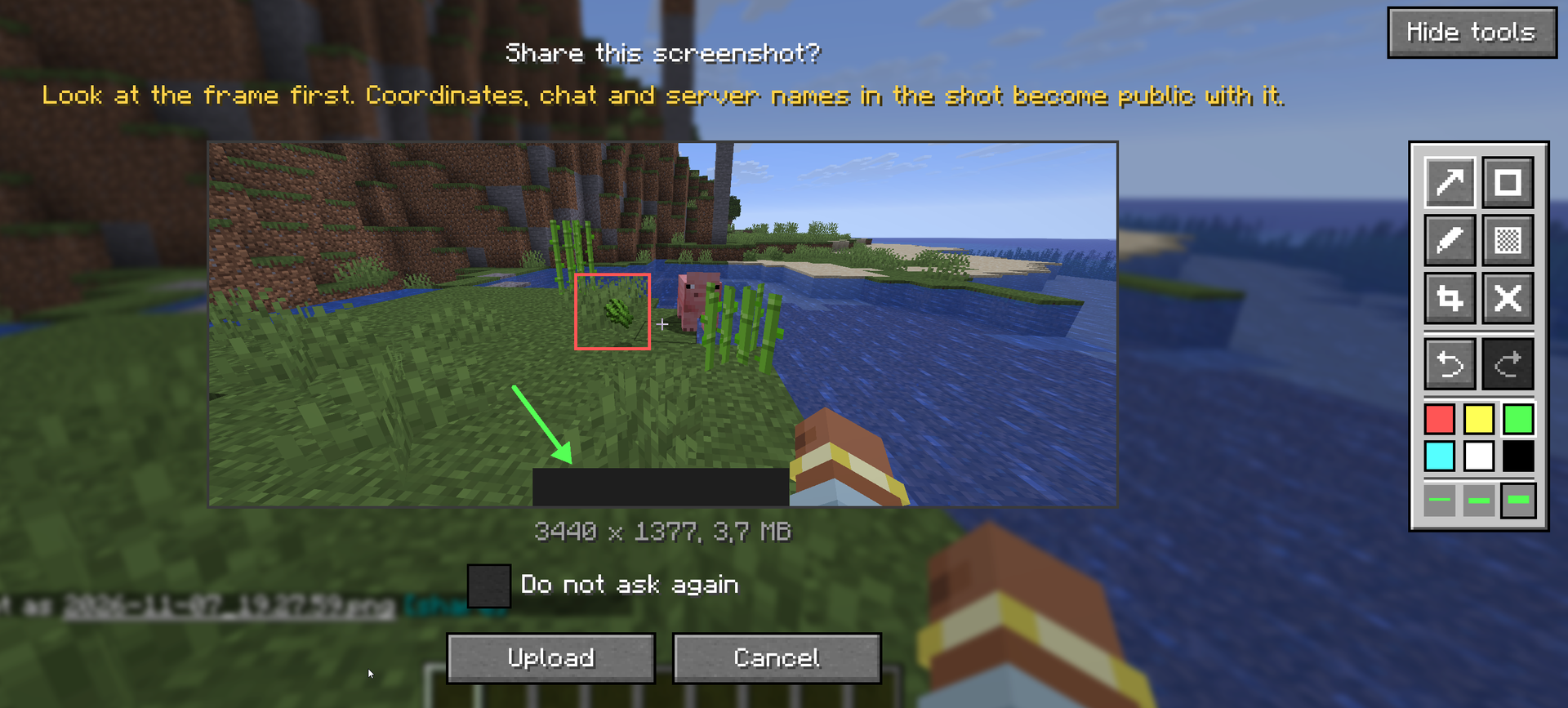
- Redo. Ctrl+Y or Ctrl+Shift+Z brings back what Ctrl+Z took away, and there is a redo button next to undo. Like undo, it follows the letter printed on your keyboard.
- Number keys pick a tool: 1 arrow, 2 frame, 3 pen, 4 cover-up, 5 crop. On a folded panel the key opens it. Each tool's tooltip shows its key.
- /alascreen list shows when each shot was uploaded and its file name, with [open] and [copy link] buttons. [delete] appears only where the screenshot can actually be deleted.
Fixed
- Deleting an upload that has no delete token said your API token was rejected and sent you to the config. It now says what is true: no delete token was stored for that upload.
- Pressing the key again while a shot was still uploading did nothing at all. It now tells you the previous screenshot is still being processed.
- The preview in the corner after F2 stayed on screen over the inventory, the pause menu and the chat, where its "press the key" hint cannot work. It now goes away when a screen opens.
This mod has no additional files