


Ala Screen
- By

Curse Maven Snippet
What's new
Ala Screen 0.1.3 - mark it up before you share it
The confirmation screen now has a Mark up button in the corner. It opens a small tool panel next to the picture: an arrow, a frame, a pen and a cover-up, six colours and three line widths. Point at the thing you mean, circle the build, and hide what should not leave your screen - then press Upload. Ctrl+Z takes back the last mark.
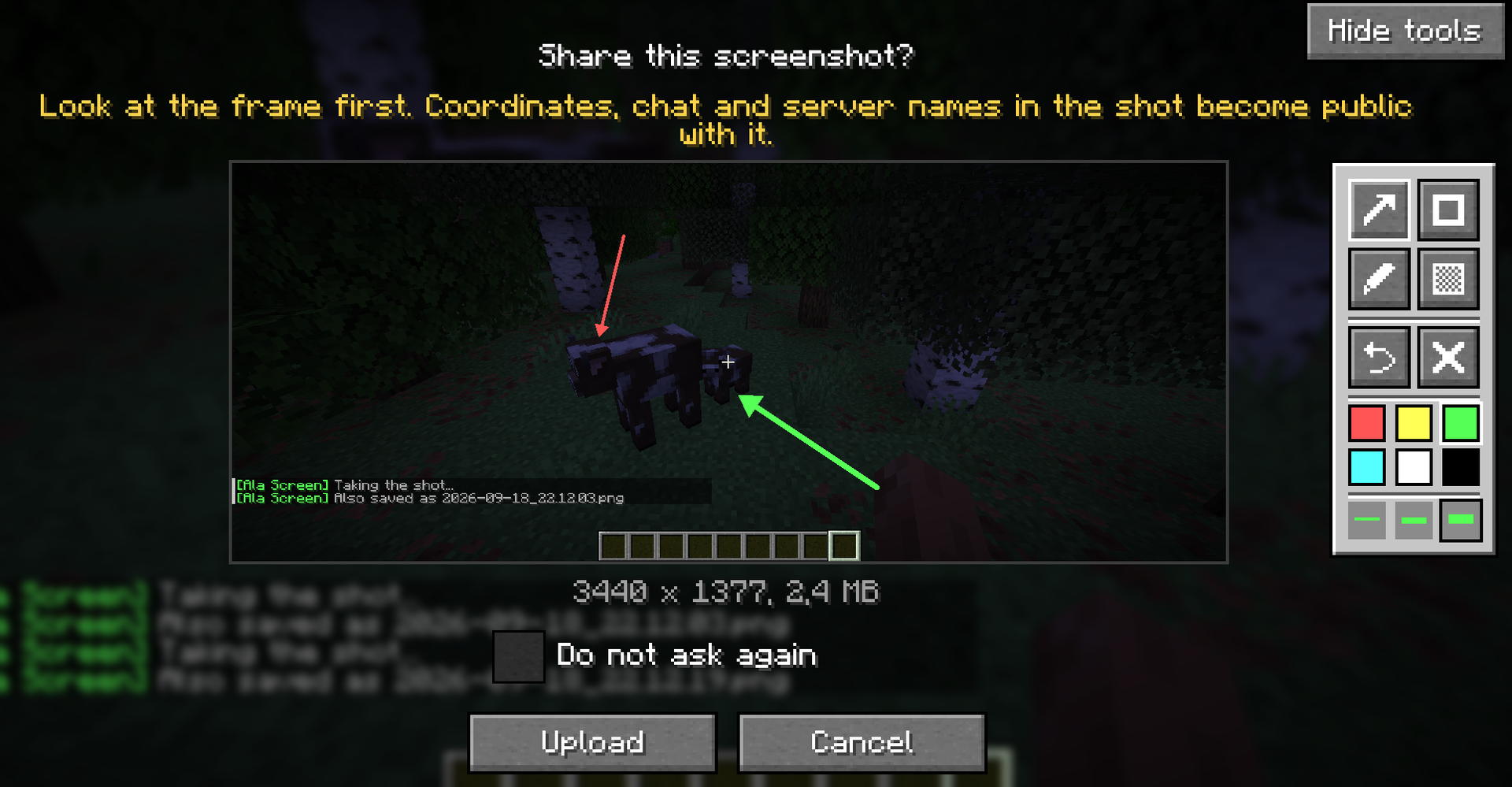
The marks go into the uploaded picture exactly as you see them in the preview. The cover-up is a solid block rather than a blur, so the coordinates or names under it are gone, not just harder to read. Your original screenshot stays untouched; the marked copy is saved next to it. If you never open the panel, the screen is the same as before.
Korean joins the list - fourteen languages in total.
Also fixed:
- The confirmation screen's title, warning and size line were invisible. They are back, and the warning is centred under the title.
- A mistyped server address in the config is no longer overwritten when you tick "Do not ask again".
- The config file, which can hold your token, is saved safely and readable only by you.
- Your upload history is no longer lost when another program has the file open during a save - so [delete] keeps working after a restart.
- The maxUploadSide setting, which never did anything, is gone. Old configs still load.
Fabric and NeoForge, Minecraft 26.2.
All Relations
- All Relations
- Embedded Library
- Optional Dependency
- Required Dependency
- Tool
- Incompatible
- Include
This mod has no related projects