01_creeper_bunker_mob.jpg
02_steve_house_wide.jpg
03_ender_tower_mob.jpg
04_small_ender_tower_ext.jpg
Description
Tune in to live radio in Minecraft, or put your own music on the air.
Place a radio and turn the dial: every radio tuned to the same station plays the same song at the same moment, and tuning in drops you in the middle of it, like a real radio. Every station has its own building somewhere in the world, with an invincible resident who trades with you piglin-style.
Join the Discord for news, help and bug reports.
Features
- Live stations, in sync for every player, with the song's name shown the vanilla way.
- Your own station: your OGG files on the air, in single player or on a server.
- 4 vanilla stations with Minecraft's own music, and 17 more in six optional music packs, from lo-fi to sea shanties.
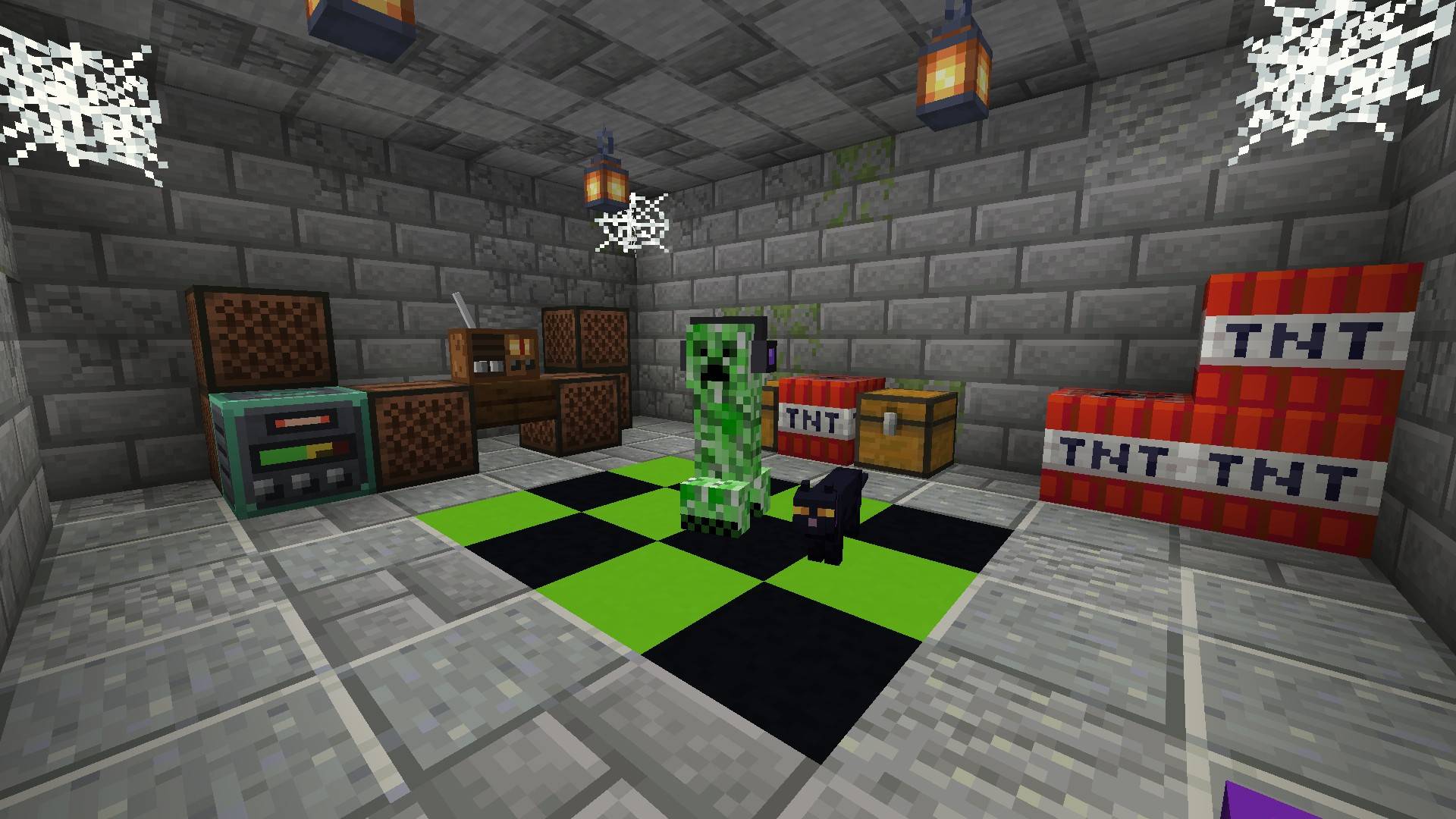
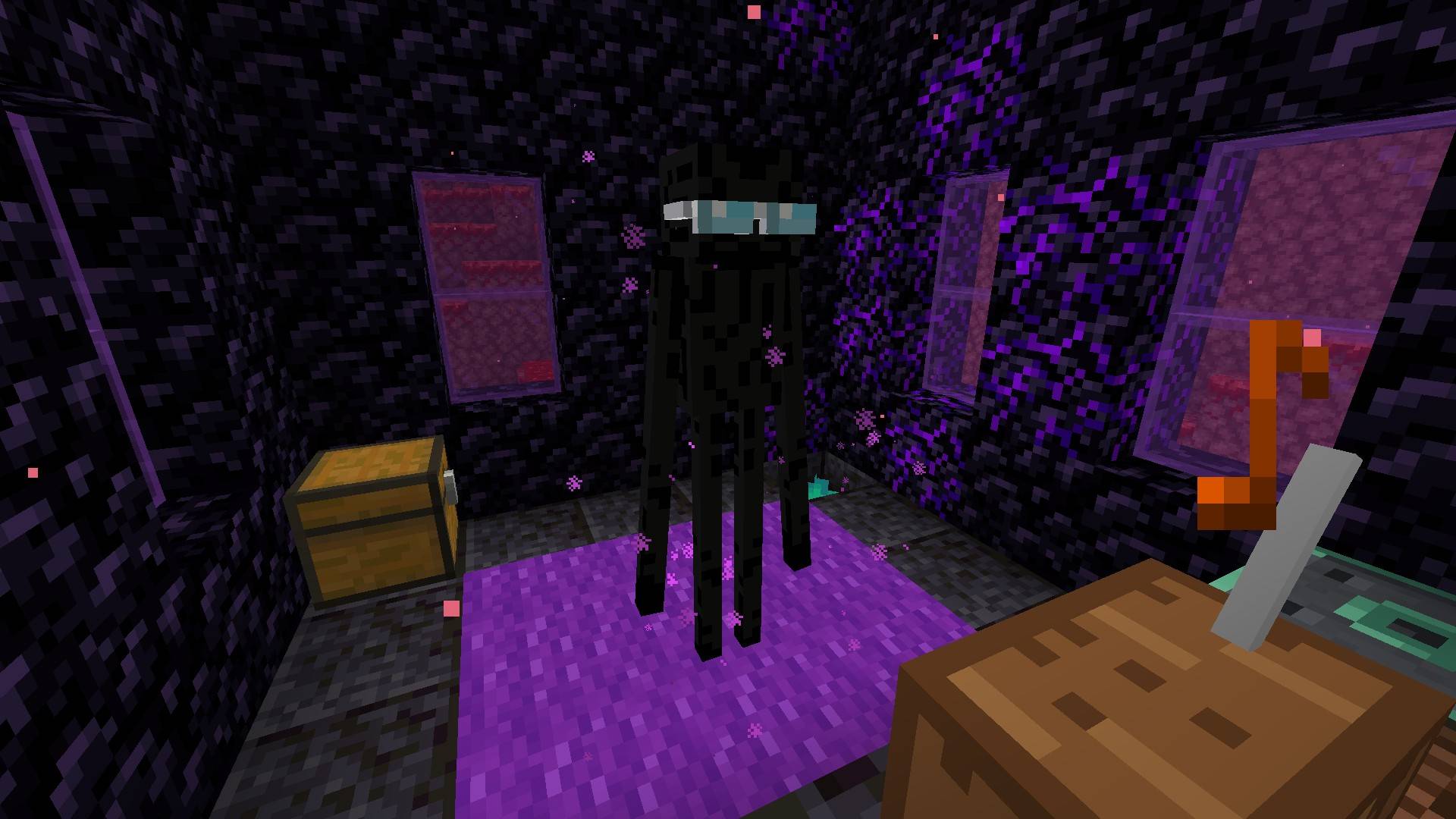
- A building for every station, with its resident: the DJ Creeper and his cat, Steve, the Ender Speaker, and in the packs a Disco Chicken, a Frogman, a Vex Conductor and many more.
- Piglin-style trades, and a good reason not to anger anyone.
- The Announcer, a new villager, with radios and frequency meters that point to the stations.
- Headphone Radio to listen on your own, wherever you go.
- Vanilla look and feel: no extra overlays, volume on the Jukebox/Note Blocks slider. JEI and EMI show every trade.
Your own radio station
- Transmitter: name your station and drop your OGG Vorbis files in its folder (
radio_stations/<name>): they go on the air as a new station that every radio can tune into, live like the others. On a server the folder is on the server, which streams the songs to the players. - Ender Transmitter: your personal station, like an ender chest for music: wherever it's placed, it plays its owner's station. Send songs from your own computer straight from its screen, even on a server, where every file is checked and operators can moderate with
/radio uploads. - Server owners can turn either off, keep them for operators only, and limit songs, size and space.
Getting started
- Get a radio. Craft one (recipes below), take one from a village's new radio studio, or buy one from the Announcer.
- Tune it. Place it and right-click for the next station; sneak + right-click for the previous one or to turn it off. Everyone within about 32 blocks hears it.
- Find the stations. The Announcer, a villager working at a radio block, sells a Directional Frequency Meter for each station: it lights up when you face the station's building and beeps faster as you get closer.
- Meet the residents. Throw or hand them the item they like and get a reward. They're invincible: hit one three times and it gets angry for 5 minutes, each in its own way.
Vanilla stations
Built in, playing the game's own music through its own sound events: no Minecraft audio is copied or included.
- OverworldBoom: the music discs creepers drop. A buried bunker with TNT and craters in plains and forests, where the DJ Creeper lives with his purple-collared cat. Raw cod or salmon for the cat gets you gunpowder.
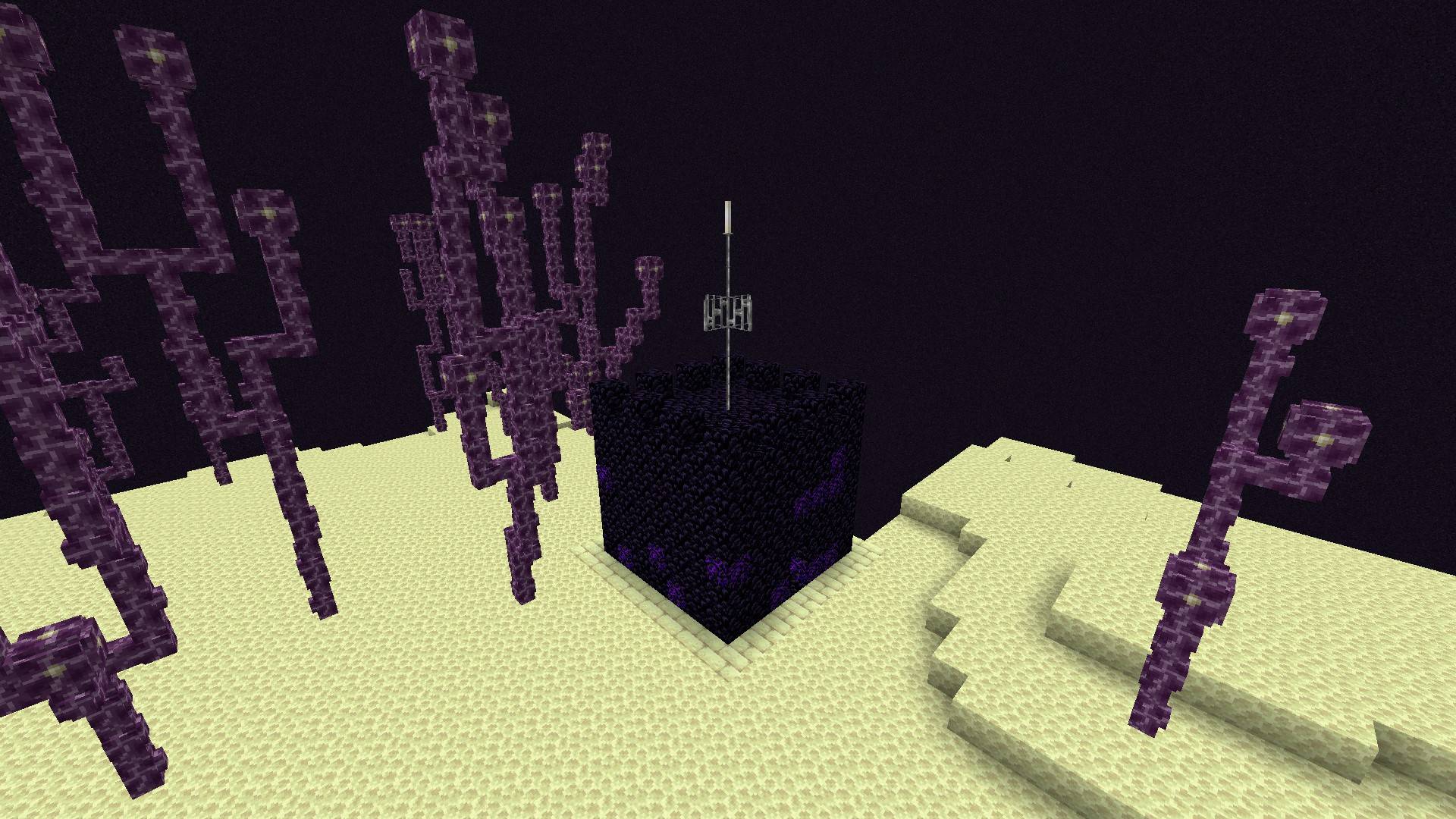
- Interdimensional Broadcast: Nether and End music, and Pigstep. An obsidian antenna tower over the Nether's lava sea, and a smaller one on the End's outer islands, home of the Ender Speaker in mirrored sunglasses. End stone or chorus fruit for a random natural block.
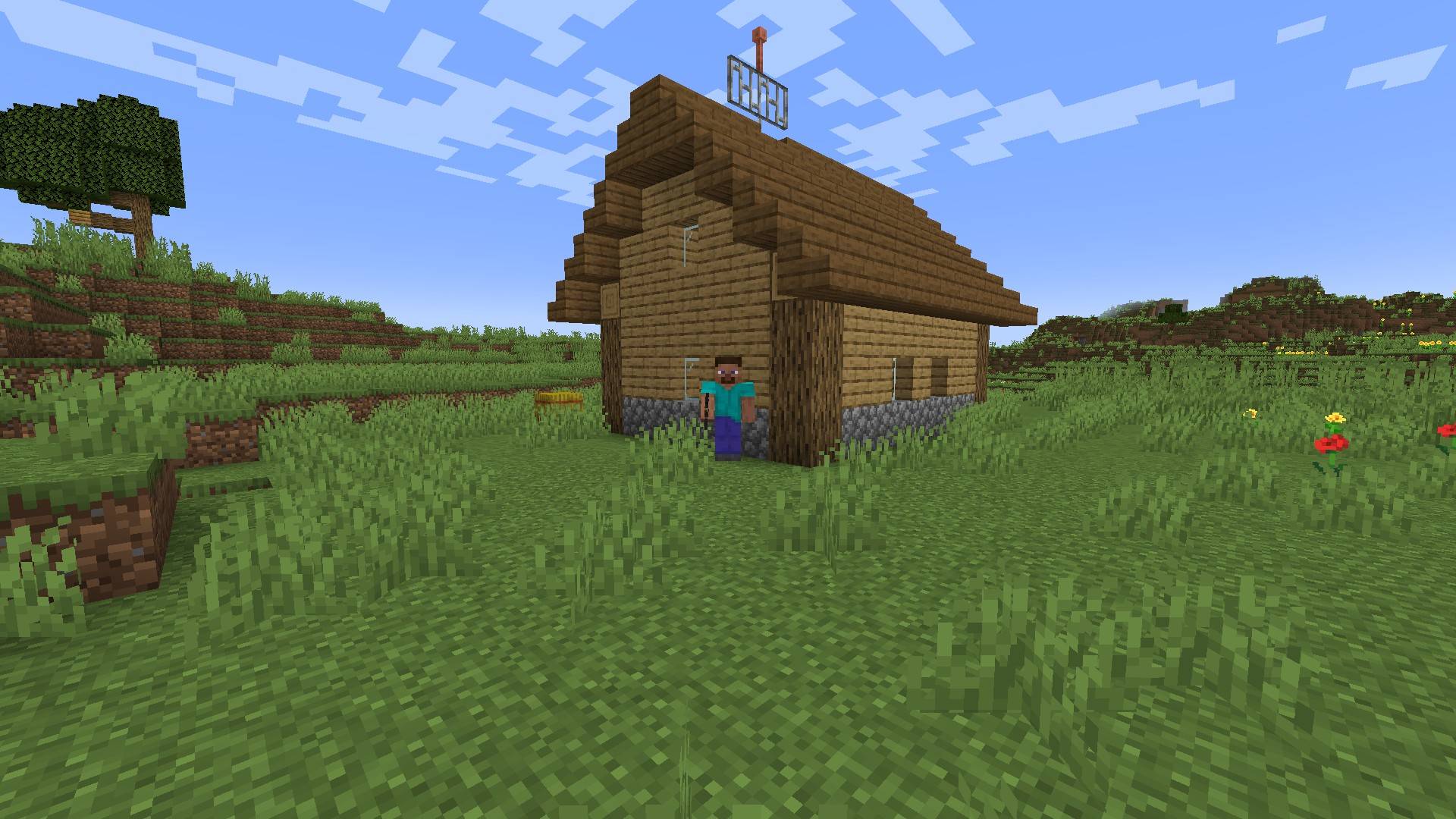
- Hero's Radio: the Overworld's music, in a wooden cabin with a wheat field in the plains. Steve lives there with his iron pickaxe and trades a block of diamond for an enchanted golden apple. Never make Steve angry.
- Emerald Daily: villager talk radio, from a new radio studio in villages of every style (in zombie villages the radio is off).
17 more stations in six music packs
Each pack adds stations with their own buildings, residents and trades, and about half an hour of free-licensed music per station; its extra jar adds the rest of the playlists.
| Pack | Stations | More music |
|---|---|---|
| Chill Music | Floating Frequencies (ambient), Meowtronica (chill electronic), Piglo-Fi (lo-fi) | extra |
| Chiptune Music | BounceFM (chiptune) | extra |
| Electronic Music | Glowwave (synthwave), Drum ’n’ Buzz (drum and bass), Ribbitstep (dubstep) | extra |
| Party Music | Swingraid (electro swing), Splash House (house), Funky Chicken FM (funk and disco) | extra |
| Adventure Music | Vexphony (orchestral), Pillage & Ale (medieval), Sculk Static (horror) | extra |
| Classics Music | Rocking Bones (rock), Snow Sonata (classical), Brains & Brass (vintage jazz), Drown Sound (sea shanties) | extra |
Recipes
- Radio: a lightning rod (the antenna) on top, planks on the sides, a note block in the middle, redstone dust at the bottom.
- Headphone Radio: a radio in the middle, wool on top and on the sides, iron ingots in the top corners.
- Transmitter: a lightning rod on top, copper ingots on the sides and in the bottom corners, a radio in the middle, a block of redstone at the bottom.
- Ender Transmitter: obsidian all round, an eye of ender on top, a transmitter in the middle.
FAQ
- Does it go on the server too? Yes, on the server and on every player's game.
- Can I put it in my modpack? Yes. The mod is MIT; the music packs' tracks are all under free licenses, credited in each jar. The packs' base jars stay small (about half an hour per station); their extra jars add the rest.
- Fabric? Not yet: NeoForge 1.21.1 for now.
- Can I change the stations? Stations, playlists, buildings, loot and trades are all datapack JSON, and biomes are chosen through tags, so biome mods work. For your own music files, the Transmitter is easier.
- Can a server turn things off? Its config takes stations off the air, sets the distance between station buildings, turns the residents' anger off and limits or disables the transmitters.
- What else? A "Radio Waves" advancements tab, from finding a radio to visiting every station.
- Languages? English, Italian, German, Spanish, French, Portuguese, Russian, Ukrainian, Polish, Turkish, Chinese (simplified and traditional), Japanese and Korean. The stations keep their names in every language.
- Found a bug, or have an idea? Tell us on the Discord.
Credits
Mod by Aki, under the MIT license. The music packs' tracks are by the artists credited in each pack (CC0, CC BY, CC BY-SA and public domain); see each pack's page and the CREDITS.md file in its jar.
Aki's Radio Team