


Airdrop: Supply Drops
- By
airdrop-flight.png
airdrop-descent.png
9c8cc9e3891fbfe34841747ff6182def.png
Description
Airdrop: Supply Drops
Airdrop: Supply Drops brings immersive supply deliveries to your Minecraft world.
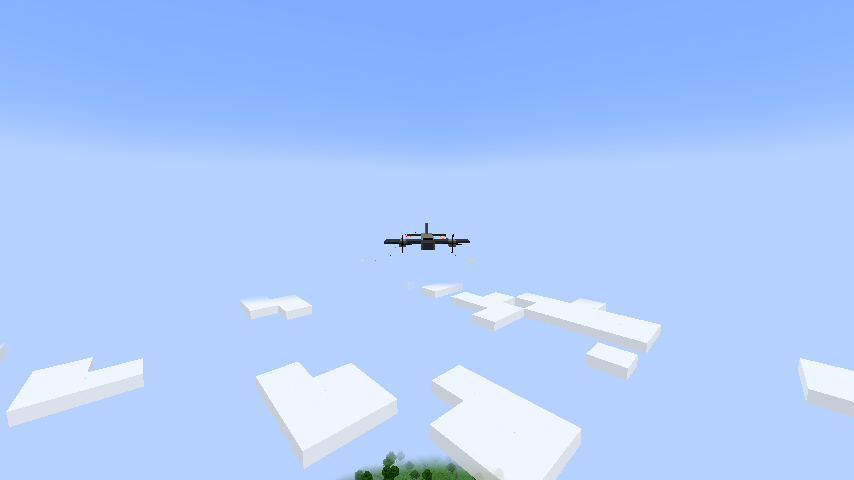
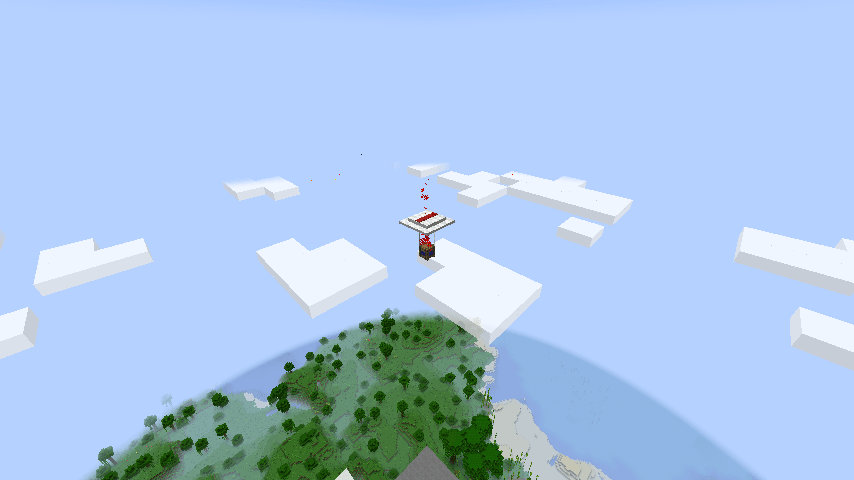
Hear the engines approaching, look to the sky, and watch a block-style cargo plane fly toward the drop zone. The aircraft deploys flares before releasing a supply crate beneath a red-and-white parachute.
Follow the column of red smoke, find the crate, and collect its randomized supplies before they disappear.
Where to Find Airdrops
By default, automatic airdrops can occur in the Overworld every 20–30 minutes.
When an event begins, the mod selects an eligible player and searches for a suitable landing site 64–200 blocks away. By default, only one airdrop event may remain active at a time, including a crate that has already landed.
As the aircraft approaches the drop zone, it releases three bursts of flares before deploying its cargo.
The crate then unfolds its red-and-white parachute and slowly descends toward the ground while trailing red smoke.
The entire delivery is accompanied by dedicated sound effects, including aircraft engines, parachute deployment, descent wind, and landing sounds.
Airdrops may land on solid terrain or above water, lava, and other liquids without replacing the liquid blocks beneath them.
After landing, the crate continues producing red smoke, making it easier to locate from a distance.
Collecting Supplies
Airdrop: Supply Drops currently includes mineral and food deliveries.
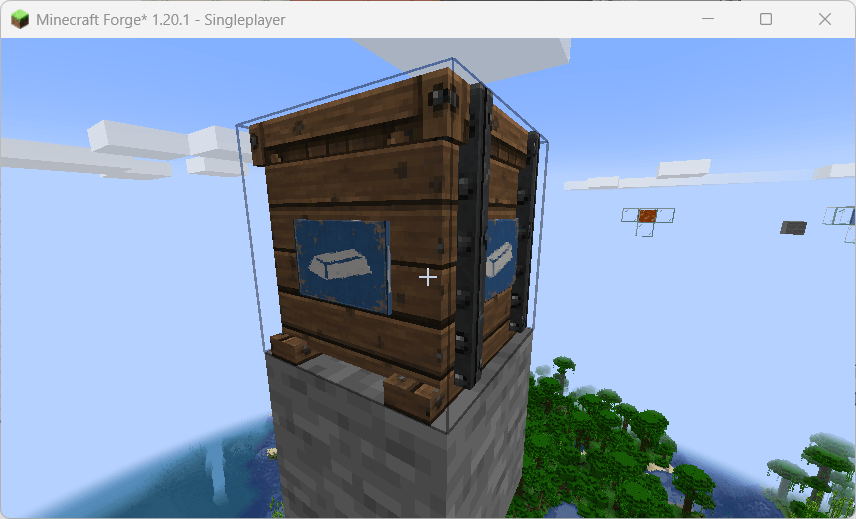
Mineral crates contain vanilla resources, with valuable materials such as diamonds appearing among the rarest rewards.
Food crates provide cooked meats, fish, and other edible supplies.
Loot is randomized for every crate. Rare rewards appear less frequently and are generally provided in smaller quantities.
Each crate contains 27 inventory slots.
You can open the crate normally to collect its supplies, or break it by hand to drop any remaining contents onto the ground.
The crate itself cannot be collected as an item, and hoppers cannot automatically extract its contents.
Crate Expiration
By default, a landed crate disappears after five minutes, or immediately after all of its contents have been removed.
Any supplies still inside the crate when the timer expires are permanently deleted.
Leaving the area and unloading its chunks does not pause or extend the expiration timer.
In singleplayer, leaving and re-entering the world resets the remaining lifetime of landed crates by default.
Server restarts preserve their remaining lifetime.
Loot is generated only once when the airdrop is created, so reloading the world, reconnecting, or restarting the server will not reroll its contents.
Customization for Modpack Authors
Airdrop: Supply Drops is designed to be highly configurable through datapacks.
Custom datapacks can define entirely new airdrop types, including crates containing items from other installed mods.
You can configure:
- Loot entries, weights, quantities, and roll counts
- Independent reward pools
- Guaranteed or rare bonus rewards
- Dimension restrictions
- Biomes and biome tags
- Weather requirements
- Time-of-day requirements
- Minimum and maximum landing distances
- Crate lifetime
- Singleplayer timer-reset behavior
- Whether liquid surfaces are valid landing locations
- Optional mod dependencies
Settings omitted by an individual airdrop type automatically inherit the server defaults.
For example, a custom datapack could define a medical supply crate, ammunition delivery, survival package, or a rare military supply drop containing exactly one high-value item from a separate bonus pool.
Server Configuration
Global server settings control automatic airdrop scheduling, event intervals, active-event limits, and allowed dimensions.
Custom airdrop types can use either the blue mineral-crate appearance or the orange food-crate appearance.
Resource packs may also replace the mod's textures and sounds.
Separate example datapacks are available to demonstrate custom medical and survival supply deliveries.
Optional mod requirements allow custom airdrop types to be skipped automatically when their required mods are not installed.
Commands
Administrators and modpack developers can use the following commands. Cheats or operator permissions are required.
/airdrop_supply_drops spawn airdrop_supply_drops:mineral
Starts a complete mineral airdrop event, including the aircraft, flares, and parachute delivery.
/airdrop_supply_drops spawn airdrop_supply_drops:food
Starts a complete food airdrop event.
/airdrop_supply_drops spawn <type>
Starts a complete delivery using a custom airdrop type. This testing command bypasses automatic spawning conditions but still respects the active-event limit and landing-site checks.
/airdrop_supply_drops crate <type>
Places a supply crate directly two blocks in front of the player, allowing its loot to be tested without waiting for an aircraft.
/airdrop_supply_drops list
Lists all currently available airdrop types.
/airdrop_supply_drops status
Displays active events, their IDs, stages, and locations.
/airdrop_supply_drops cancel <UUID>
Cancels an active event and removes its crate and remaining supplies without dropping them.
/airdrop_supply_drops validate
Checks the loaded airdrop configuration and reports invalid files or references.
/reload
Reloads datapacks after configuration changes. Existing airdrops retain the loot and settings captured when they were created.
Datapack Reloading
Datapack changes take effect after running:
/reload
Existing airdrops are not modified when datapacks are reloaded.
They retain the loot, timing, appearance, and other settings captured when they were originally created, keeping active deliveries consistent even after configuration changes.
Designed for Survival and Modpacks
Airdrop: Supply Drops is designed for survival worlds and customized modpacks.
Its datapack-driven design allows modpack authors to integrate custom weapons, ammunition, medical items, food, resources, or other modded content into supply deliveries.
The system is especially suited for survival, military, extraction-style, zombie, and tactical modpacks.
Multiplayer behavior has not yet been fully tested.
Project Information
Please use the project issue tracker to report bugs, configuration problems, or compatibility issues.
Suggestions and feedback are welcome.
The Airdrop: Supply Drops Team
