


AI Second Player
- By
6231.jpg
6178.jpg
Description
# AI Second Player (Forge 1.20.1)
**AI Second Player** brings a smart, interactive co-op companion directly into your singleplayer or multiplayer Minecraft world! Powered by real Large Language Models (**Groq**, **Google Gemini**, **OpenRouter**, or **OpenAI**), your companion talks with you in natural language, remembers your conversation, and performs real in-game actions on command.
---
## ✨ Key Features
* **💬 Natural AI Chat & Memory:** Talk to your companion directly through the standard in-game chat. Type `!reset` anytime to clear its conversation memory.
* **🌐 Multi-Provider Support (Free & Paid APIs):** Built-in support for **Groq** (free & ultra-fast), **Google Gemini** (free tier available), **OpenRouter** (free models supported), and **OpenAI**.
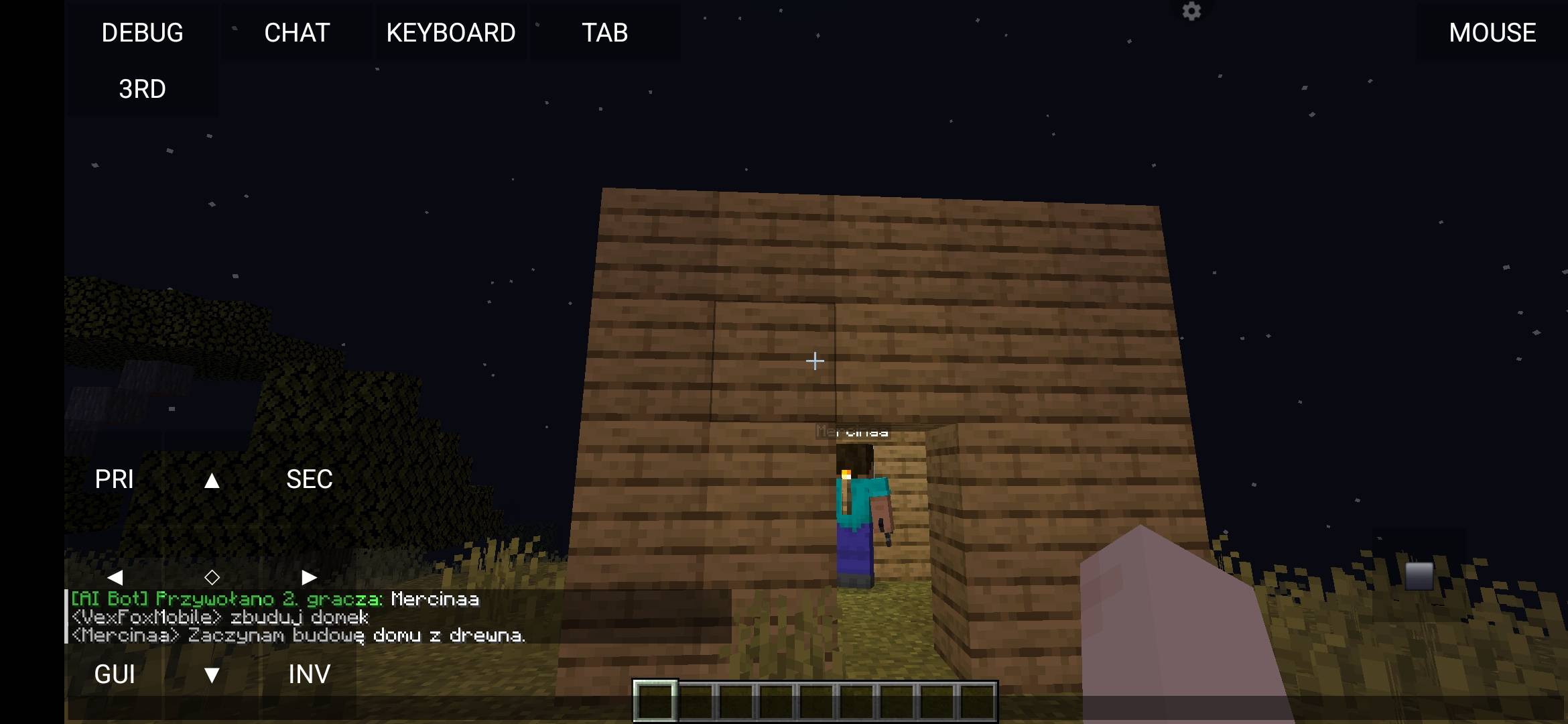
* **🏠 Dynamic Building:** Ask your companion to build a starter house out of **wood**, **cobblestone**, or **dirt**, or request larger structures like a **watchtower**, **stone bridge**, or **wheat farm**.
* **⛏️ Autonomous Resource Gathering:** Tell your bot to **chop trees** or **mine nearby ores** (coal, iron, gold, copper, redstone, lapis, emerald, diamond). It stores gathered items in its backpack and drops them at your feet when asked!
* **⚔️ Combat, Armor & Base Guarding:** Your companion automatically defends you against hostile mobs. Right-click the bot while holding any piece of armor to equip it, or tell it to **guard your base** and patrol the area.
* **🎨 Custom Player Skins:** Automatically fetches and renders the Minecraft skin matching the custom nickname you set for your bot.
---
## 🚀 How to Set Up & Use
1. Install **Minecraft Forge 1.20.1** and place `AISecondPlayer-1.0.0.jar` into your `mods` folder.
2. Launch the game, enter a world, and press **ESC** to open the pause menu.
3. Click the new **AI Bot** button next to *Options...*.
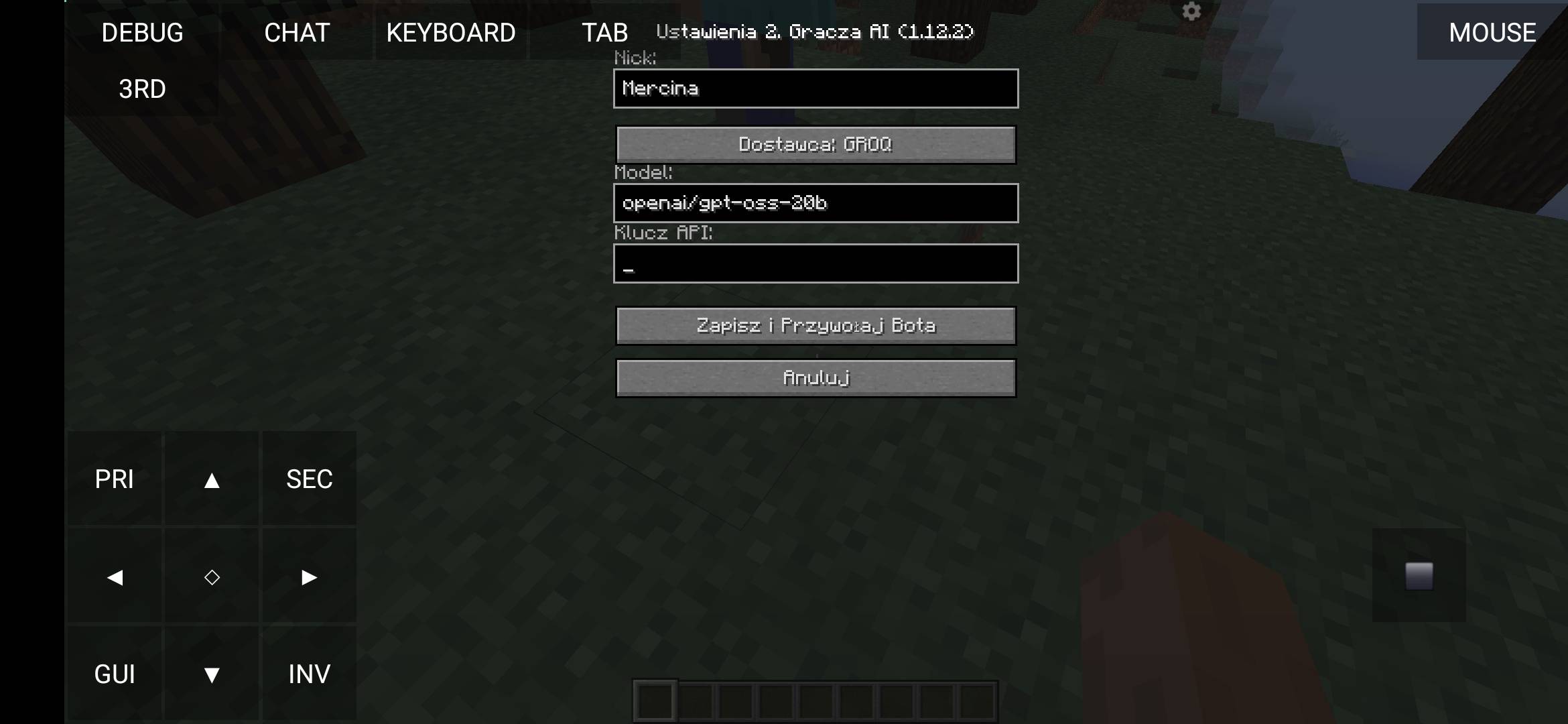
4. Enter your companion's **Nickname**, select your **AI Provider** (`GROQ`, `GEMINI`, `OPENROUTER`, or `OPENAI`), enter the **Model Name** (e.g., `llama-3.1-8b-instant` for Groq or `gemini-2.5-flash` for Gemini), and paste your **API Key**.
5. Click **Save & Summon Bot**!
---
## 🗣️ Example Chat Commands
You don't need rigid slash commands—just talk naturally in chat (English or Polish):
* *"Build us a small wooden house"* / *"Build a dirt house"* / *"Build a cobblestone house"*
* *"Build a watchtower"* / *"Build a bridge"* / *"Build a farm"*
* *"Chop some wood"* / *"Mine nearby ores"* / *"Look for diamonds"*
* *"Give me the items you collected"*
* *"Guard the base"* / *"Follow me"*
* `!reset` — Clears the bot's chat memory.
---
## 🔒 Privacy & API Keys
Your API key is stored locally on your device inside your Minecraft `config` folder and is sent **only** to the official AI provider endpoint you select.
AI Second Player Team
