Age of Steam Workshop Expansion
- By
addon for Age of Steam that adds material processing blocks
Age of Steam
Create a server, get 25% off your first month

This is the first expansion pack for Age of Steam: Workshop Expansion
Report bugs in Discord: https://discord.gg/bgs9mCxVzj
It adds the following blocks:
- Mechanical Sieve to process sand, gravel, dust and find valuable resources
- Manual Spinning Wheel to make strings from wool
- Millstone to process wheat to flour
- Woodmill to cut wood into planks
- Conveyor Belts to transport items
- Mechanical Piston that can extend many blocks
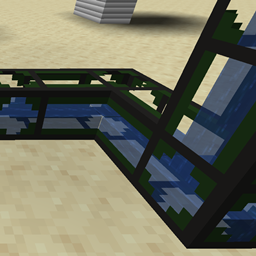
- Mechanical Drill that can break the block in front of it
all machines will have a config where you can add / remove recipes as you like.
The SawMill:
How to use:
- Build the Sawmill with the sawmill block and 2 casing slabs.
- Click on it while holding a log to place it on the sawmill.
- OR throw items on the input side of the sawmill (they will not despawn)
- To power the sawmill, place a big crankshaft below it.
- The output will be thrown one block behind the end of the sawmill. Catch it with a hopper / conveyor belts or use a water stream.
The Sawmill has a config file. You can define custom inputs / outputs but only BlockItems will render correctly
The Mechanical Sieve:
How to use:
- Place a mesh inside the Sieve.
- Place Sand or other configured inputs inside the sieve by clicking on it.
- Click the Sieve OR use a small wooden crankshaft to automate it.
- The outputs will be thrown somewhere around the sieve.
- If a inventory is present next to the sieve, outputs will be placed inside the inventory.
- Automate the sieve using the Sieve Hopper Upgrade.
The Sieve has a config file. You can define custom inputs / outputs but only BlockItems will render correctly.
The Spinning Wheel:

How to use:
- place input items in the inventory
- shift click the wheel to spin it OR use mechanical power from other sources
The Spinning Wheel has a config file. You can define custom recipes there.
The Millstone:
How to use:
- place the Millstone
- shift click the main block to show the structure (6x stone slab / 2x wooden axle)
- place wheat inside the Millstone using the gui
The MillStone has a config file. You can define custom recipes there. The millstone only supports one input item -> one output itemstack (for example wheat -> 2x flour)
Age of Steam Workshop Expansion Team

Owner