AFK Bots
- By
Persistent AFK bots for singleplayer and servers, with automated fishing, mining, combat, custom skins and Mending support.
Skärmbild 2026-09-22 155524.png
Skärmbild 2026-09-22 155530.png
Skärmbild 2026-09-22 155537.png
Skärmbild 2026-09-22 155543.png
Description
AFK Bots adds stationary fake players that keep your farms active while you explore or log off from a running server.
Works in singleplayer and on dedicated servers.
Features
- Create up to 32 individually named bots.
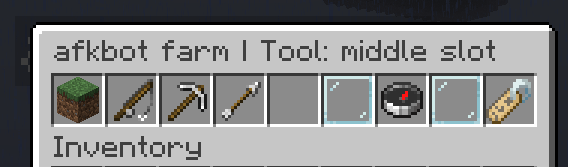
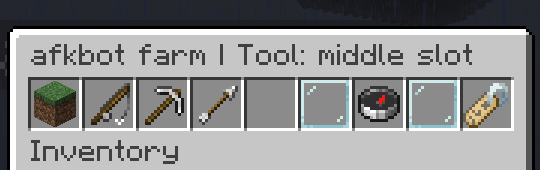
- Open a bot's settings menu with Sneak + Right-click.
- Equip tools using ordinary clicks or Shift-click.
- Automatically select the matching action when equipping a tool.
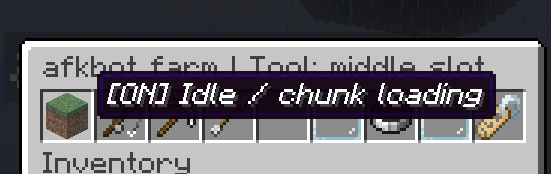
- Use Idle mode to stop tool actions while keeping the bot at its AFK position.
- Copy your look direction using the compass button.
- Apply a Minecraft player's skin by entering their username.
- Automatically restore bots after reopening a world or restarting a server.
Automated farm actions
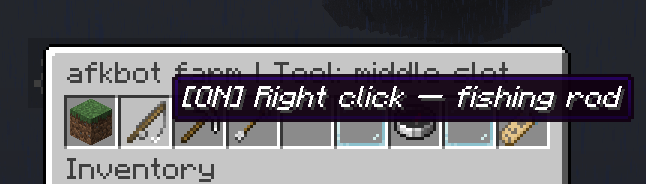
- Fishing rod: casts, waits for a bite, reels in and casts again.
- Axe or pickaxe: continuously mines reachable blocks in front of the bot.
- Sword: attacks nearby non-player targets in front, respecting attack cooldown.
- Empty hand: remains stationary without performing tool actions.
Tools use normal durability. Bots collect nearby experience orbs, allowing equipment enchanted with Mending to repair automatically. Repairs require actual XP.
Getting started
- Stand where you want the bot and face your farm.
- Run
/afkbot spawn farm1. - Sneak + right-click the bot to open its menu.
- Equip a tool or leave its hand empty for ordinary AFK use.
- To adjust its aim, look toward the target and click the compass button.
Commands and bot editing require operator permissions or cheats enabled in singleplayer.
Commands
/afkbot spawn <name>— create a bot at your position./afkbot list— list your bots./afkbot remove <name>— permanently remove one bot./afkbot removeall— permanently remove all bots./afkbot mode <name> idle— stop tool actions./afkbot mode <name> right_click— enable fishing mode./afkbot mode <name> left_click— enable mining or combat mode.
Custom skins and names
Use the name-tag button in the menu to enter a Minecraft username. For example, applying the skin of stamsite to farm1 changes its displayed name to stamsite farm1.
The bot's command ID remains farm1. Skin lookup requires an internet connection.
Persistent bots
Bots save their position, dimension, look direction, mode, inventory, enchantments, durability, XP and skin.
They return when you reopen the world or restart the server. Removal commands also save their changes, so removed bots stay removed.
Crash recovery restores the last saved bot snapshot. Recent tool or XP changes may roll back after an unexpected shutdown.
Installation and requirements
- Minecraft 26.3
- NeoForge 26.3.0.7-beta or newer in the 26.3 series
- Java 25
For singleplayer, install the mod in your local NeoForge instance.
For multiplayer, install it on the dedicated server. Joining players do not need the mod on their clients.
Farm behaviour
Normal spawning distances, mob caps, difficulty, gamerules and fishing conditions still apply. Position your bots as you would position a real AFK player.
Bots stay in place: they do not walk, replant trees or collect item drops. Use your farm's collection system.
A dedicated server can keep running while you are logged out. A closed singleplayer world does not continue farming; its bots return when you reopen it.
The AFK Bots Team