
AE2LabelViewCell
- By
This mod is a simple addon for AE2 that adds tag-filtered View Cells with whitelist/blacklist support.
AE2 Label View Cell
Overview
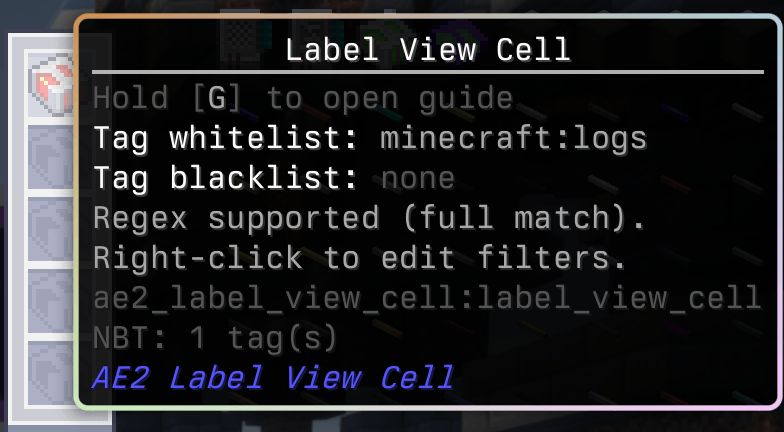
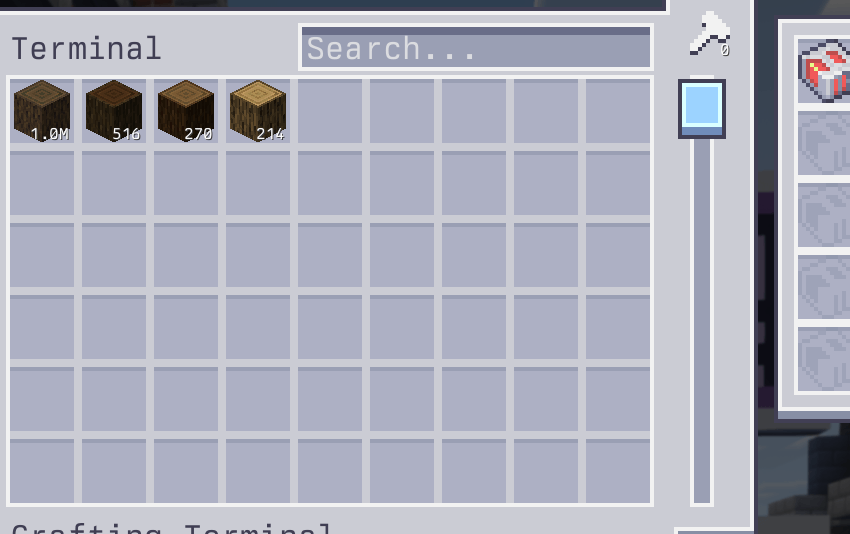
AE2 Label View Cell adds a tag-filtered view cell for Applied Energistics 2. It lets you show or hide items in terminals based on item tags, using a whitelist and blacklist with full-match regex support.
Features
- Tag-based filtering for view cells (whitelist + blacklist).
- Full-match regex patterns for advanced filtering.
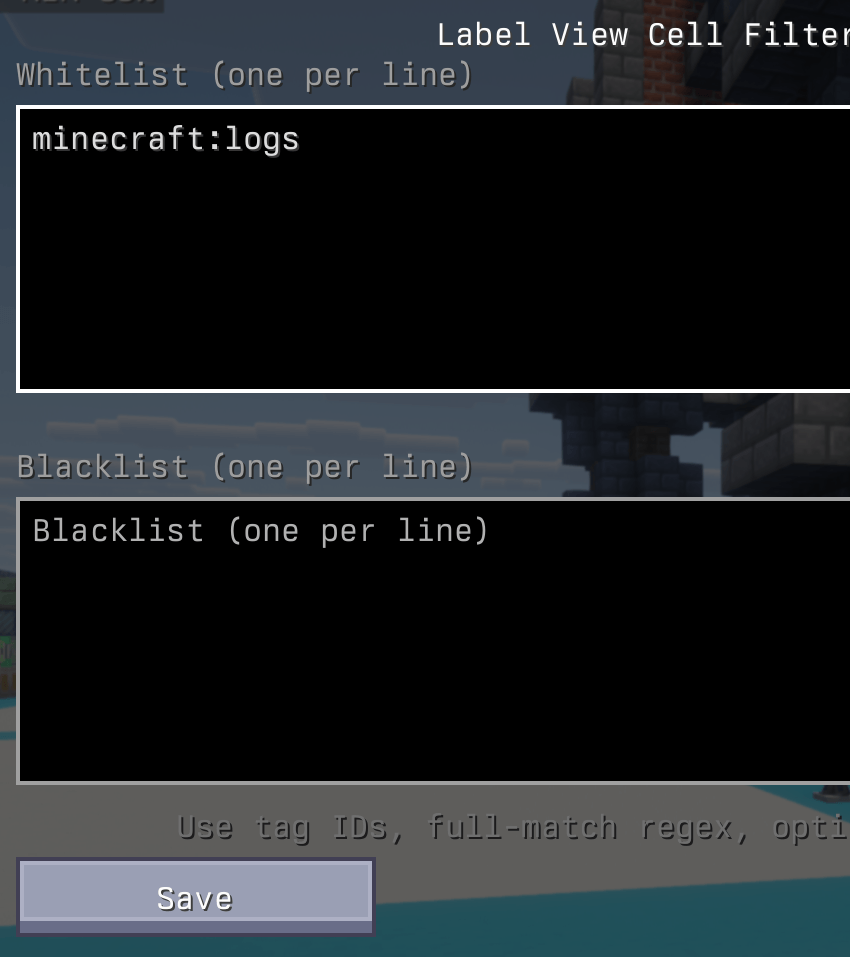
- In-game editor UI for tag lists (no manual NBT editing required).
Crafting
- Shapeless recipe:
ae2:view_cell+minecraft:lever->ae2_label_view_cell:label_view_cell.
Usage
- Craft a Label View Cell and place it into the terminal view cell slots.
- Right-click the cell in hand, or right-click it in your inventory with an empty cursor.
- Enter one tag per line in the whitelist and/or blacklist.
- Save to apply the filters to the terminal display.
Tag Filter Rules
- Whitelist: show items that match any listed tag pattern.
- Blacklist: hide items that match any listed tag pattern.
- Regex: each line is a full-match regex (use
.*to match anything). - Optional leading
#: allowed for tag IDs; it is ignored if present.
Examples
#minecraft:logsshows all log items.forge:ores/.*matches all ore tags.minecraft:.*_woolmatches all wool colors.
AE2LabelViewCell Team
