ActionBinder
Fully client side, no server side installation required, use anywhere!
Just make sure to ask a server admin, as this can execute commands or be used for server lag, I wouldn't like anyone at all to be banned from my mod.
Configs persist within your instance, once you switch instances they leave, but they remain even if you remove the mod.
Functionality
ActionBinder is a mod allowing you to bind chats, commands, or keybinds to 1 or more actions or repeated actions, this is intended to be an improved version of the other mods in the area, encompassing features I personally desire as a server admin and owner, everything is managed through a GUI in ModMenu, every action is executed in an order, this order can also include repeated actions. This modification is distinctly better than the others in the field in my opinion, hopefully everyone enjoys it like I do!
Binding Types
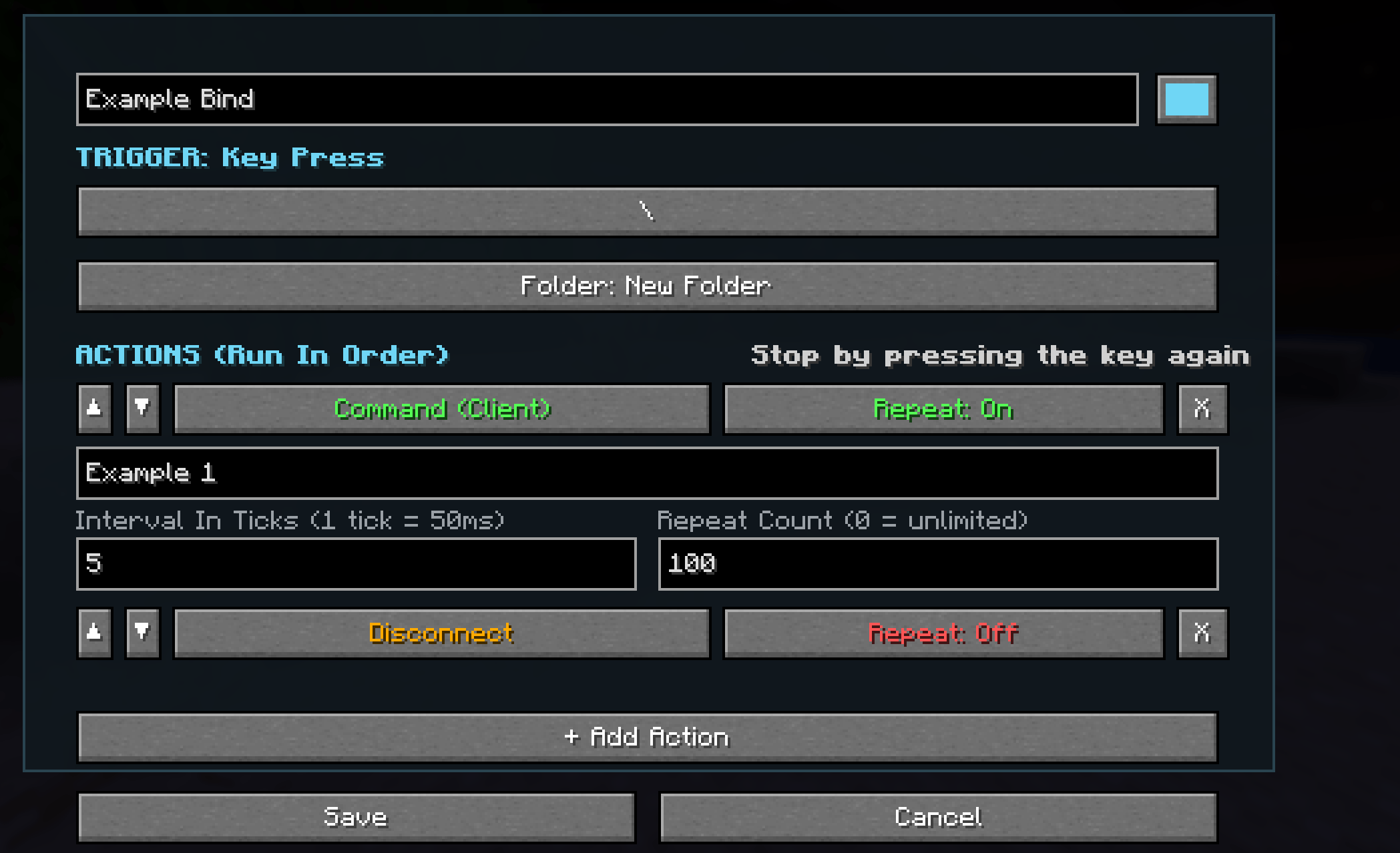
Key Binds: Allows you to assign any key press on your keyboard, mouse, or any other connected device recognized by Minecraft to an execution.
(Example: Binding the key "" to execute the command /spawn)
Commands: Allows you to bind any commands (existing or registered by you) to perform any execution.
(Example: Setting the command "/boatspam" to execute the client commands "/summon minecraft:oak_boat ~ ~ ~" 100 times with a 2 tick interval between each execution.)
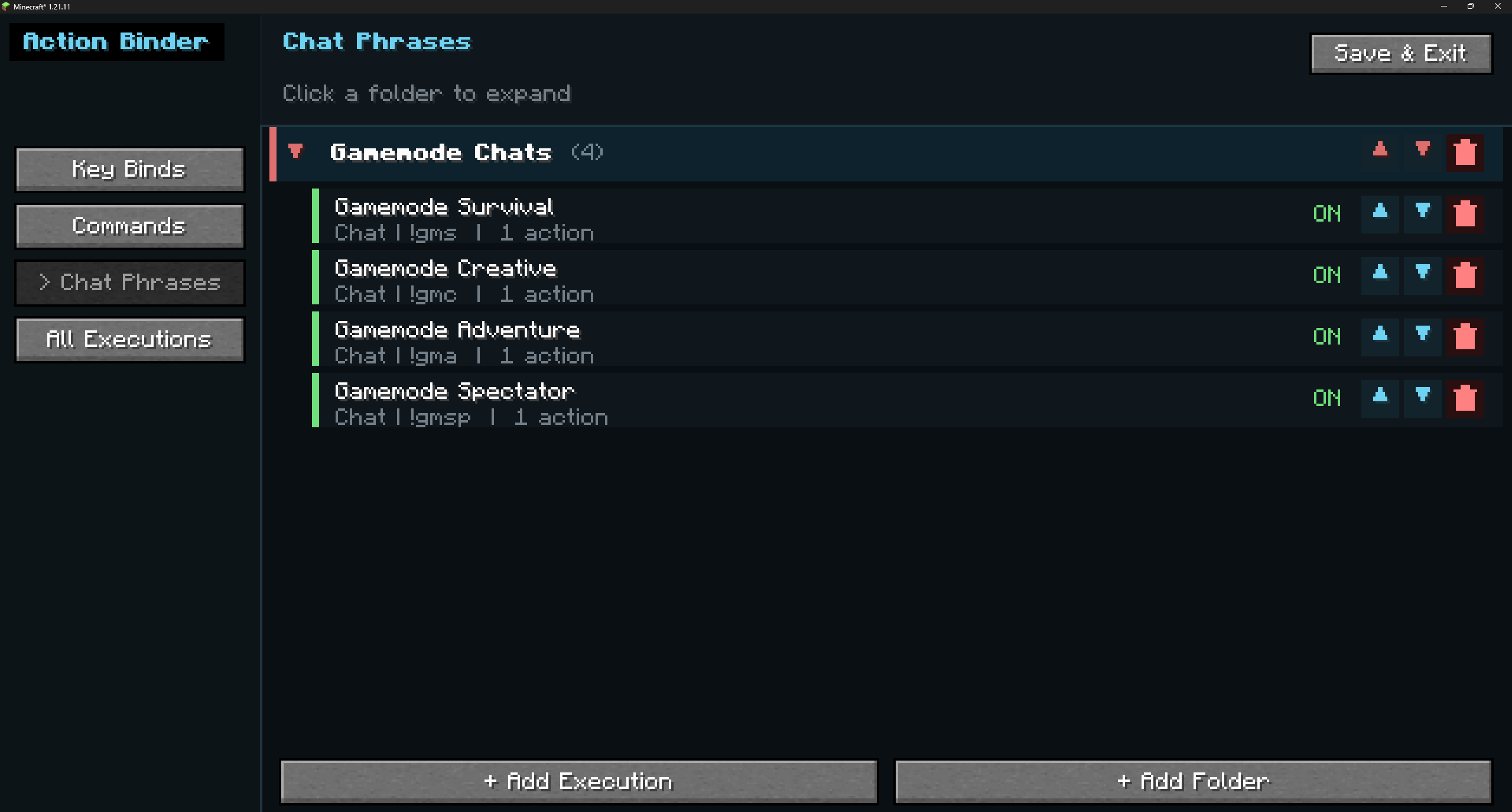
Chat Phrases: Allows you to bind anything you can say in chat to any action, supports all special characters.
(Example: Setting the chat phrase "Goodbye Everyone" to execute the client command "/spawn", then disconnect you from the server, then close your game fully.)
Execution Options
The repeat functionality is separate and can apply stacked on top of any of the other functionalities, a unique and important advantage that this mod has over the other competition.
Command (Console): Executes a command through the console of the server (This requires that you have a permission through a manager allowing you to execute commands, or an operator permissions level of 5 or higher whilst being operator, or doable on all singleplayer worlds.)
Enter In Chat: Enters whatever output you set it to in the chat (This can be a command or a chat and can be done on any server regardless of permissions due to chat edits not sending packets to a server until a chat is sent.)
Send Chat Message: Does exactly what it sounds like, sends a chat message of your choice same as a client message (so this does not bypass mutes or anything else, just a chat shortcut, this is not a tool for spam)
Disconnect: Disconnects you from the server, realm, or world you are currently connected to (Instantaneous, this is mainly useful as part of larger macros that do things like send a goodbye message, send you to spawn, then disconnect you.)
Close Game: This is exactly the same as ALT+F4-ing your game, but with the benefit of saving your world before your game closes, alt+f4 causes rollbacks oftentimes. Also mainly useful in large execution chains.
Commands (Client): Executes a client side command, this works on any server regardless of permissions, though there is of course no guarantee you have permission to execute the output command, this is also not a tool for harm or spamming, using this in tandem with the repeat tool will often result in server kicks and anticheat flags.
Repeat: Repeats a functionality with 2 choice boxes, 1 chooses the interval in ticks (1/20 of a second) that it will take to execute it, 1 is as fast as it can go (50ms), this is a hardcoded Minecraft limitation. The other choice is for repeat amount, anywhere from 1 up to 2.147b (32 bit integer limit), setting it to 0 goes until it is stopped by running /bindstop for commands, !bindstop for chat binds, or pressing the keybind again for key binds
Ordering: You can add an unlimited amount of actions to one bind, it will start by doing the first one, fully finish the action (including repeats), then move onto the next action and so on.
GUI
Everything is managed through 1, central, multi page GUI via ModMenu.
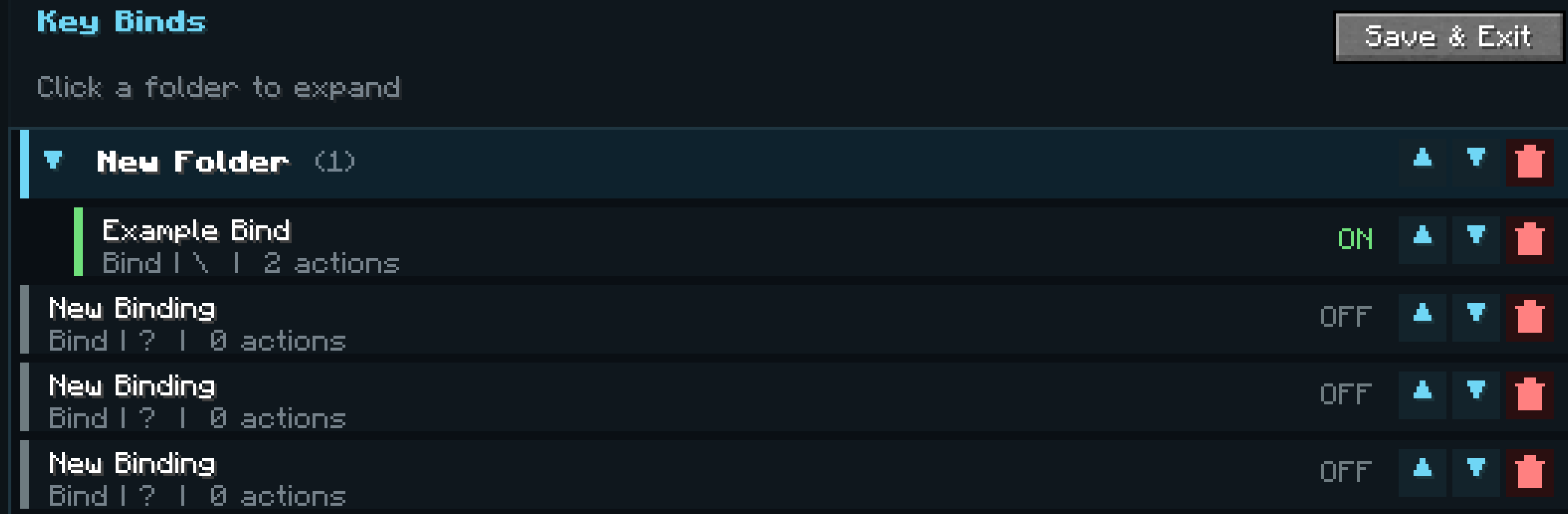
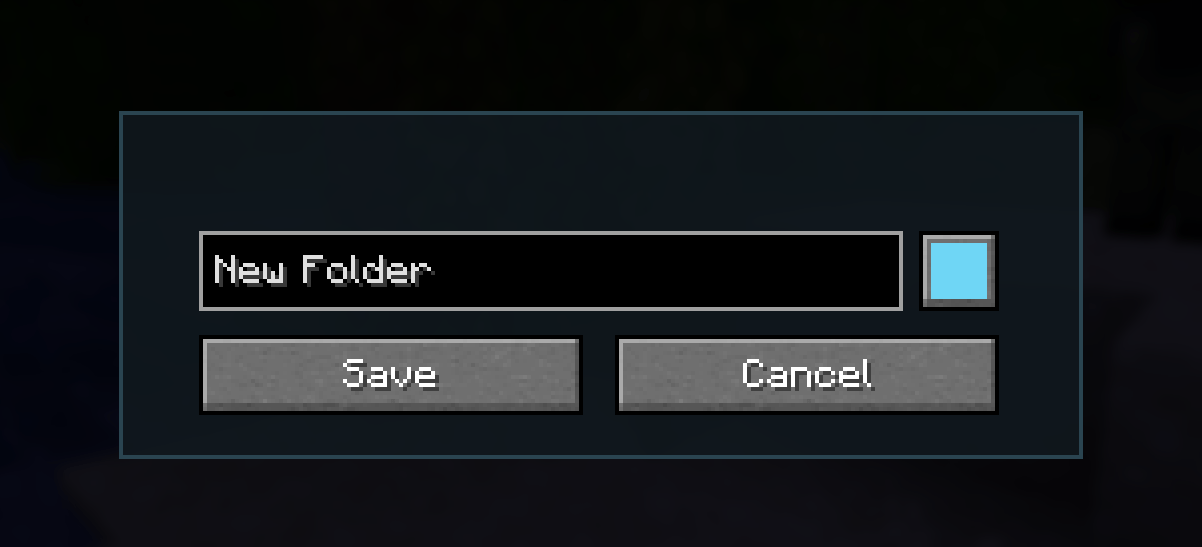
Folders: You can add a folder in any of 16 colors, you can move any bind to any folder in its settings, expand/collapse the folders, delete them (persisting the binds) aswell as reorder them with 2 clearly placed arrows.
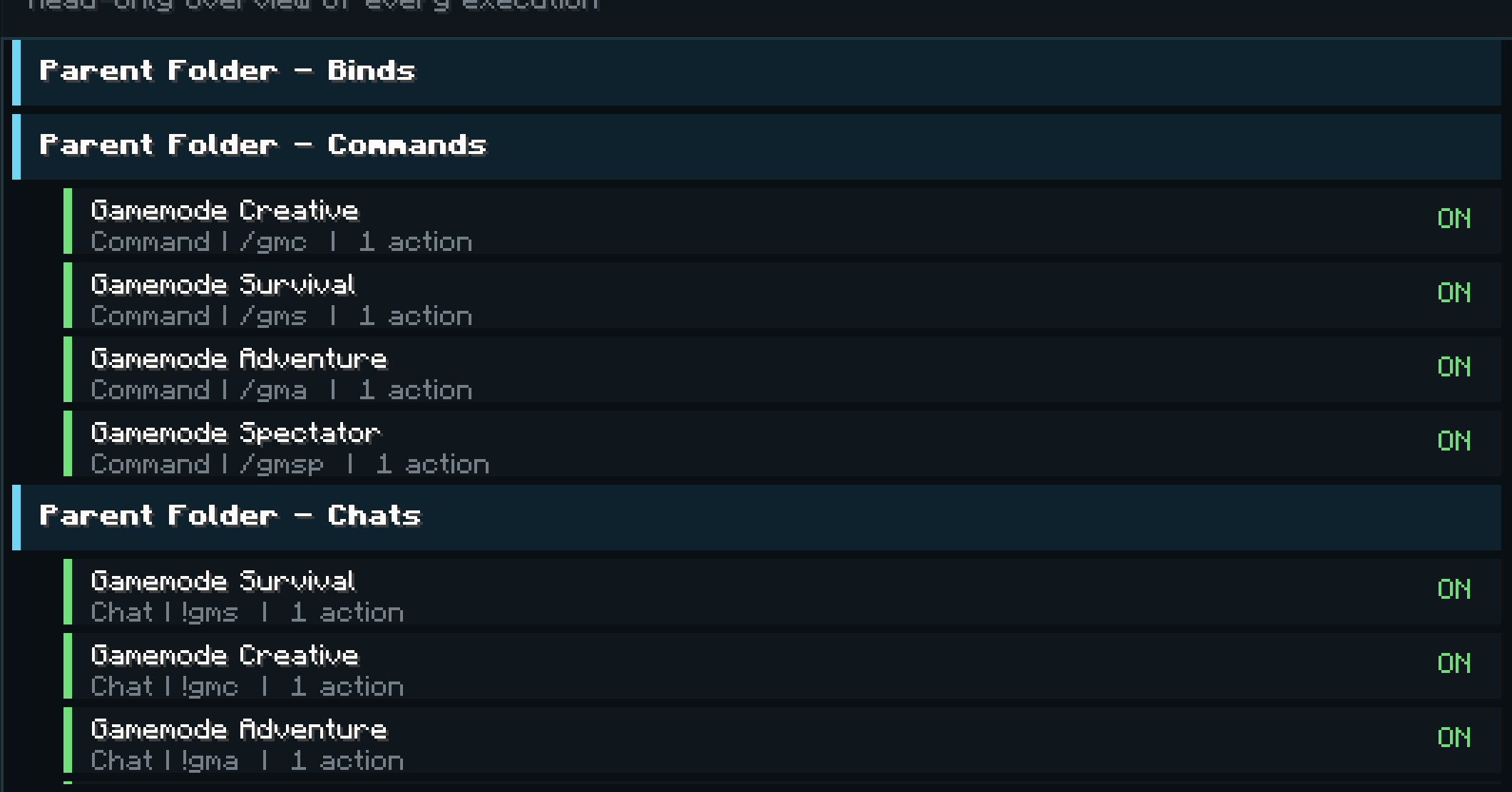
Binds: Binds are all listed in their own page aswell as the "All Executions" page, which features every bind, its type, and info about it, folders do not appear here. binds have short descriptions below them, a name, the action amount, the trigger, and the bind type, they can be toggled with right click and reordered same as folders.
Sidebar: There is one left sidebar to easily navigate between pages, aswell as some buttons and descriptors surrounding the main portion page.
Actions Page: This page took a lot of effort to make as clean as it is now, It is meant to be very intuitive and easy to navigate, being able to manage action orders with any hassle.
Scrolling: IDK why I'm adding this, probably just because it took me 3h to get my scroll bars correct as a self taught dev from youtube.
Access: Access it by opening your ModMenu (Pause, click "Mods") then find ActionBinder, click the configuration buttons (Bulleted List) and navigate the GUI from there.