

Absolute Order: Custom Chest Auto-Sorter
- By
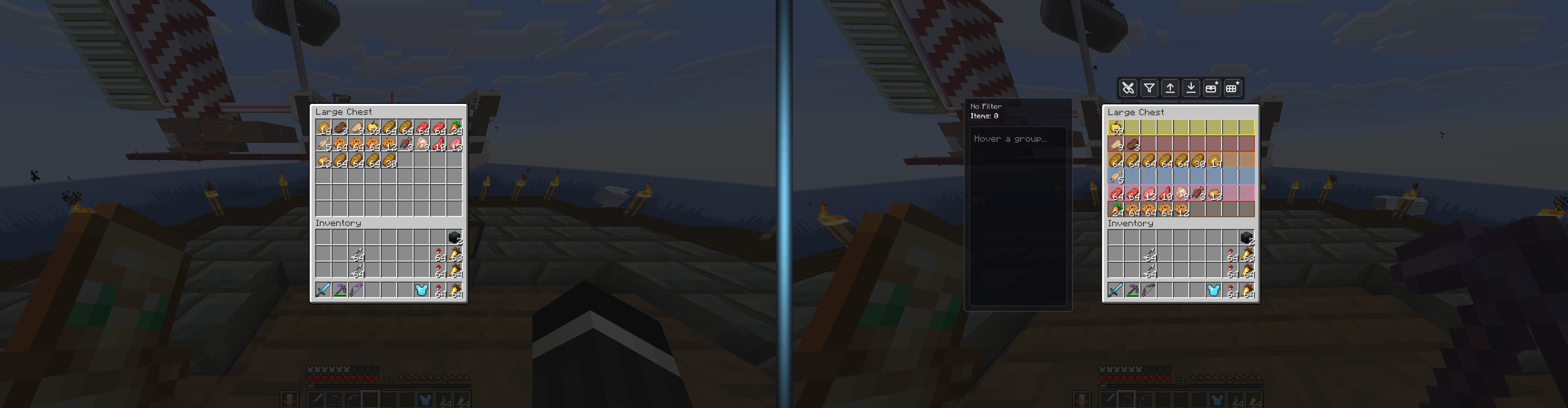
A plain vanilla chest versus a chest perfectly organized by Absolute Order — same items, total control.
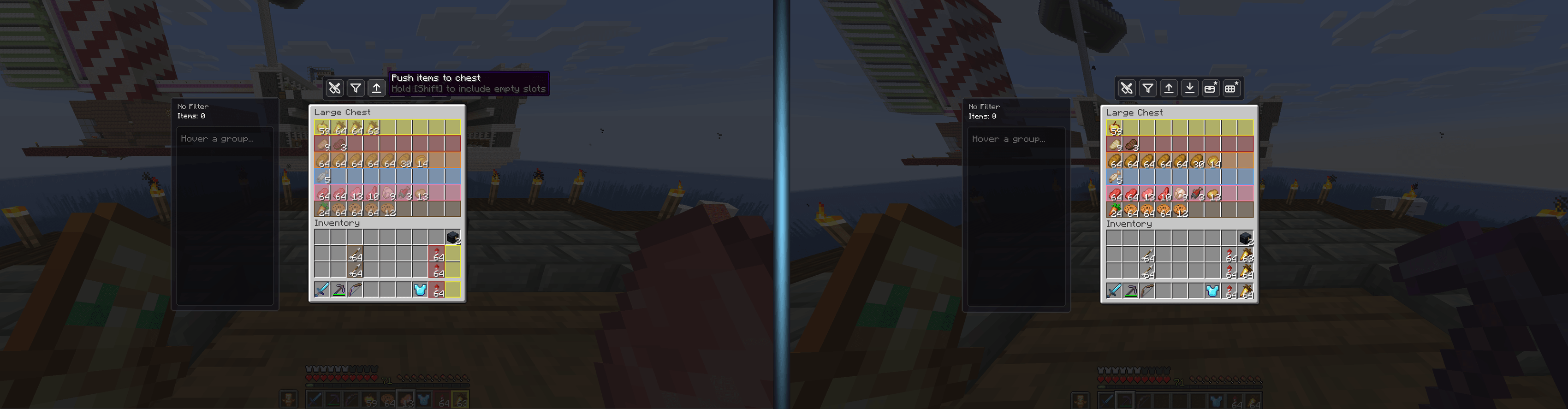
One click on the deposit button and your full inventory empties straight into the chest, sorted.
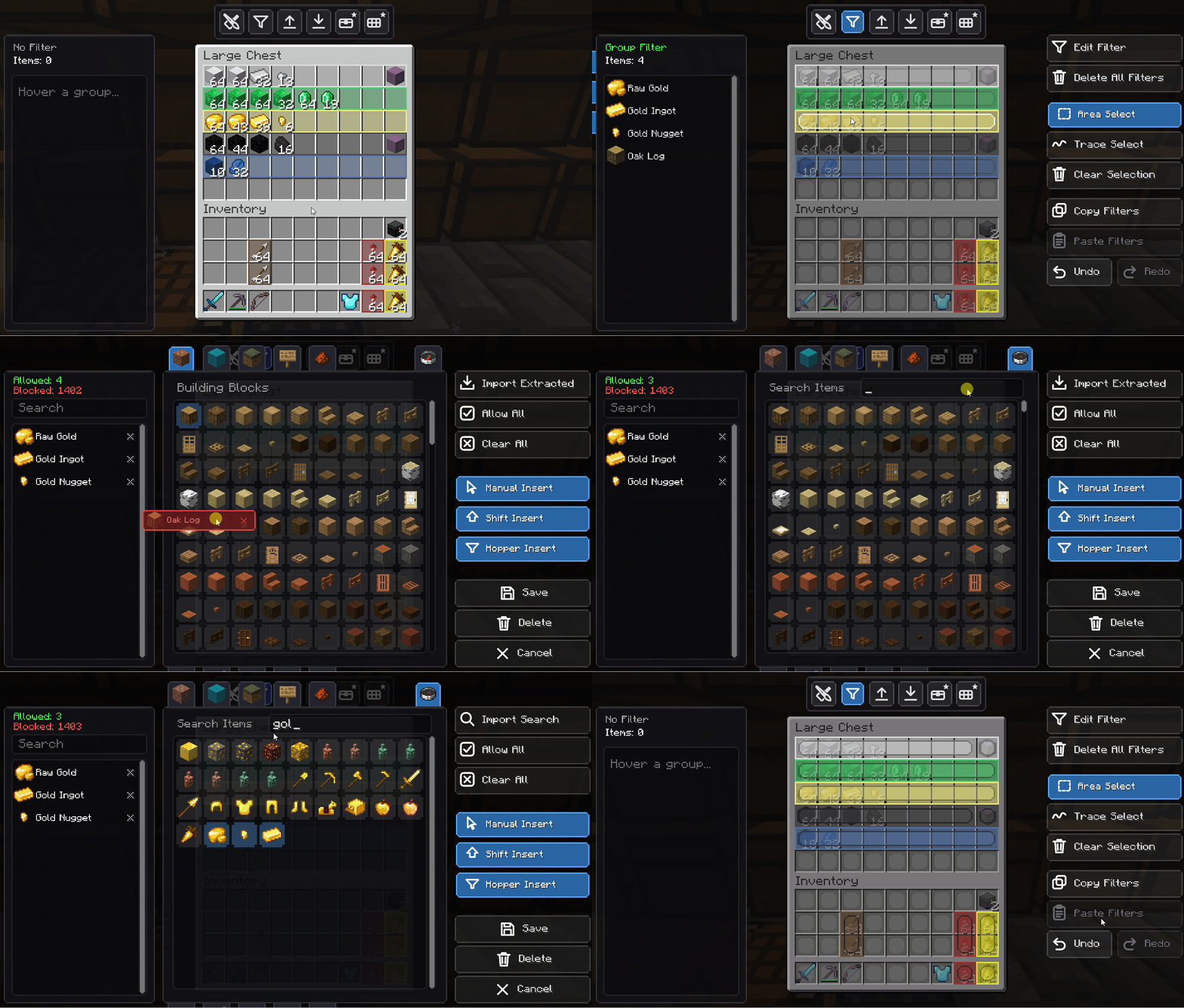
Build a filter by hand — drag any item straight into the list, or flick it out to remove it.
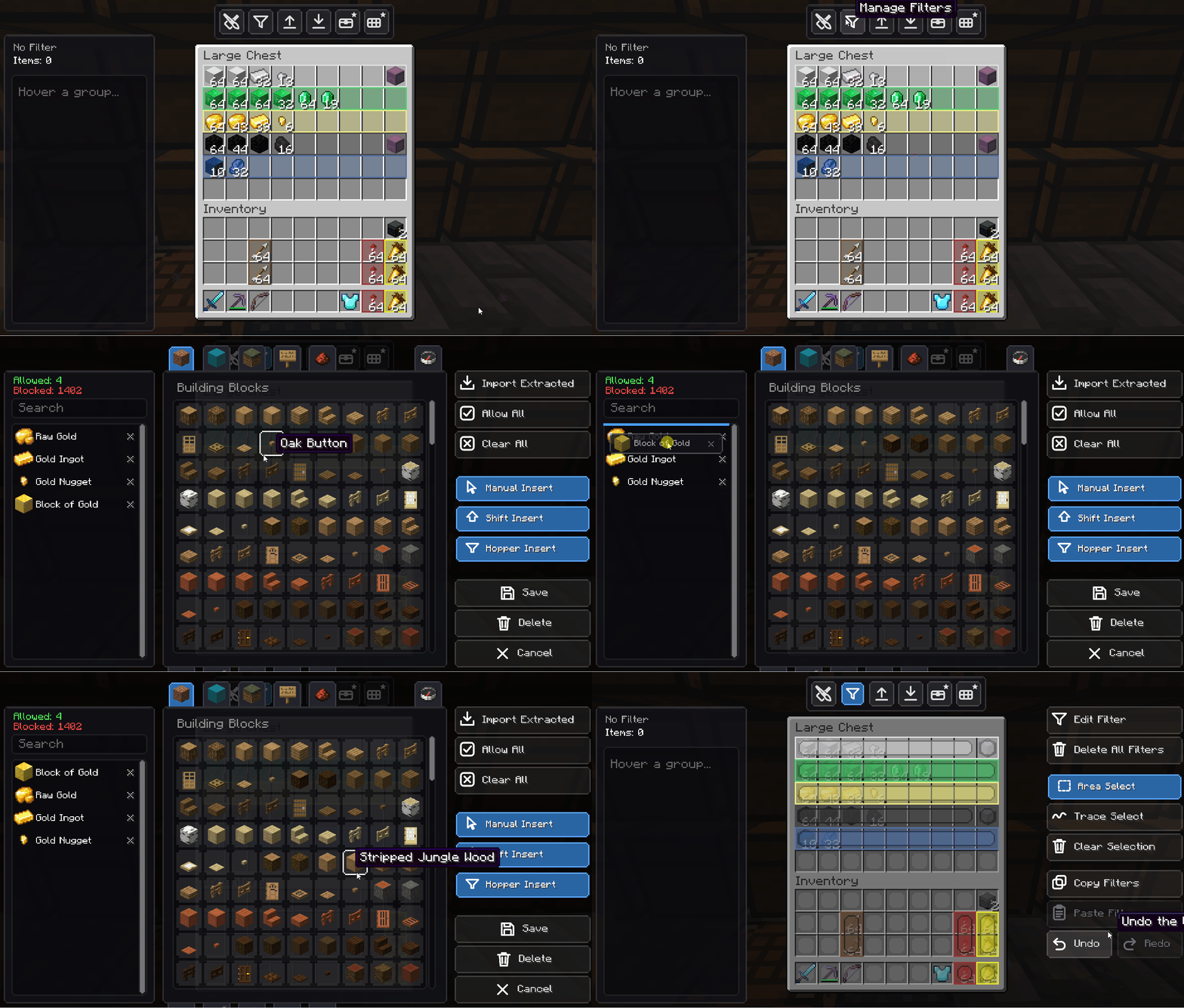
Drag items up or down inside the filter to change their sorting priority. The small touch that changes everything.
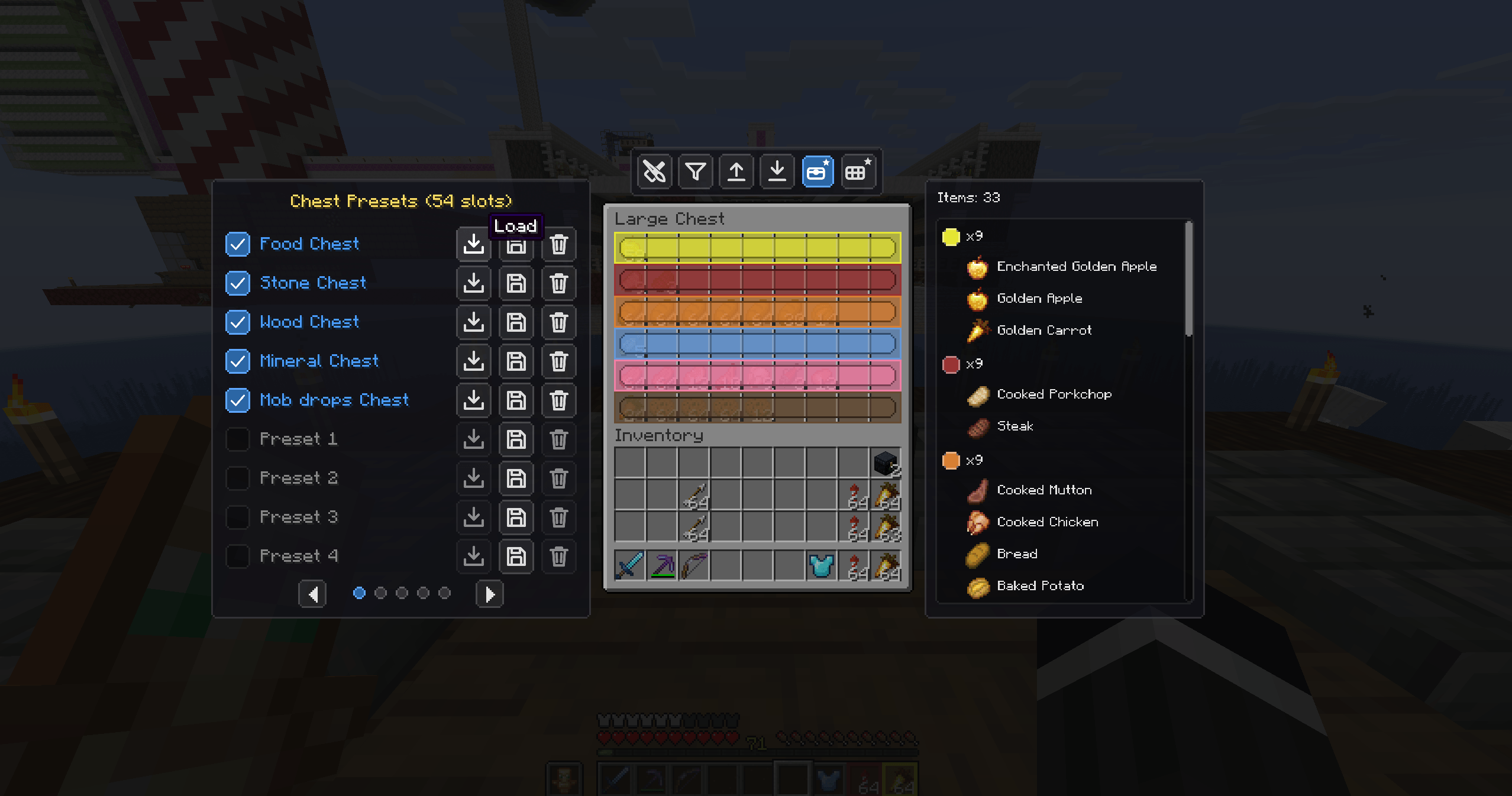
Ready-made chest layouts — Food, Ores, Wood, Minerals, Mob drops and more, one click away.
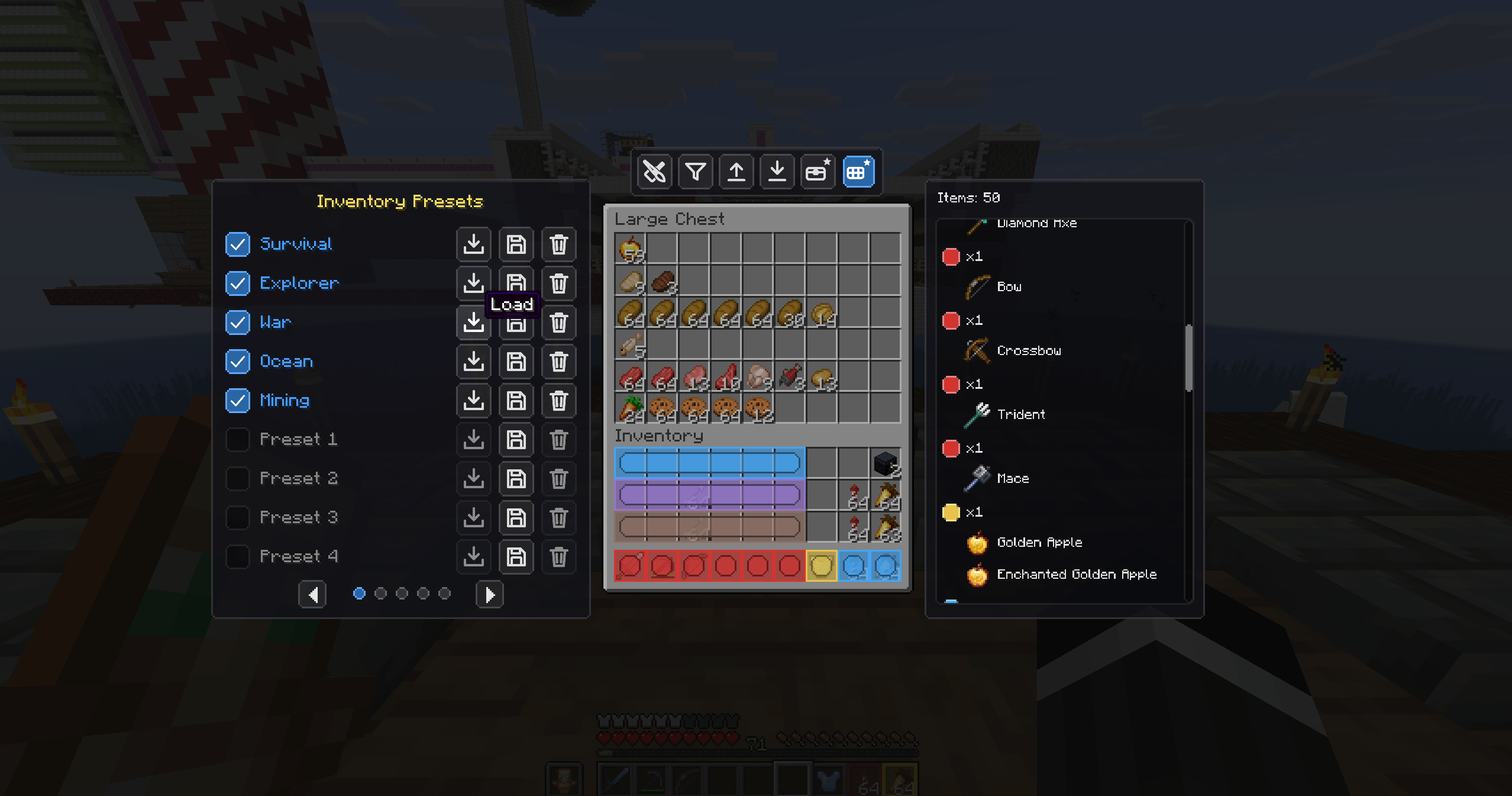
Preset loadouts for your inventory — Survival, Explorer, War, Ocean, Mining and custom slots.
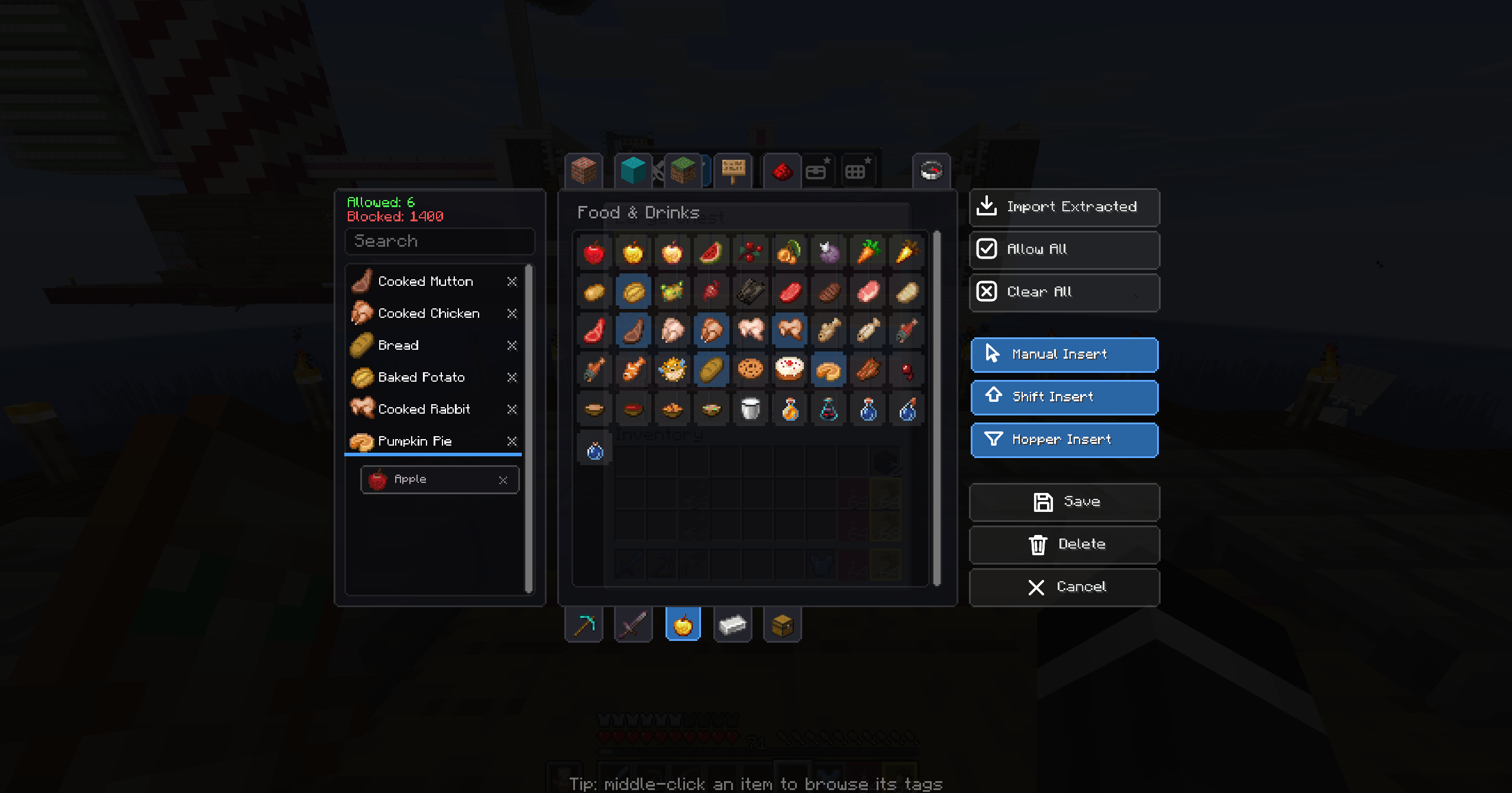
A dedicated, custom-built interface for choosing exactly what each part of your chest accepts.
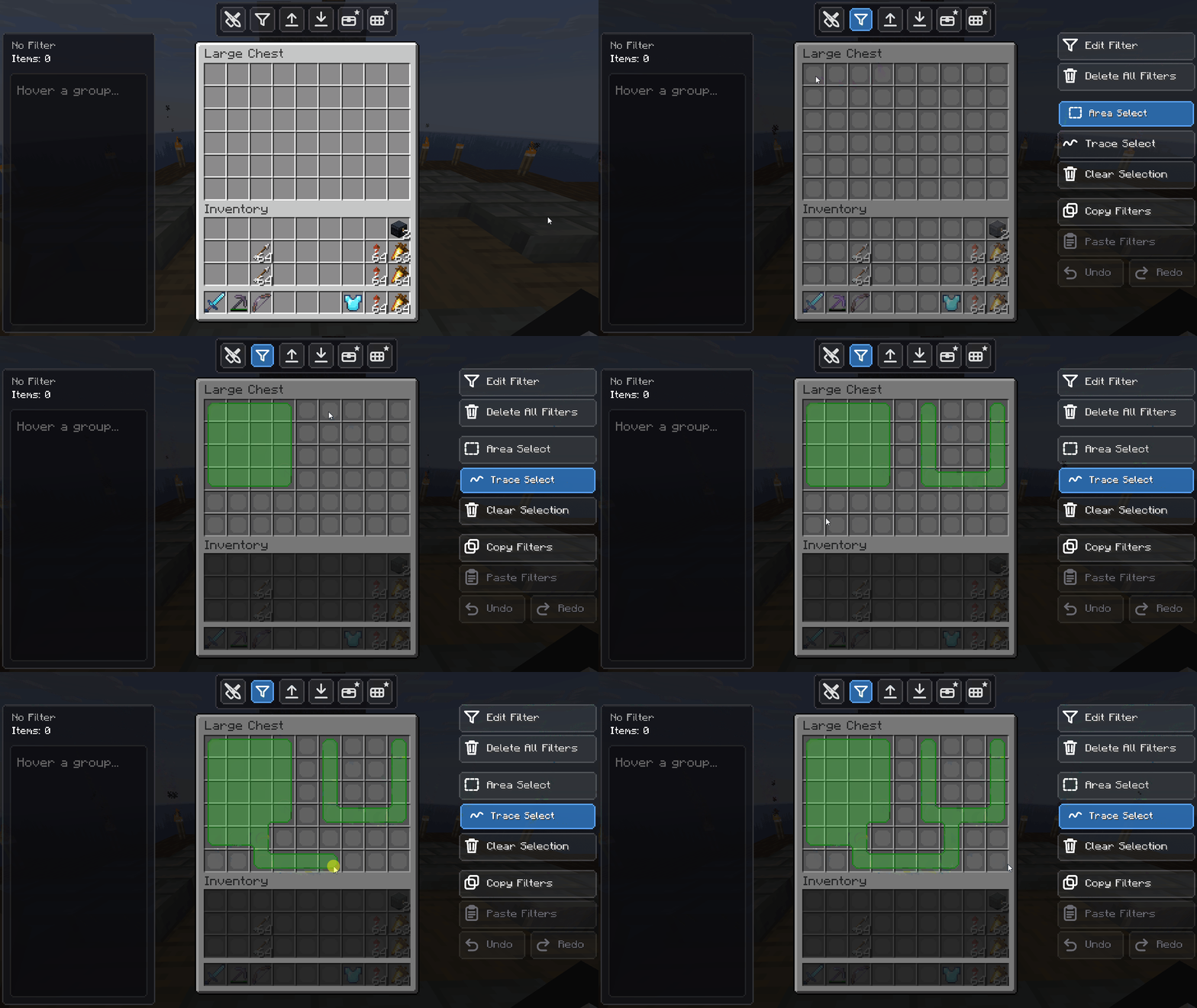
Select any region of a chest and apply an absolute filter to it in seconds.
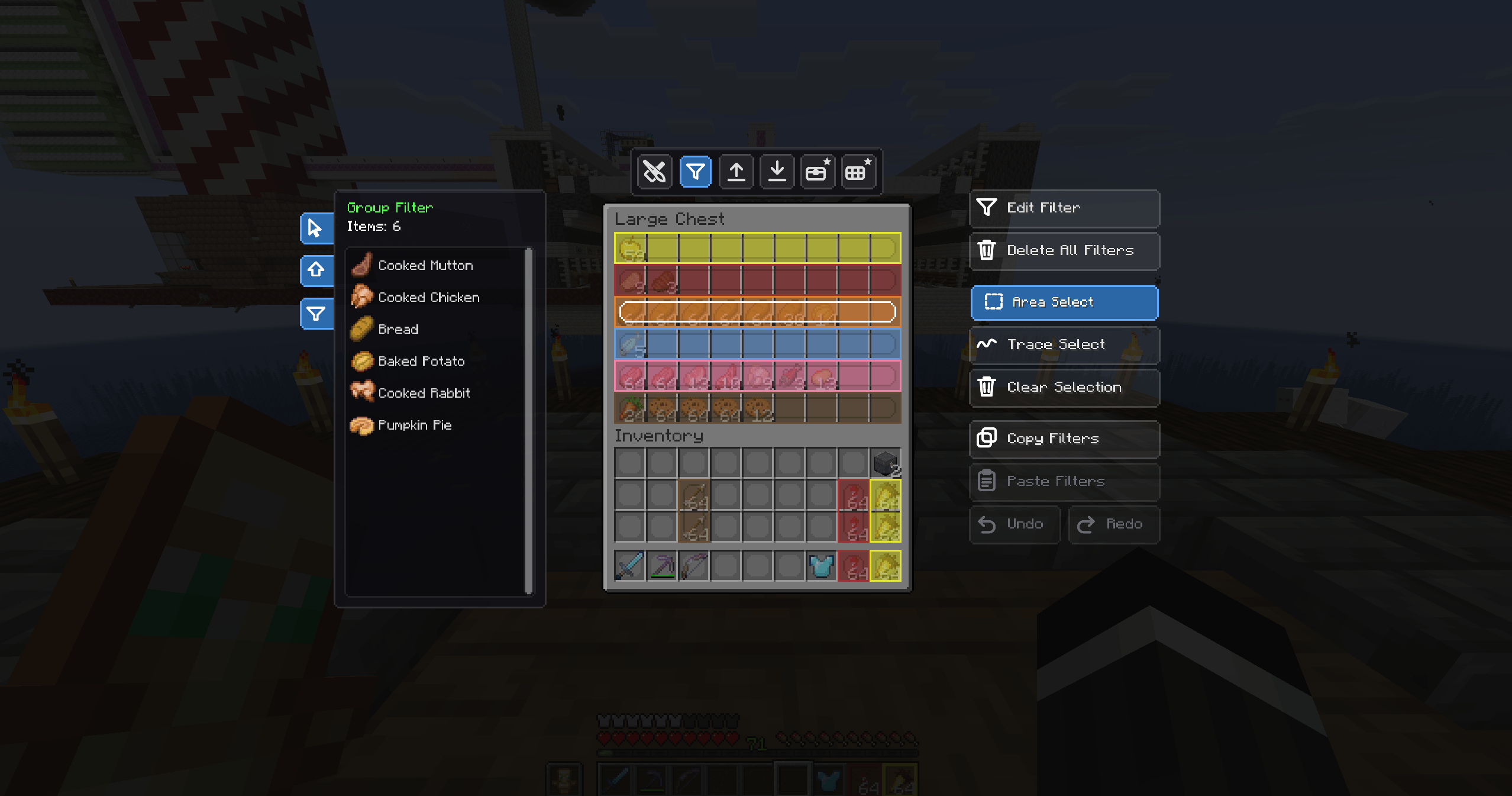
Edit, Area-Select, Trace-Select, clear, copy and paste filters — full control over every zone.
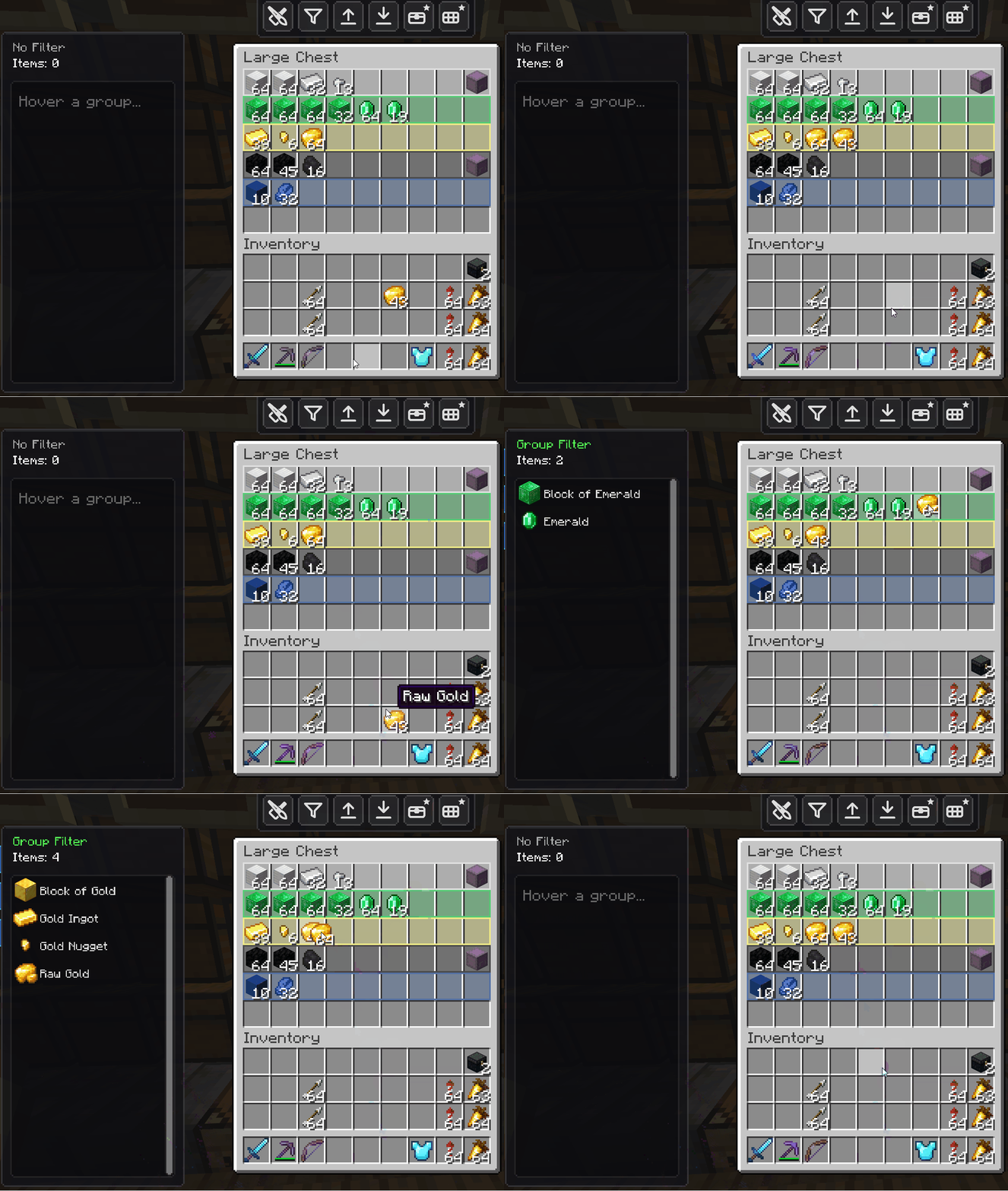
If a slot is reserved for diamonds, nothing else gets in. Wrong items are actively rejected with an animation.
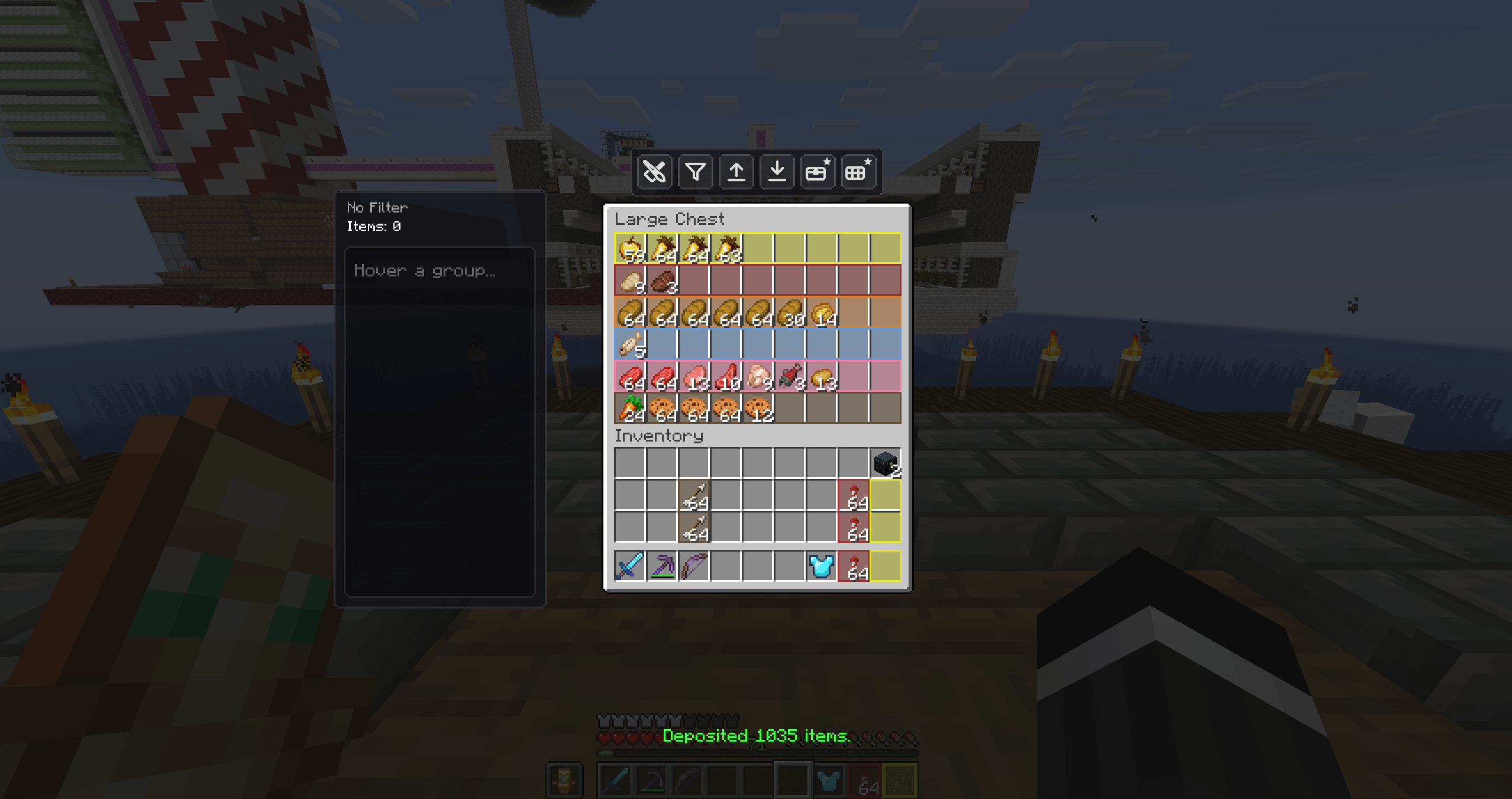
One click clears a full inventory — the on-screen counter reports the exact amount moved.
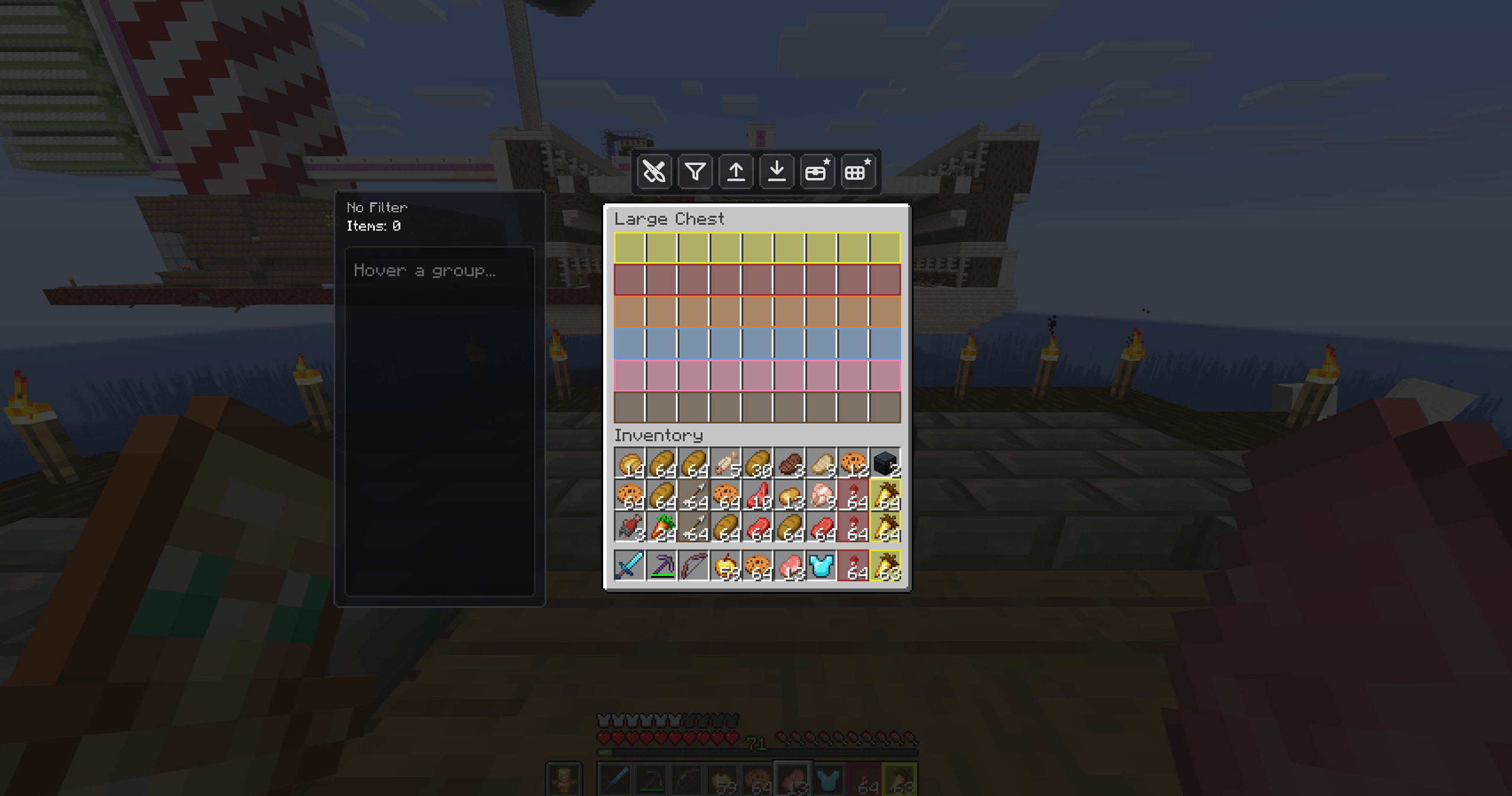
The moment before an auto-deposit: a cluttered inventory ready to be cleared in a single press.
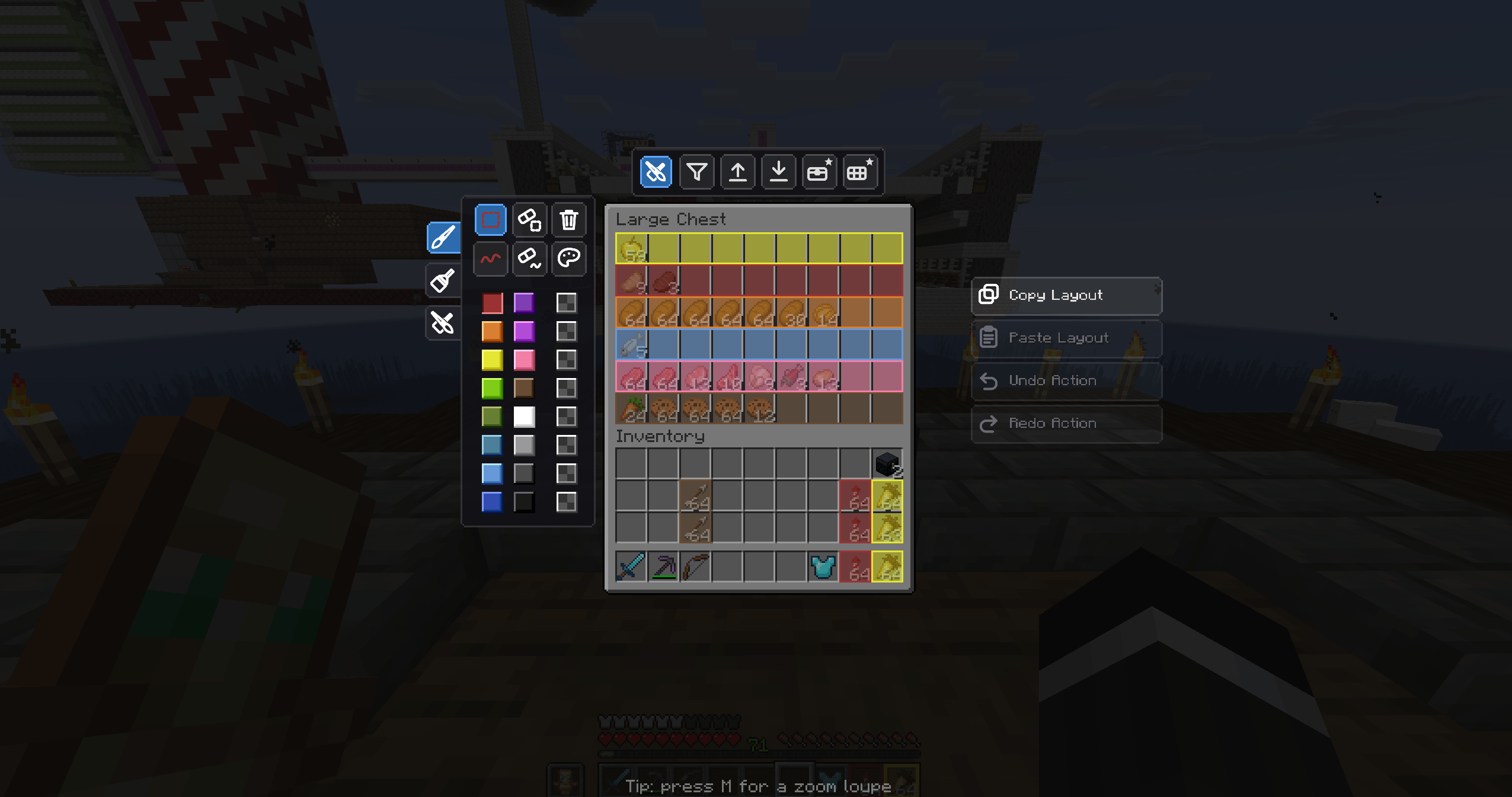
Copy, paste, undo and redo entire chest layouts — plus area and trace tools for precise editing.
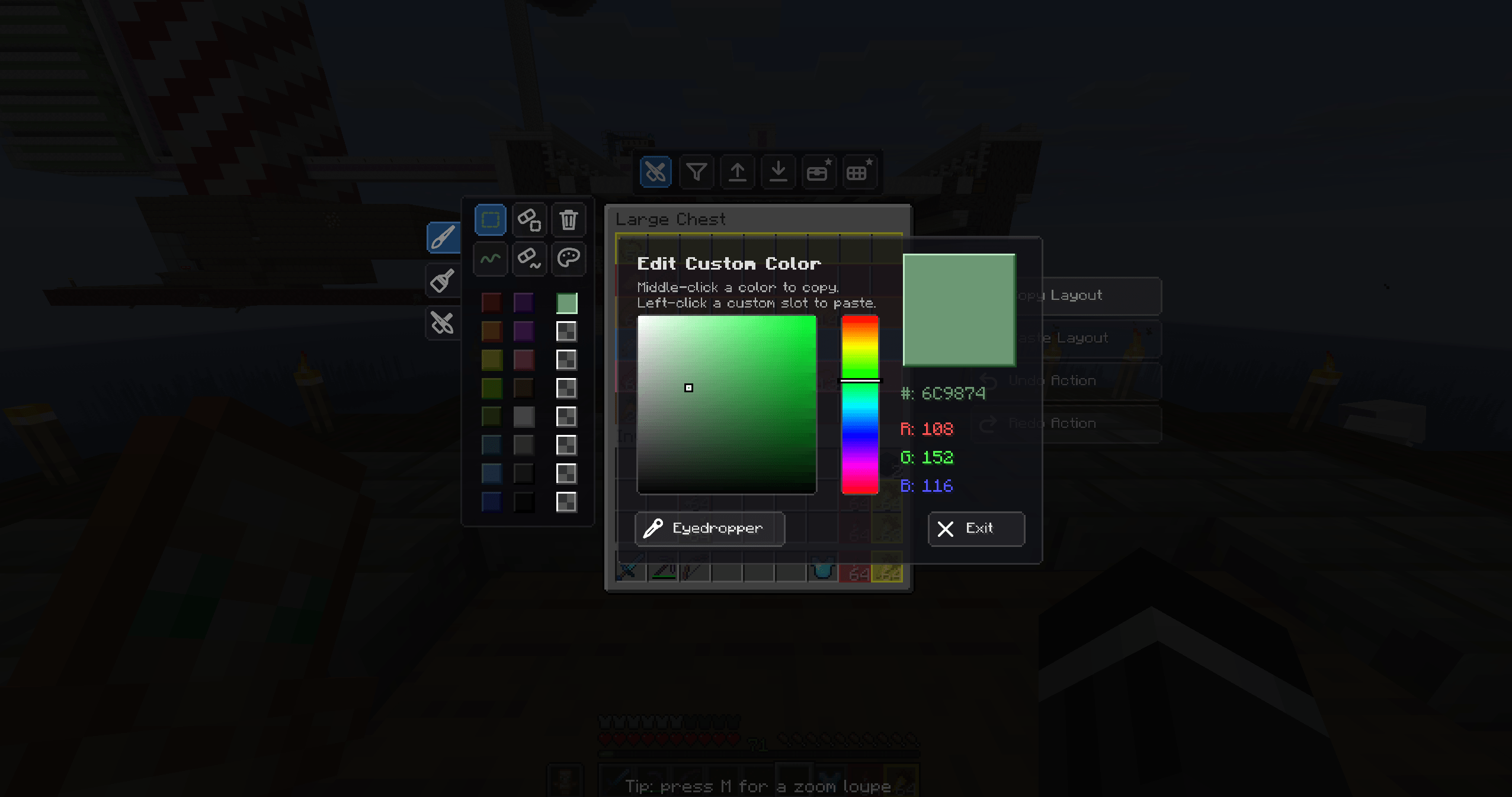
Break free from the basic colors — pick any shade with the full RGB/HSV picker and save your favorites.
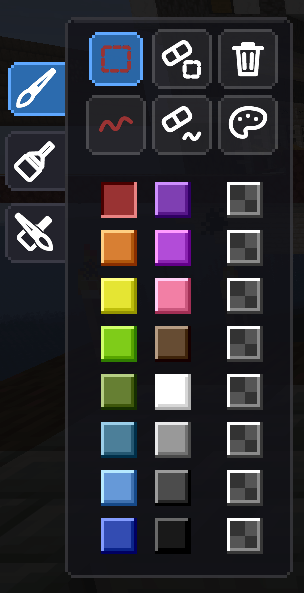
A wide palette of vibrant colors to separate your storage zones — blue for ores, green for crops, and more.
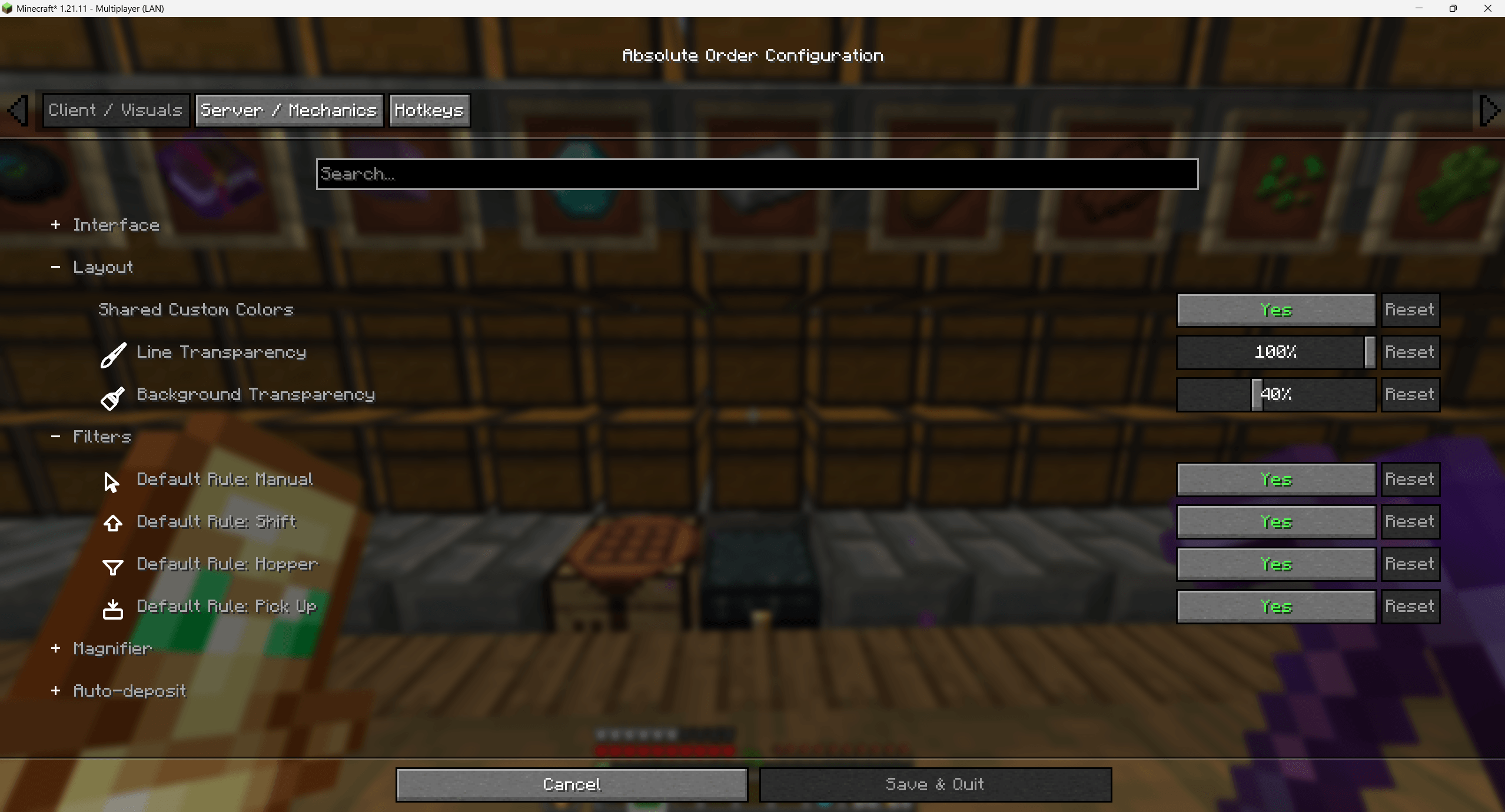
Tune transparency, custom colors, default rules and more to match your taste. Dark mode supported.
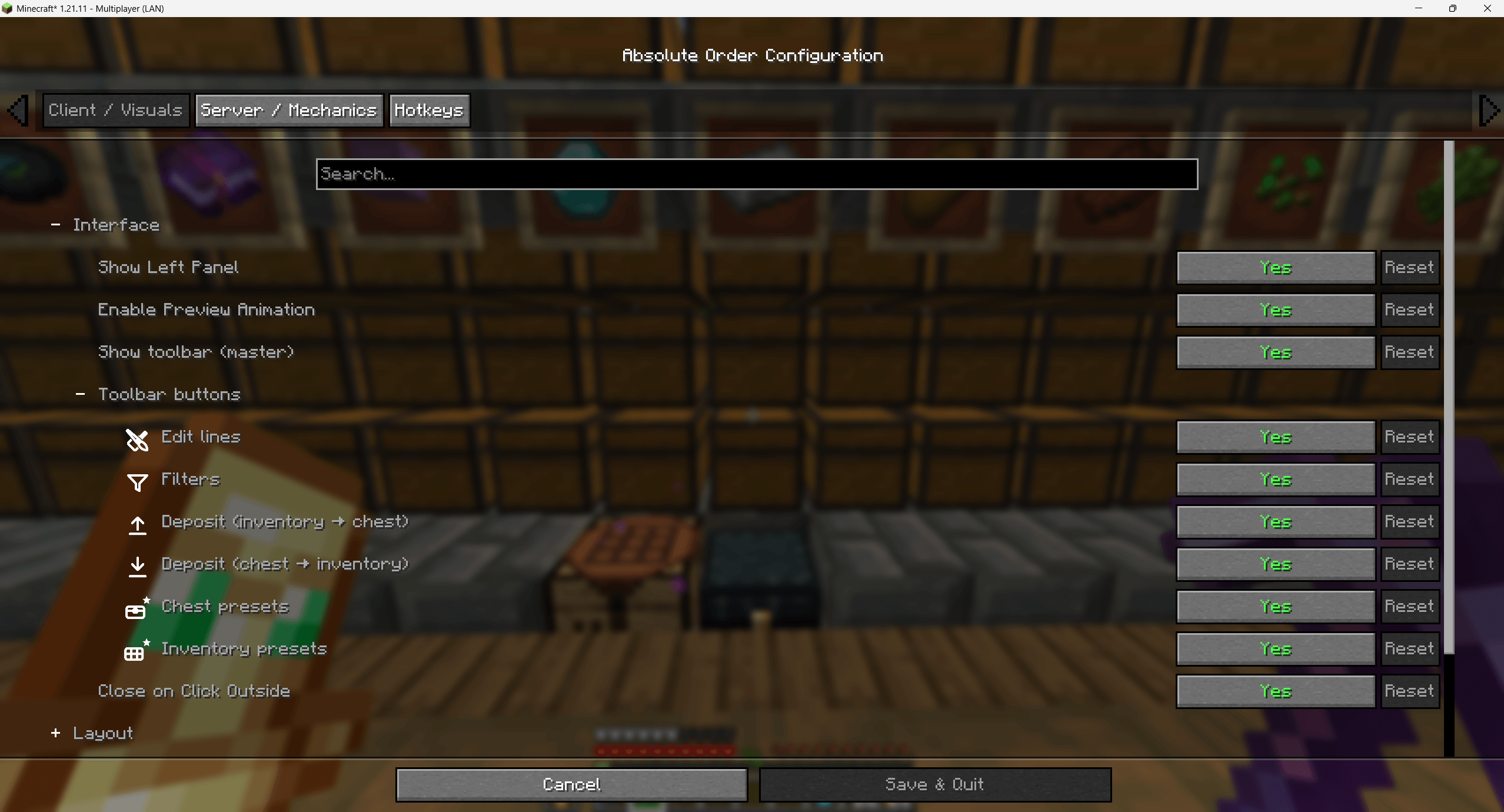
Toggle panels and toolbar buttons, enable preview animation, and lay the editor out your way.
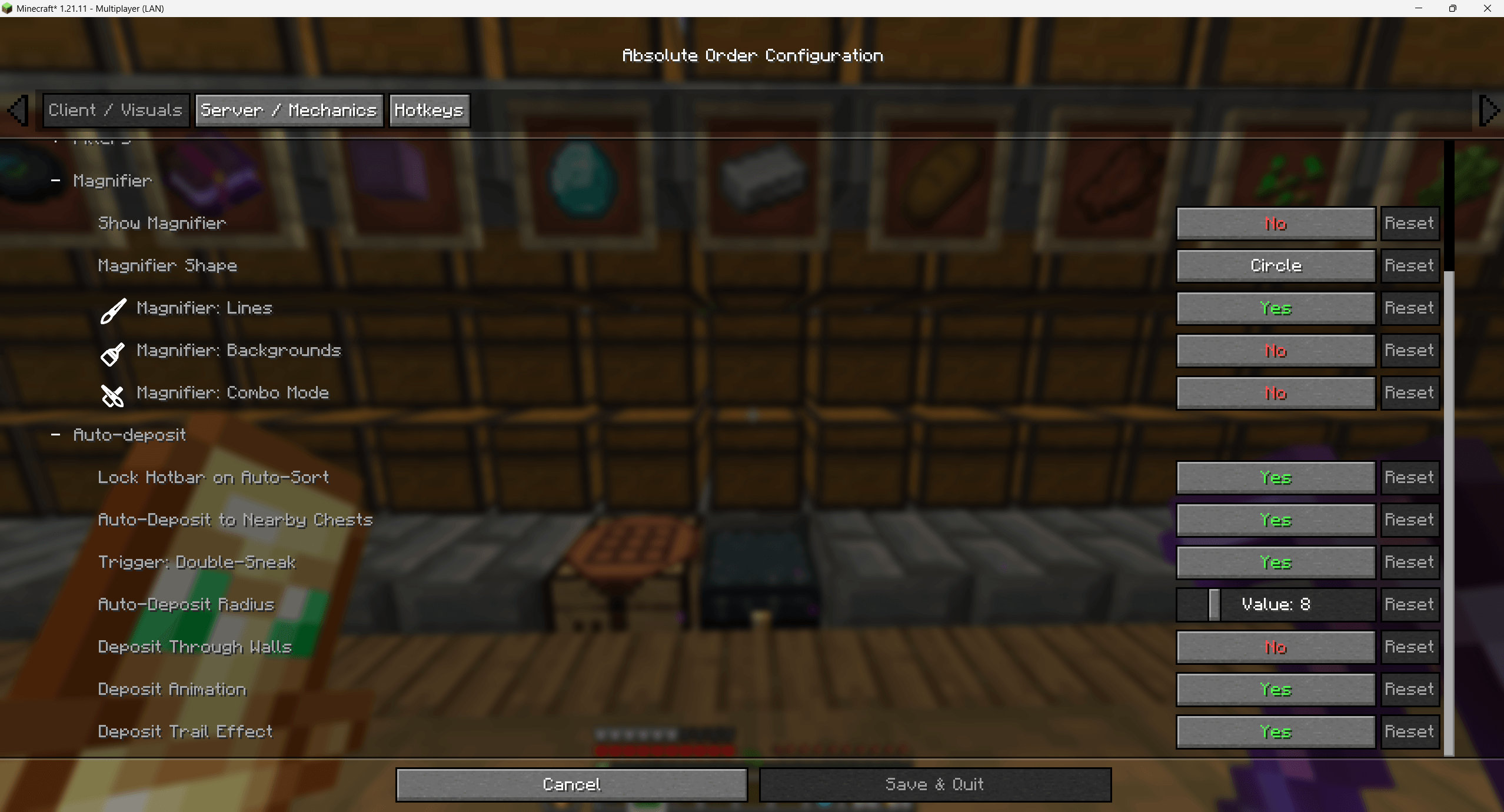
Server and technical options — magnifier, auto-deposit radius, deposit threshold, trail effects and more.
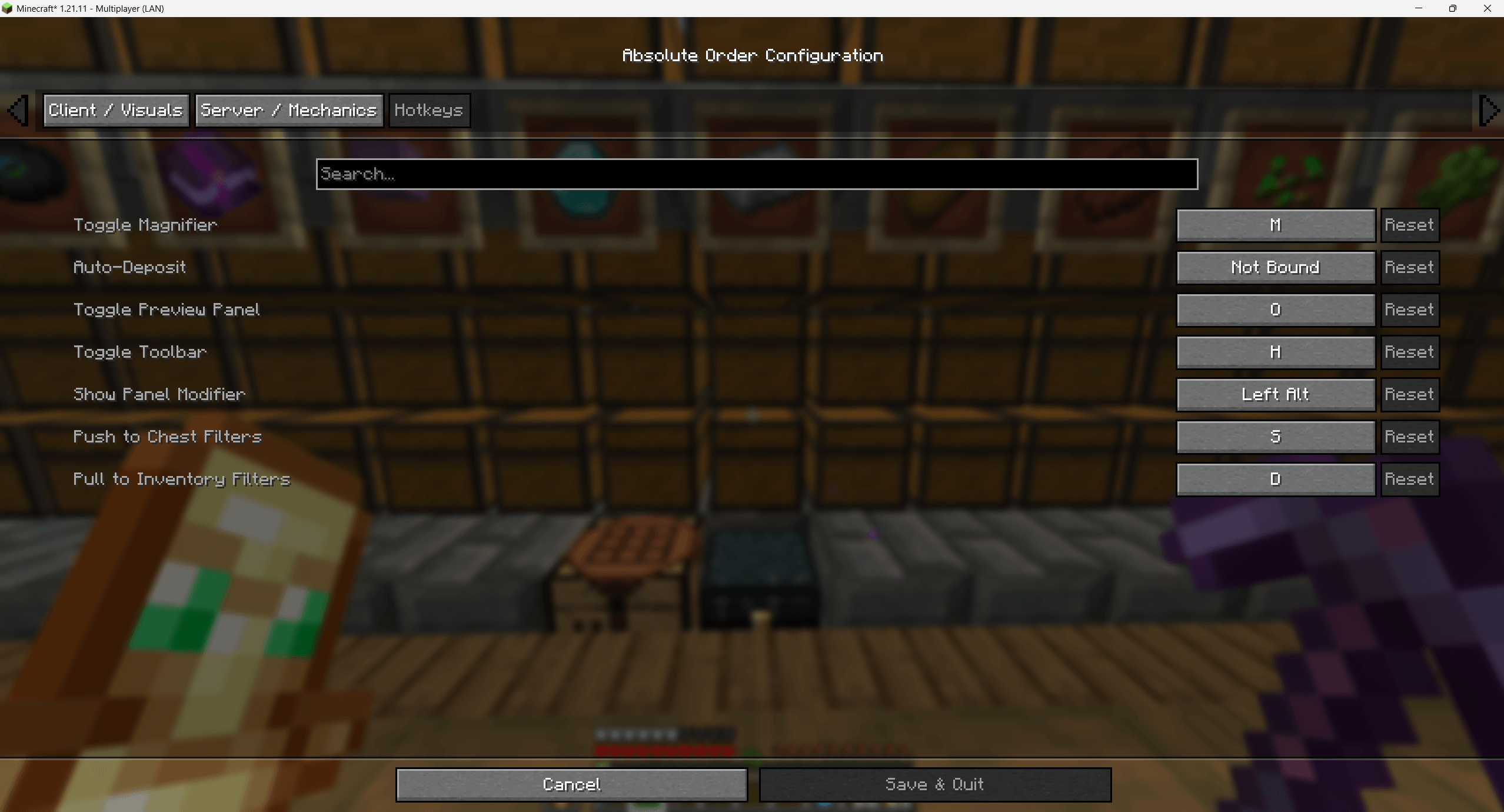
Bind every action — deposit, pull, toggle panels — to your preferred keys.
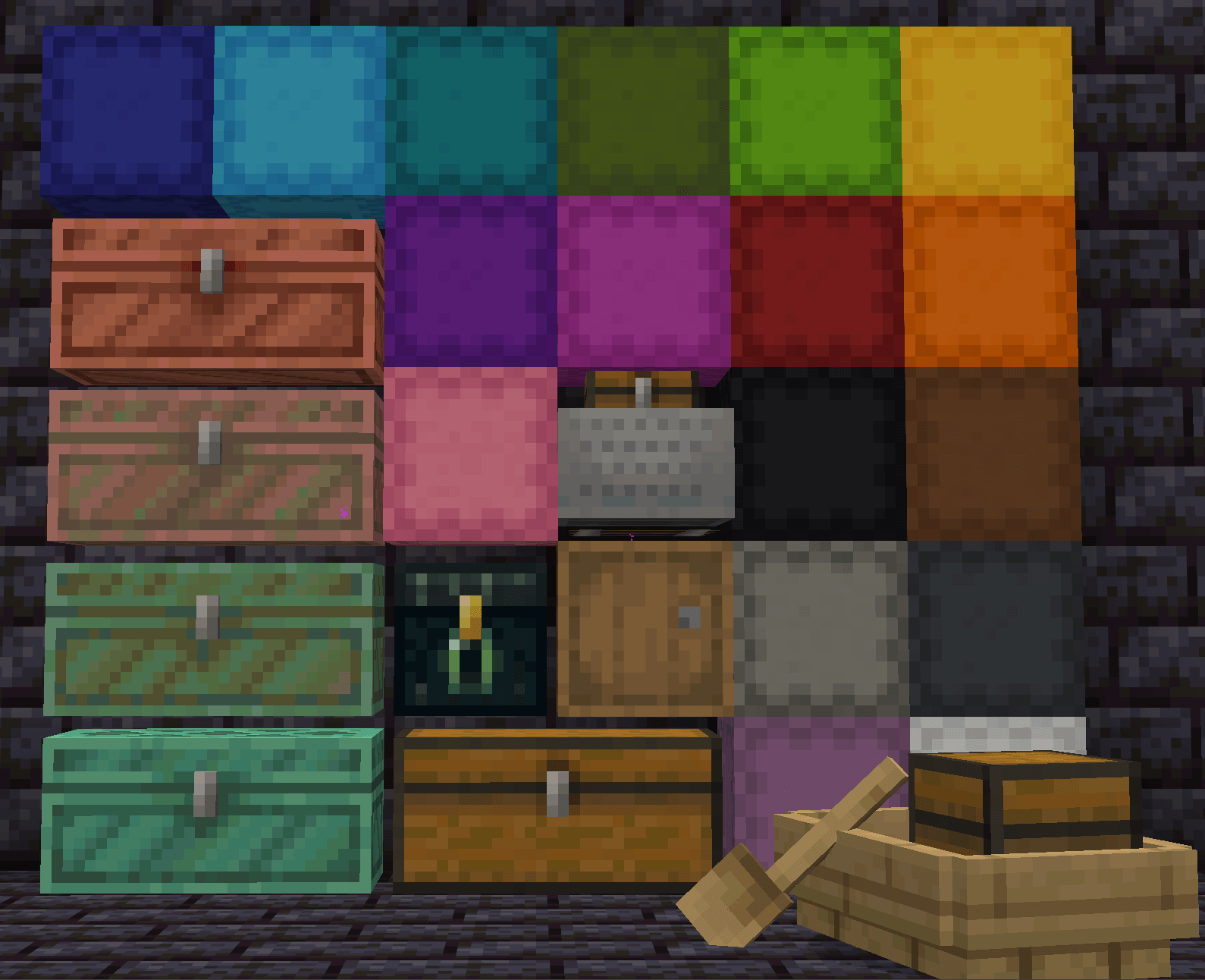
Chests, barrels, ender chests, shulker boxes, minecarts, boats with chests, and many modded containers.