![Better's Backpack Addon [Fixed] [Discontinue] logo](https://media.forgecdn.net/avatars/thumbnails/1608/774/64/64/639038288205600664.png)
Description
Better's BackPack Addon
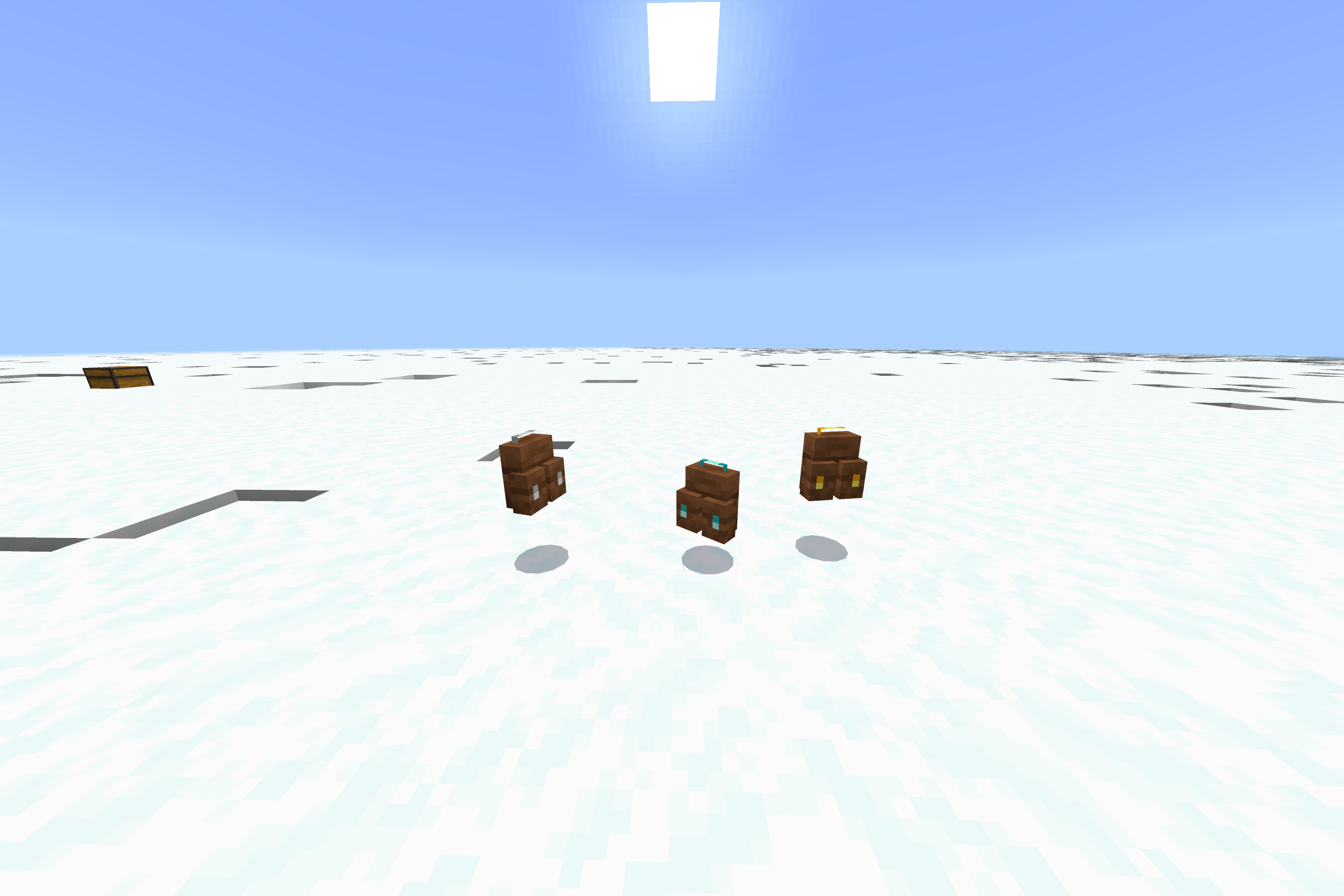
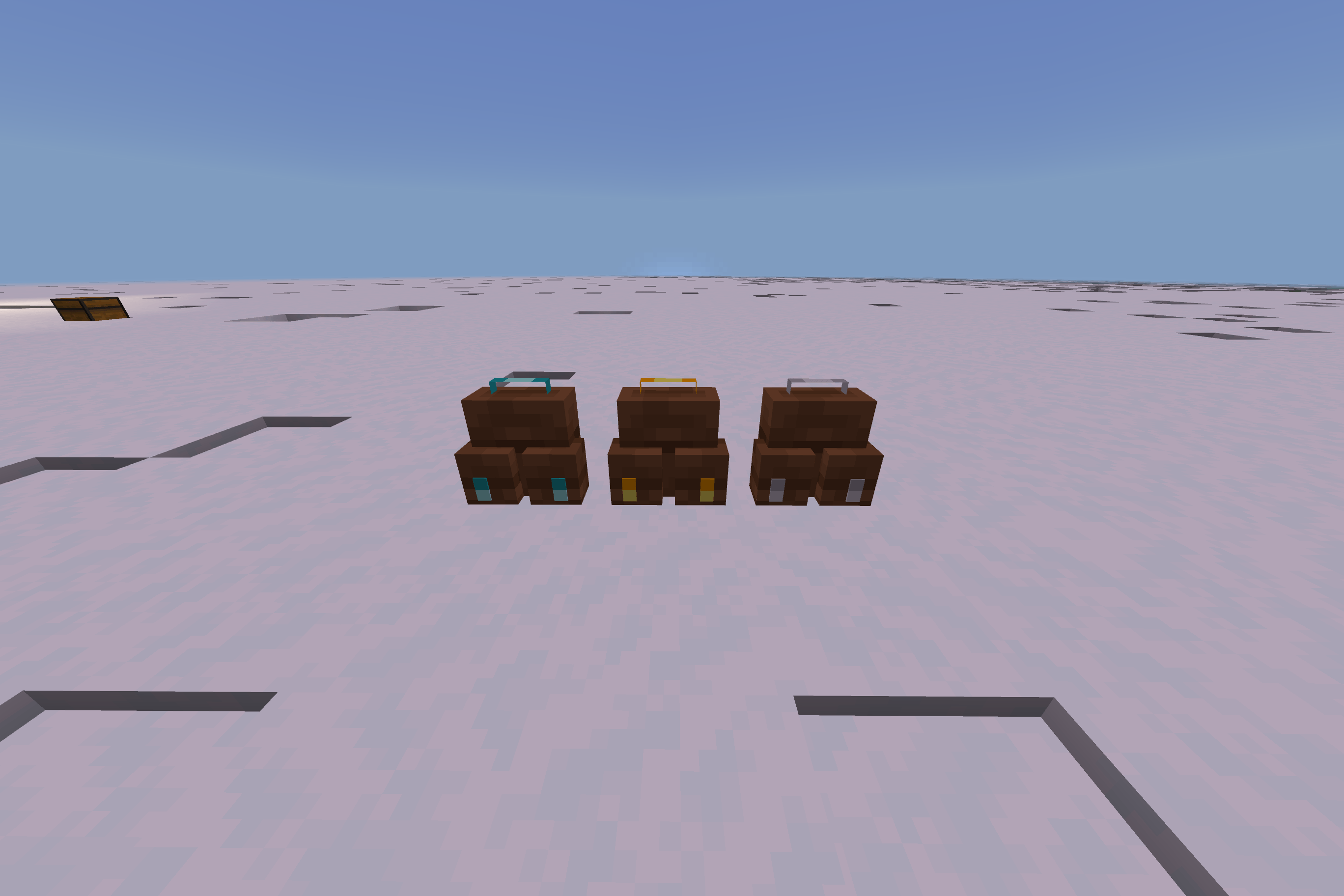
Better's BackPack Addon is the ultimate storage solution for Minecraft Bedrock Edition. Tired of running out of inventory space during long mining trips or massive build projects? This addon introduces high-capacity, smart backpacks with an advanced pagination system that allows you to carry hundreds of items effortlessly.
Advanced Pagination System
Unlike standard backpacks that limit you to a single chest size, Better's BackPack uses a "Page Cycle" mechanic. Even though you only see 25 slots at a time, you can flip through multiple hidden pages, giving you access to massive storage without cluttering your screen.
Backpack Tiers & Capacity
1. Iron Backpack
-
Total Capacity: 100 Slots
-
Storage Pages: 4 Pages (approx. 27 slots per page cycle)
-
Best For: Professional miners and daily resource gathering. It quadruples your standard storage space!
2. Gold Backpack
-
Total Capacity: 150 Slots
-
Storage Pages: 6 Pages
-
Best For: Hardcore explorers. This mobile treasury allows you to loot entire bastions or fortresses in a single trip.
3. Diamond Backpack
-
Total Capacity: 200 Slots
-
Storage Pages: 8 Pages
-
Best For: The ultimate endgame player. With 200 slots, you practically have a double-chest-and-a-half on your back. Optimized with Anti-Duplicate logic to ensure your items are always safe.
Key Features
-
Smart Cycle Mechanic: Use the built-in "Next" and "Previous" buttons to instantly cycle through your inventory pages.
-
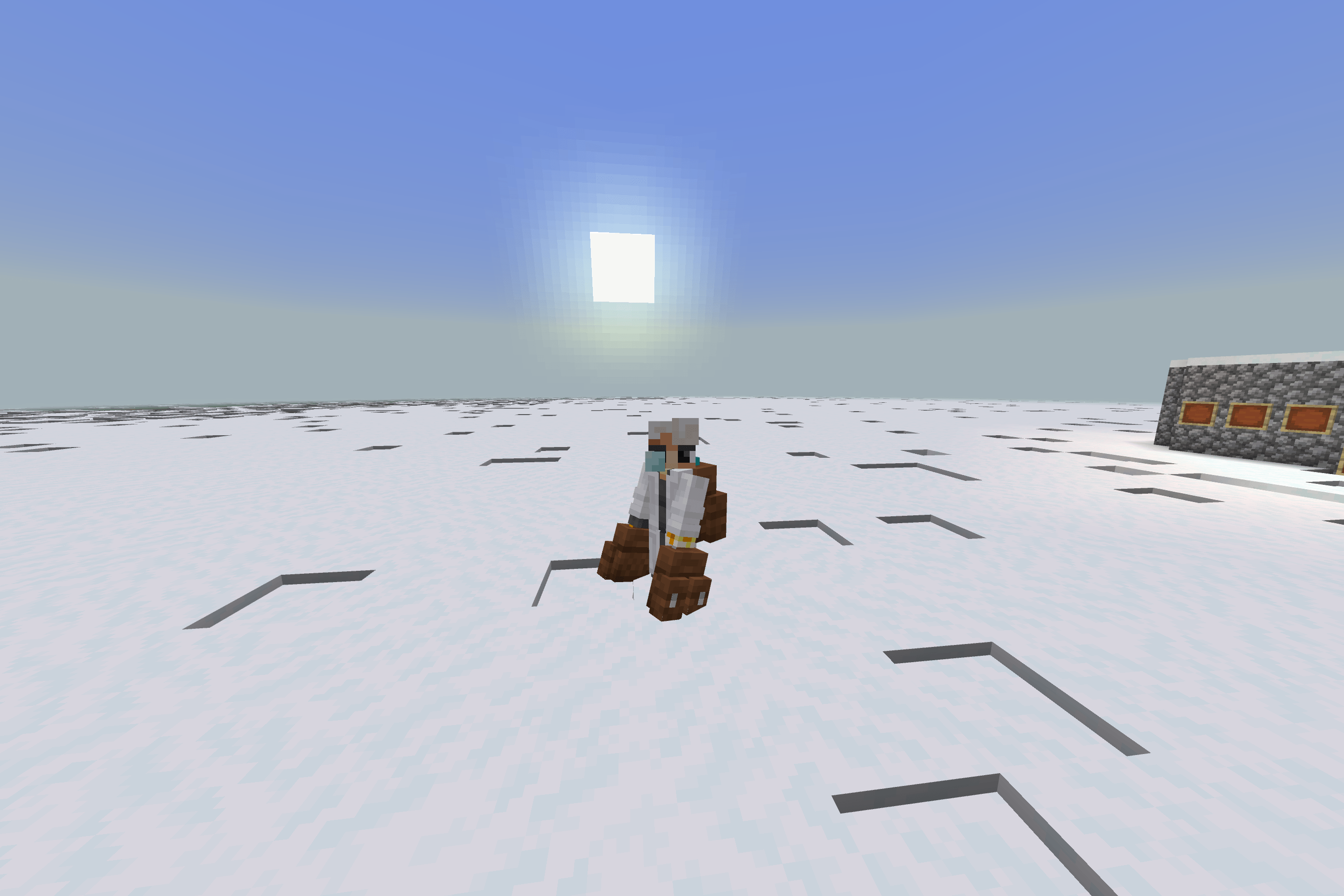
Dual-Equip System: Wear your backpack on your Chestplate slot or carry it in your Offhand for maximum flexibility.
-
Static Interaction: Backpacks are engineered as static entities. They stay exactly where you place them and cannot sit in boats or minecarts, preventing annoying glitches during water transport.
-
Lag-Free Performance: The script is optimized to handle high-volume item swapping (up to 200 slots) with zero lag and high stability.
-
Secure Storage: Your items are saved directly to the entity data. Whether you pick it up or place it down, your loot is always preserved.
How to Use
-
To Open: Place the backpack on the ground and interact with it.
-
To Switch Pages: Click the designated "Next" or "Prev" icons inside the backpack's inventory UI.
-
To Pick Up: Sneak (Crouch) and interact with the backpack to return it to your item inventory.
-
To Equip: Move the backpack item into your Chestplate or Offhand slot.
Better's Backpack Addon [Fixed] [Discontinue] Team