LevelZ | Custom Youer LevelZ Datapack And RP
Advanced Configuration: Base Max HP, New Skills, and Icon Integration for the [mod LevelZ by Globox_Z].
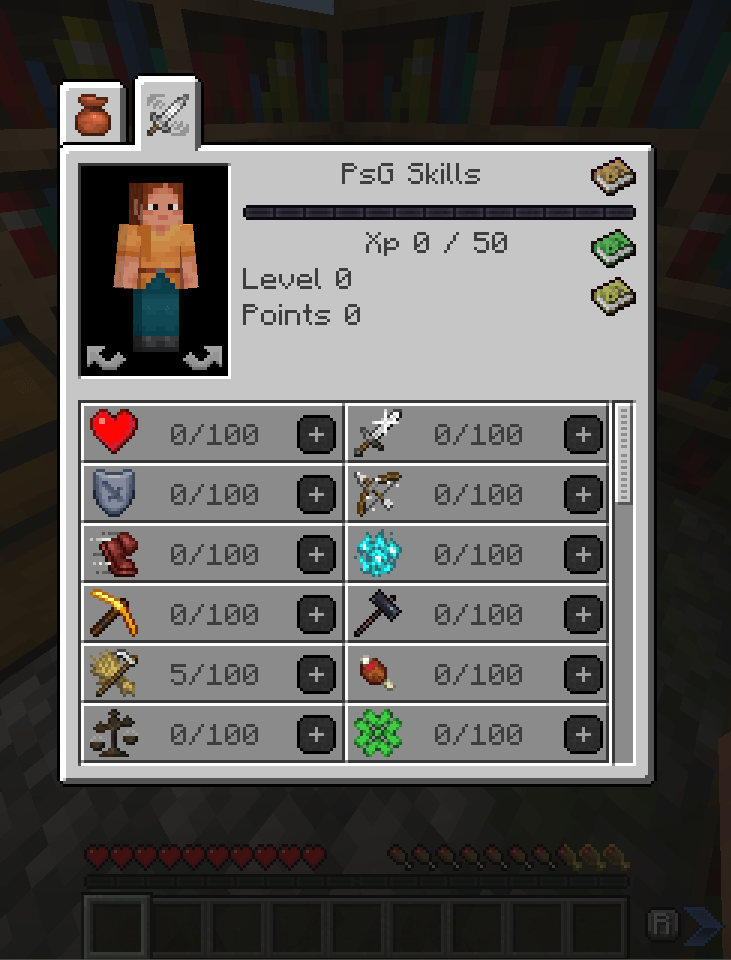
Screenshot 2025-10-07 190223.png
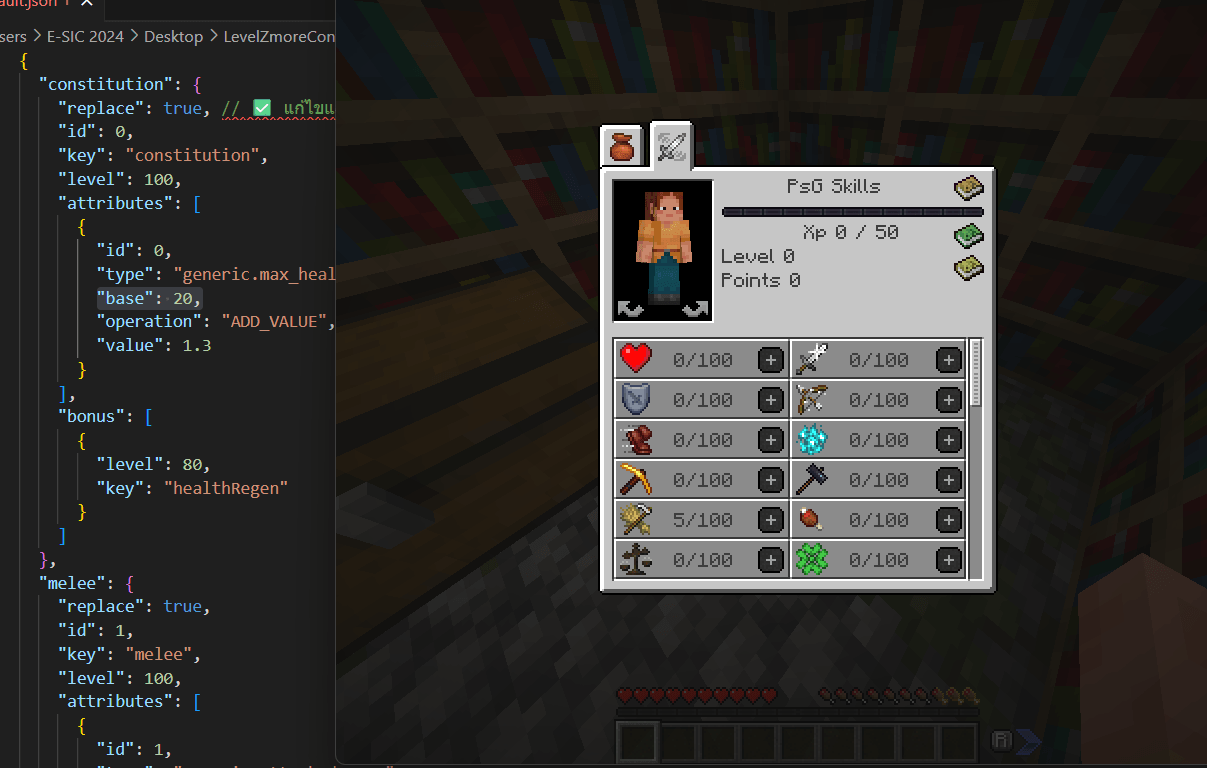
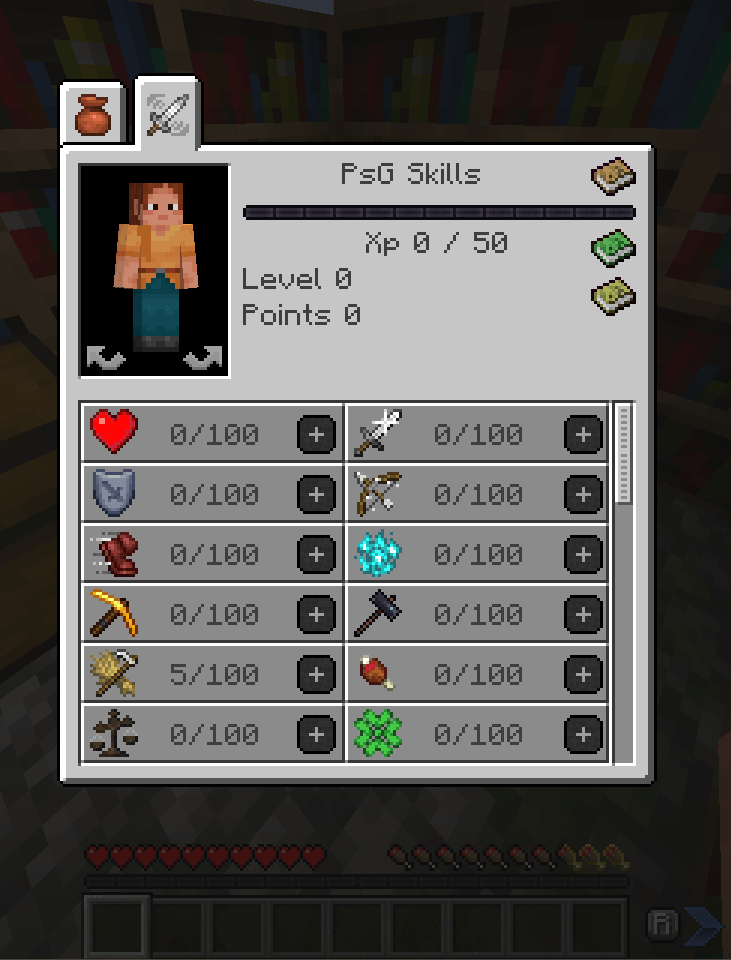
Screenshot 2025-10-07 190449.png
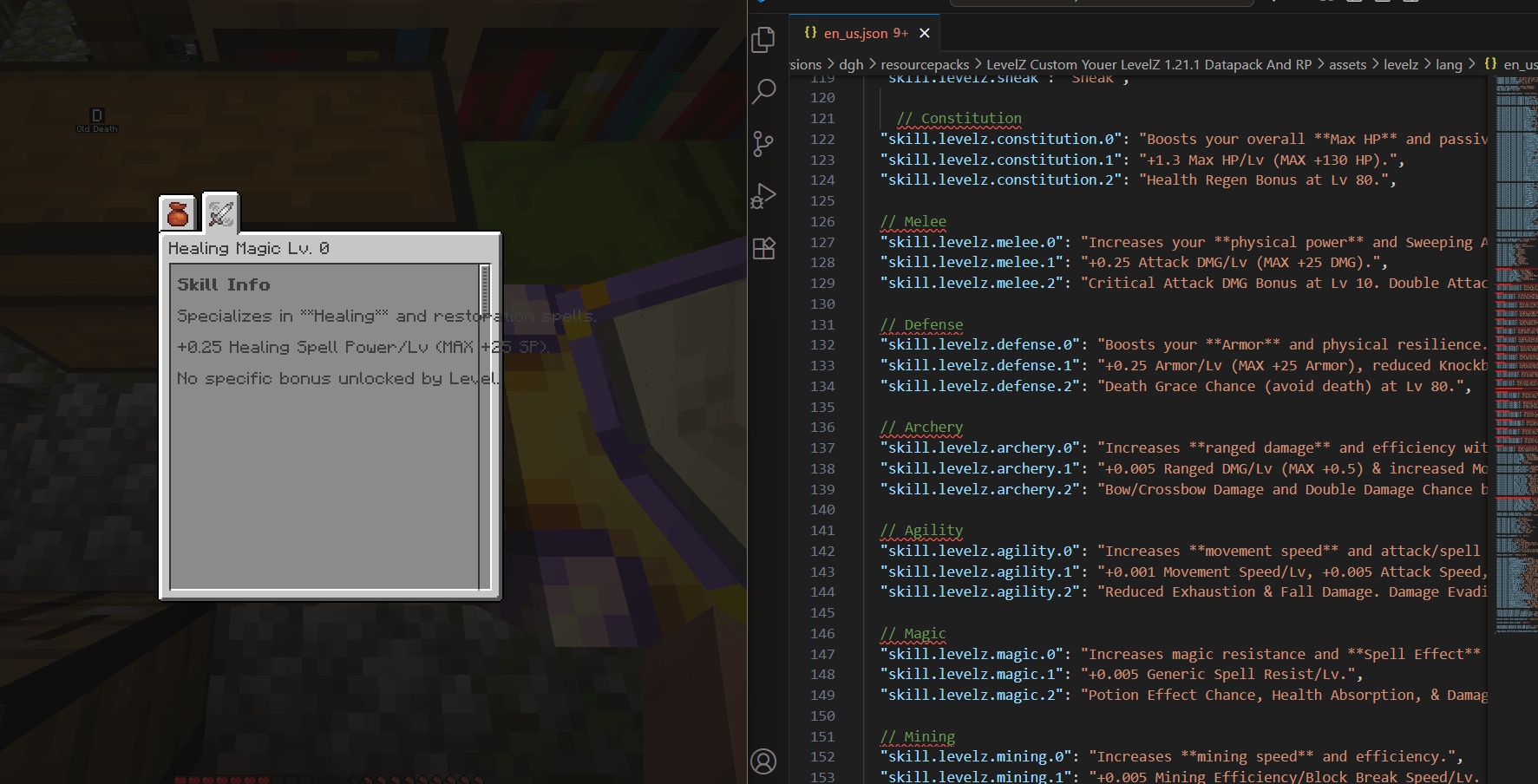
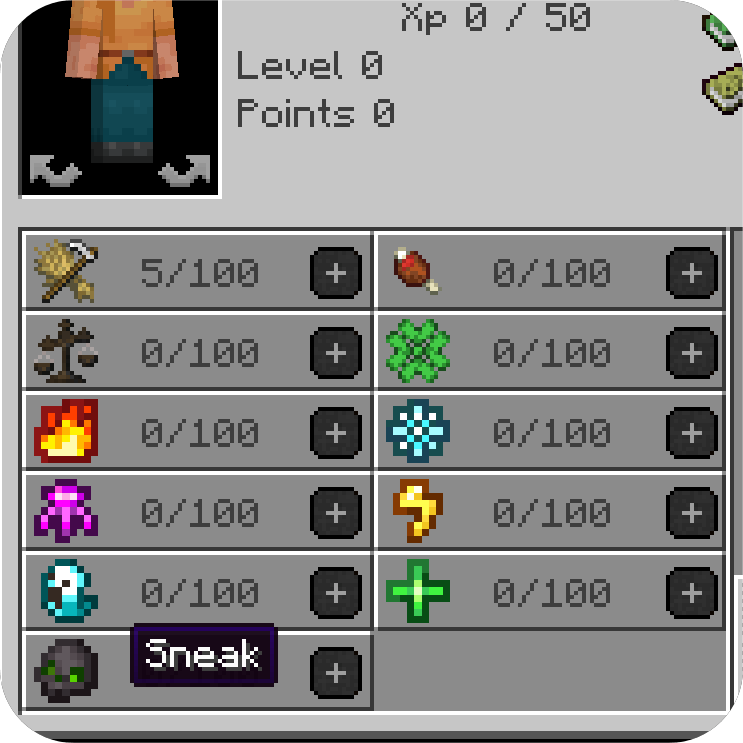
Screenshot 2025-10-07 193744.png

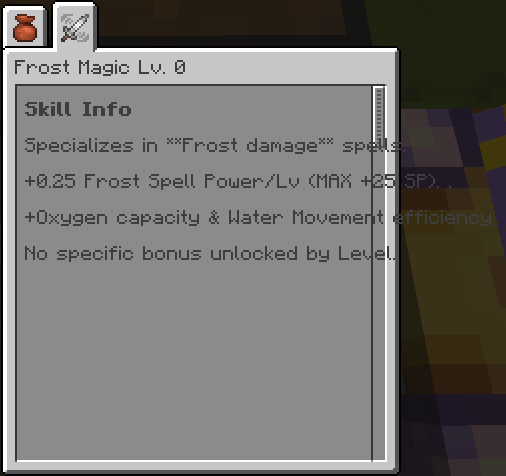
Screenshot 2025-10-07 193812.png
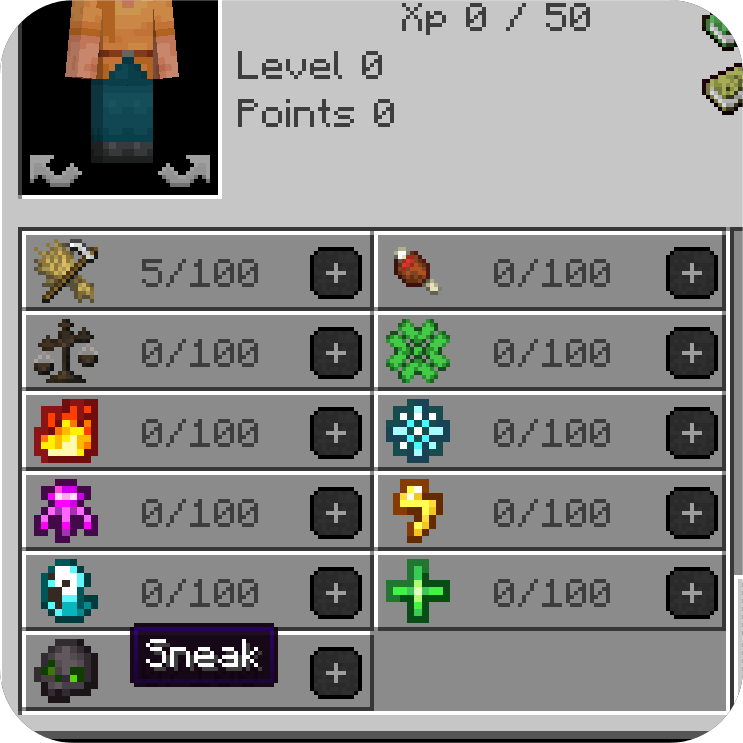
Screenshot 2025-10-07 193545.png
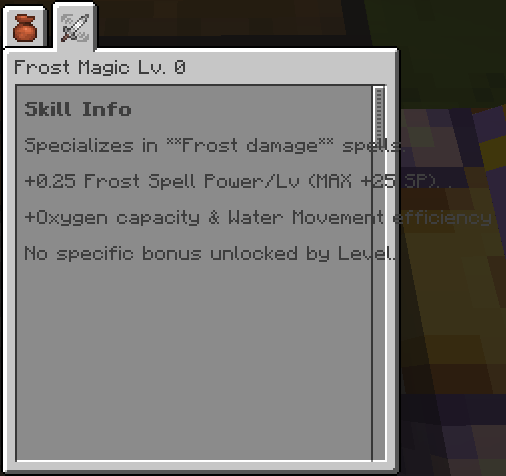
Screenshot 2025-10-07 193633.png
Description
"The LevelZ Custom (Your LevelZ) 1.21.1 Datapack and Resource Pack is an extension for the LevelZ mod by Globox_Z. I created this pack because the default in-mod configurations didn't fully meet my needs for customizing the gameplay. This pack is intended for use with friends on the Dungeon Hero Series modpack server to enhance the overall enjoyment of the game."
I haven't tried it with other versions, but it might work, I'm not sure and I don't plan on doing more at the moment.
GUIDE TO MODIFYING THE LEVELZ DATAPACK To understand the pack's functionality, you can upload this ZIP to a Chat AI tool using the following structure:
- Skill Configuration After extracting the files, navigate to data/levelz/skill/[name].json. This is where skills are defined.
You can copy this entire block and ensure you assign a unique id to create a new skill: JSON "constitution": { "replace": true, "id": 0, "key": "constitution", "level": 100, "attributes": [ { "id": 0, "type": "generic.max_health", "base": 20, "operation": "ADD_VALUE", "value": 1.3 } ], "bonus": [ { "level": 80, "key": "healthRegen" } ] },
- Icon and Description These files are located in the Resource Pack portion (not the Data folder):
[Edit Description] Navigate to: assets/levelz/lang and edit the appropriate language file (e.g., en_us.json).
[Edit Icon] Navigate to: assets/levelz/textures/gui/sprites. Add your custom icon image and ensure the filename matches the skill key defined in your JSON data.
LevelZ Custom Youer LevelZ 1.21.1 Datapack And RP คือ Data pack สำหรับ Mod LevelZ ของ Globox_Z ซึ่งฉันอยาก แก้ไข เกมเพลย์ แต่Config ใน mod ไม่ตอบโจทย์ฉันเลยทำขึ้นมา ใช้เล่นกับเพื่อนๆใน server modpack Dungeon Hero Series ที่จะช่วยเพิ่มความสนุกให้ ฉันยังไม่ได้ลองกับเวอร์ชันอื่น แต่ว่ามันอาจจะใช้งานได้ ฉันไม่แน่ใจ และฉันไม่มีแผนจะทำอะไรเพิ่มเติมในตอนนี้
คู่มือการแก้ไข LevelZ Data Pack (Datapack) เพื่อให้เข้าใจการทำงานของแพ็กนี้ คุณสามารถอัปโหลดไฟล์ ZIP นี้ให้กับเครื่องมือ Chat AI เพื่อใช้อธิบายตามโครงสร้างด้านล่างนี้:
- การตั้งค่าทักษะ (Skill Configuration) หลังจากที่คุณแตกไฟล์แล้ว ให้ไปที่ data/levelz/skill/[ชื่อไฟล์].json นี่คือไฟล์ที่ใช้กำหนดรายละเอียดของทักษะต่าง ๆ คุณสามารถ คัดลอกบล็อกทั้งหมดนี้ และกำหนดค่า id ที่ไม่ซ้ำกันเพื่อสร้างทักษะใหม่:
JSON "constitution": { "replace": true, // ทับของเดิมที่มีอยู่ "id": 0, "key": "constitution", "level": 100, "attributes": [ { "id": 0, "type": "generic.max_health", "base": 20, "operation": "ADD_VALUE", "value": 1.3 } ], "bonus": [ { "level": 80, "key": "healthRegen" } ] },
- ไอคอนและคำอธิบาย (Icon and Description)
ไฟล์ส่วนนี้จะอยู่ในส่วนของ Resource Pack (ไม่ใช่ในโฟลเดอร์ Data):
[แก้ไขคำอธิบาย] ไปที่: assets/levelz/lang และแก้ไขไฟล์ภาษาที่เหมาะสม (เช่น en_us.json)
[แก้ไขไอคอน] ไปที่: assets/levelz/textures/gui/sprites จากนั้นเพิ่มไฟล์ภาพไอคอนที่คุณต้องการ และตรวจสอบให้แน่ใจว่า ชื่อไฟล์ตรงกับคีย์ทักษะ ที่คุณกำหนดไว้ในไฟล์ JSON Data ของคุณ

The LevelZ | Custom Youer LevelZ Datapack And RP Team