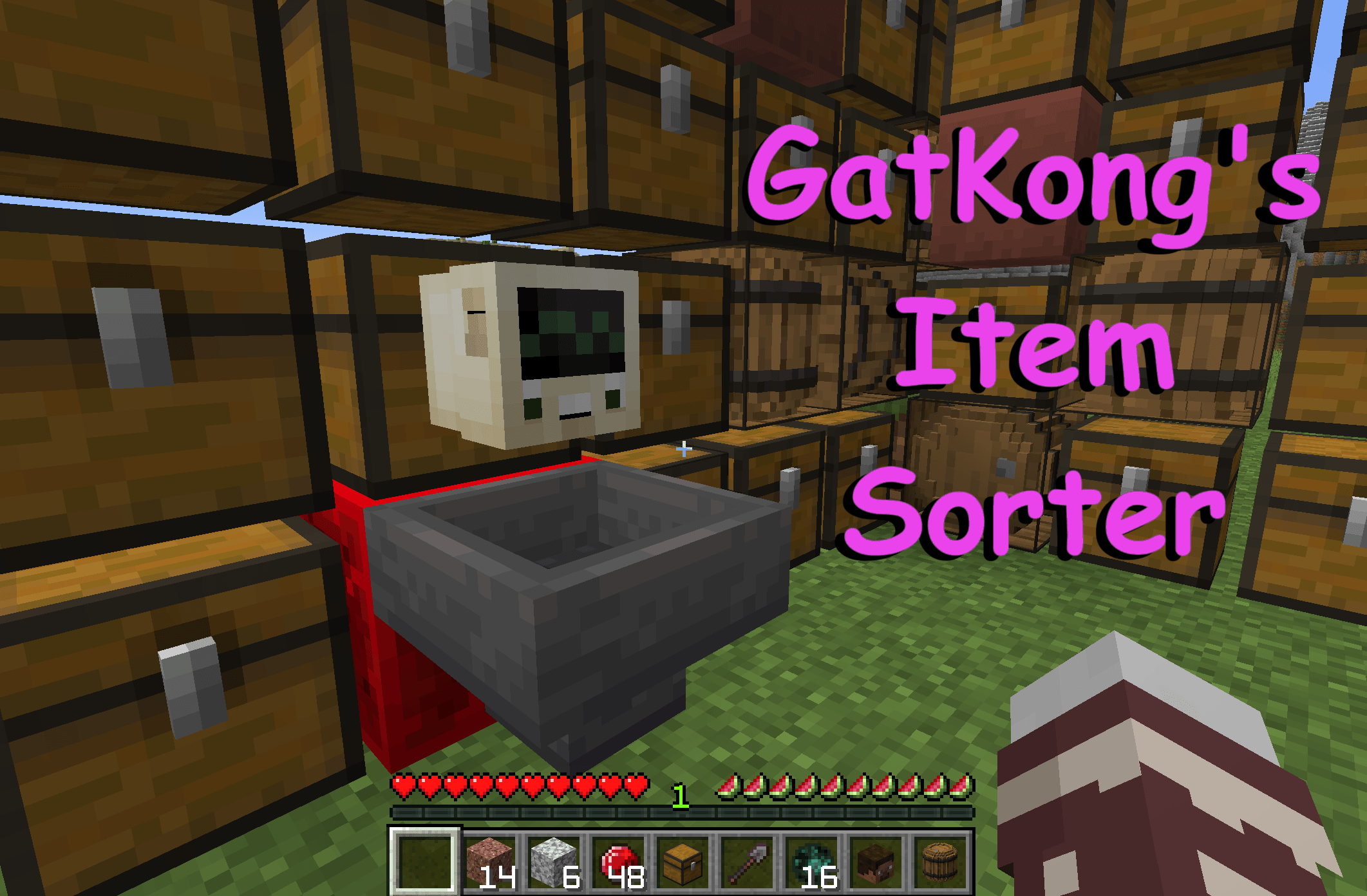
GatSorter allows players to simply drop all their items into the GatSorter Hopper, and in the blink of an eye all of their items will be sorted into the respective designated containers. The code is super tight, and can handle sorting even giant loads of items without lag. No Mod and no Resource Pack required. Default vanilla compatibility.
Crafting the Sorter:
To establish the GatSorter, a player merely needs to place a hopper pointing into a redstone block. That's it! You'll know it was made correctly because the sorting computer will appear above the hopper. There may be as many sorters in the World as desired.
Building the Container Wall:
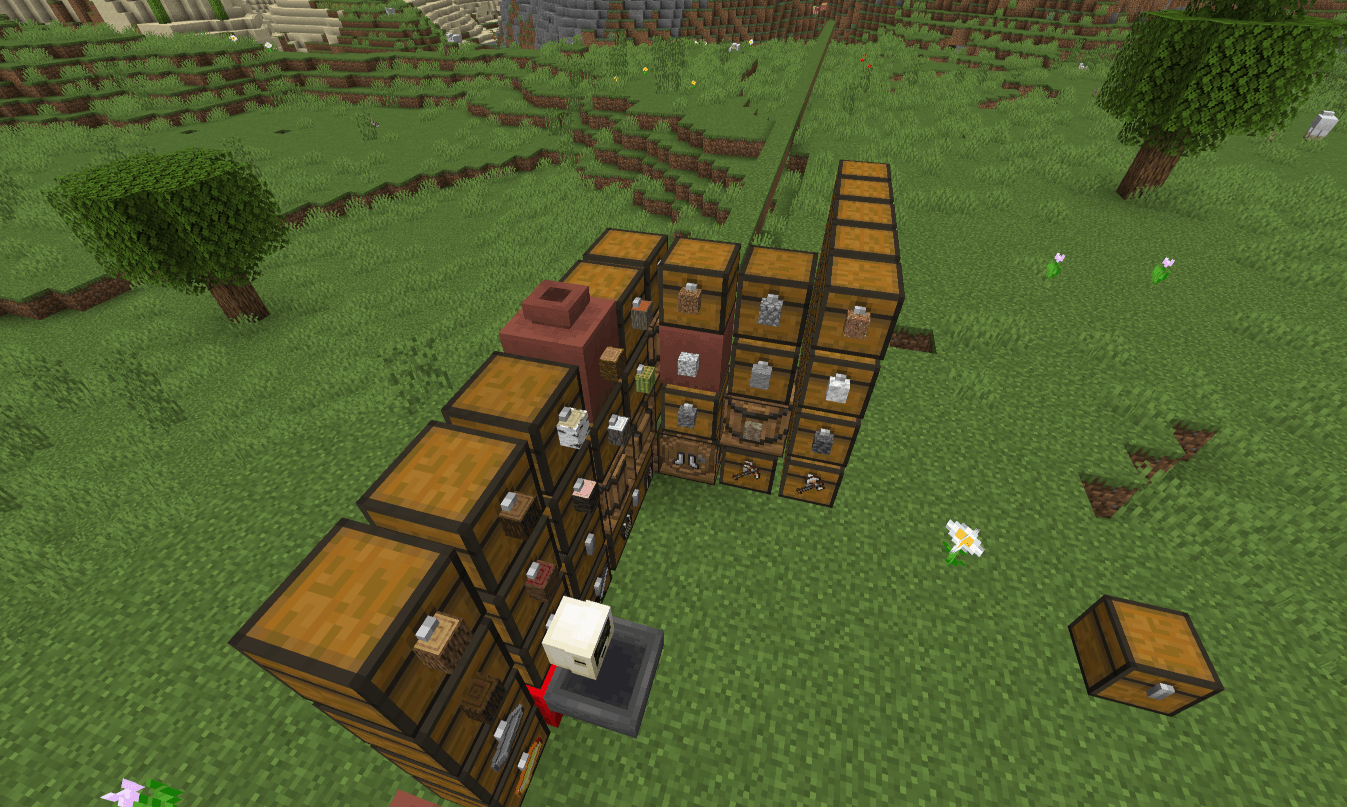
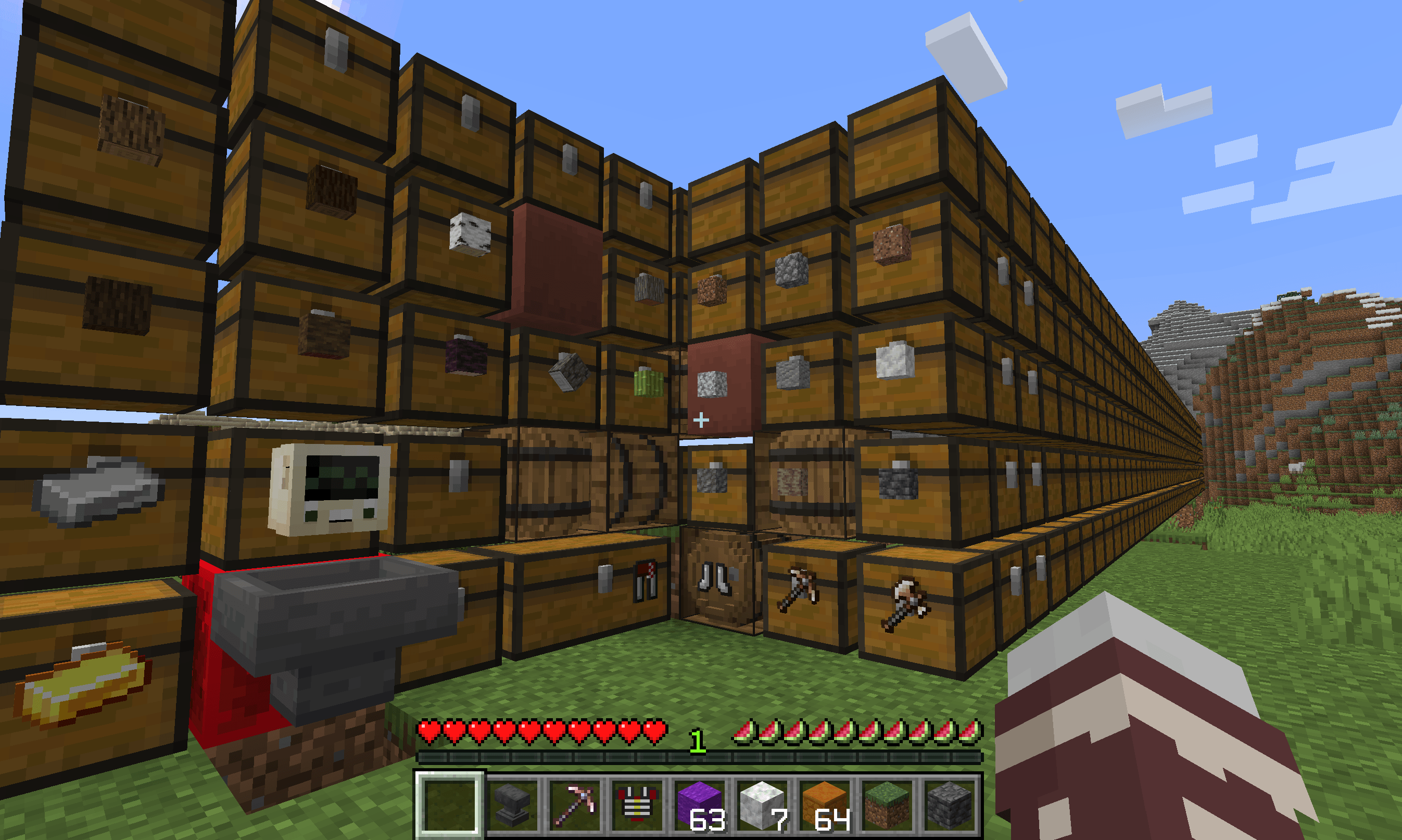
Players may build the wall of containers out from the sorter's redstone block left or right in either or both directions, as high as desired, composed of any container type by choice (barrels, chests, decorated pots, or trapped chests). You CAN use double chests, but the datapack compares each block individually, so it's recommended to use single chests. The container wall can be of any height, but it does need to be a consistent height throughout. The wall is allowed to bend around corners in what ever configuration desired, but the wall should never circle back around and intersect itself making a loop. When making corners, it doesn't matter if the corner itself is a container or not. The GatSorter will find the continuation of its wall either way.
Designating Storage Chests:
Place at least one of any item in a container to designate what should be sorted into that container. It is permissible to have more than one type of item per container. Players may label the containers as they choose, such as with signs, item frames, or what have you.
Invisible Item Frames:
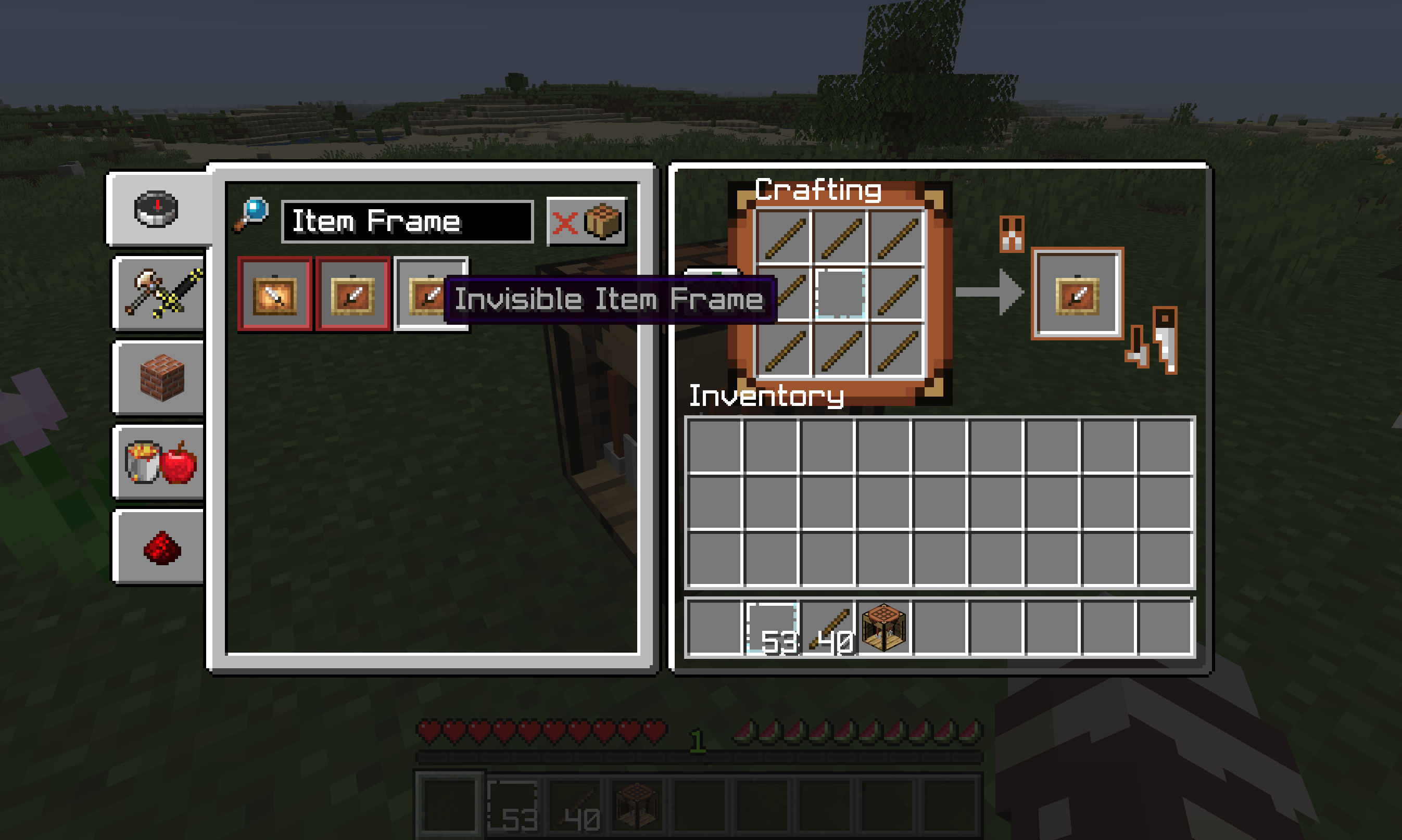
As an added bonus, this datapack also includes a recipe to craft invisible item frames, so that players may label their containers with style. Invisible item frames may only be placed once. Once placed, when broken it will drop a normal item frame. If another invisible item frame is desired, it would have to be re-crafted.
How it Works:
Players drop the items they'd like to sort into the GatSorter Hopper. The sorter will then scan the contiguous wall of containers looking for containers that match the items to be sorted. If it finds a match, that item will be inserted into the designated container.
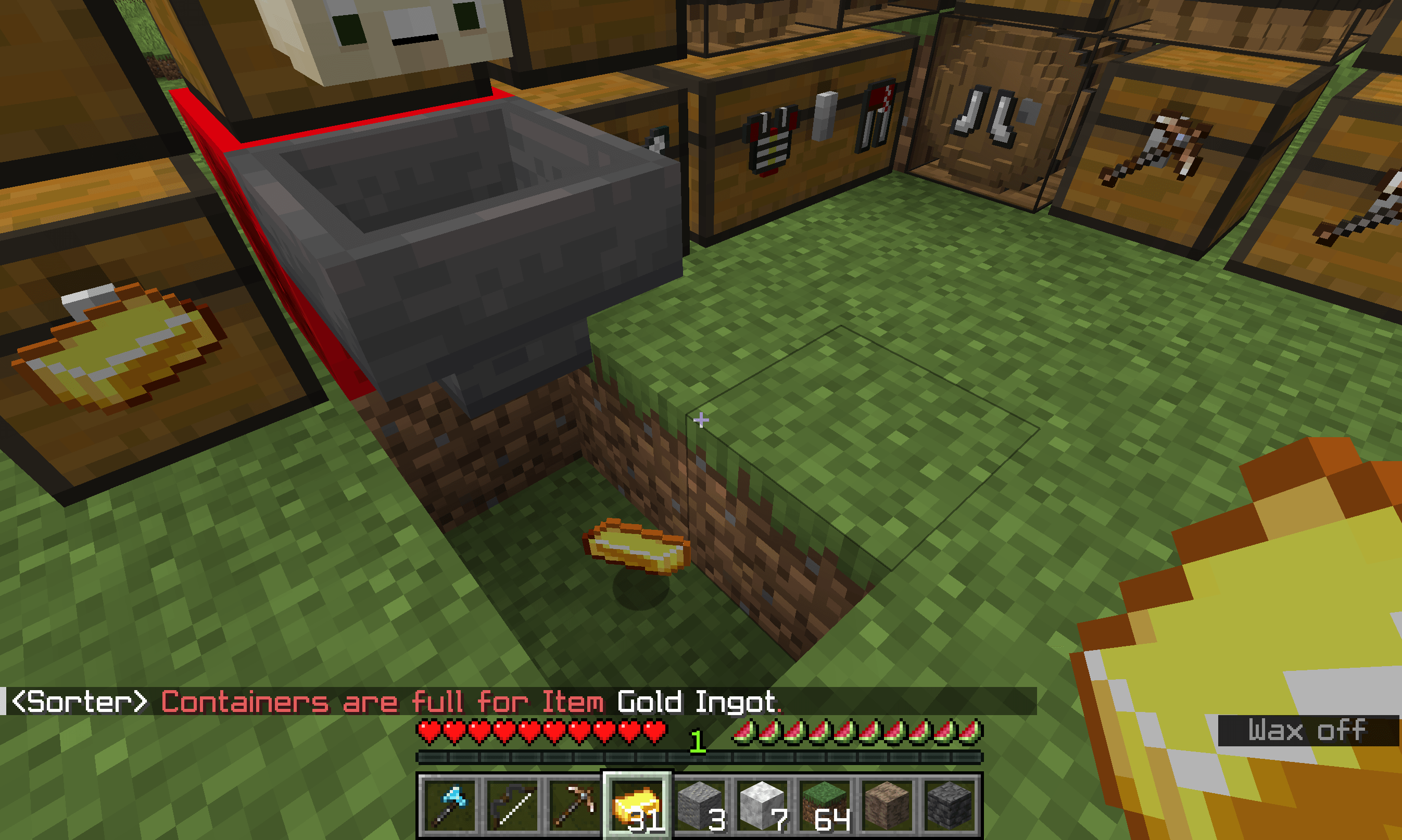
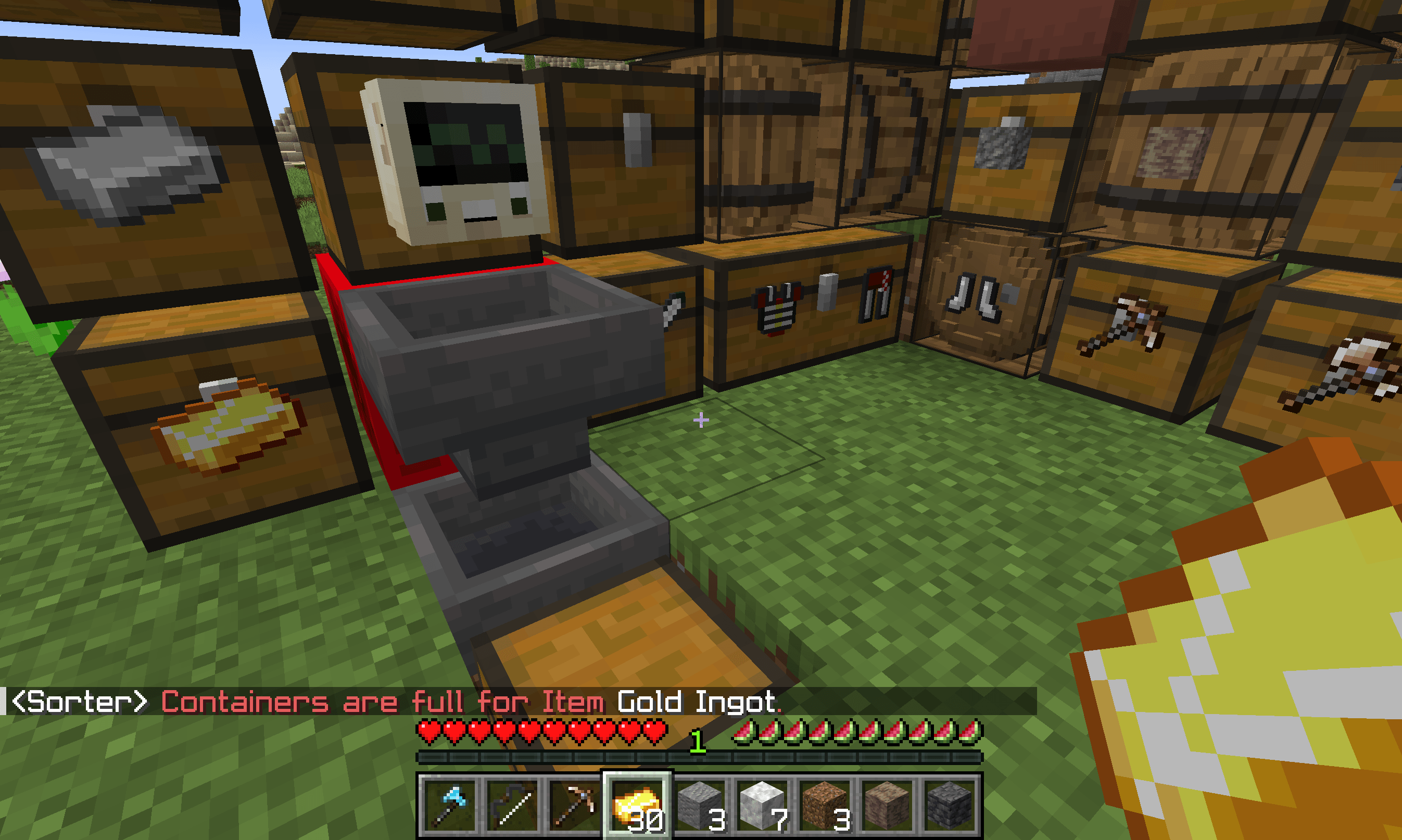
If it finds a match, but the designated container is full, the sorter will alert the player, and the item will be rejected by the GatSorter Hopper. Likewise, if it fails to find a match, the sorter will alert the player, and the item will be rejected. From there, the player may then pick up the item. It is also possible to build a normal hopper under the sorter to collect rejected items passively for later retrieval.
The only limitation as to how big any single sorting wall is allowed to be is the limitations of Minecraft itself. Minecraft will only process so many lines of code before simply just stopping the process. I have tested it up to 350 containers (a wall 5 containers high 70 containers long) without it causing any sorting or lag issues. I don't know what it's upper limit is, but it's huge. Under normal play conditions, I don't see that being a problem. If you want 1000's of containers, however, I'd recommend breaking the storage wall up into multiple disconnected storage walls and sorters. Minecraft as of version 1.21.4 has 1,385 unique items.
Automation:
By default, automation is on, meaning even redstone contraptions that drop items into the hopper will be processed. The datapack will check for automated drops once every 30 seconds. Automation can be disabled in the _config.mcfunction file, meaning then that the sorter will only sort items dropped by players into the GatSorter's hopper.
Settings:
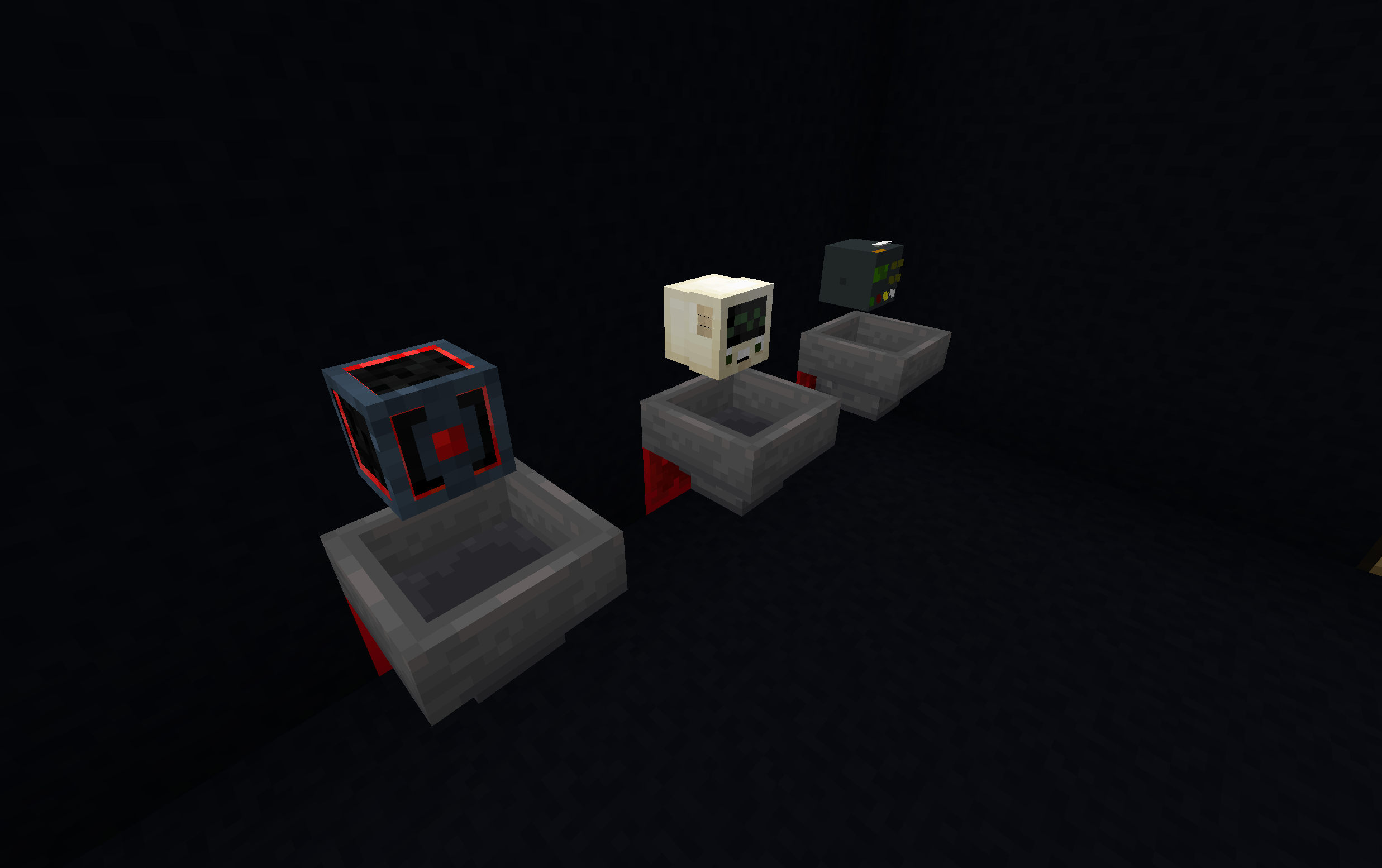
By default, the GatSorter has the freindly computer look. In the _config.mcfunction file there are other options for the look of the sorter, including a retro-computer box, and a HAL 9000 inspired rendition.*
Why a Datapack:
The biggest difference between mods versus datapacks is that vanilla-client players can join a datapack server without having to download anything in advance.
* The HAL 9000 inspired version won't be able to open any pod-bay doors.