
Dark Swarm - Modernized
This is an update of alderski's Dark Swarm data pack fixed to work with more Minecraft versions. If alderski chooses to incorporate this into his posting, this one will be removed. Original posting is here.
Original content posted below for ease of reference.
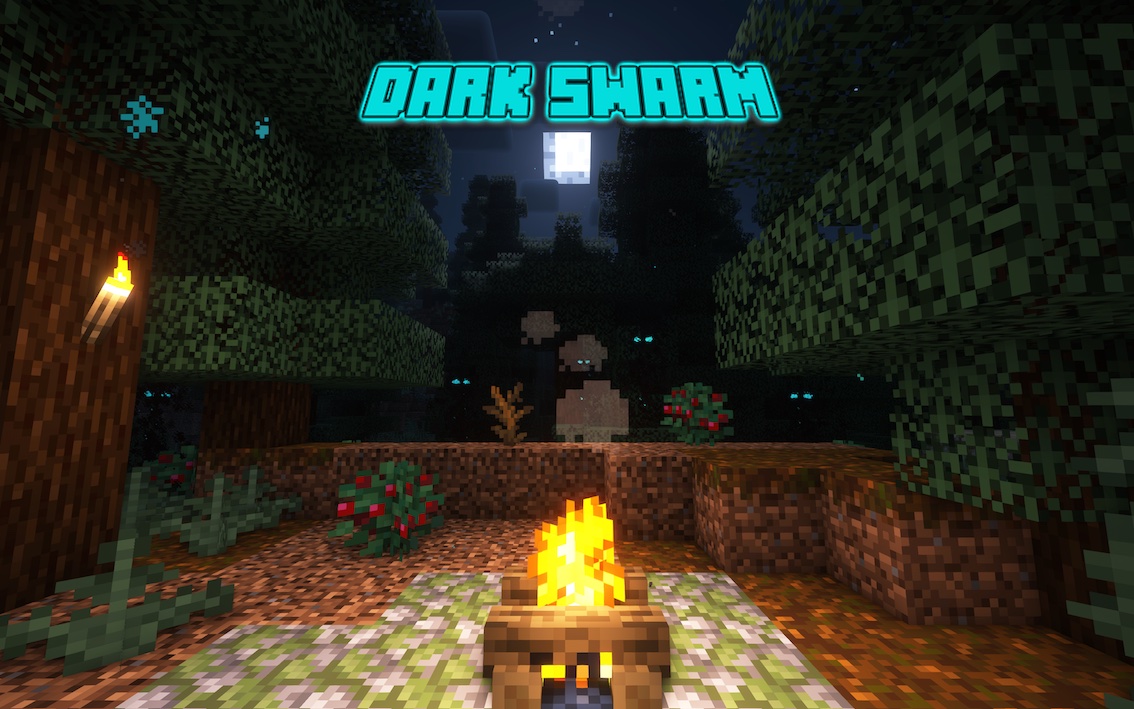
What's in this datapack?
This datapack adds a random horror night event. When it occurs, instead of usual vanilla Minecraft night, you will find yourself swarmed by monsters lurking in the dark. Only fire and light can protect you against them. Do not go out in the dark, or act like a hero. Otherwise, you will provoke the ancient beings from the darkest corners of the world to emerge. And when they do, they will consume all light, leaving you helpless in the dark.
Is this datapack for me?
This datapack is for you if:
- you like vanilla Minecraft datapacks
- you like horror and challenges
- you're looking for that feeling of playing for the first time again
- you like making the game harder for no particular reason
Easy to install (100% vanilla)
This is a 100% vanilla datapack without any extra resource packs. This is not a mod, so there's no need to do anything other than to download and put the .zip file into datapacks folder of your world. If you are a server owner, you only have to do this on your server, nobody else has to do anything to play.
What is the Dark Night?
It's definitely not a normal Overworld night. When it starts during the sunset, you will instantly know it. The air starts pulsing and fills with dust. Some animals get anxious. You feel the tension in the air. You still have small amount of time to prepare for the worst and run to safety. Then, suddenly, the Dark Night covers the entire Overworld, putting Darkness effect on every player. And the Darkness monsters emerge.
What are Darkness monsters?
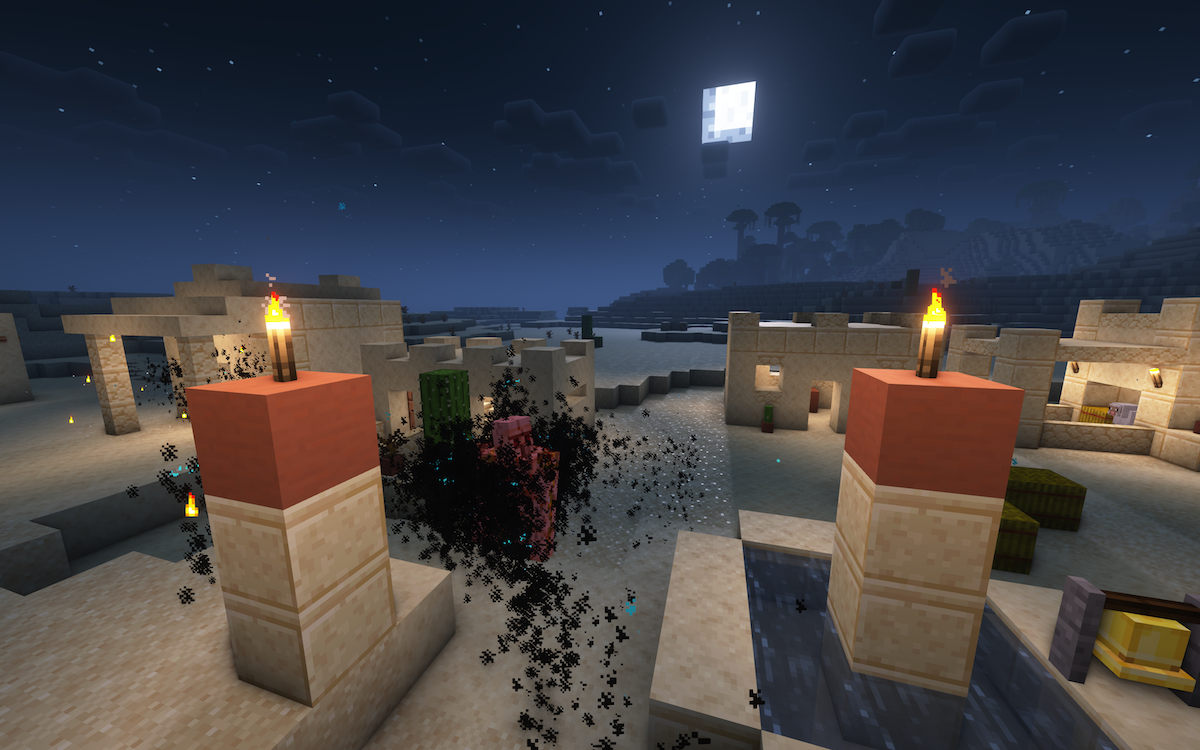
Darkness are non-material beings living in the dark. They are immune to normal attacks. They can only be killed by:
- light
- fire
- being attacked with light/fire items (e.g. torches, lanterns, bow with Flame, weapons with Fire Aspect)
They are extremely fast in the dark. You will not outrun them for long. You need to stay in lit places to remain safe. They also break torches upon contact with them. So you might have to place them strategically or use better (more expensive) sources of lighting.
What is Consuming Darkness?
Consuming Darkness is the "boss" mob of the datapack. Provoking the Darkness for too long will ultimately lead to Consuming Darkness spawning somewhere around you. When this entity is close to you, you will know it. It pulls in and devours all nearby light sources. It's very strong and durable.
What should I do during the night?
Definitely stay in lit places. Cover nearby areas with torches/lanterns. If you live in a Village, cover Villager houses with lots of torches and lanterns too. Make sure nearby animals are also safe. Darkness can prey on them too. Do not go out in the dark. The night will eventually end and the monsters will vanish. You can also be brave and fight the monsters with torches, light and other weapons. But remember, this can wake up the Consuming Darkness.
How often does the event occur?
By default it happens on 3rd/4th night and then roughly every 5-9 nights. But you can change that:
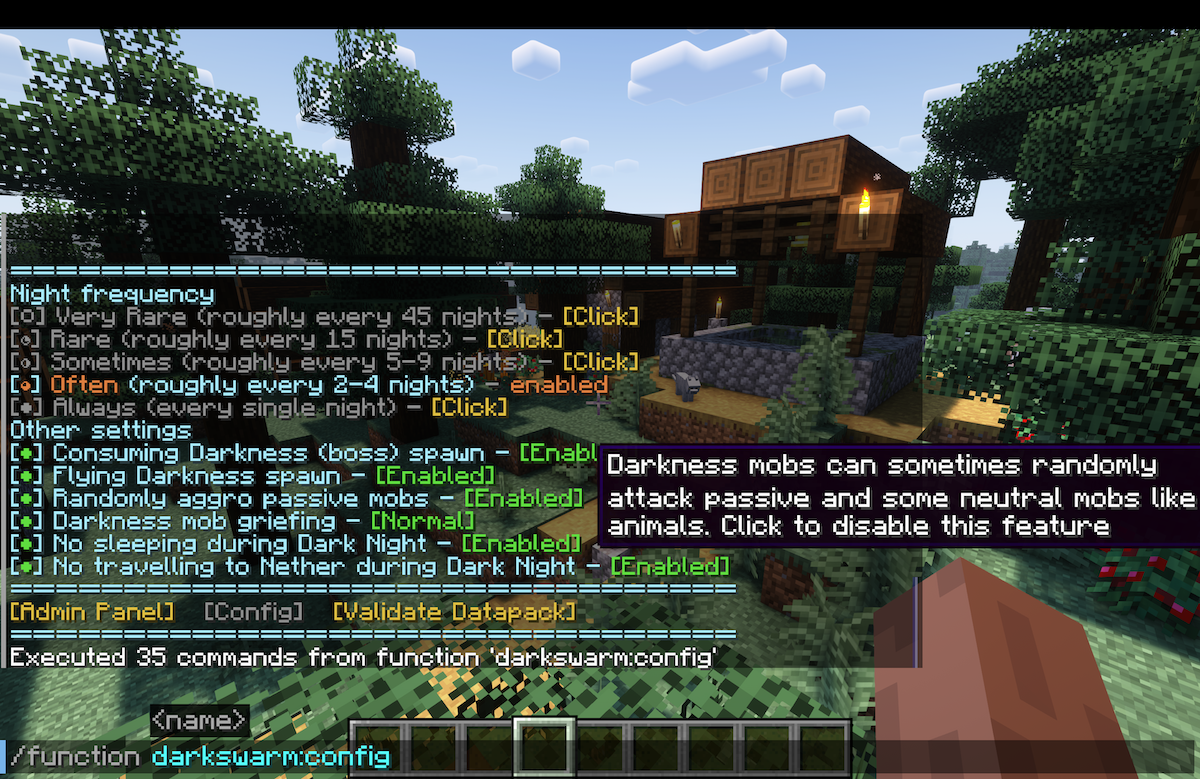
Allows you to configure how often the event occurs. Also allows you to disable some datpack features, like whether you want the Consuming Darkness to spawn, whether you want mob griefing or datapack mobs attacking passive mobs.
The datapack allows you to choose the frequency:
- Very Rare (roughly once per 45 nights) - if you want to install & forget that this datapack even exists, then be (un)pleasantly shocked one random evening, after playing for long time.
- Rare (roughly once per 15 nights) - if you want to mainly focus on normal Minecraft gameplay, but having the Dark Night occur once per several hours of gameplay.
- Sometimes (default, roughly once per 5-9 nights) - this is the default setting. In a new world, first Dark Night will occur on 3rd/4th night. Then, it's randomly about once per week. Giving you lots of time to unwind and play normal Minecraft in between.
- Often (roughly once every 2-4 nights) - this one gets tenser. If you like this datapack and want frequent horror challenge, but need some time in-between to unwind and prepare, this one's for you. In a new world, first Dark Night will occur on 2nd night. Recommended if you want to "try out" the datapack.
- Always (every night) - if you want a challenge, this one is for you.
- Moon Phase Dependent - if you want regular and predictable schedule, choose this setting. If you choose this option, then by default the event will happen on every night with Full Moon (day 1, 9, 17 and so on). But you can pick any out of 8 moon phases.
If you are not sure if the datapack works and when the Dark Night will occur, you can check out the Admin Panel and use "spoiling" feature to know when it will happen:
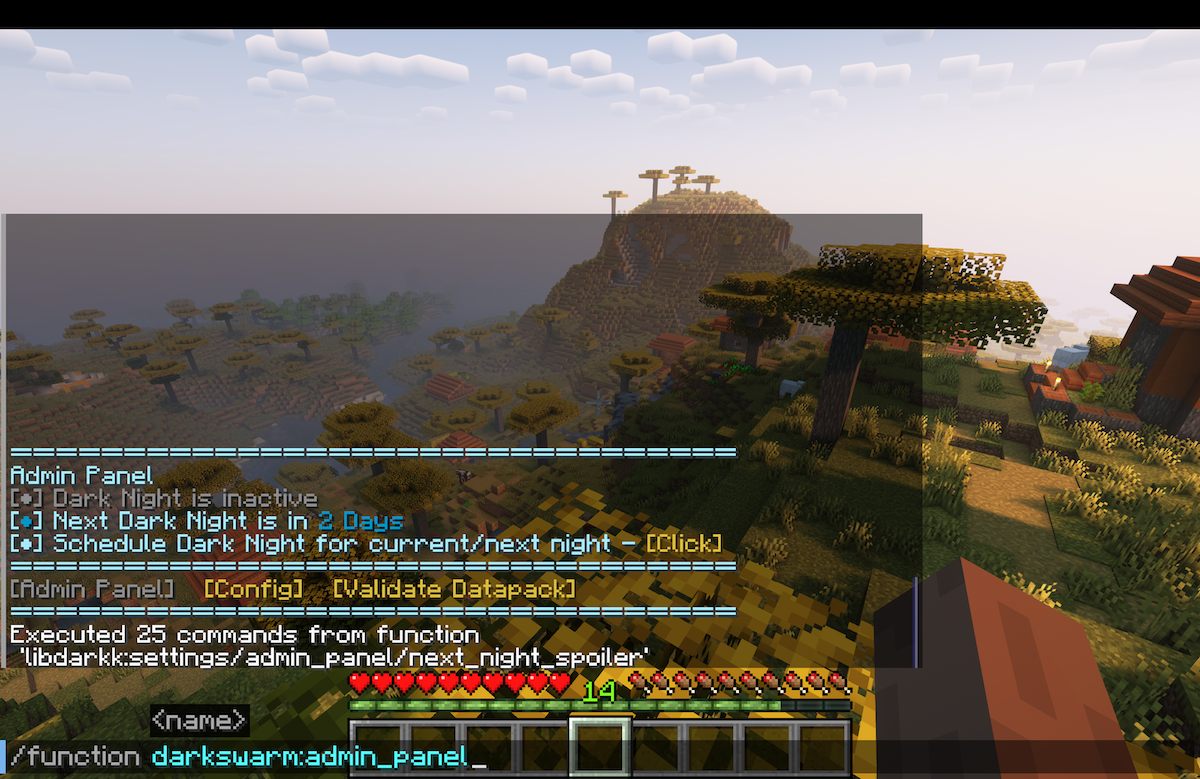
/function darkswarm:admin_panel
The Admin panel is the perfect tools for server administrators to give them more control over the event. It allows you to:
- Deactivate currently active Dark Night
- Give "spoiler" when the next Dark Night occurs
- Schedule current/next night to be Dark Night (regardless of configured frequency) - useful if you don't want to wait.
Other Helpful commands below
The datapack needs few specific world settings to work properly. Mainly, Hard difficulty is recommended because otherwise the mobs will not be able to break your doors. You can easily check if your world settings are OK for the datapack with command:
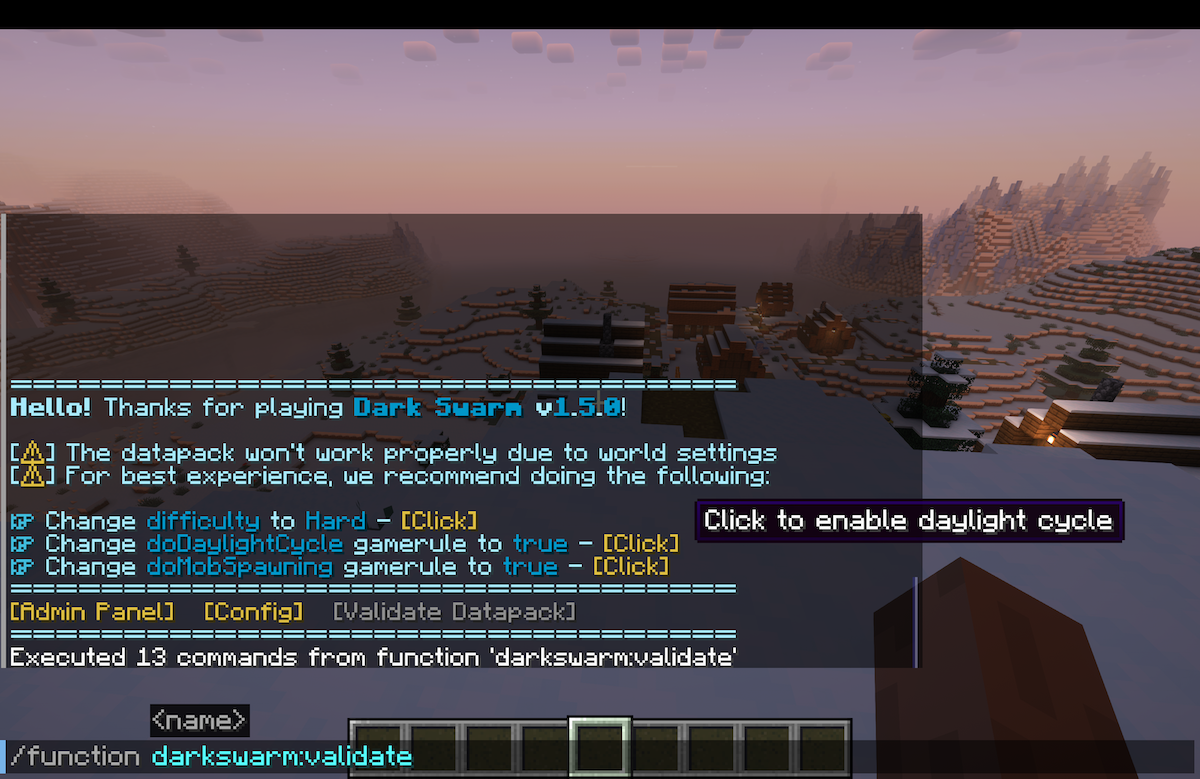
/function darkswarm:validate
Allows you to verify if your world settings are fitting the datapack needs (and easily correct them):
- Hard difficulty
- mob spawning
- mob griefing
- daylight cycle on
Dark Swarm - Modernized Team
