Enhanced Enchanting Commands
- By
Adds enchantments over the default limit to any item in your mainhand
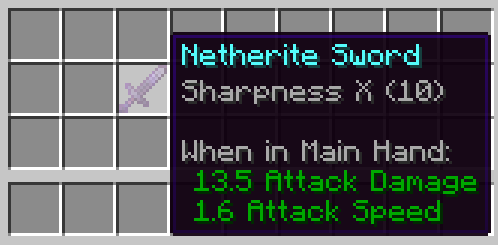
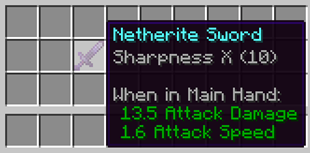
/trigger Sharpness set 10
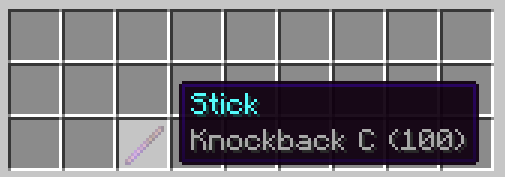
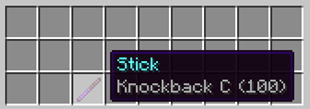
/trigger Knockback set 100
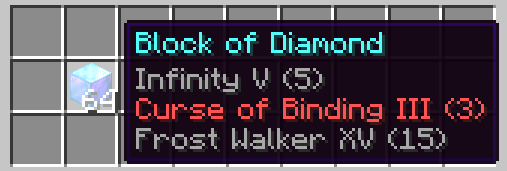
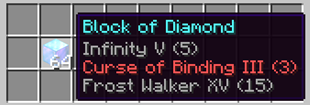
/trigger Infinity set 5; /trigger Curse_of_Binding set 3; /trigger Frost_Walker set 15
Description
Introduction:
Enhanced Enchanting Commands overrides the default Minecraft /enchant command giving the ability to enchant all items including unenchantable items with levels ranging 1 to 32767.
How to Start:
1. The commands can only be ran if the player has the tag "admin".
2. It can simply be achieved by clicking on [Give Permission to Player] or doing /tag @s add admin.
3. To enchant items, do /trigger <Enchantment> <set | add> <Value>.
4. To remove enchantments, set the value of the enchantment level to 0.
Additional Information:
1. Enchantment levels cannot be set in the negative values or values over 32767 and will not change the player's enchant level if done so.
2. Doing /trigger <Enchantment> only will add 1 level to the selected item.
3. The Enhanced Enchanting Commands datapack can also work in servers.
4. Players with OP permission will be always notified with trigger commands every time a player with the admin tag uses the trigger enchant command. This cannot be turned off even with /gamerule commandBlockOutput or sendCommandFeedback is set to false.
Removing Permissions:
To remove permissions from a player, either click on [Remove Permission from Player] or do /tag <Player> remove admin.
Images:
An enchanted netherite sword with Sharpness 10.
An enchanted stick with Knockback 100.
An enchanted diamond block with Infinity 5, Curse of Binding 3, and Frost Walker 15.
Video Tutorial:
Here is a quick video demonstration of how to use the datapack.
The Enhanced Enchanting Commands Team