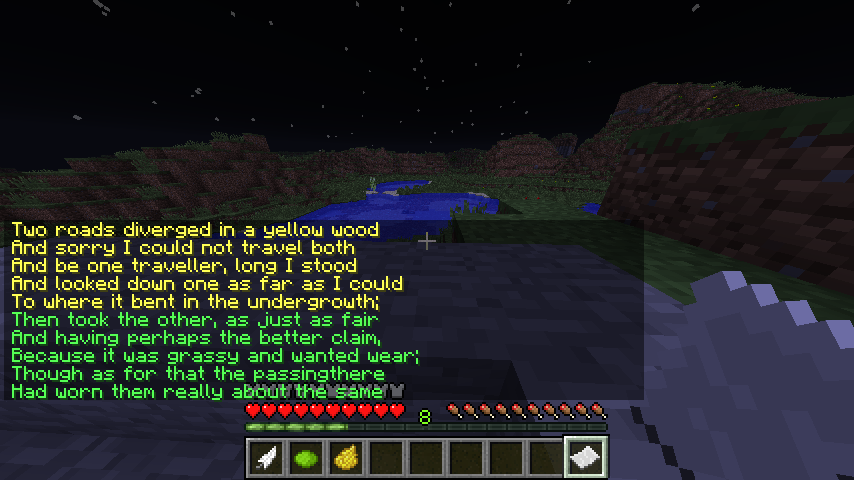
A longer message, created by writing on the same paper multiple times. Lime dye was used for the second stanza.
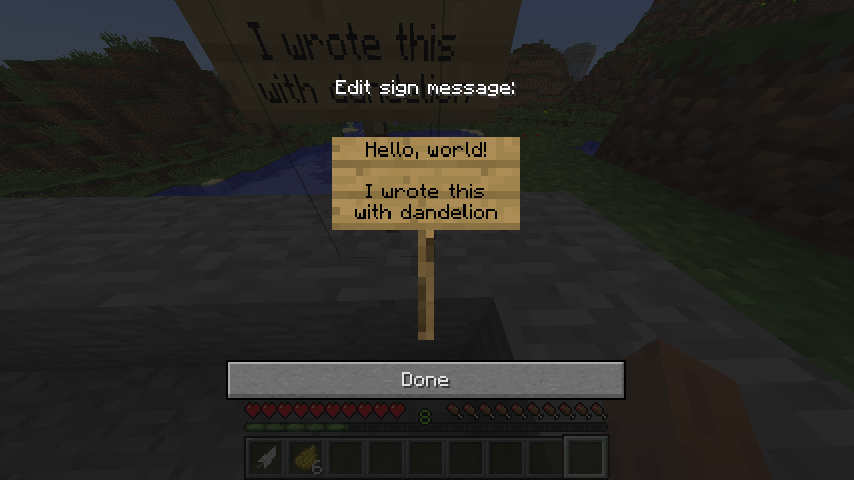
After double right-clicking, you can write your message. It uses the standard sign entry screen, but the sign is automatically created and destroyed in order to provide the illusion of writing on the paper.
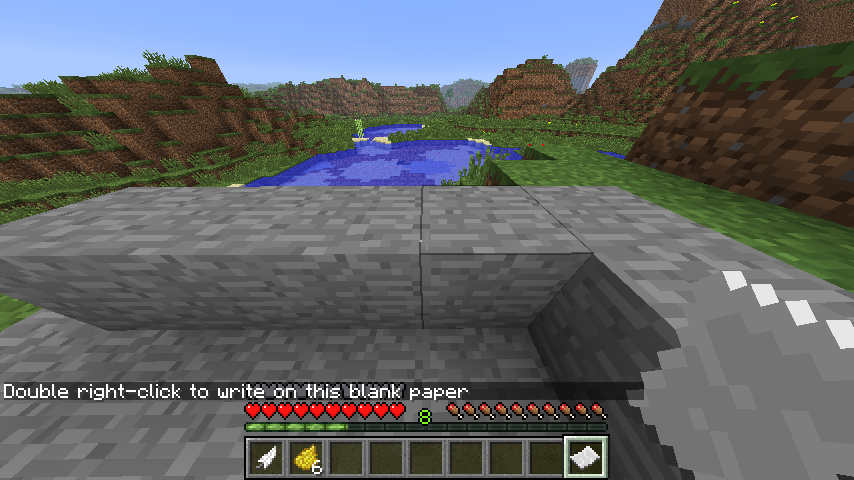
To write on this piece of paper, I am about to use a feather dipped in dandelion yellow ink, resting on top of a natural stone outcropping.
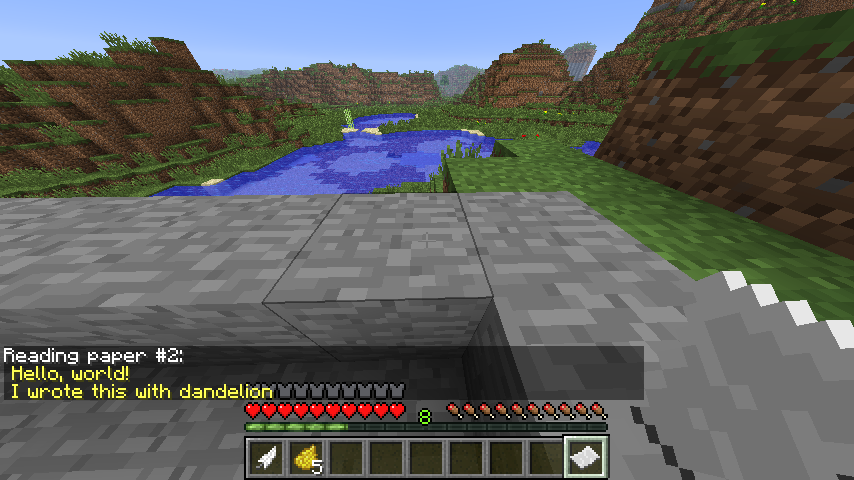
Holding the paper in your hand displays the text written. The text is colored appropriately depending on the inks used. Notice 5 dandelion yellows now remain, since one was consumed in the process of writing this message (optional).
Description
Important: this plugin has been developed for Minecraft 1.2.5 and may or may not work with newer versions!
If you are a developer and want to continue and update this plugin, feel free to – full source is available under a permissive license.
If you're a user or an interested developer, please see this post for further information.
Writable - write on paper, no chat commands required!
A new plugin for writing and reading text on paper, with a twist of realism.
Features:
- No chat commands needed
- No client modifications needed
- Requires a writing implement to write
- Requires a hard surface to write
- Requires ink to write
- Supports multiple colors using different inks
- Inks can be consumed when used for writing (optional)
- Magic ink
- Configurable writing implements, surfaces, and ink colors
Download Writable 1.2 - released on 2012/05/20 for 1.2.5-R2.0
Usage
To write, you will need paper and:
- a writing implement (example: feather)
- a writing surface (examples: stone or wood, not gravel or grass)
- ink (example: dandelion yellow)
Ensure the writing implement is in your inventory hotbar, directly next to the ink you want to write with, then while holding the paper simply double right-click on a temporary writing surface present somewhere in the environment.
A text entry dialog will appear, and you can type your story.
To read a piece of paper, either left-click while holding the paper, or simply hold it in your hand and the text will be displayed in the chat (autoRead configuration option).
Support
Writing Implements
Feathers are the most logical choice of writing instrument, but several items are supported:
- Feather
- Stick
- Blaze rod
- Arrow
All function equivalently.
Writing Surfaces
Almost any reasonable hard surface is acceptable as a writing surface. Think of if you could place paper on it and write on the surface in real life. Trying to hold your paper on, say, gravel or grass, and write on it would not be very realistic. Stone, wood, and most other solid surfaces are allowed by default.
Currently, not all logical writing surfaces are allowed -- crafting tables, for example, will invoke the crafting grid instead.
Inks
- Rose Red (dark red)
- Dandelion Yellow (yellow)
- Lapis Lazuli (blue)
- Cactus Green (dark green)
- Ink Sac (black)
- Bone Meal (white)
- Cyan Dye (blue)
- Purple Dye (light purple)
- Gray Dye (dark gray)
- Light Blue Dye (aqua)
- Pink Dye (red)
- Lime Dye (green)
- Magenta Dye (dark purple)
- Light Gray Dye (gray)
- Coal (dark gray)
- Charcoal (dark gray)
- Glowstone Dust (gold)
- Redstone Dust (magic)
Inks are optionally consumed when used (consumeInk configuration option).
Magic ink displays randomly alternating characters (same as used in The End credits). It can be decoded to randomly colored text by reading the paper while a dragon egg is in your inventory (configurable to any material; see the magicInkDecoder option).
Technical Details
Writable listens for several consecutive events in order to cause "double right-click paper" to show a text entry dialog. First, right-clicking the paper triggers a player interaction event, and Writable quickly replaces the paper with a temporary sign item. The second right-click places the sign, triggering a block place event, and then a sign change event after the player completes the text entry.
Once the temporary sign is placed, the text is captured, written to the paper, the sign is removed from the environment, and the paper is restored in the player's inventory slot. If all goes well, these processes behind the scenes should not be too noticeable nor immersion-breaking to the player. This technique was conceived so that writing is possible without resorting to /commands.
Limitations
By design, the text is limited to approximately one chat window screenful per piece of paper. After all, it is paper, not a book.
The writing is in permanent ink; it isn't erasable. To start over, you have to use a new paper.
For a more sophisticated text writing/reading plugin, see also BookWorm.
Writable Team