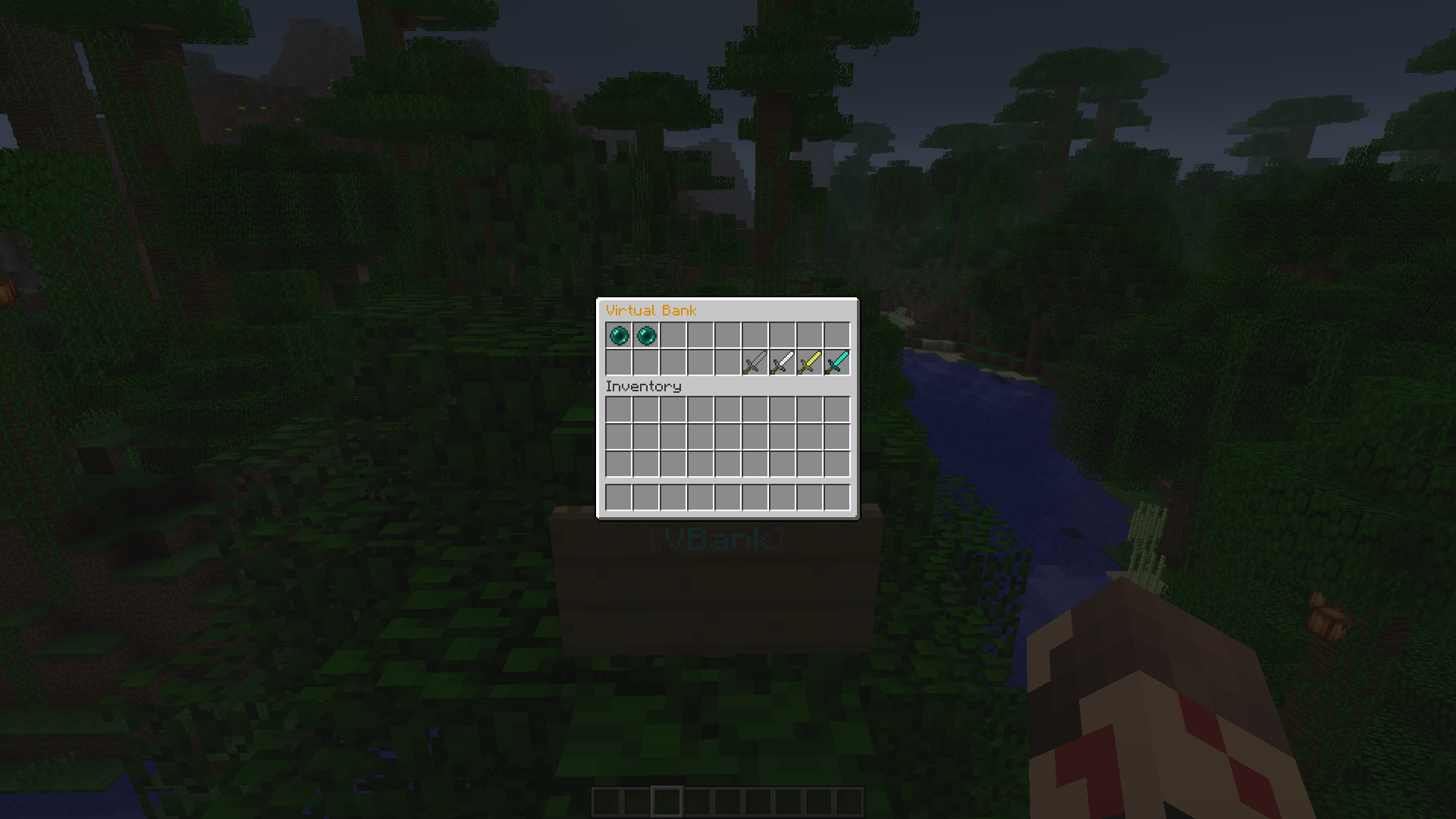
Bank menu.
Description
====== Virtual Bank ======
Virtual Bank is a plugin were players can store there money into a bank.
The 'Virtual Bank' creates a inventory with usable items in it to check your bank balance and to deposit / withdraw money into your private bank.
You MUST have Vault installed. http://dev.bukkit.org/bukkit-plugins/vault/
Setup
- Step 1 : Download VirtualBank.jar from the right.
- Step 2 : Drag and drop VirtualBank.jar into your plugins folder.
- Step 3 : Download Vault and drag and drop their .jar into the plugins folder from http://dev.bukkit.org/bukkit-plugins/vault/
- Step 4 : Restart your server.
- Step 5 : Place a sign were you wish players would want to access the bank menu.
- Step 6 : On the first line put [VBank] You must be op.
- Step 7 : It should change color, If not your are not op or didn't install it correctly.
- Step 8 : Right click on the sign to access the menu!
Using the Menu.
Once inside the Bank menu you will see items with custom names on them. Below is a list on what they do.
- "Bank Balance" - It will display on the lore with your current Bank balance.
- "Inventory Balance" - It will display on the lore with your current inventory balance.
- "Deposit - 10" - On right click it will transfer $10 from your inventory balance into your new bank balance.
- "Deposit - 100" - On right click it will transfer $100 from your inventory balance into your new bank balance.
- "Withdraw - 10" - On right click it will transfer $10 from your bank balance into your inventory balance.
- "Withdraw - 100" - On right click it will transfer $10 from your bank balance into your inventory balance.
The Virtual Bank Team