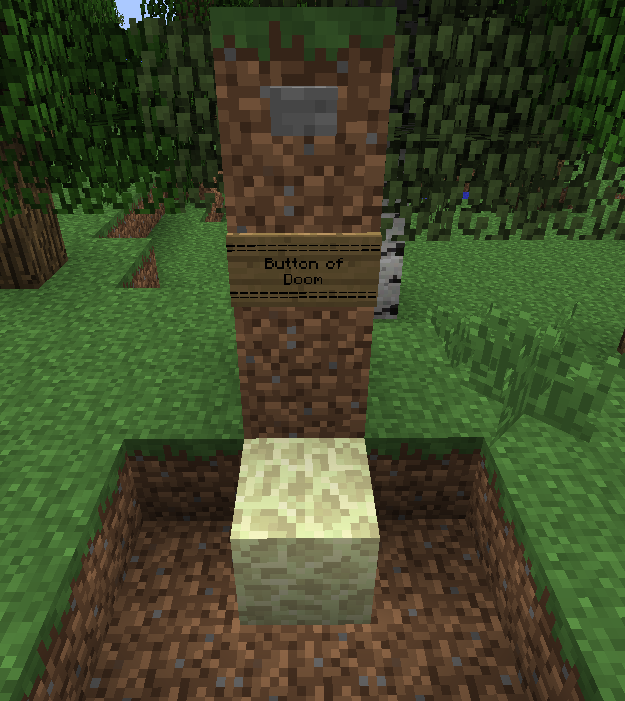
Here you can see how all the default Button Traps in the config.yml are working, the id block must be 3 blocks below the button as in the image, the signs are just informative you don't need to place them, just the Button and the id block 3 blocks un...
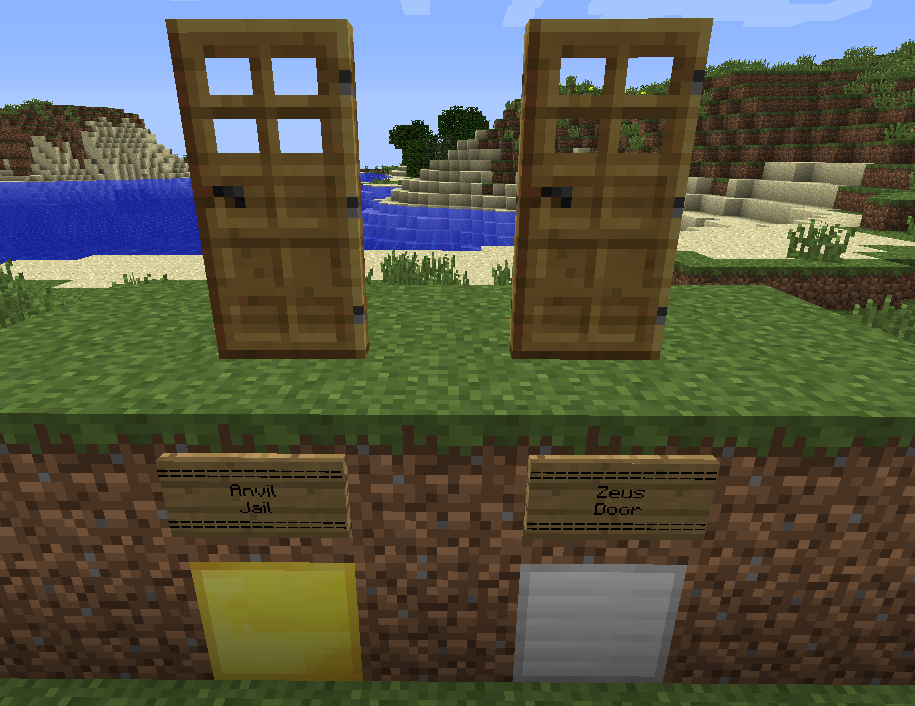
Here you can see how all the default Door Traps from the config.yml are working, the id block must be 2 blocks below the Door as in the image, the signs are just informative you don't need to place them, just the Door and the id block 2 blocks under ...

This is the correct combination to create a Creeper Chest, use normal chests (1 block) not double chests (2 blocks).
Troll Traps - Plugin Logo

This is the correct combination to create a PigMan Chest, use normal chests (1 block) not double chests (2 blocks).
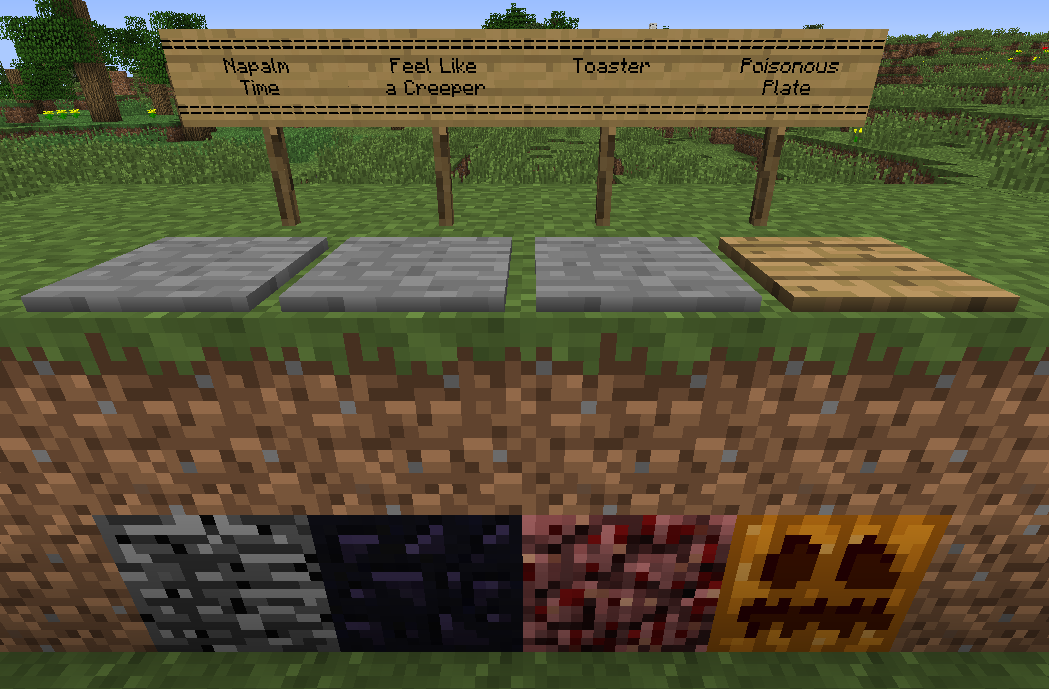
Here you can see how all the default Pressure Plate Traps in the config.yml are working, the id block must be 2 blocks below pressure plate as in the image, the signs are just informative you don't need to place them, just the pressure and the id blo...
Description
< . . . Description . . . >
This Plugin let's you create a good variety of "traps" to catch out thiefs in a fun way, make dungeons, puzzles or just for fun, this plugin is HIGHLY customizable, you can choose between various trap triggers, effects, materials, ids, damages, effect duration...
< . . . Current Features . . . >
- 4 Fully Customizable Kind of Traps!
- Chest Traps: spawn mobs by opening chests with a custom combination!
- Pressure Plates: trigger one of the 5 custom effects by pressing a pressure plate (custom: wood or stone)
- Door Traps: trigger one of the 5 custom effects by opening a wooden door.
- Button Traps: trigger one of the 5 custom effects by pressing a button (custom: wood or stone)
- 5 Fully Customizable Triggerable Effects:
- Poison; poisons the victim with a custom poison power and duration.
- Fire; ignites the victim for a custom duration.
- Explosions; creates an explosion at the victim location with a custom damage(flat damage) and explosion power(explosion damage and radius)
- Thunders; strike a thunder at the victim location.
- Anvil; encases the victim with a temporal iron bars jail and then throws an anvil over it causing a custom damage(flat damage).
- You can customize a different effect and attributes for each kind of trap with a custom name in config, for example, you can make a button that strikes thunders and other that ignites the player, or even one to ignite the player 20 seconds and other for 30, infinite combinations!
< . . .
How to Use. . . >
- All this information and much more is well explained in the config, spend some time reading it to learn how to correctly setup your own traps!
- Video Tutotrial (Portuguese) - User Video! (Thanks absintoj)
< . . .
Commands. . . >
- /tt-reload : reloads the config.yml
< . . .
Permissions. . . >
- TrollTraps.admin.commands : access to the /tt-reload command
- TrollTraps.bypass.<Trap Name> : let players OPEN/USE/TRIGGER the trap with the name you entered in the config.
- TrollTraps.create.<Trap Name> : let players CREATE the trap with the name you entered in the config.
- Example:
- TrollTraps.bypass.Button_Of_Doom : Will let the player to press the button without any negative effect.
- TrollTraps.create.Button_Of_Doom : Will let the player create this trap.
< . . .
Next Features. . . >
- Example:
( I wish you to have the last word in this, so please comment, and tell me what do you want in the next version! )
- Fix the anvil jail replacement with data values for blocks.
< . . .
Changelog. . . >
Link = ( Changelog Page )
< . . . About the Author . . . >
When i start a server with dozens of plugins i have the same fear... will plugins break with this build?
Well I can guarantee my plugins WILL NOT! cause i'm an active programmer, i'll always update my plugins to work with latest RB CraftBukkit Builds, so relax and enjoy.
Also, you can hire me to make a custom plugin for your server, just ask!
< . . . Donations . . . >
This is a free work, i'm not gonna get rich with this, so if you like my work, want to speed up the development or get custom features, please feel free to donate, a simple $ is enought to buy me some cookies :)

Troll Traps Team