


Travoria Redstone
- By
An easy way to use the most common circuits even with bigger input numbers.
The plugin logo!
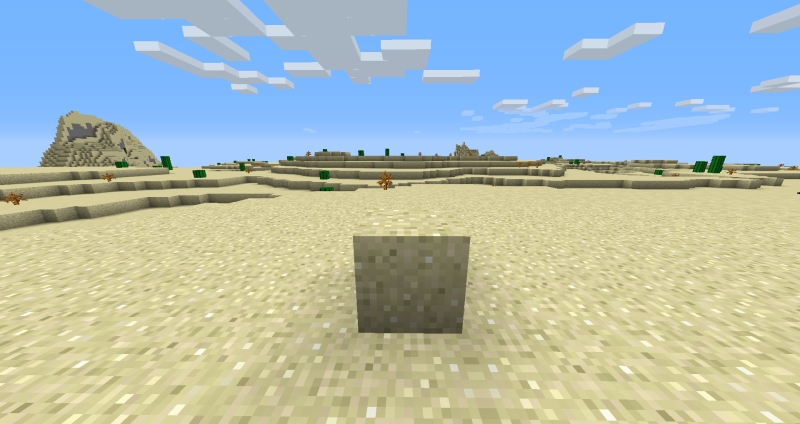
How to use the plugin, step 1: Have one block being over the others around it.
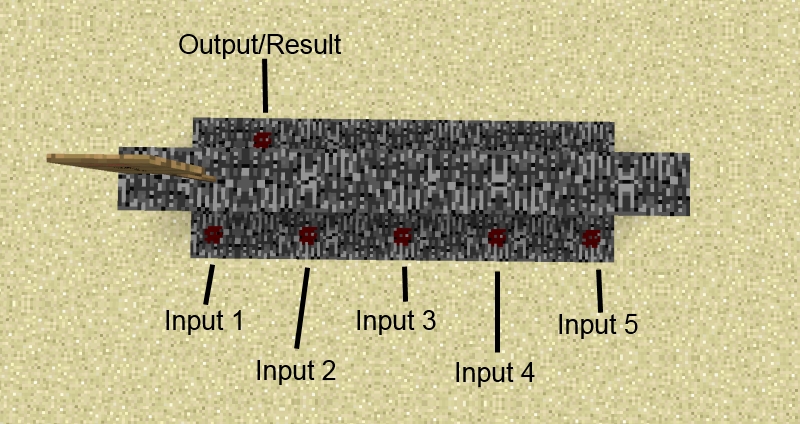
How to use the plugin, step 3: Connect your signals with the created circuit
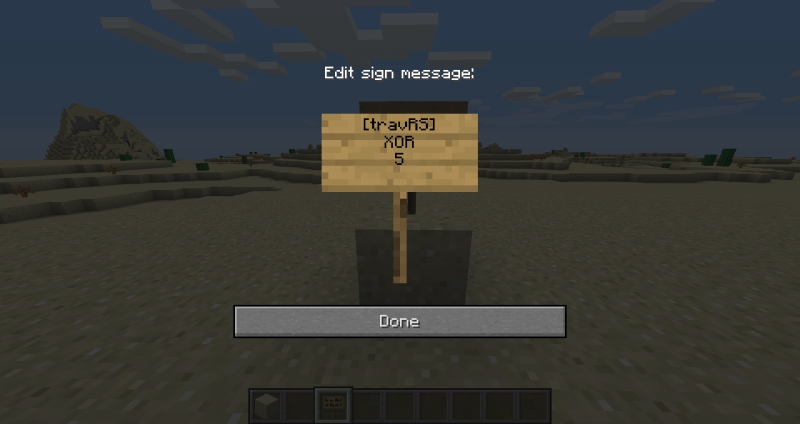
How to use the plugin, step 2: Place a sign on top of the block and put in your wanted circuit + number of inputs.

The plugin logo!
Description
You like redstone circuits?
You like them really much?
Then you surely like the repeative setup of the common circuits like AND or XOR.
Not.
Now this is where Travoria Redstone can help you. The plugin provides you with the most common circuit blocks in an easy and place saving way!
Features
Travoria Redstone brings you an easy way to use the basic logic circuits as well as two different flipflops. All logic circuits come with a dynamic amount of inputs so even if you want to connect 5 different signals with AND - no problem!
- Circuits:
- AND
- NAND
- XOR
- XNOR
- Implication (left and right)
- Equivalenz
- JK-Flip-Flop
- T-Flip-Flop
In the case that you want to destroy the circuit it will automatically rebuild the blocks it overwrote while creating the circuit!
Flip-Flops
Flip-Flops generally have only two inputs. Hence even the third row is free for use when you create a Flip-Flop.
JK-Flip-Flop
The JK-FF (often refered to jump and kill) saves one bit:
- J - The first/left input
- Refered to as jump it sets the output on 'on'
- K - The second/right input
- Refered to as kill it resets the output to 'off'
If both inputs are set to 'off' the current state will be saved. If both inputs are set to 'on' the current state will be toggled.
T-Flip-Flop
The T-FF (toggle) saves one bit and toggles the outgoing state everytime when the T-Input is set from 'off' to 'on':
- T - The first/left input
- Toggles the state of the Flip-Flop
- R - The second/right input
- Resets the state of the Flip-Flop
As long as the 'R' input is set 'on' the output will stay on 'off'.
How to use
Step 1

Step 2

Step 3

For further information about every circuit use the ingame command '/travRS info'.
Commands
- /travRS
- help: Get help
- list: List all circuits you can create with this plugin
- info [circuit]: Get information about the specific circuit
- howTo: Explanation how to create a circuit.
Permissions
- travRS.user : Can use the full plugin
Configuration
- calculationPeriod:
- The interval (in server ticks) in which every result of the circuits should be calculated.
Dependency
None
The Travoria Redstone Team

