default image
Description
Supplydrop
General
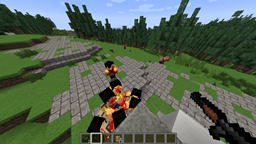
This plugin gives you the opportunity to have Supplydrops on your Server. You can make custom Kits per world and as many as you want. You can make kits really easy with a gui ingame.
How to get startet
After you downloaded the plugin and you put it in the plugin direction, you have to reload your server. A SupplyDrop folder will be created with the config inside, where you can configure things like the messages and some world options. Then you might want to make your first kit. To do so use the Command /sd loot (permission: supplydrop.use) and a inventory will appear with all your worlds inside. Select the world you want to edit. Then select the sword to create a new kit or select one existing kit to edit it. If you create a new kit you have to write a name for it in the chat and then do all the items in the Inventory the kit should have. To delete a kit remove all items. Then close your inventory and your kit is saved. To activate the supplydrop in a world use /sd activate and the Supplydrop will happen in a specific amount of time (relies on the config values)
Commands
| Command | Permission | What it do |
| /sd | supplydrop.use | Shows all commands |
| /sd activate | supplydrop.use | activates the Supplydrop in your world |
| /sd loot | supplydrop.use | opens the gui to edit the kits |
| /sd forcestart | supplydrop.use | start a Supplydrop |
Config
click here to see the config with a explanation
Last words
If you miss a feature fell free to post your idea.
The Supplydrop Team


Owner