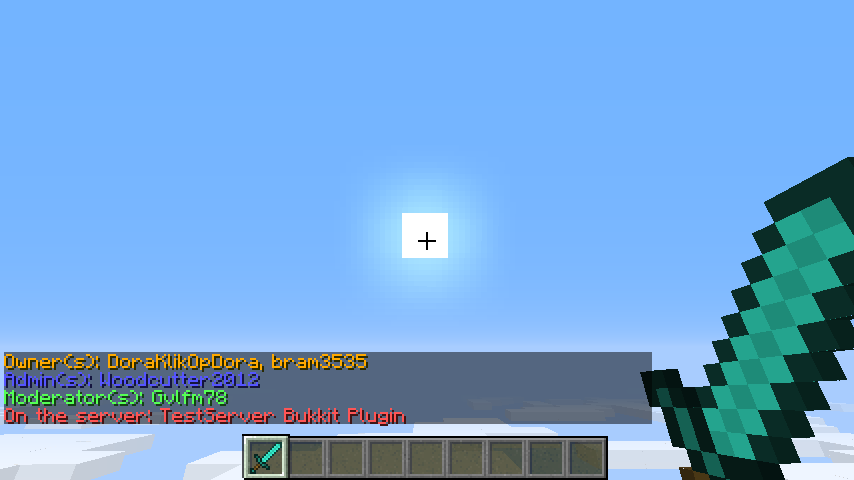
After typing /staff
Description
Introduction
This is a simple plugin that shows your players the staff on your server!
In the config file you can change the text and colours that players see when they type /staff,
or you can put down a sign headed [staff], and the header will automatically change to [Staff].
Click this sign to see the server's staff!
If you right click this sign, and have the permission staff.staffs, you will see the a message that shows you all of the staff from the server.

Commands
| Command | Function | Permission |
|---|---|---|
| /staff | Shows you the staff of the server, and on which server you are playing | staffs.staff |
| /staff help | Shows you the commands and some info about the plugin | staffs.staff |
| /staff reload | Reloads the Staff-Members configuration | staffs.admin |
Permissions
For the commands permissions, see the Commands header above.
If you want to be able to put down a [staff] sign, you need to have the permission staffs.admin.
If you want to right click the [Staff] sign, and get the message, you require the permission staffs.staff.
Installation
Installing the plugin is easy:
- Download the jar file
- Save the jar file in your plugin directory
- Restart/reload your server, and it will automatically create a configuration file.
- Edit the config file, adding staff names and ranks, like: Owner: bram3535 - Admin: Notch - Moderator: Jeb_ enz
- Use /staff reload, and check out the command /staff!
Planned features
- Create a function that the online players color green.
- Create a function that players can add people using a command.
- Any suggestions? Leave a comment below.
Plugin Staff
| Name | Function |
|---|---|
| DoraKlikOpDora/bram3535 | Manager/Author |
| Datdenkikniet | Author |
GitHub Source-Code
GitHub: Press this text
Thanks to datdenkikniet for helping me by my first plugin, and for helping by GitHub!
Servers:
| Servername | ServerIP |
|---|---|
| Squiders.net | Hub.Squiders.net |
| Annoyed Network | Play.AnnoyedNetwork.net |
Check out my other plugins!
UUID User Checker - http://dev.bukkit.org/bukkit-plugins/uuidcheck
The Staff-Members Team