SignThatChest Continuation by WizzleDonker
Download
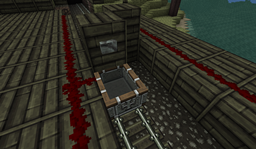
SignThatChest is a plugin for bukkit which allows signs to be placed on any chests or storage blocks related to chests. Simply by adding a sign within a 1 block radius of the target block and right clicking it, the sign will be placed onto the chest or storage block you have designated. This is a continuation of a project by Joeyy and made due to a request by the bukkit user jdev21.
I have recieved complete permission and access from Joeyy to create this plugin, and the license I have provided is temporary untill I gather the license this plugin was originally released by. This plugin is almost a complete re-write of the plugin.
Joeyy provided the source for the original plugin in a post on the original forum topic, the final post currently. Direct link to the original source he provided: http://www.mediafire.com/?lyhb4931scfnhrc
How to use
First of all, create some chests, crafting benches or furnaces to put your signs onto. You can still open these blocks when they have signs placed on them.
 Next, place the signs you would like to attach to the chest or other container block
 Simply right click the signs to attach them to the block which is behind them!

If a sign has [stc] on the first line, the chest can be opened by right clicking the sign, even if the block above the chest is occupied. Only people with the permission 'SignThatChest.stc' can create and use [stc] signs, if placed on chests. This means these signs can be used as 'special' signs or simply as a way to protect the contents of a chest so it can only be opened by a user with the permission 'SignThatChest.stc' by adding walls on all sides, such so that the chest can only be accessed by right clicking the sign.

Permissions
SignThatChest.attach - Defines whether or not a player can attach a sign to a chest
SignThatChest.stc - Defines whether or not a player can use an [stc] tag on a sign or make a 'special sign'
Version History
(versions modified by me, previous versions can be found in the original thread)
To view the version history, go to the download page.
Please feel free to leave a comment below if you like the continuation, don't wish me to continue this project or have any other complaints. This plugin has been tested against bukkit version #1317, #1240 and #1185 and is proven to work on all of these builds. Also tested working with the newer MC 1.0 builds, 1566+