SideGate
- By
SideGate is a Minecraft server plugin that enables a hybrid login system, allowing Premium players to join normally while selectively permitting Offline (Cracked) players via a whitelist, maintaining online-mode security and configurability.

Hybrid Premium, Guest, and Bedrock login support for online-mode servers.
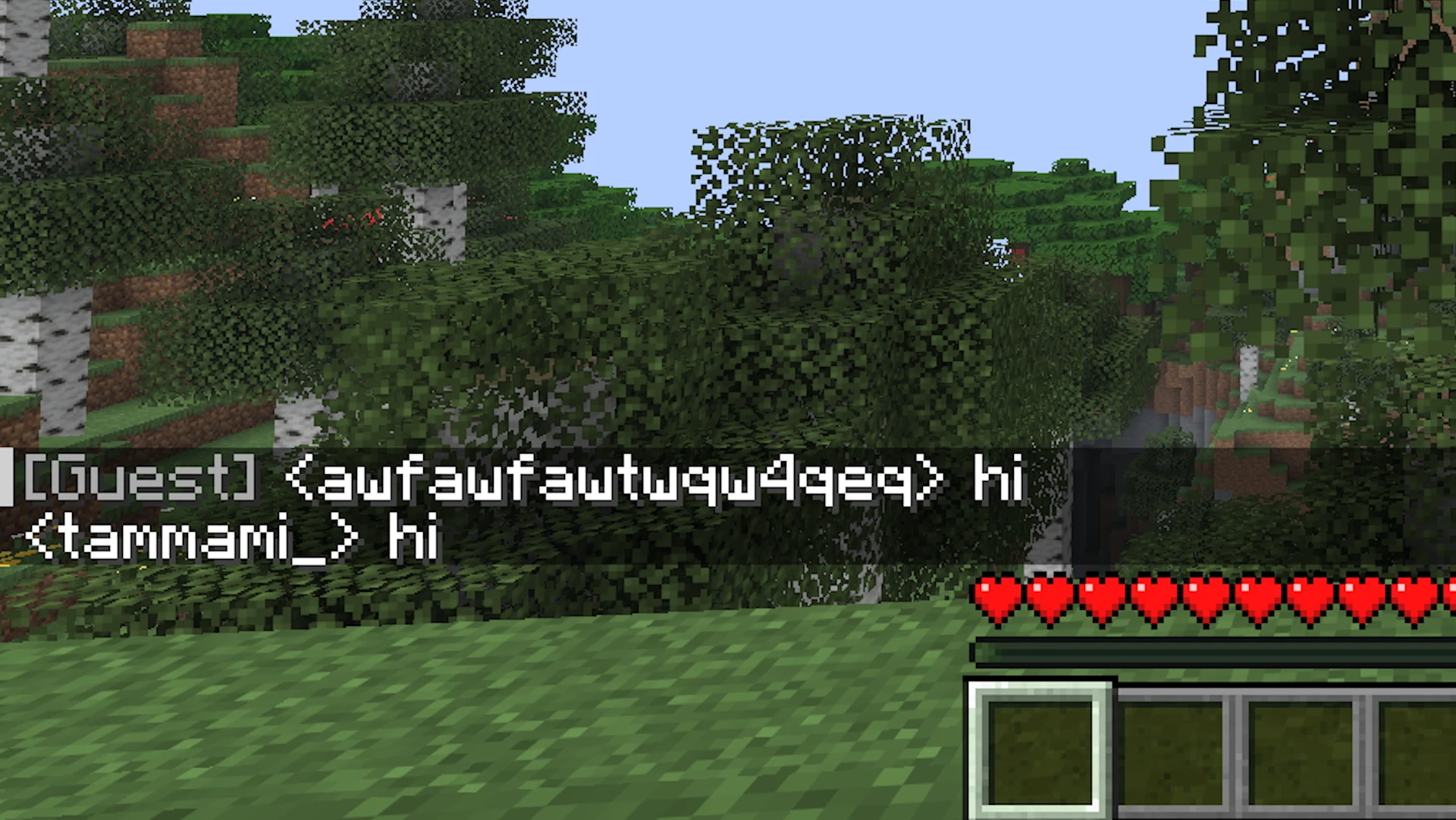
Clearly identify Guest players with the configurable chat prefix.
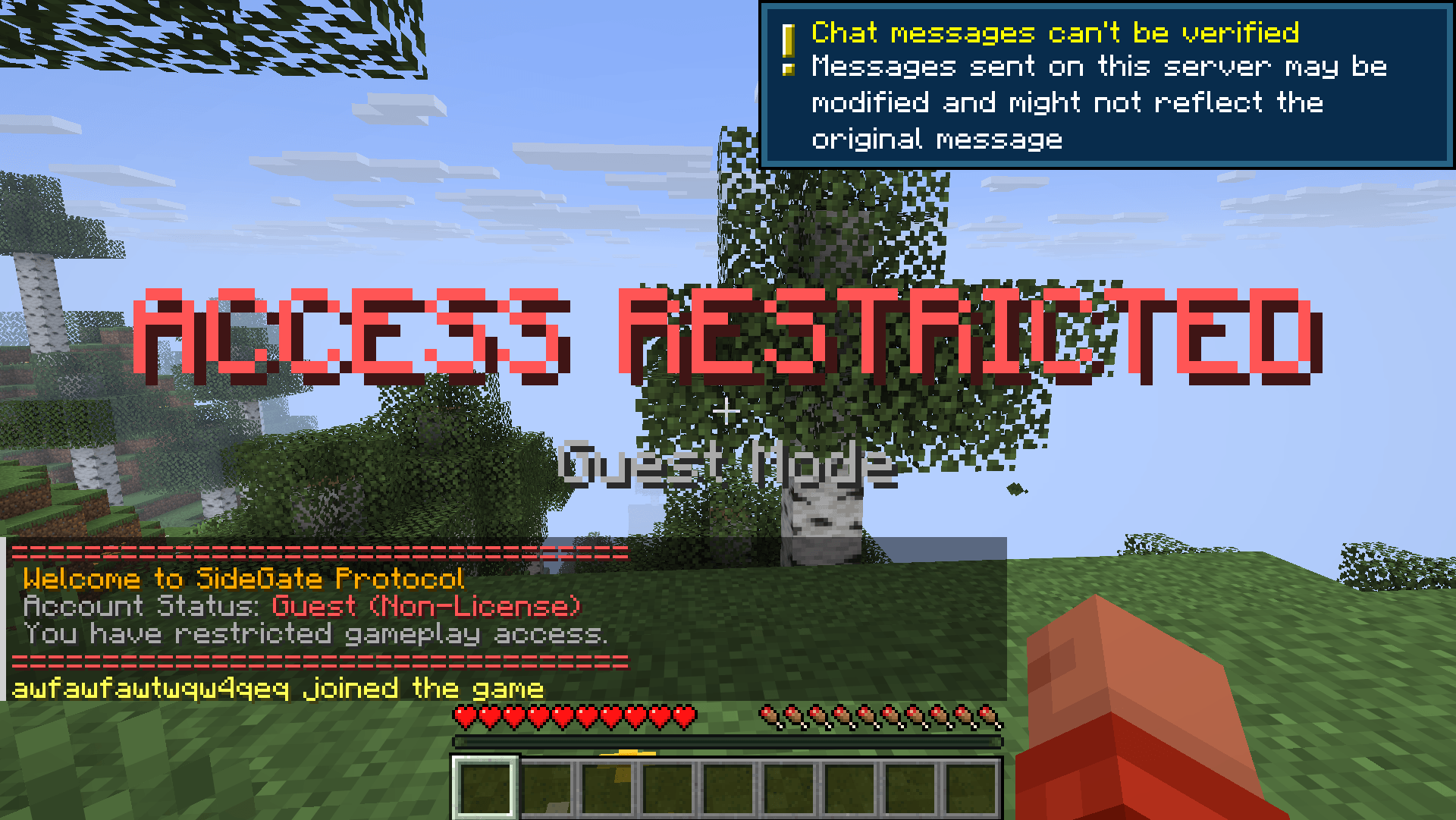
Configurable titles, messages, tags, and gameplay restrictions for Guest players.
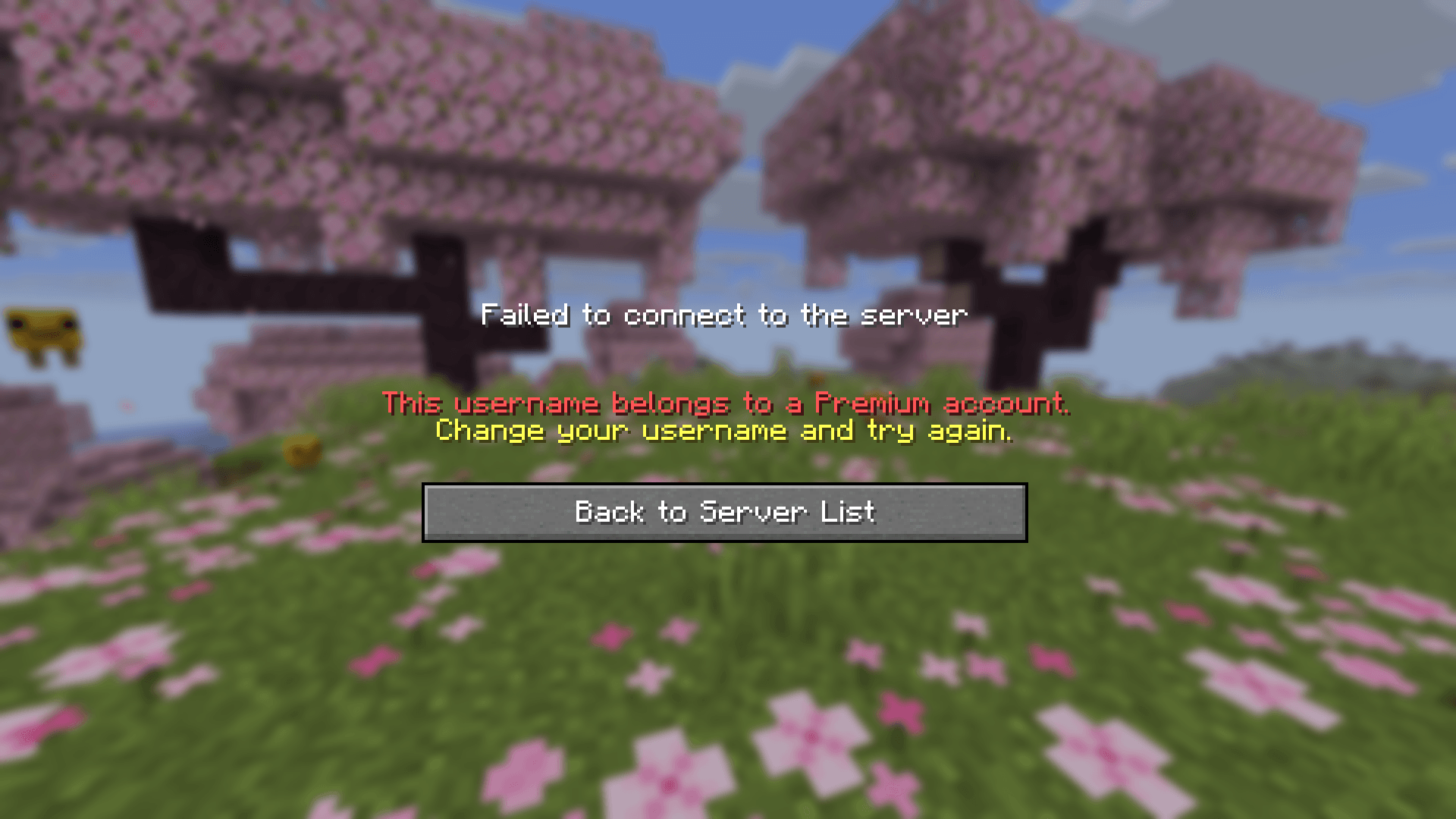
Show a configurable login-screen message when a Guest uses a Premium-registered name.
Description
SideGate

Hybrid Login Bridge for Online-Mode Servers
Keep online-mode security, allow selected non-premium usernames to join as guests with configurable restrictions.






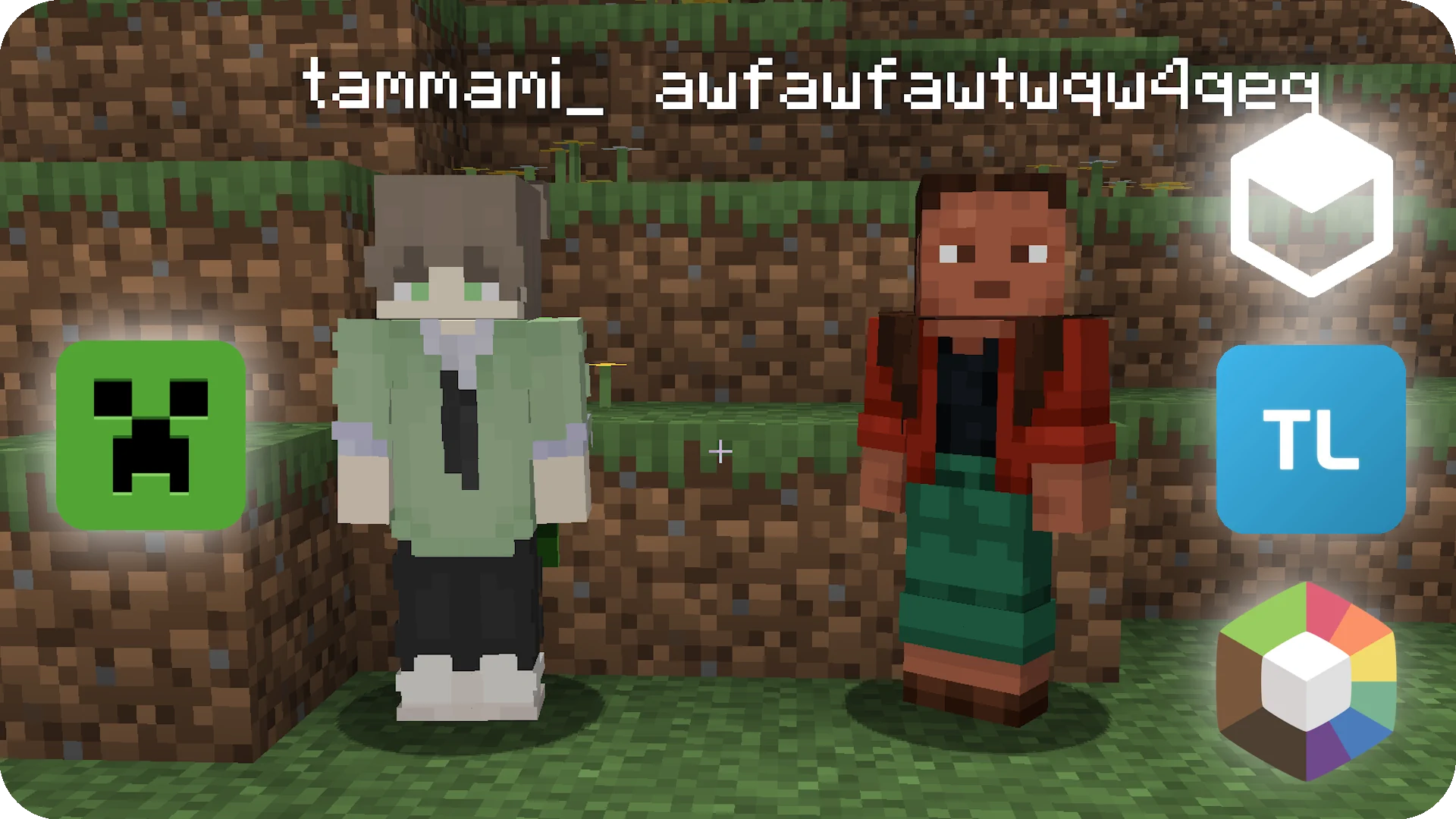
What is SideGate?
SideGate is a Bukkit-compatible plugin (Spigot/Paper/Purpur) for servers that want to keep online-mode=true while still allowing selected non-premium players.
Premium players continue normal Mojang authentication, while approved guest players are handled by SideGate guest flow.
When Floodgate or Geyser-Spigot is installed, detected Bedrock players remain on the Bedrock authentication path and are not treated as SideGate guests.
Why use it?
- Keep premium security path for normal players.
- Avoid switching the entire server to offline mode.
- Control exactly who can join as guest.
- Apply clear guest restrictions and visual labels.
Core Features (Current)
- Hybrid Login Flow: Premium users go through standard server authentication; guest candidates use SideGate injection flow.
- Manual Premium Override:
premium-usernamesalways stay in premium path. - Premium Session Failure Policy: Compare the login UUID with Mojang before encryption, then show a custom name-conflict message or continue as Guest.
- Guest Admission Policy: Use
allow-all-guestsorallowed-guests. - Optional Auto-Detect: Mojang API lookup with internal cache (
auto-detect-premium). - Floodgate/Geyser Support: Automatically bypass guest classification for detected Bedrock players when either Bukkit plugin is installed.
- Fail-Closed Authentication: Mojang API failures leave players on normal online-mode authentication instead of granting guest access.
- Guest Handling: Add guest tag, set gamemode, send title/subtitle/messages.
- Guest Chat Prefix: Prefix applies to players with guest tag only.
- Runtime Reload:
/sidegate reload. - Public API: Addon plugins can integrate via SideGate API service.
Installation
Required dependency: ProtocolLib (SpigotMC)
https://www.spigotmc.org/resources/protocollib.1997/
- Install ProtocolLib (5.x+).
- Optionally install Floodgate and/or Geyser-Spigot for automatic Bedrock detection.
- Put the SideGate
.jarfile in your/pluginsfolder. - Set
online-mode=trueinserver.properties. - Start or restart the server.
Configuration Example
# SideGate Configuration

enable-guest-mode: true
auto-detect-premium: true

allow-all-guests: false

premium-usernames:
  - "TamKungZ"

premium-session-failure:
  action: "KICK_WITH_MESSAGE" # or FALLBACK_TO_GUEST
  message: "&cThis username belongs to a Premium account.\n&eChange your username and try again."

allowed-guests:
  - "FriendName1"
  - "FriendName2"

guest-settings:
  default-gamemode: "SURVIVAL"
  chat-prefix: "&7[Guest] &r"

messages:
  join-title: "&cACCESS RESTRICTED"
  join-subtitle: "&7Guest Mode"
  join-message:
    - "&c=================================="
    - "&6 Welcome to SideGate Protocol"
    - "&7 Account Status: &cGuest (Non-License)"
    - "&7 You have restricted gameplay access."
    - "&c=================================="
Requirements
- Java: 17+
- Server: Spigot / Paper / Purpur (Bukkit-compatible)
- Dependency: ProtocolLib 5.x+ (SpigotMC)
- Optional integrations: Floodgate, Geyser-Spigot
Bug Reports
Submit issues at:
https://github.com/TamKungZ/SideGate/issues
Please include:
- Server software + exact version
- Java version
- ProtocolLib version
- SideGate version
- Relevant startup/login logs
Project Status & License
Closed Source
- Normal server usage is allowed.
- Separate addon plugins using SideGate public API are allowed.
- Modification/redistribution/repackaging of SideGate is not allowed without permission.
- Commercial use or monetization requires prior permission by email: kittiwut.pimpromma@gmail.com
Public reference snapshot:
https://github.com/TamKungZ/SideGate (sidegate-1.0.0-rc.1)
Security Notice
Guest/offline access has impersonation risk. For production servers, use an authentication plugin and strict permission setup.
If Mojang profile lookup is unavailable, SideGate does not assume the player is a guest. The server's normal online-mode authentication remains responsible for the login.
FALLBACK_TO_GUEST is a high-risk server-wide policy. It allows cracked clients to use Premium-registered usernames with Guest/offline UUIDs. Use an authentication plugin and UUID-based permissions.
The Premium session failure policy requires auto-detect-premium: true.
A client that deliberately spoofs the exact official UUID remains on normal online-mode authentication and cannot bypass Mojang session verification.
The SideGate Team


Owner