Send Anywhere
- By
Send items across your Paper server through private delivery requests, locked parcels, and four-digit codes
2026-10-10_17.37.37.png
2026-10-10_17.39.38.png
ChatGPT Image Oct 20, 2026, 01_00_20 AM.png
ChatGPT Image Oct 20, 2026, 01_00_16 AM.png
Description
SendAnywhere 📦
Send items anywhere is a paper plugin . Privately. Securely.
SendAnywhere is a lightweight Minecraft Paper plugin that allows players to send items to friends across their survival world without travelling or using administrator commands.
Unlike ordinary item teleportation, SendAnywhere introduces a private parcel delivery system with recipient approval, physical delivery barrels, and four-digit verification codes.
✨ FEATURES
• Long-Distance Item Delivery — Send an entire item stack from a selected hotbar slot to a friend's location.
• Private Delivery Messages — Recipients receive a private request containing the sender's name, delivery coordinates, and security code.
• Accept / Decline System — Players can accept or reject incoming deliveries before a parcel is placed.
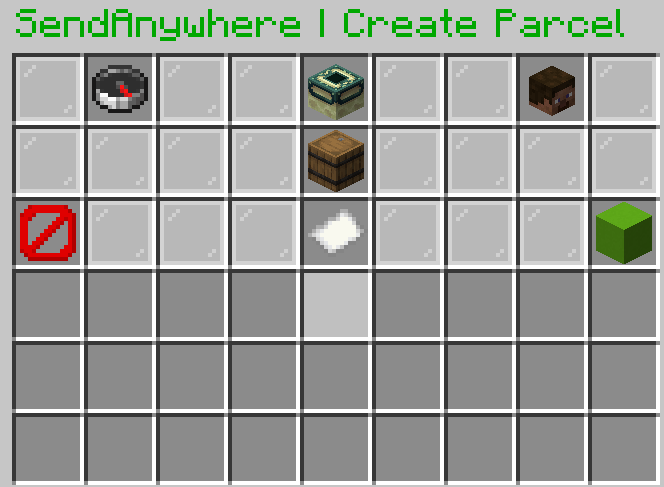
• Four-Digit Security Code — Unlock parcels using a custom Minecraft inventory keypad.
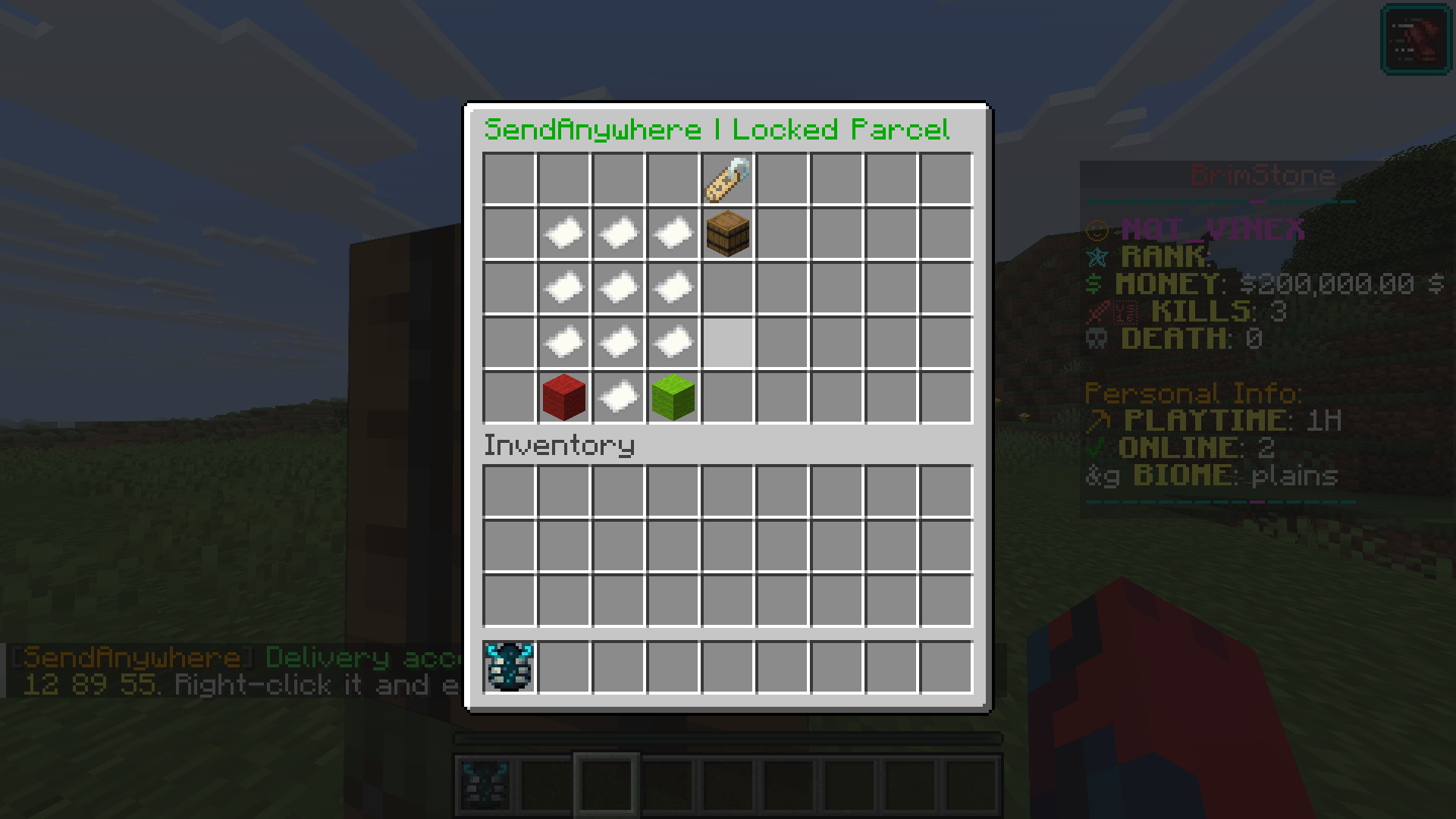
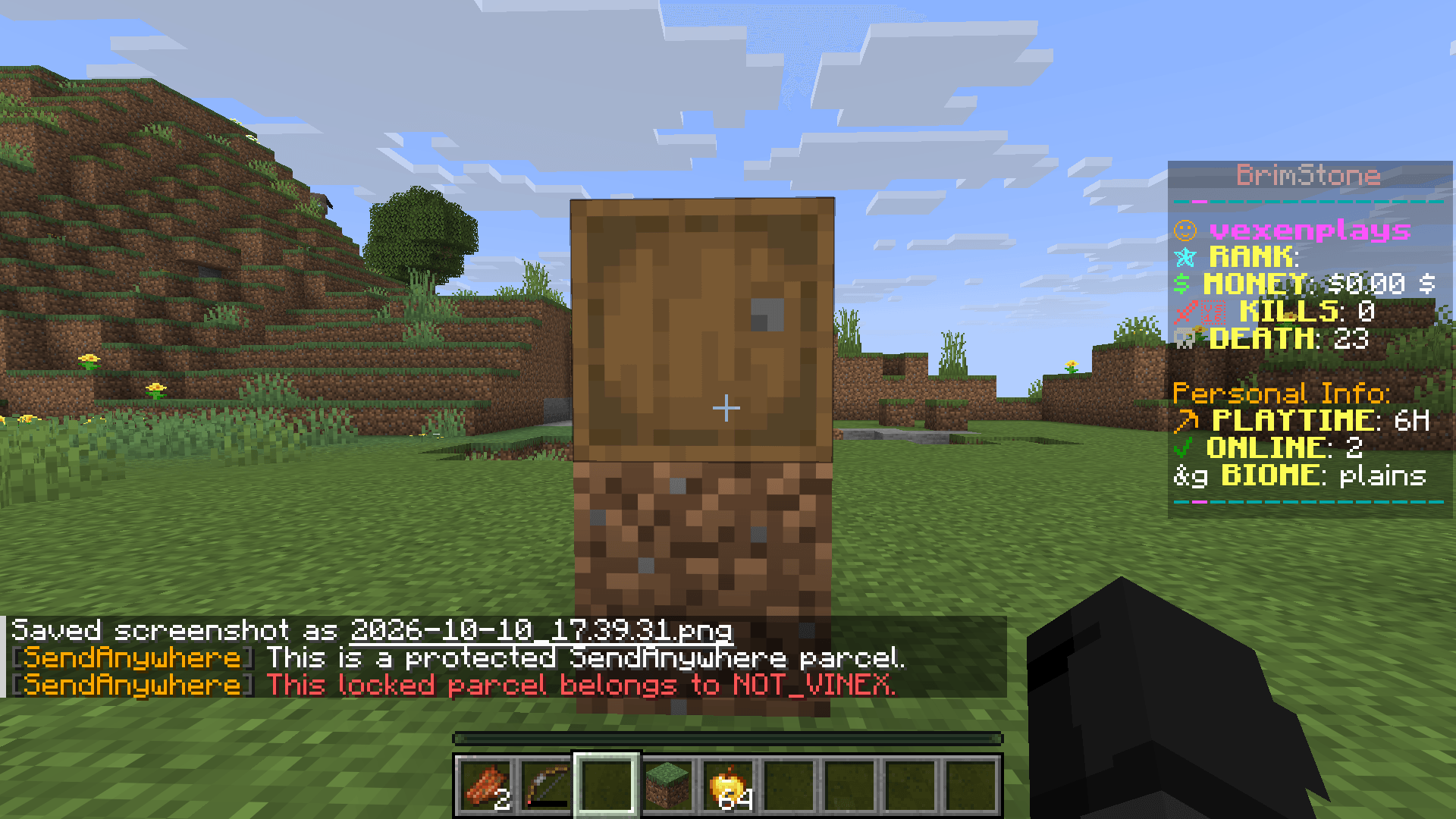
• Locked Parcel Barrels — Physical delivery barrels appear after acceptance and can only be claimed by the intended receiver.
• Offline Requests — Previously joined players can receive pending delivery requests when they return.
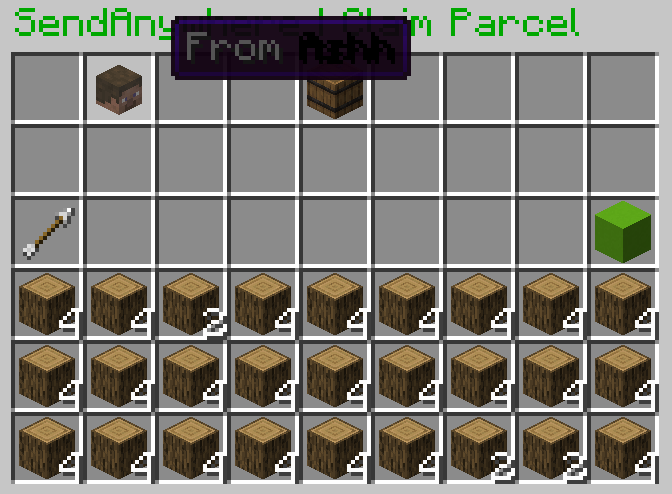
• Item Recovery — Declined, cancelled, and expired deliveries can be reclaimed.
• Parcel Management — Track incoming and outgoing parcels using simple commands.
• Customizable Configuration — Configure cooldowns, parcel limits, expiration times, and code security.
• No Client Mods Required — Completely server-side and does not require any resource packs.
📦 HOW IT WORKS
STEP 1 — SEND AN ITEM
Command: /sa 1 Steve 120 64 -350
The sender selects an item stack from hotbar slot 1 and creates a private delivery request for Steve at the specified coordinates.
STEP 2 — RECEIVE THE PRIVATE MESSAGE
Steve receives a private delivery notification containing a randomly generated four-digit security code and clickable Accept and Decline options.
STEP 3 — ACCEPT THE DELIVERY
Once Steve accepts the request, a locked parcel barrel appears at the specified destination, provided the location is safe.
STEP 4 — UNLOCK THE PARCEL
Steve right-clicks the delivered barrel and enters the four-digit code using the custom in-game keypad.
STEP 5 — CLAIM THE ITEMS
After successful verification, the original item stack is transferred to Steve and the delivery is marked as claimed.
⚙️ AVAILABLE COMMANDS
/sa help — View all available commands.
/sa [slot] [player] [x] [y] [z] — Send an item delivery request.
/sa inbox — View incoming deliveries.
/sa parcels — View outgoing parcels.
/sa accept [id] — Accept a pending delivery.
/sa decline [id] — Decline a pending delivery.
/sa msg [player] [code] — Resend a private delivery request.
/sa code [id] — View a parcel's delivery code.
/sa cancel [id] — Cancel an outgoing delivery.
/sa returns — View returned parcels.
/sa reclaim [id] — Reclaim returned items.
/sa reload — Reload plugin configuration (administrator only).
🔧 INSTALLATION GUIDE
-
Download the latest SendAnywhere plugin JAR.
-
Stop your Minecraft Paper server.
-
Open your server's plugins folder.
-
Upload the SendAnywhere JAR.
-
Restart your server.
-
Run /sa help to view available commands.
-
Start sending items to your friends!
📋 REQUIREMENTS
Minecraft Edition: Java Edition
Server Software: Paper
Target Minecraft Versions: 1.21.x (individual versions require testing)
Java: 21 or newer, according to your Paper server's requirements
Additional Plugins: None required
Client-Side Mods: Not required
Resource Pack: Not required
🧪 BETA TESTING INFORMATION
Current Version: 1.0.0-release .4
SendAnywhere is currently in beta testing. This version includes improvements to parcel placement, solid-ground detection, delivery verification, and player-name autocomplete.
The plugin has not been fully verified across every Minecraft 1.21.x version.
Known Limitations:
• Certain partial blocks or unsafe delivery locations may be rejected.
• Native land-claim plugin integration is not included.
• Some server configurations may require additional compatibility testing.
• Unexpected crashes or storage errors may result in lost items.
Server owners are strongly encouraged to create backups and test the plugin using disposable items before using it on a production survival server.
🐛 BUG REPORTS & FEEDBACK
Found a bug or experiencing issues with parcel deliveries?
Please report:
• Minecraft version
• Paper build version
• Java version
• Steps to reproduce the issue
• Relevant console errors or latest.log
• Screenshots, if available
Your feedback helps improve SendAnywhere and make future releases more stable.
📦 ABOUT THE PROJECT
SendAnywhere was created for MODS & PLUG to introduce a simple, secure, and survival-friendly way for players to exchange items across long distances.
The project is under active beta development, with improvements and fixes based on community testing.
Made by MODS & PLUG.
Send Anywhere Team