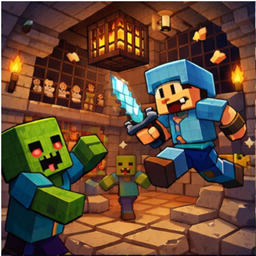
RPGHP v2.0 - The Ultimate RPG Progression System
Author: mercay_aitaem | API Version: 1.21 | Soft Depend: PlaceholderAPI
Overview
RPGHP transforms your server's survival experience into a challenging RPG adventure. Level up your character, increase your health, and face stronger monsters as you grow. Featuring a robust Scaling Difficulty system, Custom Head Drops with texture support, and stunning visual effects.
✨ Key Features
- RPG Progression: Experience an exponential leveling system. The higher you go, the harder it gets!
- True HP Cap: Grind levels infinitely, but your actual health is capped (Default: 50 Hearts) to maintain PVP balance.
- Scaling Difficulty: Monsters evolve with you! Higher-level players face enemies that deal increased damage and True Damage (armor piercing).
- Advanced Head Drops:
- Supports drops for almost every mob.
- Custom Texture Support: Uses Base64 textures (No more Steve heads!).
- Fully configurable drop chances.
- Roguelike Death Penalty: Death matters! You lose 50% of your current level upon death.
- Visuals:
- Real-time Action Bar stats.
- Wings & Auras: Unlock cosmetic particles at high levels.
- Level-up particle effects.
- GUI Menus: Beautiful, user-friendly menus for checking status and drop rates.
- Developer Friendly: Full PlaceholderAPI support and a native Developer API.
️ Installation & Configuration
1. Installation
- Download RPGHP-2.0.jar.
- Place it in your server's /plugins folder.
- (Highly Recommended) Install PlaceholderAPI for scoreboard integration.
- Restart your server.
2. Configuration (config.yml)
The config file is generated automatically. Here are the key settings:
Leveling System
YAML
xp-per-heart: 400 # Base XP required for Level 1
xp-multiplier: 2.0 # Difficulty multiplier (XP required doubles every level)
Custom Head Drops
You can define custom textures for any mob using Base64 strings (get them from minecraft-heads.com).
YAML
head-drops:
DEFAULT: 1.0 # Default drop chance (1%)
# Vanilla Head Example
ZOMBIE: 2.0 # 2% chance
# Custom Texture Example
COW:
chance: 5.0 # 5% chance
texture: "eyJ0ZXh0dXJlcyI6eyJTS0lOIjp7InVybCI6Imh0dHA6Ly90ZXh0dXJlcy5taW5lY3JhZnQubmV0L3RleHR1cmUv..."
Commands & Permissions
Command Description Permission
/rpghp menu Opens the main GUI menu. None
/rpghp status Displays your current stats in chat. None
/wing <on/off> Toggles cosmetic wings/aura. None
/rpghp addxp <player> <amount> (Admin) Gives XP to a player. rpghp.admin
/rpghp reload (Admin) Reloads the configuration. rpghp.admin
Placeholders
Fully compatible with PlaceholderAPI (Scoreboard, TabList, Chat):
- %rpghp_level% - Current Level
- %rpghp_xp% - Current XP
- %rpghp_reqxp% - XP required for next level
- %rpghp_hp% - Max HP (Actual)
- %rpghp_rank% - Rank Title (Novice, Warlord, GOD, etc.)
Known Issues & Bug Reporting
Before reporting a bug, please check the following:
- Texture Loading: Custom heads require an internet connection to load textures from Mojang's servers. If heads appear as "Steve" or "Alex," check your server's connection.
- Plugin Conflicts: This plugin manages Max Health. It may conflict with other plugins that also modify player health attributes (e.g., LevelHearts, OldCombatMechanics).
- Damage Scaling: At very high levels (Lv. 100+), monsters deal significant True Damage. This is intended behavior, not a bug!
Found a Bug?
Please report any issues or suggest features via:
Developed by: mercay_aitaem