

ResProtect
- 11.4K
- Bukkit Plugins
ResProtect - Added Animal & Villager Protection to Residence
- 11.4K
- January 14, 2015


ResProtect
- 11.4K
- Bukkit Plugins
ResProtect - Added Animal & Villager Protection to Residence
- 11.4K
- January 14, 2015
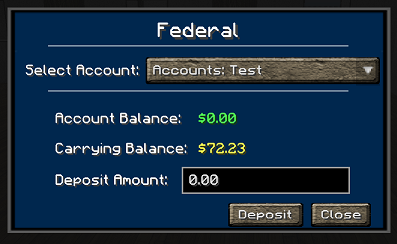
Image 3
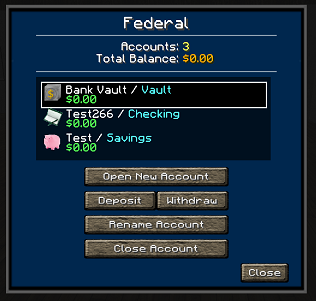
Image 2
Image 4

Reserve Logo
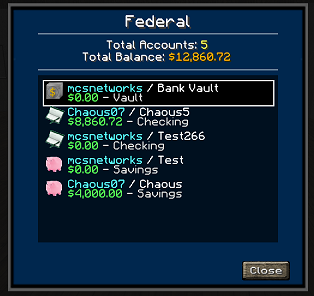
Image 1
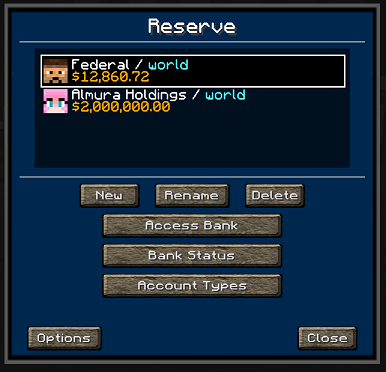
Image 5
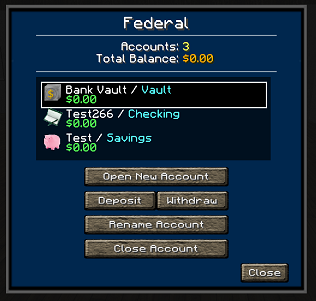

Get Spoutcraft & Spoutplugin Now! >> Get Spout!
Support for this and all other AlmuraDev plugins can be found by joining our chat channel here:
File: config.yml
##########################
# config.yml
#
# This dictates the time Reserve should wait to apply a modifier.
# By default...
#   - Reserve will apply an interest factor once every 72 Minecraft days (which is once a human day).
#   - There is 20 ticks per second. 86,400 seconds in a day, ~1,728,000 ticks performed in one human day.
#   - Be EXTREMELY CAUTIOUS about adjusting the save interval. Too low and you could potentially lock your server up. Too high
#     and your server suffers a crash, the persistence could be very out of date. For this reason, I feel 2 minutes as a default is
#     a good medium.
modifier:
  interest: true
  tax-death: true
interval:
  interest: 1728000
  save: 2400
tax:
  death-range: 25-75
Here's a list of specific permissions nodes for this plugin and what each does.
First line: [Reserve] Second Line: [YourBankName]
The second line of the sign is obviously limited by how many characters it can have. Therefore if you run into this issue we suggest using Citizen NPC's to allow the player to interact with a true "Banker".

Here are the steps needed to make a Citizens 2.0 NPC act as a banker.
1. Create your NPC like you usually would. 2. Type /train banker 3. Then right-click the banker and set the Bank's Name to open when a user interacts with the banker.
Donations for this project can be directed here: PayPal: Click Here
Many thanks for your consideration.


ResProtect - Added Animal & Villager Protection to Residence
ResProtect - Added Animal & Villager Protection to Residence