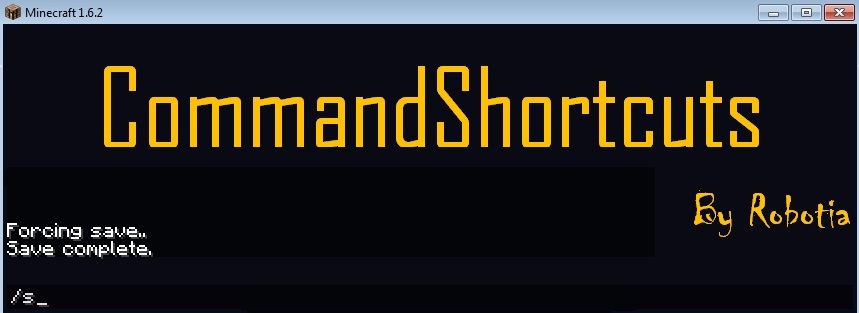
promotional bannermobile promotional banner

CommandShortcuts

Abandoned
CommandShortcuts allows you to create your own shortcuts for commands.
<p>Logo</p>

Logo

Description

CommandShortcuts

GitHub:

Click Here

IMPORTANT: This plugin is in early stages of release and is only confirmed to work with commands that require no parameters. (E.g. /kill)

Using CommandShortcuts:

1. Run the plugin with your server once for the plugin folder and files to be created. (On first run the command "/s" will be available, standing for /save-all)

2. Stop the server.

3. Open the commands.yml and type the command shortcut you want with this format (commandshortcut|actualcommand|usage|consoleallowed|playerallowed|)

Command Shortcut: the name of the shortcut command (No slashes)

Actual Command: the actual name of the command (No slashes)

Command Usage: just the command name right now (don't use <player>)

Console Allowed: Can the server console use this shortcut? (yes = console, no = blank)

Player Allowed: Can players use this shortcut? (yes = player, no = blank)

Examples of Commands

s|save-all|s|console|player|

suicide|kill|suicide||player| (This command wouldn't work for a server!)

rainaway|toggledownfall|rainaway|console|player|

bye|stop|bye|console|player|

4. Run the plugin with your server once again. (Generates the plugin.yml file in the plugin folder)

5. Open the jar file like a zip folder with a program such as WinRAR and replace the plugin.yml file in the jar with the one in the plugin folder. Google opening jar files if you can't figure it out.

6. The command shortcuts have been configured; the next time you run your server the command shortcuts will work.

Important things to watch for:

  • Make sure your command shortcut doesn't conflict with the command name of any other plugins!
  • Check that you have formatted the commands.yml file correctly (It is used during plugin runtime to cycle through commands)
  • Ensure that on first run the example command /eg works (It is preconfigured)
  • Certain parts of the commands.yml can be changed even during runtime (/reload is not used): green = yes red = no commandshortcut|actualcommand|usage|consoleallowed|playerallowed|

If you have problems PM me.

Comments and feedback are always welcome!

Check out CommandShortcut's sister plugin!

ChatShortcuts

The CommandShortcuts Team

profile avatar
  • 4
    Projects
  • 6.6K
    Downloads

More from _ForgeUser8963292View all

  • Server AI project image

    Server AI

    • 1.5K
    • Bukkit Plugins

    An artificially intelligent chatbot that can conduct a conversation

    • 1.5K
    • November 27, 2013
    • Bukkit Plugins
    • +1
  • EasyReport project image

    EasyReport

    • 3.1K
    • Bukkit Plugins

    A simple report plugin

    • 3.1K
    • September 20, 2013
    • Bukkit Plugins
  • LaserTag project image

    LaserTag

    • 0
    • Bukkit Plugins

    A plugin that lets you set up a game of LaserTag

    • 0
    • August 20, 2013
    • Bukkit Plugins
  • ChatShortcuts project image

    ChatShortcuts

    • 2.7K
    • Bukkit Plugins

    Creates custom chat shortcuts for player use.

    • 2.7K
    • August 4, 2013
    • Bukkit Plugins
    • +1
  • Server AI project image

    Server AI

    • 1.5K
    • Bukkit Plugins

    An artificially intelligent chatbot that can conduct a conversation

    • 1.5K
    • November 27, 2013
    • Bukkit Plugins
    • +1
  • EasyReport project image

    EasyReport

    • 3.1K
    • Bukkit Plugins

    A simple report plugin

    • 3.1K
    • September 20, 2013
    • Bukkit Plugins
  • LaserTag project image

    LaserTag

    • 0
    • Bukkit Plugins

    A plugin that lets you set up a game of LaserTag

    • 0
    • August 20, 2013
    • Bukkit Plugins
  • ChatShortcuts project image

    ChatShortcuts

    • 2.7K
    • Bukkit Plugins

    Creates custom chat shortcuts for player use.

    • 2.7K
    • August 4, 2013
    • Bukkit Plugins
    • +1