PeekBridge is a lightweight Paper plugin that provides compatibility between the official Peek client mod and Paper servers.
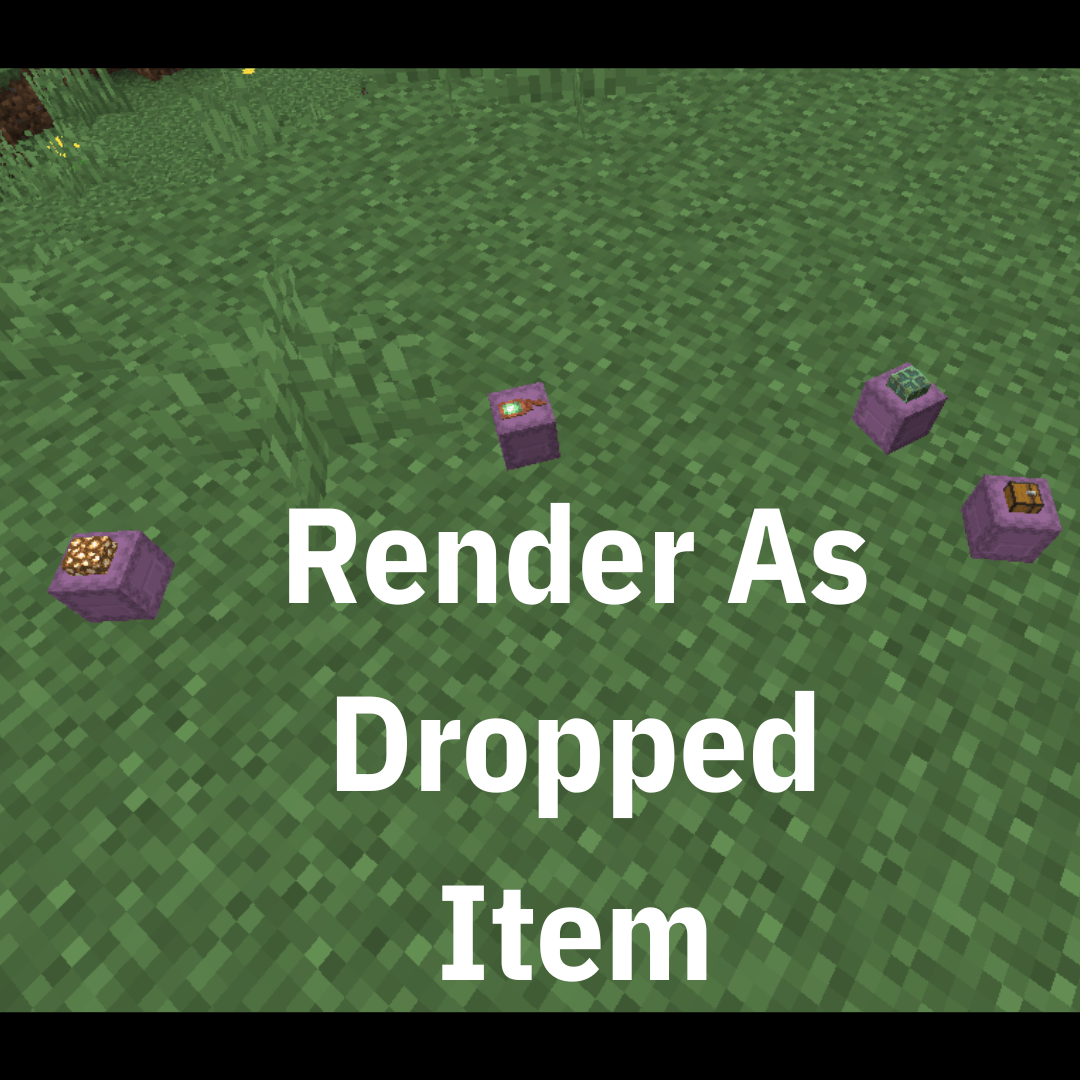
When using Peek on a Paper server, shulker box previews may stop displaying after chunks reload, after placing a shulker, or while a shulker is dropped as an item.
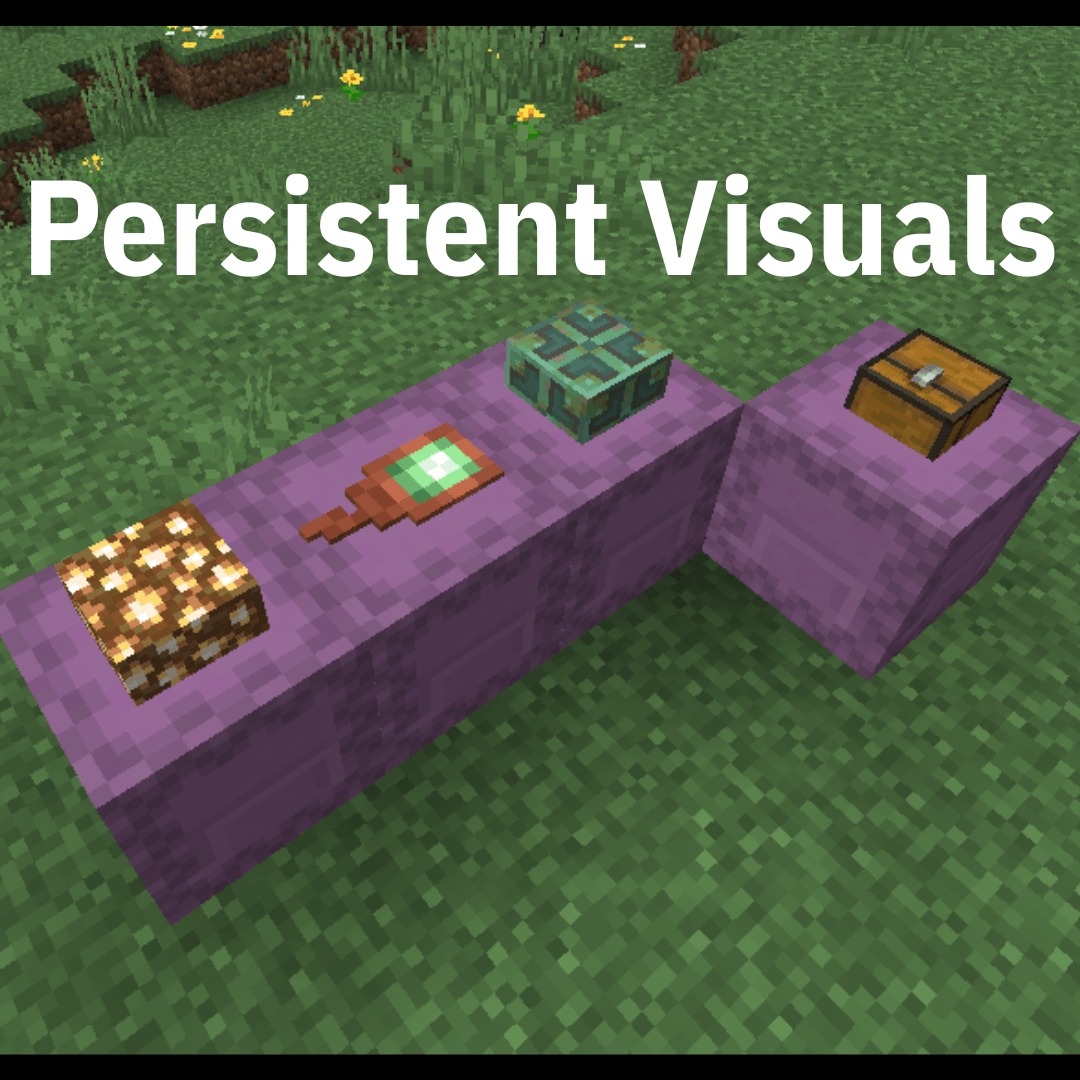
PeekBridge restores the container information Peek needs so those previews remain visible without requiring players to reopen every shulker box.
Features
- Keeps placed shulker box previews synchronized.
- Restores previews after chunk reloads.
- Automatically updates previews when shulker contents change.
- Supports shulkers already loaded when a player joins.
- Supports shulkers loaded while entering new chunks.
- Supports dropped shulker box item previews.
- Preserves the container information Peek requires.
- Only synchronizes relevant containers to players who can actually see them.
- Designed to minimize unnecessary packet traffic and server overhead.
- No additional PeekBridge client mod required.
Requirements
Server
- Minecraft Java Edition 26.1–26.2
- Paper 26.1–26.2
- PeekBridge installed in the server's plugins folder
Client
- The official Peek mod is required for every player who wants to see shulker previews.
PeekBridge does not replace Peek and does not perform any rendering itself.
Peek remains responsible for displaying the container previews on the client.
How It Works
PeekBridge supplies the container and block-entity information that Peek expects to receive from the server.
For placed shulker boxes, PeekBridge synchronizes the full block-entity container data.
For dropped shulker items, PeekBridge preserves and synchronizes the minecraft:container information used by Peek to determine what should be displayed on the shulker.
Peek continues to handle all rendering while PeekBridge handles the missing Paper-side synchronization.
Installation
- Download PeekBridge.
- Place the .jar file inside your server's plugins folder.
- Fully restart the Paper server.
- Install the official Peek mod on each client that wants to use the previews.
No additional client-side PeekBridge mod is required.
Performance
PeekBridge is designed to remain lightweight.
The plugin only tracks relevant shulker containers, limits synchronization to players who can actually see them, avoids unnecessary container serialization, and caches frequently used internal methods where possible.
It is designed to provide the missing synchronization without constantly resending every container on the server.
Configuration
PeekBridge is designed to work out of the box with no configuration required for normal use.
Debug logging is available for troubleshooting but should normally remain disabled.
Important Security Information
In order for Peek to display the contents of a shulker box without opening it, the server must send that container information to the client.
This means clients receiving Peek preview information technically have access to the contents of visible shulker boxes.
Server owners should consider this before using PeekBridge in environments where hidden container contents are intended to remain confidential.
Compatibility
Currently developed and tested for:
- Minecraft Java Edition 26.1–26.2
- Paper 26.1–26.2
Future Minecraft or Paper versions may require an updated PeekBridge build because the plugin interacts with Minecraft's container and packet systems.
Peek Is Still Required
PeekBridge is only a Paper compatibility bridge.
It is not a replacement, fork, or redistribution of Peek and does not contain Peek's rendering code, textures, assets, interface, or other client features.
The official Peek mod must still be installed separately on the client.
Credits
A huge thank you to henkelmax, the creator of Peek, for creating the original mod and the container visualization functionality that made this project possible.
PeekBridge was created specifically to improve compatibility between Peek clients and Paper servers.
Please support the original Peek project and its creator.
Official Peek Mod:
https://modrinth.com/mod/peek
Consider following MrGreenGames if you enjoy this plugin! 💚
🟢 Feel free to use this plugin in your servers, modpacks, and videos!
If you feature the plugin in a video or showcase, linking back to the original plugin page in your description is greatly appreciated, but not required.
🔴 Please do not redistribute or repurpose the plugin.
You may not reupload the plugin to other websites, launchers, or platforms, nor reuse its code, data, or other assets in separate projects.
Do not place the plugin behind ad-based or redirect services such as AdFly, and do not sell the plugin or include it in any paid package.
💚 This plugin is intended to remain free and accessible to everyone.


![[MGG] Peek Bridge logo](https://media.forgecdn.net/avatars/thumbnails/2079/709/64/64/639262987299230397.png)

![[MGG] Glowing Berries project image](https://media.forgecdn.net/avatars/thumbnails/2079/734/256/256/639262992776156055.png)
![[MGG] Haste Potion project image](https://media.forgecdn.net/avatars/thumbnails/2079/647/256/256/639262972017967874.png)
![[MGG] Unbreaking 5 project image](https://media.forgecdn.net/avatars/thumbnails/2079/722/256/256/639262989788930032.png)
![[MGG] Just A Skyblock project image](https://media.forgecdn.net/avatars/thumbnails/2079/743/256/256/639262994859209541.png)