Music Reforged
Give every place and every encounter its own soundtrack.
Music Reforged brings custom music, playlists, radio jukeboxes and event-driven
ambiences to your Minecraft server. Import an MP3 or OGG in the browser, let the
plugin prepare the audio and generate the resource pack, then bring your world
to life through sound.
Made by hash014. A rewrite of the Music plugin by Zombie_Striker.
What you can do
- Import MP3 and OGG files. Upload audio through the administration interface,
preview it in your browser and follow conversion progress.
- Generate the resource pack automatically. Successful imports rebuild the
pack for your server's Minecraft version. Offer it to online players with one click.
- Create music zones in-game. Select two corners with a wand and assign a
playlist to that part of your world. Zones persist across restarts.
- Change ambience progressively. Prepared and imported tracks support fades
between zone and event ambiences. Transition duration is configurable.
- Build playlists and personal radios. Reorder tracks, shuffle, pause, resume
and skip. Playlists can power zones, events and nearby radio jukeboxes.
- Make custom music discs. Associate a track with a Minecraft disc, give it
to a player, insert it into a jukebox and eject it again.
- React to the action. Trigger music for combat, nearby bosses, biomes,
joining, death and respawning. Priorities decide which ambience takes over.
- Keep control of your server. Stations and jukeboxes have UUID owners.
Temporary administrator sessions require the appropriate permission.
A browser studio for your server
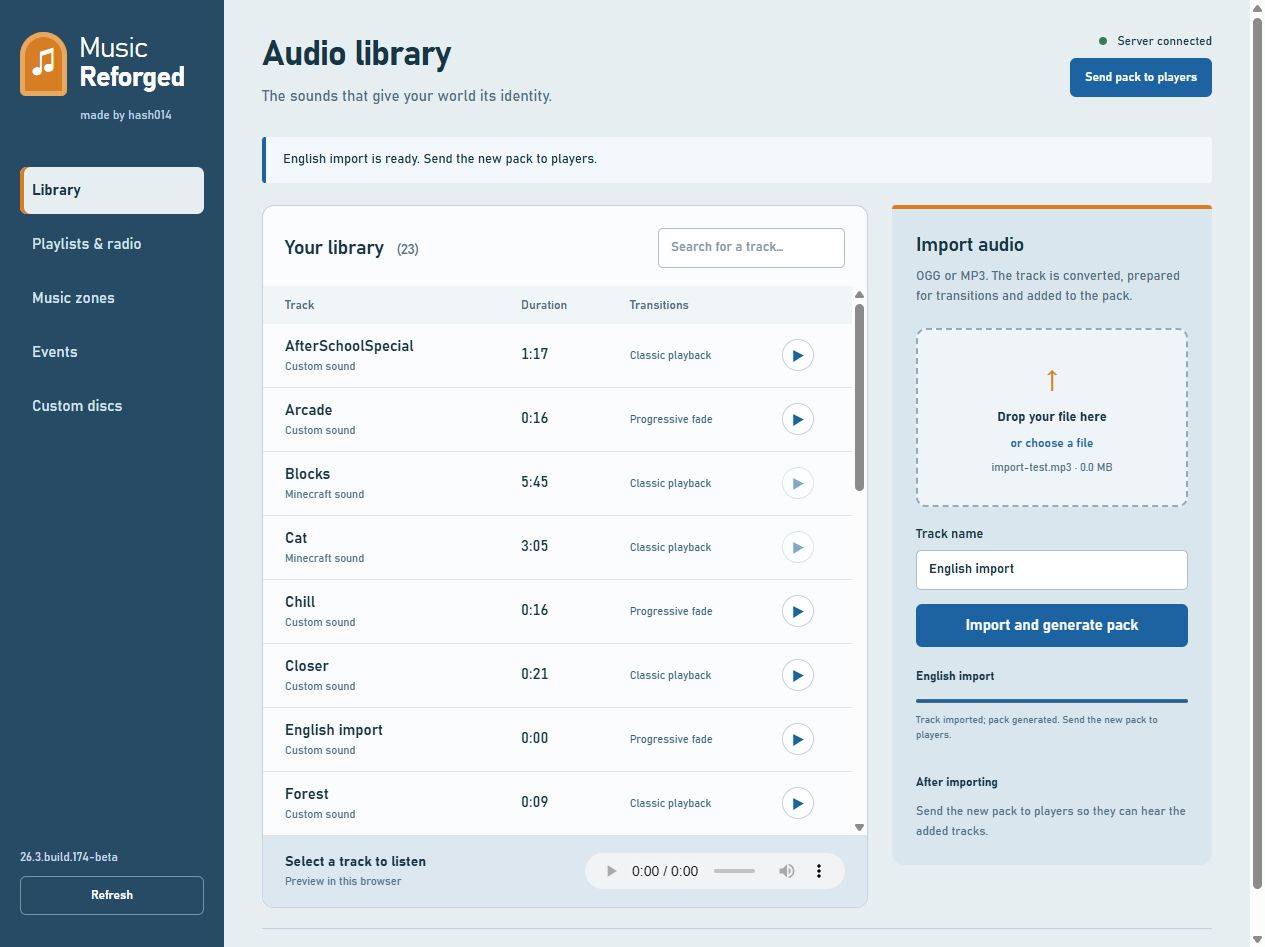
Run /music admin to receive a clickable administration link valid for 30 minutes.
The interface is in English and includes the audio library, import progress,
playlists, zones, event triggers and custom discs.
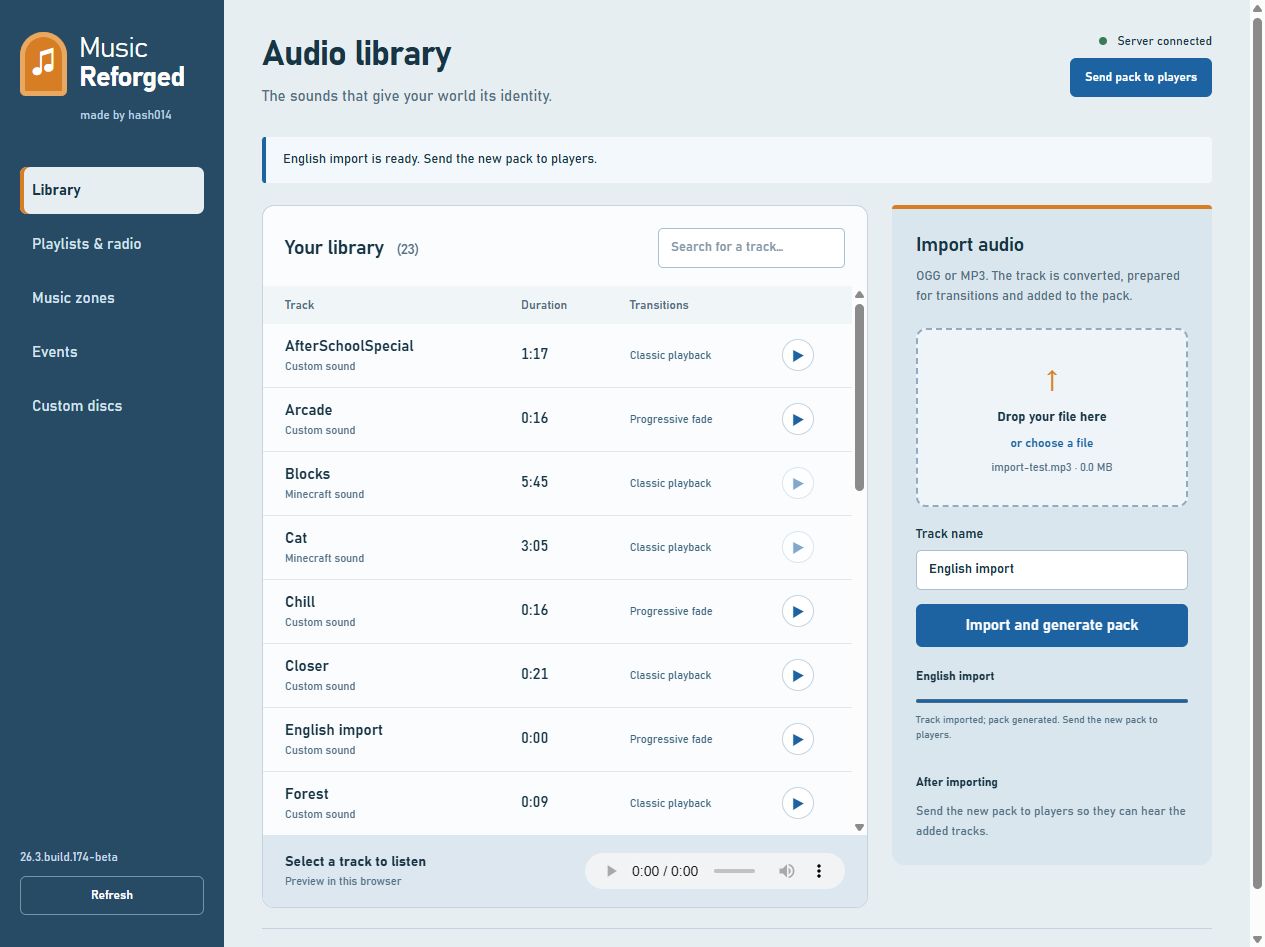
Actual plugin interface: an audio import completed and its resource pack generated.
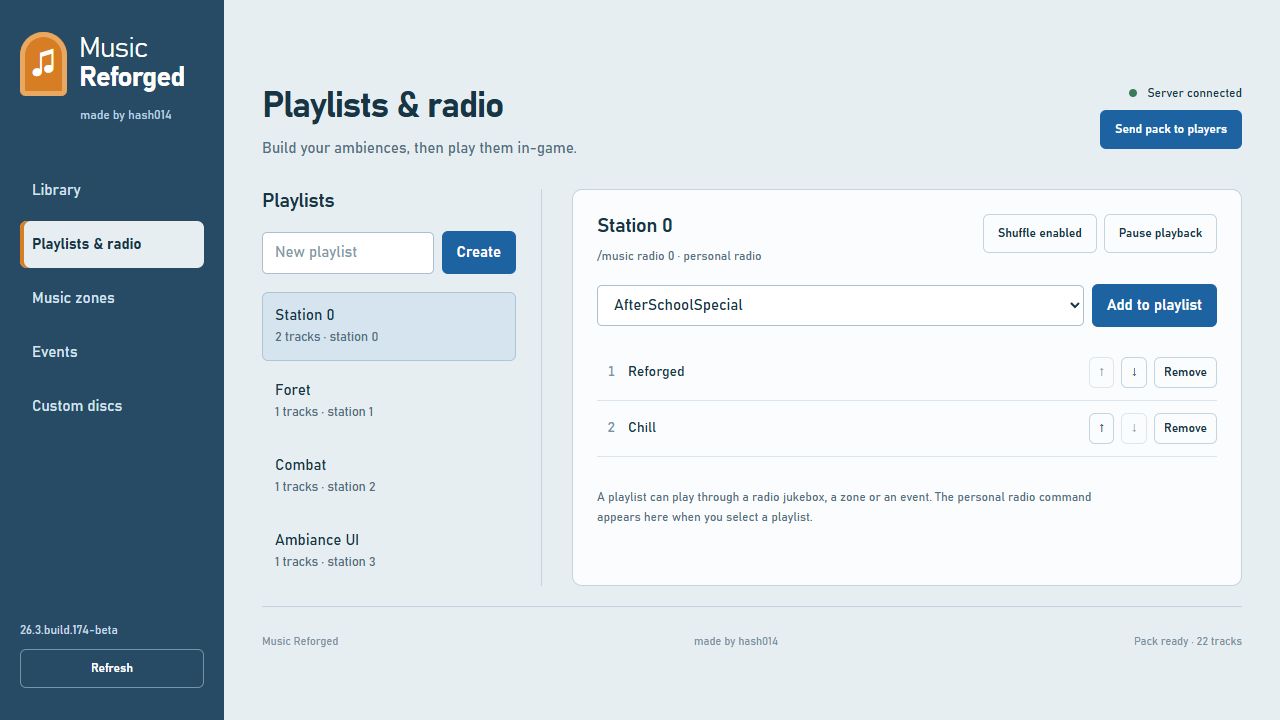
Actual plugin interface: playlist order, shuffle, playback controls and the personal radio command.
Installation
- Stop your Bukkit/Spigot/Paper server.
- Place
Music-Reforged-1.0.0.jar in plugins/.
- Remove the old
Music.jar if installed. Keep its data folder if you need migration.
- Start the server. Music Reforged creates its catalogue and
plugins/MusicReforged/pack.zip.
- Distribute the generated resource pack to players and have them accept it.
This is a server plugin, not a Fabric or Forge mod. Players do not need a
client mod; they need the audio resource pack to hear custom tracks.
FFmpeg is required for MP3/OGG imports. Install it on the server and make it
available in PATH, or set its executable path in admin.ffmpeg. Default tracks
and resource pack generation work without installing FFmpeg.
The administration interface binds to 127.0.0.1:8125 by default. For remote
administration, configure admin.bind and admin.public-url behind an HTTPS
reverse proxy. Player-issued sessions require the player to remain online with
administrator permission; console-issued sessions also work.
First playlist
/music playlist create Forest
/music playlist add Forest Chill
/music playlist add Forest Reforged
/music radio Forest
Turn off your personal radio with /music radio off. Run /music to browse
tracks in-game. Enclose names containing spaces in quotes, such as "My track".
For a radio jukebox, place a jukebox while sneaking, then right-click it to choose
a station and adjust volume. Stand outside active music zones and disable your
personal radio when testing positional jukebox audio.
Music zones and transitions
/music zone wand
/music zone create forest Forest
After obtaining the wand, left-click the first corner and right-click the second,
then run zone create. Select a volume that includes the player's height: a
floor corner and a second corner above the player's head, rather than two floor
blocks at the same height.
Assign different playlists to different areas and walk between them. Imported
tracks and the three original demo loops support progressive ambience changes,
with a two-second transition by default. Set transitions.seconds to adjust it.
Vanilla sounds and legacy tracks without prepared segments use classic playback.
Combat, bosses and biomes
Create a Combat playlist, then add the rules you want:
/music playlist create Combat
/music playlist add Combat Arcade
/music trigger set battle COMBAT * Combat 12 80
/music trigger set boss BOSS WITHER Combat 15 100
/music trigger set woods BIOME FOREST Forest 5 40
Combat music takes over after damage events. A nearby Wither can activate the
boss rule; the biome rule maintains its ambience while the player stays in FOREST.
Use * to match any biome or entity, or a Minecraft name supplied by your server.
Higher priorities win. Remove a rule with /music trigger remove <id>.
Custom discs
/music disc create theme Reforged
/music disc give theme MyPlayer
/music disc eject
Right-click a jukebox while holding the custom disc to insert it. Look at that
jukebox and use disc eject to retrieve it. Eject the disc before selecting a
station for that jukebox. Jukebox ownership is respected.
Resource packs
For a local test on the server machine:
resource-pack:
  serve: true
  bind: 127.0.0.1
  port: 8124
  public-url: ''
  send-on-join: true
Restart, then use /music getPack. For a public server, provide a directly
downloadable pack URL that players can reach. A localhost URL only works on the
server machine. Players must accept the pack. After an import, use Send pack
to players in administration to offer the updated version.
If your server already uses another resource pack, merge its assets and
sounds.json entries with Music Reforged's pack. Pack merging is not automatic.
Permissions
| Permission |
Default |
Purpose |
musicreforged.use |
Everyone |
Library, listening and personal audio settings |
musicreforged.create |
OP |
Create stations and playlists |
musicreforged.admin |
OP |
Browser administration, zones, rules, discs and management |
musicreforged.global |
OP |
Worldwide jukebox broadcasting |
Legacy Music permission nodes and command aliases are retained. See the full
README for jukebox permissions and the complete command list.
Compatibility
- Designed for Bukkit/Spigot/Paper; execution tests were performed on Paper.
- The feature-complete baseline passed tests on 54 available Paper versions
from 1.8.8 to 26.3.
- The latest English build with clickable administration links passed regression
tests on 1.8.8, 1.12.2, 1.21.11 and 26.3, including actual OPEN_URL chat packets.
- The server determines its required Java version. Plugin bytecode targets Java 8.
- Folia is not supported. Versions with no available Paper binary were not
verified individually; clients of a different version through ViaVersion need
their own pack compatibility checks.
On 1.8.8 and 1.9.4, already sent sounds finish naturally because those APIs do
not provide sound stopping. Audio files, packets and fade gains have been checked;
perceptual continuity still needs listening in a real Minecraft client.
Default import limits are 32 MB per file and 600 seconds per track;
the generated resource pack is limited to 64 MB. Long tracks are rejected,
not silently truncated. Limits and transition duration are configurable within
the plugin's supported ranges.
Migration from Music
On first startup, Music Reforged can import legacy stations, jukeboxes and track
definitions from plugins/Music/. It backs up imported files and leaves the
original folder unchanged. Legacy UUID owners are preserved; unknown names on
authenticated servers must be resolved to UUIDs before migration.
Source, support and credits
Music Reforged — made by hash014. Licensed under GPL-2.0-or-later.
Upstream attribution and bundled dependency licenses are included in NOTICE
and licenses/. Three original demo loops are included alongside the retained
legacy examples. Use music you have permission to distribute to your players.