chyba404 generously created a short introductory video:
Current level of practicality and usage in a professional server environment as subjectively measured by me: 50%
So this was an idea spawned by a looong airplane flight to Taiwan. I lost the old hard drive which I had originally stored this project, which resulted in me remaking it from scratch. Generally, it looks a lot cleaner now and works the way I intended it to. Please tell me if you see any bugs and I'll get to fixing them!
Overview & Features
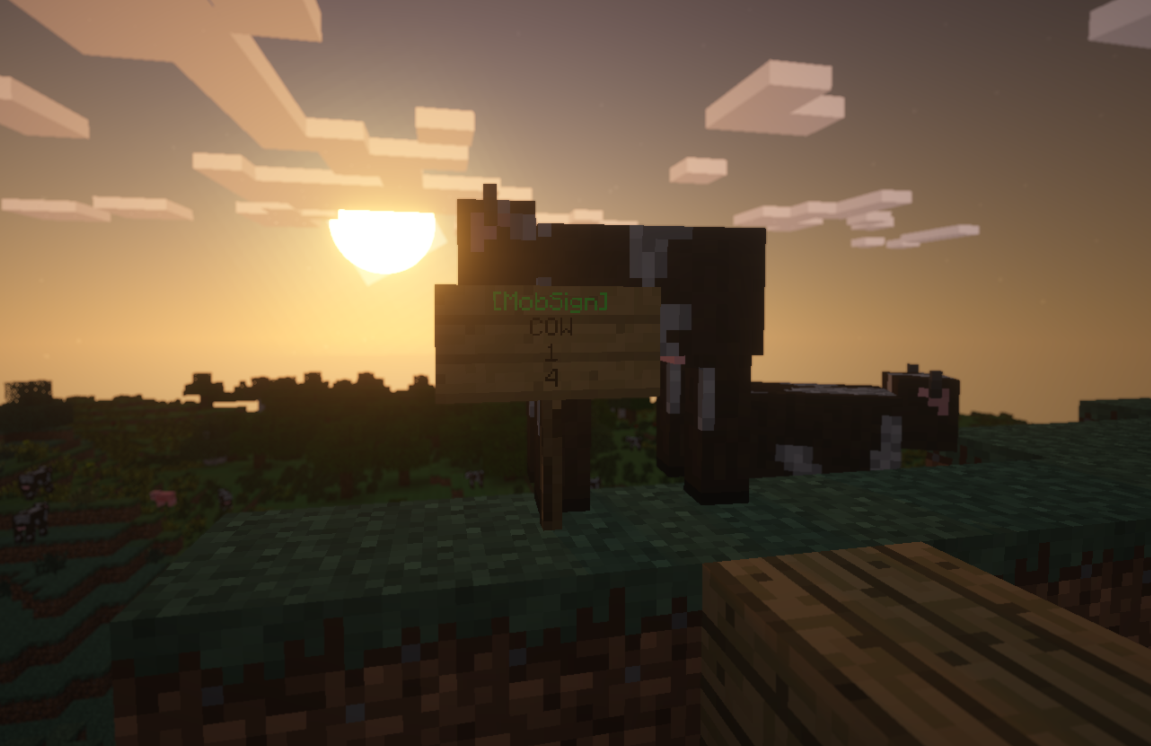
Create a sign using the correct format to create a mob spawner! You can hide these signs under floors, to create dungeons, arenas, etc! Obviously with permission, players can create spawners for their own use, toggle the spawner on/off at their own leisure (just right-click the sign!), and the sign will automatically stop spawning mobs if a player is not in a 20 block radius.
So this plugin serves as a sign mob spawner type thing. You can use it for creating mob arenas, mob grinders, zoos, and whatever else you want to do. There's still a lot to do, and you can check all that out in the todo list. Also, suggest stuff for me to do, that helps.
So far, they function as sign psuedo mob spawners, but in the future I'll make it so you can configure the XP, item drops, and display names for the entities that spawn.
Commands
There are no commands.
Permissions
mobsign.create
mobsign.destroy
mobsign.toggle
Usage
First, you must be an OP or have the permission to create and destroy MobSigns. You should format your list as follows:
[MobSign] - (You must head your sign with this for the plugin to recognize your sign)
EntityType - (Provide the entity type for the mob you would like to spawn)
Amount - (How many you want to spawn at each wave)