


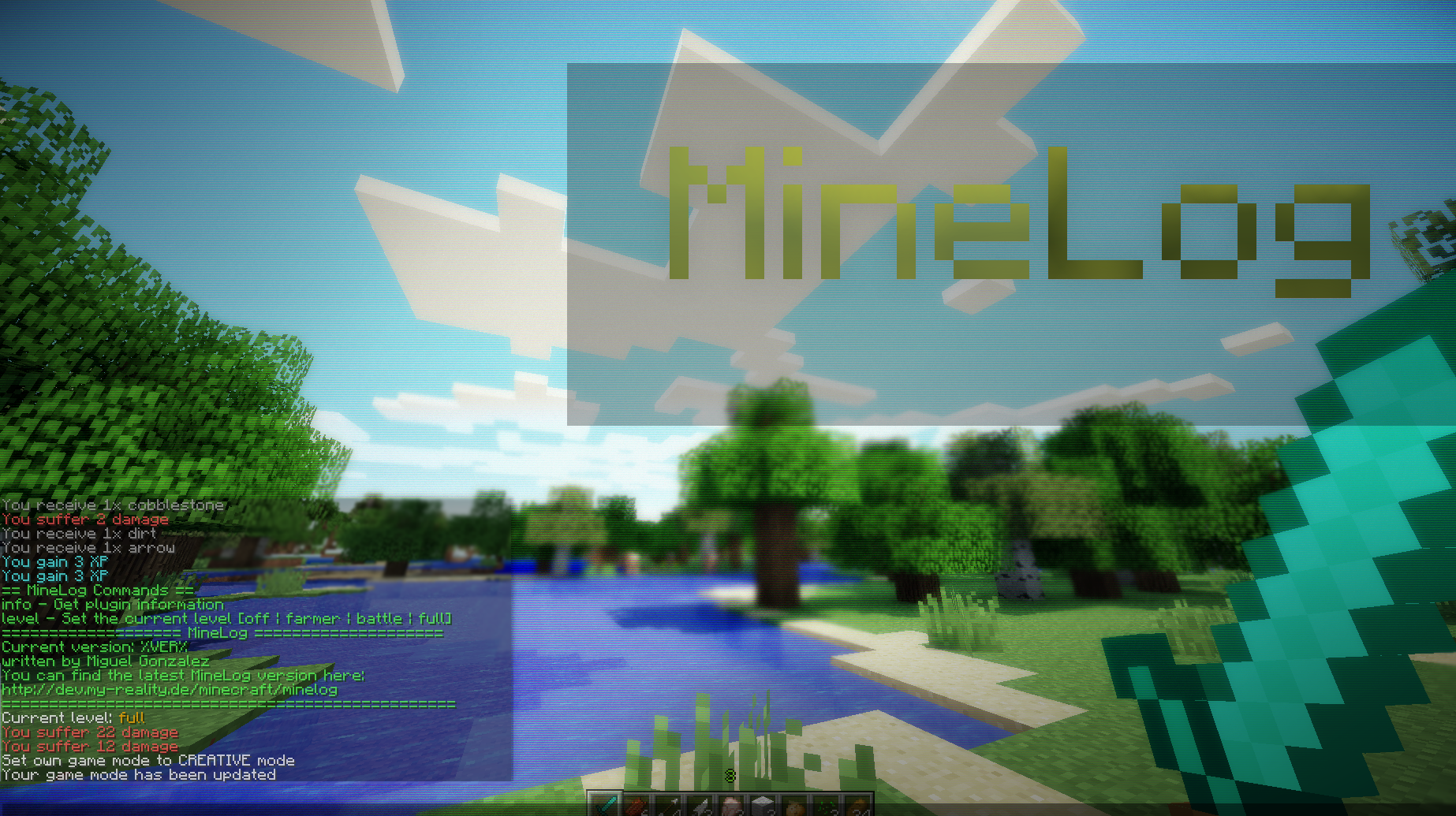
Screenshot of minelog.
Description

About this plugin
MineLog adds additional information to the chat box. Each time when you gain experience, pick up items or receive damage a message will appear (MMORPG like). Furthermore each player is able to configure the logging. There exist four modes:
- full: Shows all information
- farmer: Shows only farming relevant information
- battle: Shows only battle relevant information
- off: Hides all information for the current player
Commands
Level
The modes can be set by typing:
/minelog level [type]
Additionally you can call the help menu by simply typing:
/minelog
Message
You can set a welcome message by typing:
/minelog message [message]
To clear the message, just type:
/minelog message
Placeholder
Placeholder are part of the message command and can be used to refer to specific information. Each placeholder has a special notation like %PLACEHOLDER%. There is a list of supported placeholders:
- PLAYER: Displays the name of the current player
- BLACK: Makes the following text black
- DARK_BLUE: Makes the following text dark blue
- DARK_GREEN: Makes the following text dark green
- DARK_AQUA: Makes the following text dark aqua
- DARK_RED: Makes the following text dark red
- DARK_PURPLE: Makes the following text dark purple
- GOLD: Makes the following text gold
- GRAY: Makes the following text gray
- DARK_GRAY: Makes the following text dark gray
- BLUE: Makes the following text blue
- GREEN: Makes the following text green
- AQUA: Makes the following text aqua
- RED: Makes the following text red
- LIGHT_PURPLE: Makes the following text light purple
- YELLOW: Makes the following text yellow
- WHITE: Makes the following text white
- MAGIC: Makes the following text looking crazy
- BOLD: Makes the following text bold
- STRIKETHROUGH: Makes the following text strikethrough
- UNDERLINE: Underlines the following text
- ITALIC: Makes the following text italic
Example
Here is an example how placeholders work:
/minelog message %GOLD%Hello %GREEN%%PLAYER%, %GOLD%how are you? We've something special for you on %AQUA%this server
The result would be a colorized text: Hello Fred, how are you? We've something special for you on this server
Media
The MinecraftLog Team
