Spigot, Paper and Folia 1.21.11+ · Vanilla clients · No client mods · PlaceholderAPI Support
Make pages at mcgui.dev · Discord
What is it?
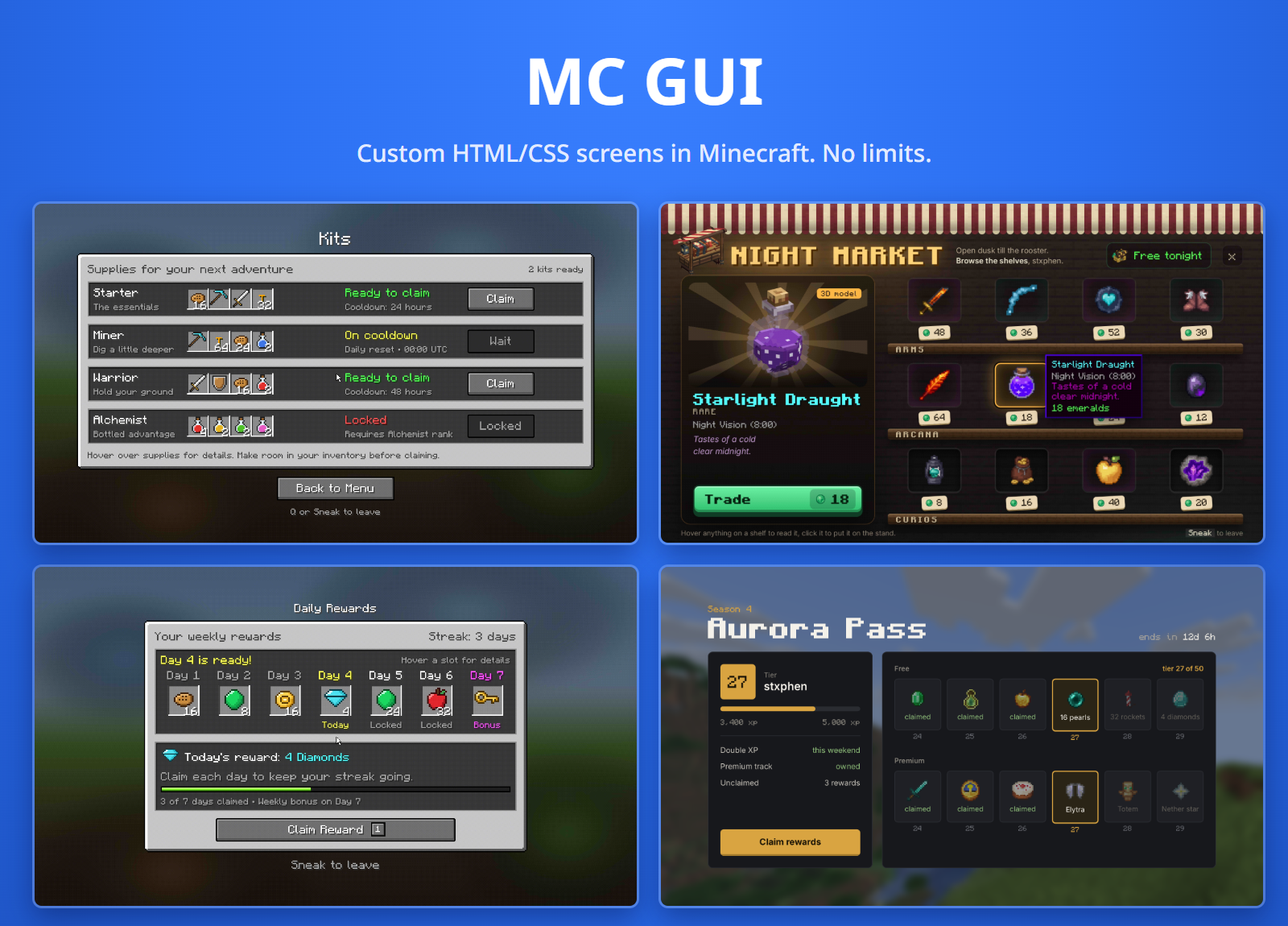
MC GUI shows real screens: write a page in HTML and CSS, drop it in plugins/MCGUI/pages/, and players see it fullscreen in front of them, with a mouse pointer they move with their own mouse, or on a wall of maps anybody can walk up to and click.
Edit the file and it changes in game within a second. Nothing to install on the client: the plugin builds a small resource pack and sends it itself.
What a page can do
- ✔ Fullscreen views. The player sits, their camera locks, their mouse moves a pointer, the attack and use keys click, the wheel scrolls, movement keys are keys and sneaking gets them up again, exactly where they stood.
- ✔ Wall screens.
/mcgui place shop turns the wall you look at into the page. Players point with their crosshair, click and scroll. Right-click to sit down at it fullscreen. - ✔ Real CSS. Flexbox, grid, tables, gradients, shadows, rounded corners, blur, transforms, transitions and animations, web fonts and your own images. MC GUI draws it with its own renderer, so there is no browser.
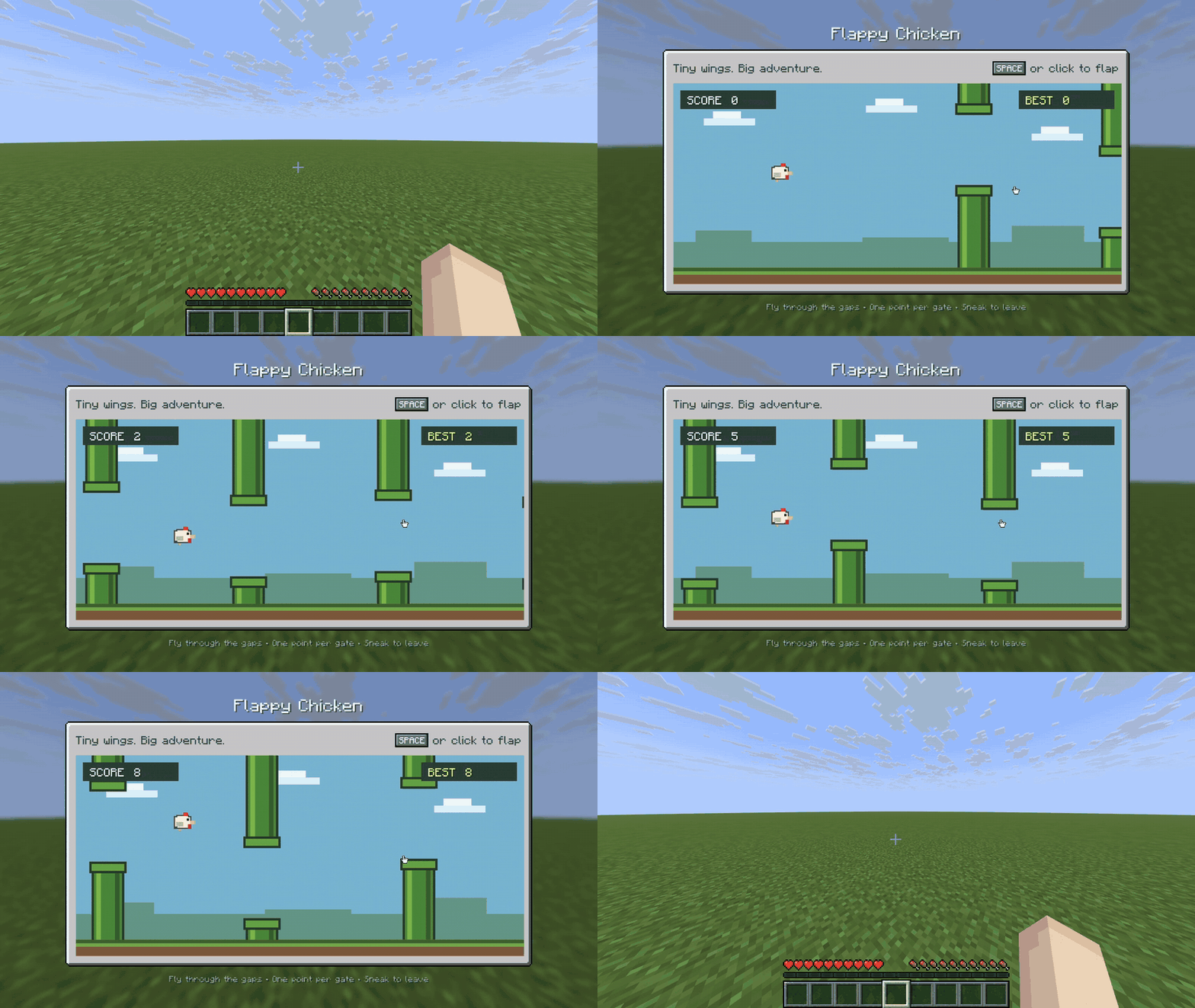
- ✔ Games in a page. A page's JavaScript draws on a
<canvas> with the player's keys and mouse, so Pong, a snake game or a reaction test is one HTML file. - ✔ Clicks that do things. Links between pages, commands as the player or the console, chat messages, sounds, and plugin events.
- ✔ Hover, tabs and toggles with plain CSS (
:hover, radio buttons, checkboxes, <details>), no scripts. - ✔ Placeholders like
{player}, and PlaceholderAPI's if you have it. - ✔ Full colour with the pack; dithered map colours for anybody who declines it.
- ✔ Overlays. A page can sit over the world instead of filling the screen, with the game still behind it.
Make pages without writing code
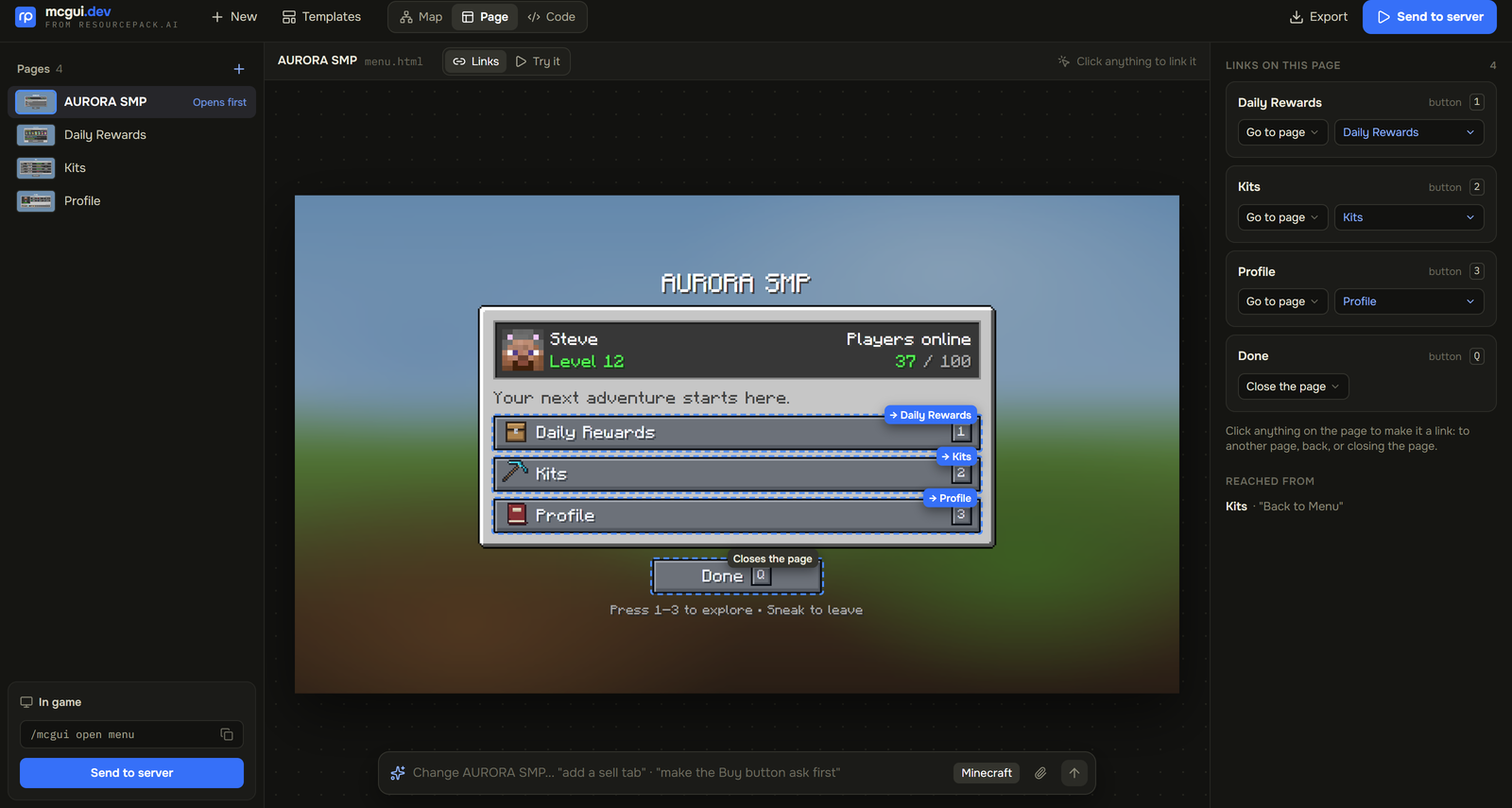
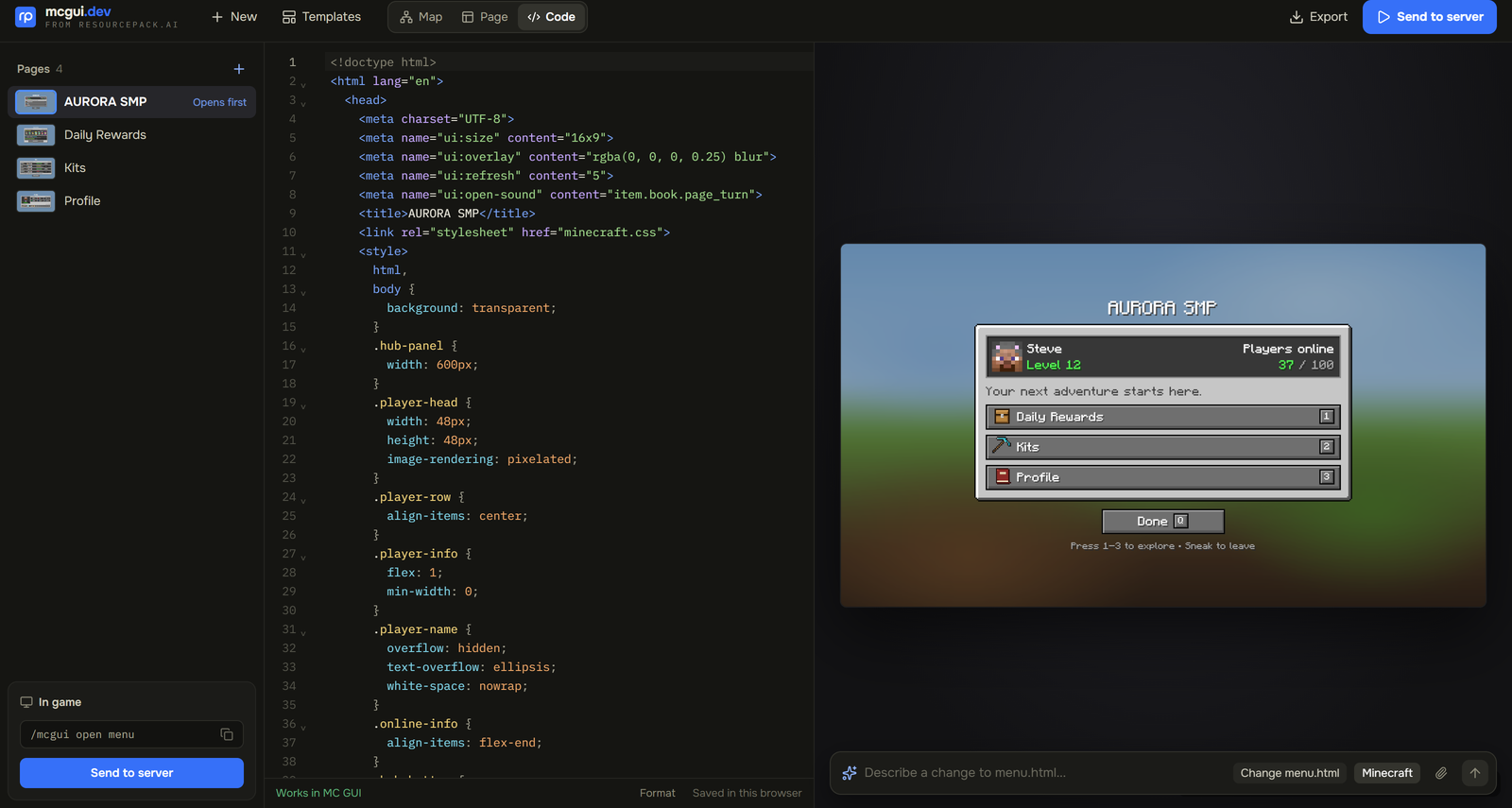
mcgui.dev is a free editor for these pages in your browser, no account needed. Start from a template (shops, menus, crates, leaderboards, rules), change it, see it as a player will, and press Send to server. Then run /mcgui import <code> and the pages are in your folder. Or write the HTML yourself, with the page drawn beside it as you type.
Commands
| Command | What it does | Permission |
|---|
| /mcgui open <page> [player] | Open a page fullscreen. Sneak to leave | mcgui.open |
| /mcgui close [player] | Close it | none for yourself |
| /mcgui place <page> [cols] [rows] [name] [shared] | Put a page on the wall you look at | mcgui.place |
| /mcgui remove [name] | Take a wall screen down | mcgui.remove |
| /mcgui list | Pages and placed screens | mcgui.list |
| /mcgui import <code> | Bring in pages made on mcgui.dev | mcgui.import |
| /mcgui reload | Read the config and every page again | mcgui.reload |
| /mcgui stats | What the plugin costs your server right now | mcgui.stats |
| /mcgui fov | Fit fullscreen pages to your own FOV | mcgui.fov |
| /mcgui pointer | Set your own pointer speed | mcgui.pointer |
| /mcgui pack | Send the resource pack to you again | mcgui.pack |
Every node is op-only by default, except mcgui.fov, mcgui.pointer and mcgui.pack, which only change things for the player using them and are given to all players by default; take them away in your permissions plugin if you like. mcgui.admin grants them all. /gui and /ui work too, unless you turn them off in config.yml.
For developers
Add depend: [MCGUI] to your plugin.yml, then open pages and answer their buttons:
<button data-event="buy" data-item="bread">Buy</button>
MCGUI.open(player, "shop");

@EventHandler
public void onClick(PageClickEvent e) {
    if ("buy".equals(e.getEvent())) shop.buy(e.getPlayer(), e.getAttribute("data-item"));
}
Installing
- Drop
MCGUI.jar into plugins/ on a Spigot, Paper or Folia 1.21.11 or newer server and start it. - A
pages/ folder appears with examples to try: /mcgui open market. - The resource pack is served from the server itself on port 25602. If players cannot reach that port, set
resource-pack.public-url in config.yml.
Support
Ask on Discord. Please don't post bugs in the reviews; we can't reply there, and we would rather fix it.
MC GUI is free software under the GPL-3.0 licence.
Made by ResourcePack AI
MC GUI is a free tool built by resourcepack.ai, a web editor for resource packs.