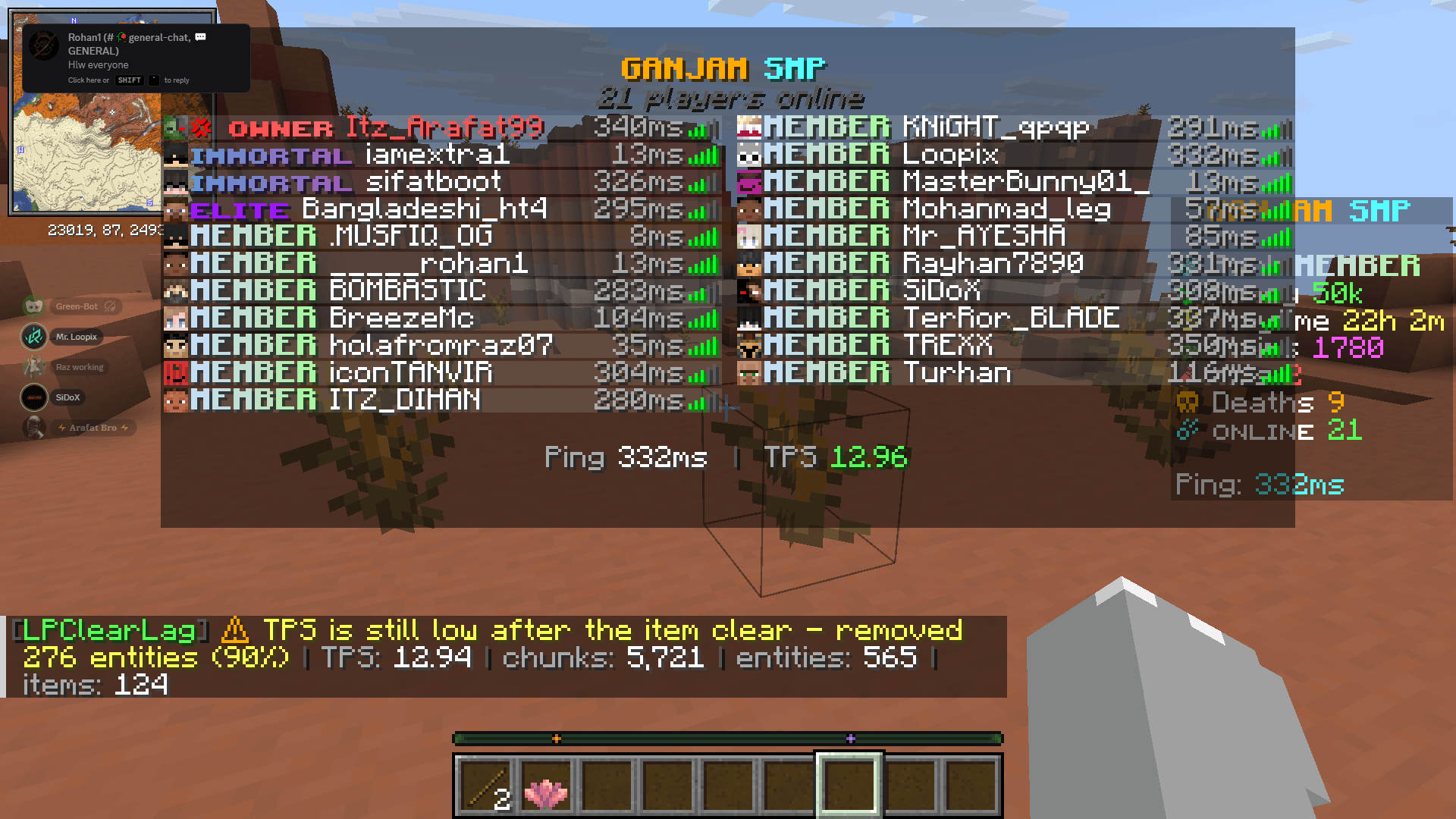
LPClearLag — Smart ClearLag & Automatic TPS Fixer
Keep your Minecraft server smooth, optimized, and under control.
LPClearLag is a lightweight, dependency-free ClearLag plugin designed for Paper servers. It automatically cleans up configurable ground items and mobs, monitors server performance, and applies intelligent lag-reduction measures when TPS drops or server resources become overloaded.
Built for Paper 1.21.x, LPClearLag combines scheduled cleanup, customizable protection rules, and an automatic performance monitor in one efficient plugin — without requiring PlaceholderAPI, Vault, or any other external dependencies.
Lightweight. Smart. Configurable. Built for your server.
✨ Features
-
Smart TPS Auto-Fix — Detects low TPS and automatically performs a two-stage cleanup to help reduce server lag.
-
Scheduled Cleanup — Automatically removes eligible ground items and entities at configurable intervals.
-
Advanced Item Protection — Protect diamonds, netherite, shulker boxes, and other valuable items using individual rules.
-
Percentage-Based Mob Clearing — Removes a configurable percentage of eligible mobs of each entity type instead of wiping every mob.
-
Chunk & Entity Monitoring — Detects excessive loaded chunks, entities, and dropped items.
-
1,655 Item Rules & 156 Entity Rules — Extensive per-item and per-entity configuration for Minecraft 1.21.x.
-
Automatic Rule Updates — Appends newly introduced items and entities after Minecraft updates when supported by the server version.
-
Zero Dependencies — No PlaceholderAPI, Vault, or additional plugins required.
-
Lightweight Design — Approximately 50 KB, with performance monitoring and cleanup handled by the plugin.
🧹 Scheduled Cleanup
Configure LPClearLag to clean your server automatically without requiring staff intervention.
-
Customizable cleanup interval (300 seconds by default).
-
Countdown warnings at 60, 30, 10, 5, 4, 3, 2, and 1 second.
-
Independently enable or disable item and entity cleanup.
-
Configure the percentage of eligible entities to remove.
-
Optional cleanup sound effects.
-
Optional notification when there is nothing to clean up.
Example:
[LPClearLag] ⏳ Server cleanup in 10s...
[LPClearLag] ⏳ Server cleanup in 5s...
[LPClearLag] ✔ Removed 128 ground items and 43 entities (6ms)
Example output; actual cleanup counts and execution time depend on your server.
🛡️ Intelligent Protection System
LPClearLag is designed to reduce unnecessary entity buildup while protecting important items and entities.
By default, its protection system can preserve:
-
Valuable items according to individual item rules.
-
Named items and named mobs.
-
Tamed pets and leashed mobs.
-
Bosses, including the Ender Dragon and Wither.
-
Entities carrying inventories, such as chest boats and hopper minecarts.
-
Entities with passengers.
-
Items dropped within the configured protection period.
-
Entities in excluded worlds.
-
Entities with protected scoreboard tags, such as keep and no_clear.
You can customize these protections in config.yml to suit your server.
🧠 Smart Performance Monitor
The built-in monitor checks server performance every 5 seconds by default and can automatically respond to configured overload conditions.
Two-stage TPS auto-fix
-
Stage 1 — Item cleanup: When TPS remains below the configured threshold, LPClearLag clears eligible ground items.
-
Stage 2 — Entity cleanup: After a configurable recheck delay, if TPS is still low, it removes a configured percentage of eligible entities.
A cooldown helps prevent repeated cleanup cycles, while admin notifications report automatic fixes.
Automatic overload detection
| Monitor |
Default threshold |
| Minimum TPS |
18.0 |
| Loaded chunks |
4,000 |
| Loaded entities |
2,500 |
| Ground items |
4,000 |
| Monitor interval |
5 seconds |
| Auto-fix cooldown |
60 seconds |
All thresholds, consecutive-check requirements, cleanup percentages, and cooldowns can be configured or disabled.
Note: Automatic cleanup can help reduce entity-related lag, but it cannot eliminate every cause of low TPS. CPU limitations, redstone clocks, farms, plugins, and chunk generation may require separate optimization.
⏱️ Smart Item Age Protection
Some entities in loaded chunks may not receive regular ticks, making tick-based age checks unreliable.
LPClearLag also tracks the real-world time when an item is first observed. This allows age protection to work even when the item's Minecraft tick count is not advancing normally.
By default, newly dropped items are protected for 3 seconds before they become eligible for cleanup.
⚙️ Per-Item & Per-Entity Rules
Choose exactly which item and entity types LPClearLag is allowed to remove.
Example configuration:
items:
  DIAMOND: false
  ROTTEN_FLESH: true

entities:
  VILLAGER: false
  ZOMBIE: true
You can also change individual rules directly in-game without manually editing the configuration.
/clearlag toggle item diamond_sword
/clearlag toggle entity zombie
When settings.auto-update-lists is enabled, LPClearLag can append missing item and entity entries after Minecraft version updates while preserving existing configuration comments and formatting.
⌨️ Commands
| Command |
Description |
/clearlag status |
View TPS, MSPT, chunks, entities, items, memory, and next cleanup |
/clearlag now |
Immediately clean eligible items and entities |
/clearlag now items |
Clean ground items |
/clearlag now entities |
Clean eligible entities |
/clearlag items |
Clean ground items only |
/clearlag entities [percentage] |
Clean entities using the specified percentage |
/clearlag toggle item <name> |
Toggle an item rule |
/clearlag toggle entity <name> |
Toggle an entity rule |
/clearlag reload |
Reload the configuration |
/clearlag help |
Display available commands |
Aliases: /clag, /lagclear, /clear-lag, /cleanlag
🔑 Permissions
| Permission |
Default |
Description |
lpclearlag.command |
Everyone |
Access status and help |
lpclearlag.clear |
Operators |
Run manual cleanup commands |
lpclearlag.toggle |
Operators |
Change item and entity rules |
lpclearlag.reload |
Operators |
Reload the configuration |
lpclearlag.notify |
Operators |
Receive automatic monitor alerts |
lpclearlag.admin |
Operators |
Access all LPClearLag permissions |
🔧 Configuration
The complete config.yml is generated automatically on the first server startup.
Main configuration sections:
-
settings — Plugin prefix and automatic rule-list updates.
-
clear — Scheduled cleanup, countdowns, sounds, and removal percentages.
-
protections — Protected items and entities, excluded worlds, scoreboard tags, and age protection.
-
monitor — TPS monitoring, overload thresholds, automatic cleanup stages, notifications, and cooldowns.
Example:
clear:
  enabled: true
  interval-seconds: 300
  warning-seconds: [60, 30, 10, 5, 4, 3, 2, 1]
  clear-items: true
  clear-entities: true
  entity-remove-percentage: 70
  protect-drops-younger-than-seconds: 3

monitor:
  enabled: true
  check-interval-seconds: 5
  notify-admins: true
  broadcast-auto-fix: false
  tps:
    enabled: true
    min-tps: 18.0
    consecutive-checks: 2
    auto-clear-items: true
    auto-clear-entities: true
    entity-remove-percentage: 90
    recheck-delay-seconds: 15
    cooldown-seconds: 60
See the generated configuration file for all available options.
📦 Installation
-
Download the LPClearLag JAR.
-
Stop your Minecraft server.
-
Place LPClearLag-1.0.0.jar in your server's plugins/ folder.
-
Start the server.
-
Edit plugins/LPClearLag/config.yml if needed.
-
Apply your changes using /clearlag reload.
✅ Requirements
| Requirement |
Details |
| Server software |
Paper |
| Tested Minecraft version |
1.21.x |
| Java |
21+ |
| Dependencies |
None |
Designed for Paper 1.21.11. Compatibility with other Minecraft 1.21.x builds depends on the server API and should be verified before deployment.
🧪 Testing
LPClearLag has been tested on a live Paper 1.21.11 build 132 server.
Reported smoke tests include:
-
Chunk, entity, and ground-item counting.
-
Percentage-based entity removal.
-
Named-entity and scoreboard-tag protections.
-
Item age protection and cleanup counts.
-
Individual item rules and rule-toggle behavior.
-
Configuration integrity after edits.
-
Two-stage TPS auto-fix and monitor notifications.
The reported test results include 14/14 smoke-test assertions and 4/4 monitor assertions.
❓ Frequently Asked Questions
Will LPClearLag delete valuable player items?
Valuable items configured with false are protected from cleanup. Newly dropped items are also protected for the configured grace period, and named items are protected when that setting is enabled. Review your item rules before enabling cleanup on a live server.
Does it remove every mob?
No. Entity removal is percentage-based per entity type. With the default 70% setting, LPClearLag attempts to remove 70% of eligible entities of each type, leaving approximately 30% of those eligible entities. Protected entities are excluded.
Does it remove items in unloaded chunks?
No. LPClearLag operates on entities it can access in loaded chunks. Items stored in unloaded chunks remain untouched.
Will it automatically fix every TPS problem?
No plugin can guarantee that. LPClearLag can help reduce lag caused by excessive ground items and eligible entities, but other causes may require additional investigation.
Will automatic fixes be announced to all players?
Not by default. Monitor alerts are intended for administrators. Set monitor.broadcast-auto-fix: true to broadcast automatic-fix messages to everyone.
Does it require PlaceholderAPI or Vault?
No. LPClearLag is dependency-free and does not require either plugin.
💚 Support LPClearLag
LPClearLag is free and dependency-free, built to make Minecraft server cleanup and performance management easier.
If LPClearLag helps your server, consider leaving a rating and comment on CurseForge. Your feedback helps improve future updates!
LPClearLag — Clean smarter. Monitor automatically. Keep your server running smoothly.