Lock Chest
- By
Lock your players chests, beacons, furnaces, beds, anvils and other containers even doors with just a sign.
Description
Description:
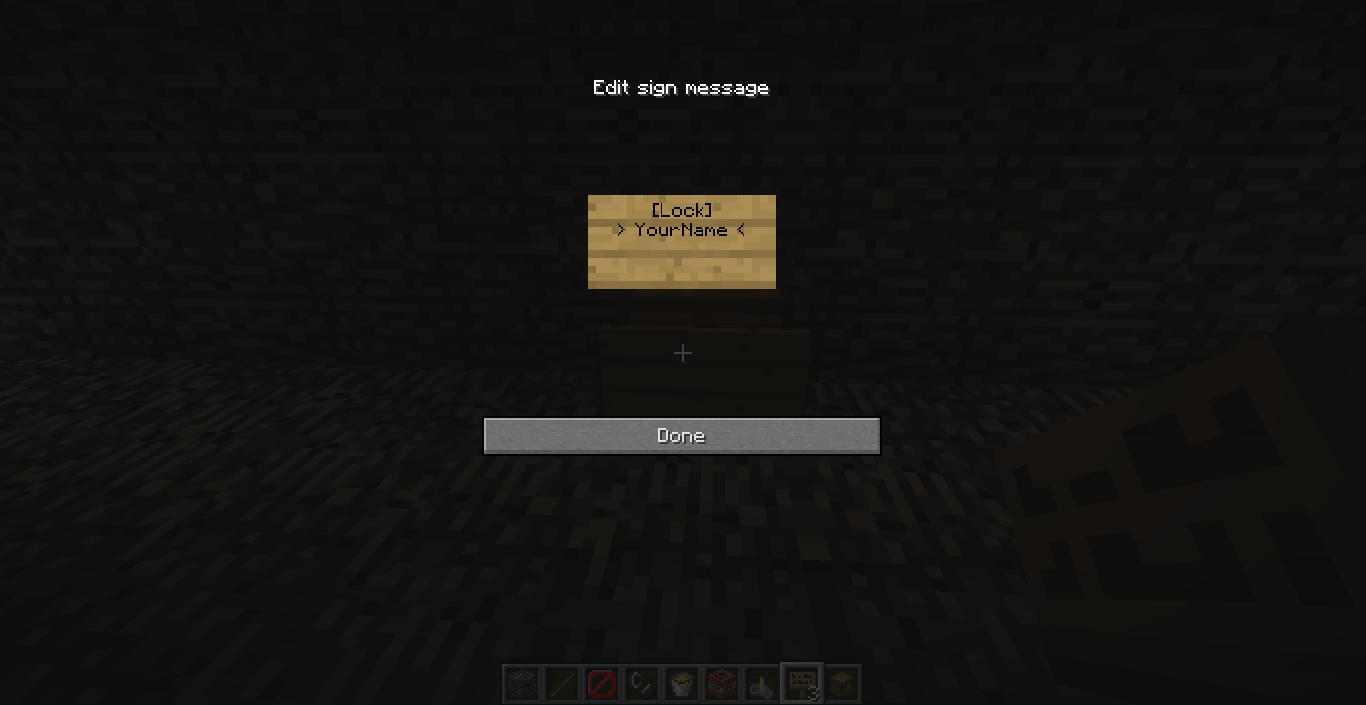
This plugin allows you to lock your players' containers easily with a simple sign by writing the lock tag on the top of it.
You can also Block players from opening containers using the block tag.
And you can modify signs with a command.
Added doors protection for bukkit version 1.9 and up from Lock Chest v 1.2 and up.
Now beds can be protected from Lock Chest v 1.4.
Hoppers can be protected from version 1.5
Please leave suggestions or bugs in the comment section below.
Commands:
/lockchest version : Display informations about Lock Chest.
aliases: /lc
/lockchest help : Display help menu.
aliases: /lc
/lockchest edit <line number> [New Text] : Edit marked signs.
aliases: /lc
Permissions:
- LockChest.user.lock.chest: Allow to lock chests.
- LockChest.user.block.chest: Allow to block chests.
- LockChest.user.lock.hopper: Allow to lock hoppers.
- LockChest.user.block.hopper: Allow to block hoppers.
- LockChest.user.lock.furnace: Allow to lock furnaces.
- LockChest.user.block.furnace: Allow to block furnaces.
- LockChest.user.lock.beacon: Allow to lock beacons.
- LockChest.user.block.beacon: Allow to block beacons.
- LockChest.user.lock.jukebox: Allow to lock jukeboxes.
- LockChest.user.block.jukebox: Allow to block jukeboxes.
- LockChest.user.lock.anvil: Allow to lock anvils.
- LockChest.user.block.anvil: Allow to block anvils.
- LockChest.user.lock.door: Allow to lock doors.
- LockChest.user.block.door: Allow to block doors.
- LockChest.user.lock.bed: Allow to lock beds.
- LockChest.user.block.bed: Allow to block beds.
- LockChest.user.lock.*: Gives all lock permissions.
- LockChest.user.block.*: Gives all block permissions.
- LockChest.user.editsign: Allow user to edit his signs.
- LockChest.user.*: Gives the permissions a normal user would normaly need!
- LockChest.admin.editother: Allow to edit other people signs.
- LockChest.admin.break: Allow to break other people containers and signs.
- LockChest.admin.bypass: Allow to use the doors locked by other users
- LockChest.admin.add: Allow to add chests or doors to already protected ones.
- LockChest.admin.version: Allow to use the version command.
- LockChest.admin.snoop: Allow to open another player's container, and blocked containers.
- LockChest.admin.tell: Tell the player if he is online that someone opened his container.
- LockChest.admin.lockother: Allow to lock containers to other players.
- LockChest.admin.help: Allow to use help command.
- LockChest.admin.*: Gives all admin permissions.
- LockChest.*: Gives all the plugin permissions.
Installation:
Put the Lock Chest file in the plugin folder and restart your server.
The Lock Chest Team