Hello everybody,
Deep from within the labs of Triook, A.K.A. The Place where kyle0440 & CainFool Spend all night (and part of the morning) awake and making plugins,
We present to you our newest creation, IPChange!
Have you ever wanted a smooth transition in changing ports, domains, or IP addresses for your Minecraft server? Well now there's a solution!
What this plugin does
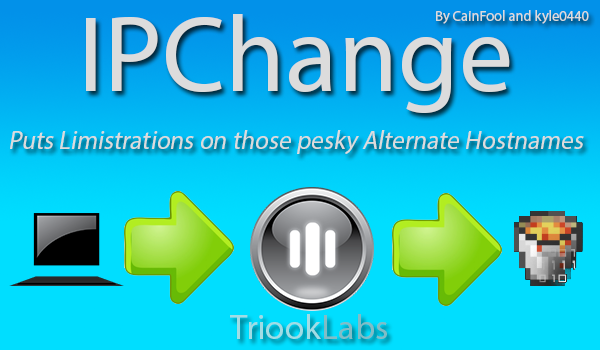
The function of this plugin is to inform players in multiple ways that they need to use a new IP Address/Hostname/Port to connect to the server. This information can be delivered to the player via either an in-game message (with a customizable after-join delay) or an automagical kick with customizable message (both with color code support!)
Configuration
settings:
current-ip: Put the IP that people should be connecting to, such as mc.triook.com. All other requests will be met with the options you specify below.
current-port: Specify the port that people should be using to connect to your server. Minecraft default is 25565.
kick-message: Specify the kick message that players will get if they try to connect with the wrong hostname/port when kick-enable is set to true. Color support! (BE SURE TO USE 'APOSTROPHES' AROUND THE MESSAGE)
kick-enable: true or false. If set to true, players connecting using an incorrect Hostname/IP/Port will be kicked using the above message.
message-enable: true or false. If set to true, and kick-message is set to false, when people join the server with the incorrect Hostname/IP/Port they will get the message specified below after the message-delay time has passed.
message: Put the message you want to be sent to people when they join if message-enable is set to true. Color support! (BE SURE TO USE 'APOSTROPHES' AROUND THE MESSAGE)
message-delay: The time in seconds to wait after a join from an incorrect hostname before sending the above message.
debug: true or false. If set to true, console will get messages about which hostname people are using to join, and which one they should be using.
COMMANDS & PERMISSIONS
There are none, it is all done through the configuration file!
PLANNED FEATURES (WILL IMPLEMENT WITHIN OUR LIMISTRATIONS!)
- Logging to an independent txt file (For hostname usage, analytic purposes)
- Hostname whitelist, for custom hostnames being used for security purposes (A WorldGuard Feature)
- User Whitelist
COMING IN 1.3
- An Update to the AutoUpdater :P
PROBLEMS? FOR FASTER RESPONSE, CREATE A TICKET!
-
-
-
-
OTHER PLUGINS FROM TRIOOK LABS / CAINFOOL / KYLE0440 ON BUKKITDEV