


Skyowallet
- 10.8K
- Bukkit Plugins
Skyowallet is a lightweight economy which supports Vault and MySQL.
- 10.8K
- February 19, 2019



Skyowallet
- 10.8K
- Bukkit Plugins
Skyowallet is a lightweight economy which supports Vault and MySQL.
- 10.8K
- February 19, 2019


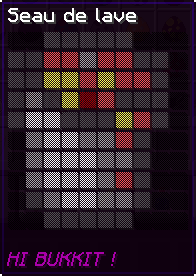
Screenshot #2.
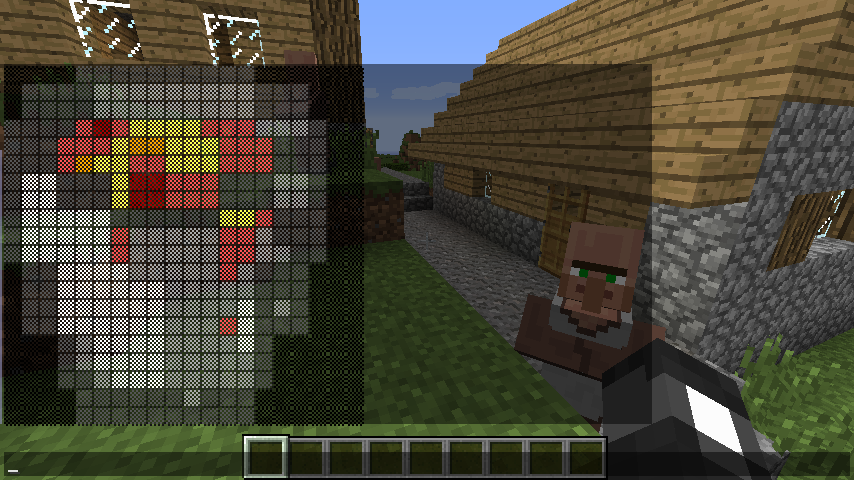
Screenshot #1.
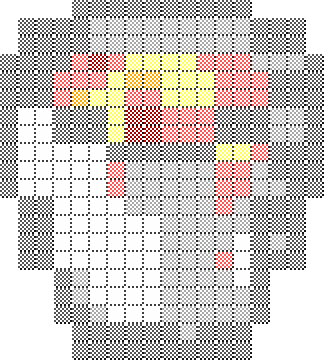
The default image of this project.

The logo of IMGSender.

With this little plugin, players can send images in the chat with a cache system !
If you love this plugin, you will enjoy this one :D
Thanks to bobacadodl !
/img [url] [size] [char] [text] [player].
[url] - OPTIONAL - The url of the image. Default : Config.Default.URL.
[size] - OPTIONAL - The size of the image. Default : Config.Default.Size.
[char] - OPTIONAL - The char of the image. Can be 'LETTER', 'BLOCK', 'SMALL_BLOCK', 'TRIGRAM', 'DOTTED_SQUARE', 'DIAGONAL', 'DARK_SHADE', 'MEDIUM_SHADE' or 'LIGHT_SHADE' at the moment. Default : Config.Default.Char.
[text] - OPTIONAL - Add a text near to the image. Please end your sentence by a point ! Support colors (Exemple : "&1Skyost is the best !"). Warning ! Do not enter a 'too big' size, otherwise, the text will not appear ! Default : Nothing.
[player] - OPTIONAL - The player who receive the image. Default : All players on the server.
/img-item [url] [size] [char] [text].
[url] - OPTIONAL - The url of the image. Default : Config.Default.URL.
[size] - OPTIONAL - The size of the image. Please note that items limit the size of their lore at 30. Default : Config.Default.Size.
[char] - OPTIONAL - The char of the image (see below). Default : Config.Default.Char.
[text] - OPTIONAL - Add a text at the under the image. Default : Nothing.
img.broadcast.send - Allows you to broadcast an image.
img.broadcast.receive - Allows you to receive a broadcasted image.
img.private.send - Allows you to send an image to a single player.
img.private.receive - Allows you to receive an image sent privately.
img.item - Allows you to apply an image to an item.
Please stop your server before editing the configuration !
Config - In this part you can configure how the plugin works.
RescaleOp - In this part you can retouch the image before boradcasting it. Enter "0" to disable it.
Default - In this part you can configure default values.
ImageSize - In this part you can configure image sizes data.
Cache - In this part you can configure the cache.
An example for /img is available here and an example for /img-item is available here.
This plugin utilizes Hidendra's plugin metrics system, which means that the following information is collected and sent to mcstats.org :
This plugin uses the Skyupdater too which means that the following may occur :
I hate comments like this :
Quote from plantj0:What a useless and bad plugin. Whenever i edit something in the config file it just changes it back.
So please read the documentation and this before posting a comment.
If you want to make a bug report or you want a new feature please use the ticket tracker here.
Development cost time and time is the money of the life. Please feel free to donate.




Skyowallet is a lightweight economy which supports Vault and MySQL.
Skyowallet is a lightweight economy which supports Vault and MySQL.