


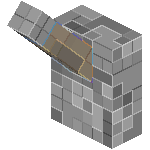
Lever
Description
Ugly buttons, pressure plates, or levers making your secret passages obvious? Need a way to make your hidden rooms really hidden? Then this is the plugin for you...
HiddenSwitch adds a number of options for hiding buttons and levers, and can be set up using signs or commands. Switches can be hidden behind, above, or below a specific 'switch' block that can be made of any material. Hit your switch block and activate your hidden switch. Simple right?
Features
Sign based hidden switches
- Sign tags (or headers) can be set in the config to anything you want (that will fit on a sign of course)
- Signs can be set by the creating player to only function for them or any single player they choose
- Signs can be set by the creating player to only function if the activating player is holding a specific item
Command Based Hidden Switches
- No signs required
- Users can set a block to be a hidden switch simply by pointing at the block they want to use and using a simple command.
- Command Based Hidden Switches (KeyBlocks) can be locked by user or held item just like sign based blocks.
Permissions
- Groups for easy setup
- Individual permissions to control access to almost every individual feature for more advanced setups
Demonstrations
YouTube Video: Basic Feature Demo (v0.0.8+):
YouTube Video: Short Command Demo (v0.0.8)
YouTube Video: Basic Sign Use (v0.0.2)
YouTube Video: Basic Sign Feature Demo (v0.0.1)
Links

Default config.yml
 HiddenSwitch on Github
Suggestions & Issues
Need help?
Found a bug?
Have a feature request?
Create a ticket! ;)
The HiddenSwitch Team

