GuiShop
GuiShop is a modern and user-friendly player shop plugin designed to make buying and selling items simple, visual, and intuitive.
Instead of relying on complicated commands, players can create and manage their own shops directly through an interactive GUI system.
GuiShop is designed for modern Minecraft servers and works with both Java Edition and Bedrock Edition players through Geyser/Floodgate.
Main Features
- Easy player-created shops
- Simple GUI-based buying and selling
- Support for different item quantities
- Custom shop prices
- Automatic stock management
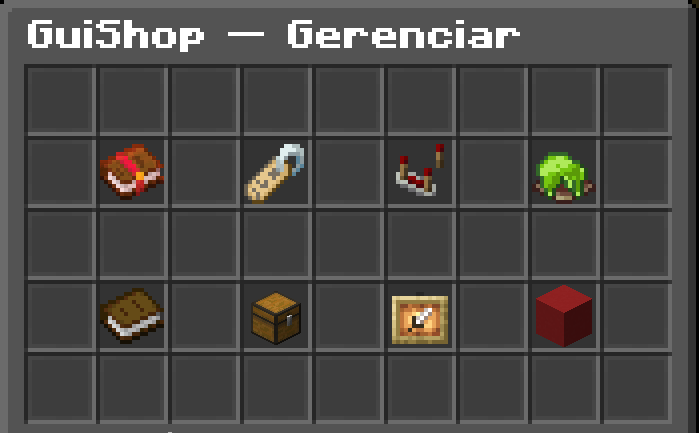
- Shop owner management menu
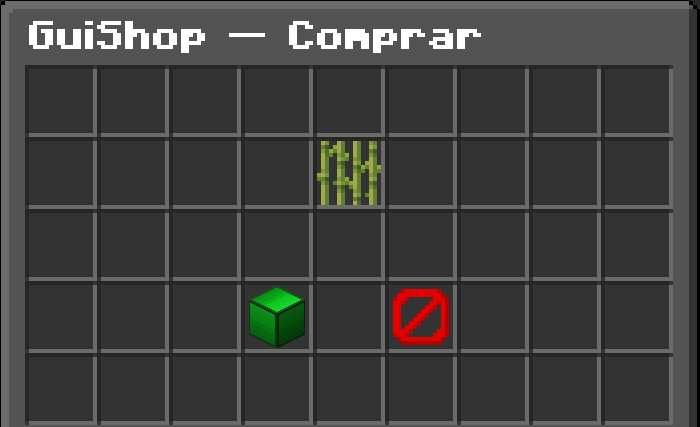
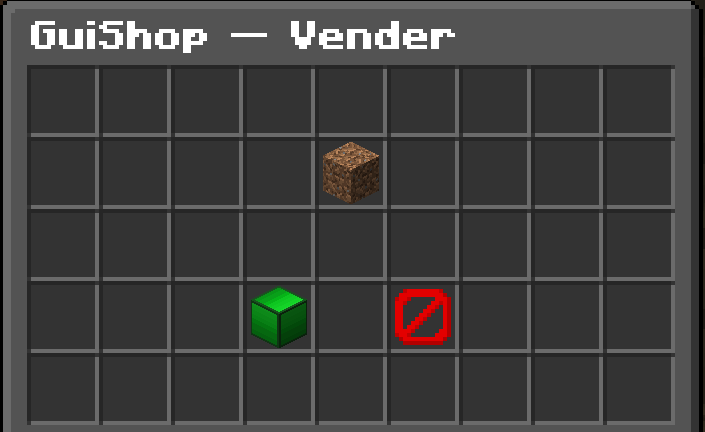
- Buy and sell confirmation interface
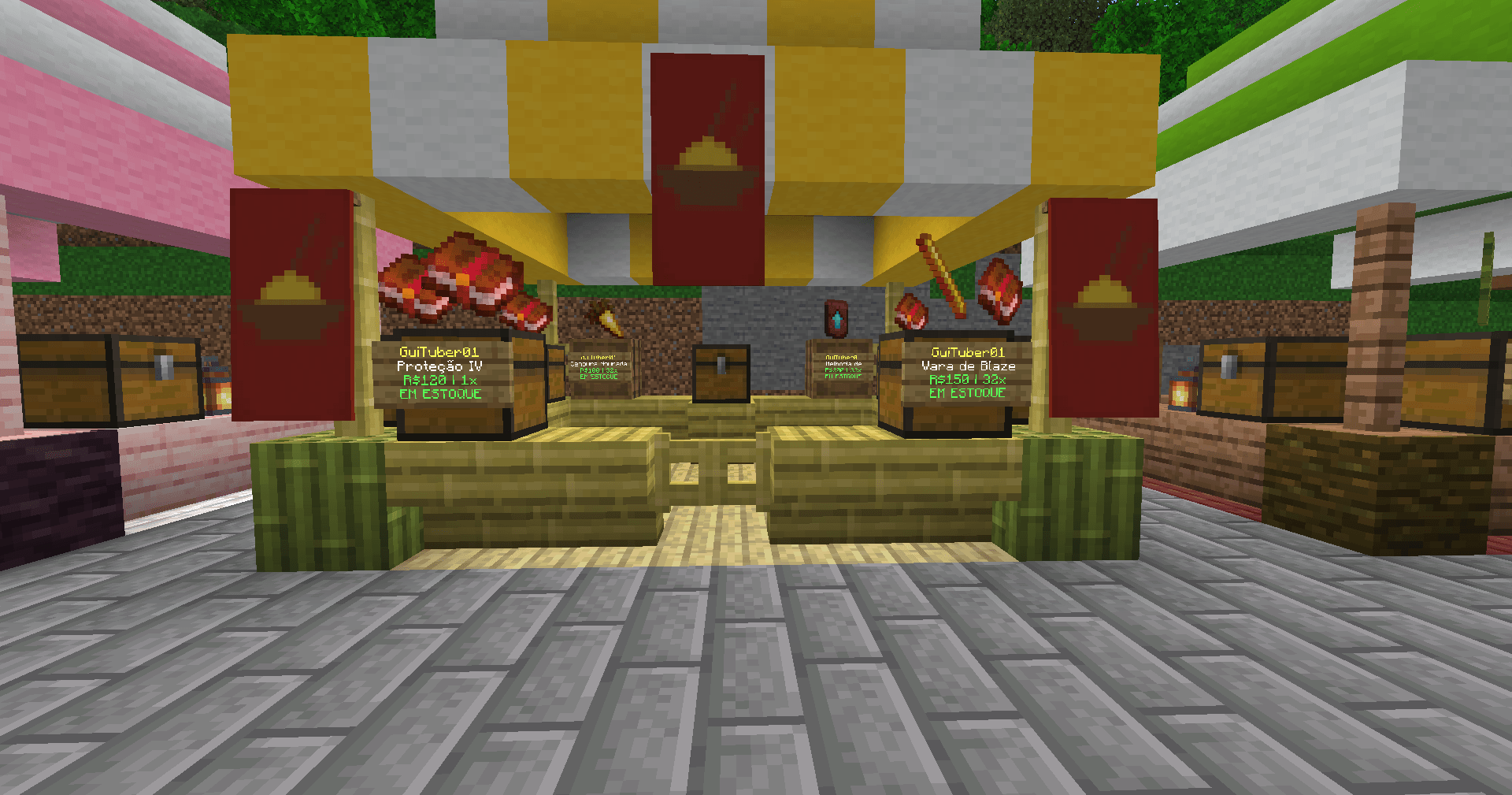
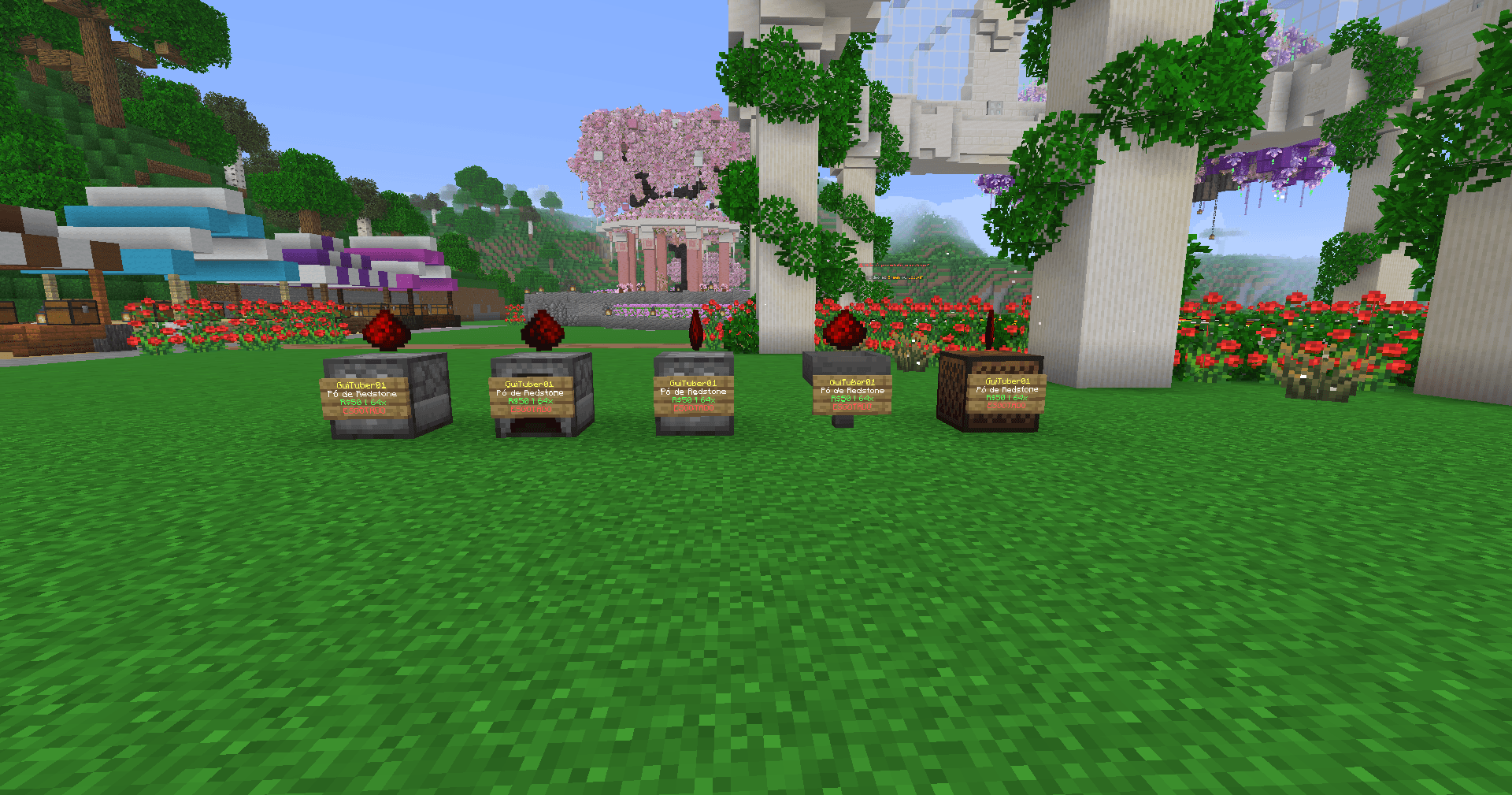
- Floating item display above shops
- Automatic shop signs
- Shop status display
- Purchase and sales history
- Shop activation and pause system
- Easy shop restocking
- Shop deletion system
- Java and Bedrock compatibility
- Geyser and Floodgate friendly
- Administrator commands
- Multi-language support
- Configurable shop settings
Creating a Shop
Creating a shop is simple.
Place a supported storage block, hold the item you want to sell, sneak, and interact with the block.
The amount of items held in your hand determines the quantity used by the shop, allowing players to create shops selling quantities such as:
- 1 item
- 16 items
- 32 items
- 64 items
Players can then configure the price and manage the shop through the graphical interface.
Supported Shop Blocks
GuiShop supports multiple blocks that can be used as player shops, including:
- Chests
- Barrels
- Furnaces
- Blast Furnaces
- Smokers
- Brewing Stands
- Hoppers
- Dispensers
- Droppers
Server administrators can also control available shop blocks through the configuration.
Visual Shop System
Every shop can display the item being sold above the shop.
The floating item:
- Rotates automatically
- Cannot be collected
- Has no interaction hitbox
- Cannot be pushed
- Automatically returns after server restarts
This makes shops easy to recognize while keeping the server environment clean and organized.
Shop Signs
GuiShop automatically displays useful shop information, including:
- Shop owner
- Item quantity
- Price
- Stock availability
The shop status automatically changes when the shop is:
- Available
- Out of stock
- Paused
Shop Management
Shop owners have access to a dedicated management interface where they can:
- Change the shop price
- Pause or activate the shop
- Restock items
- View transaction history
- Configure item or sign displays
- Delete the shop
- Check the current stock
Everything can be managed directly through the GUI without requiring complicated commands.
Buying and Selling
GuiShop provides a clean confirmation interface.
When buying or selling, players can clearly see the item involved in the transaction before confirming.
The interface uses simple controls:
- Emerald Block - Confirm the purchase or sale
- Barrier - Cancel the transaction
- Item Preview - Shows the item being bought or sold
This keeps transactions simple and prevents accidental purchases.
Economy Integration
GuiShop handles transactions automatically.
When a player buys an item:
- Money is removed from the buyer
- Money is added to the shop owner
- The item is delivered to the buyer
- The shop stock is updated automatically
When selling is enabled, the same system works in reverse.
Stock Management
Shop inventory is automatically tracked.
When a shop runs out of items, it is automatically marked as out of stock.
The shop owner can easily restock it through the management interface.
Java & Bedrock Support
GuiShop is designed to provide a smooth experience for both Java and Bedrock players.
It supports servers using:
- Paper
- Geyser
- Floodgate
The interfaces and interactions are designed to remain easy to use on both PC and mobile devices.
Administration
GuiShop includes administrative commands for managing and maintaining the plugin.
Available systems include:
- Plugin information
- Version information
- Help menu
- Plugin reload
- Administrative item and shop tools
- Configuration management
Command information is displayed in an organized and easy-to-understand format.
Customization
Server owners can customize GuiShop through configuration files.
Depending on the server setup, administrators can configure:
- Shop behavior
- Allowed shop blocks
- Blacklisted blocks
- Messages
- Languages
- Display options
- Shop settings
Why GuiShop?
GuiShop was created to provide a cleaner and more modern alternative to traditional command-based player shops.
It combines:
- Easy shop creation
- Interactive menus
- Visual item displays
- Automatic stock management
- Simple transactions
- Cross-platform compatibility
Whether you are running a survival server, SMP, economy server, or a Java/Bedrock crossplay community, GuiShop provides a simple and powerful way for players to create their own marketplace.
Version: 1.0.0
Creator: GUI TUBER
© 2026 GUI TUBER - All Rights Reserved