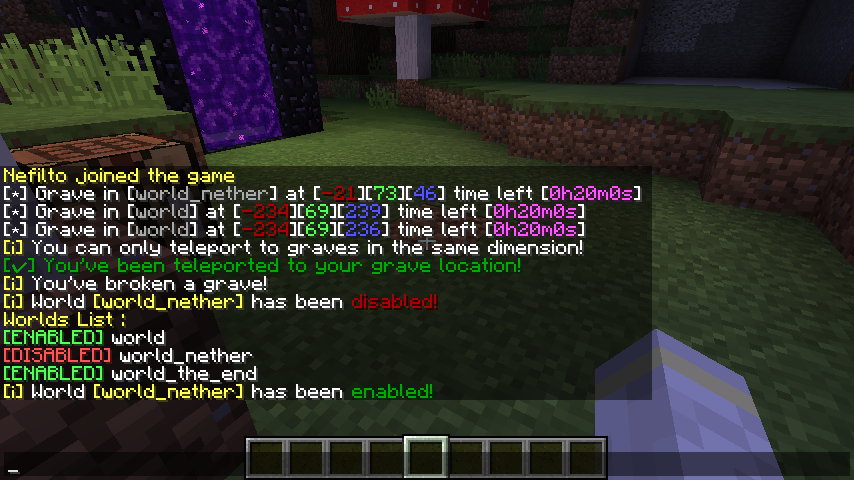
Custom messages, can be customized in the lang.yml file
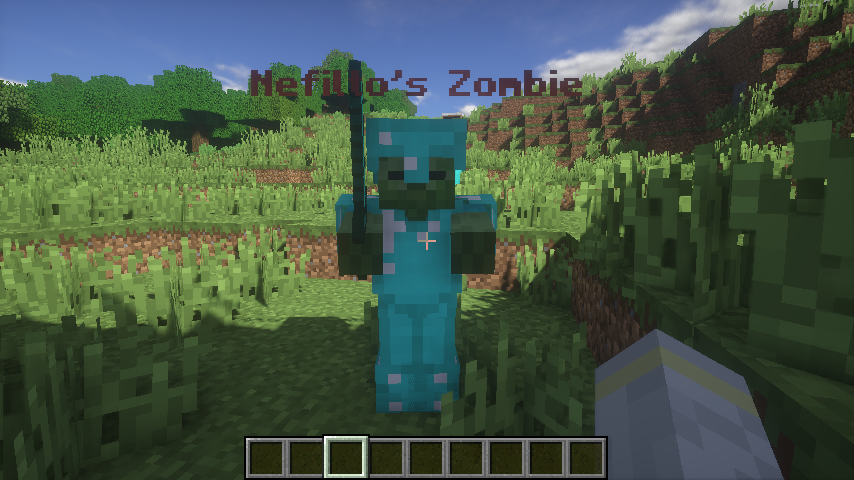
You can make a zombie spawn when a player break the grave
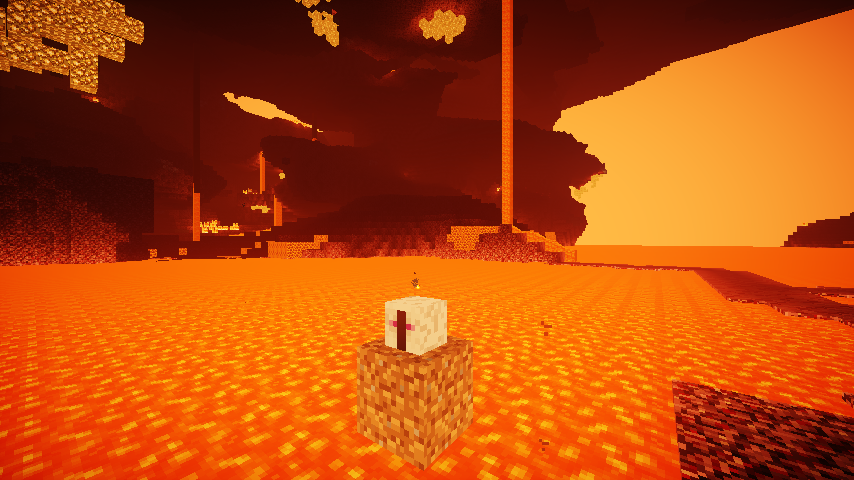
If you die in lave the grave will spawn in first Air block that it find above the lava
Description

Gravy make it easy to recover you items after death, by spawning a grave at the player location, the items will drop by breaking the skull. The grave is protected against any kind of explosion and pistons, you have some useful commands at you disposition to display your graves locations and teleport to them, this plugin also include permissions to control how and who can break and use the graves.

There is no dependencies at the moment.

- A grave will spawn on player death only if his inventory is not empty.
- Only players with the Permission [gravy.break] can break your grave.
- Players with the Permission [gravy.break] can't break a player's grave with the Permission [gravy.protected] if he's Online.
- You can recover your Items By breaking the skull.
- When you break your grave if spawn_zombie_on_owner_break is set to true a Zombie will spawn.
- When you break a grave you don't own and if spawn_zombie_on_not_owner_break is set to true a Zombie will spawn.
- If you die in lava or water you grave will spawn in the first Air blocks it finds above the location of your death.
- Player with the Permission [gravy.info] can see the grave information by right clicking the skull.
- Using /gravy recover will teleport you to your grave location, the grave must be in the same dimension for example you can't teleport to a grave in the nether if you're in the overworld.
- You can disable or enable graves in a world using /gravy disable <world_name> or /gravy enable <world_name>
- You can list all the world on a server using /gravy worlds.
- You can enable the use of gravy tokens in the config, when enabled player will need to have a gravy token in their inventory in order for a grave to spawn when they die.
- You can limit the use of the token to just a selected player by using [gravy.token.use].
- The craft of the token can be enabled in the config, you can change the recipe in the config, you can limit the craft to a selected players by using [gravy.token.craft].
- You can enable the drop of the token from a mob in the config, the mob type can be changed, and you can limit the drop to a selected player by using [gravy.token.drop].
- If you have the permission [gravy.token.give] you can give yourself or other player the token.

There is no dependencies at the moment.
- A grave will spawn on player death only if his inventory is not empty.
- Only players with the Permission [gravy.break] can break your grave.
- Players with the Permission [gravy.break] can't break a player's grave with the Permission [gravy.protected] if he's Online.
- You can recover your Items By breaking the skull.
- When you break your grave if spawn_zombie_on_owner_break is set to true a Zombie will spawn.
- When you break a grave you don't own and if spawn_zombie_on_not_owner_break is set to true a Zombie will spawn.
- If you die in lava or water you grave will spawn in the first Air blocks it finds above the location of your death.
- Player with the Permission [gravy.info] can see the grave information by right clicking the skull.
- Using /gravy recover will teleport you to your grave location, the grave must be in the same dimension for example you can't teleport to a grave in the nether if you're in the overworld.
- You can disable or enable graves in a world using /gravy disable <world_name> or /gravy enable <world_name>
- You can list all the world on a server using /gravy worlds.
- You can enable the use of gravy tokens in the config, when enabled player will need to have a gravy token in their inventory in order for a grave to spawn when they die.
- You can limit the use of the token to just a selected player by using [gravy.token.use].
- The craft of the token can be enabled in the config, you can change the recipe in the config, you can limit the craft to a selected players by using [gravy.token.craft].
- You can enable the drop of the token from a mob in the config, the mob type can be changed, and you can limit the drop to a selected player by using [gravy.token.drop].
- If you have the permission [gravy.token.give] you can give yourself or other player the token.
[gravy.reload]: use /gravy reload
[gravy.list]: use /gravy list
[gravy.list.player]: use /gravy list <player>
[gravy.recover]: use /gravy recover
[gravy.recover.player]: use /gravy recover
[gravy.permission]: use /gravy permission
[gravy.worlds.list]: use /gravy worlds
[gravy.worlds.enable]: use /gravy enable <world_name>
[gravy.worlds.disable] :use /gravy disable <world_name>
[gravy.token.give]: use /gravy give <player> token <amount>
[gravy.break]: break any grave
[gravy.protected]: players with [gravy.break] can't break your grave
[gravy.notimer]: infinite grave timer
[gravy.grave]: a grave spawn when the player die
[gravy.info]: player can see the grave information
[gravy.updater]: see the update link in chat
[gravy.token.use]: let the player use the token
[gravy.token.craft]: let the player craft the token
[gravy.token.drop]: let the player drop the token
[gravy.list]: use /gravy list
[gravy.list.player]: use /gravy list <player>
[gravy.recover]: use /gravy recover
[gravy.recover.player]: use /gravy recover
[gravy.permission]: use /gravy permission
[gravy.worlds.list]: use /gravy worlds
[gravy.worlds.enable]: use /gravy enable <world_name>
[gravy.worlds.disable] :use /gravy disable <world_name>
[gravy.token.give]: use /gravy give <player> token <amount>
[gravy.break]: break any grave
[gravy.protected]: players with [gravy.break] can't break your grave
[gravy.notimer]: infinite grave timer
[gravy.grave]: a grave spawn when the player die
[gravy.info]: player can see the grave information
[gravy.updater]: see the update link in chat
[gravy.token.use]: let the player use the token
[gravy.token.craft]: let the player craft the token
[gravy.token.drop]: let the player drop the token


debug_mode: false # used for development keep it at false
chat_line_color: '&2' # The Line color in the chat
save_timer: 60 # the time between saves
spawn_zombie_on_not_owner_break: true #when a player break a grave he doesn't own
spawn_zombie_on_owner_break: false #when a player break his own grave
zombie_hp: 20 #zombie hp[/COLOR]
can_zombie_pickup_items :true #when set to true the zombie will pickup items on the ground when he spawn.
grave_timer: 1200 # the grave timer before it expire in seconds
enable_timer: true # make the graves expire
execute_command_on_respawn: true # execute a command when the player respawn
execute_command_on_grave_break: true # execute a command when the player break a grave

command_: ' ' # the command to execute when a player respawn.
command_on_grave_break :'' # the command to execute when a player break a grave.
# you can use
# %%player%% to get the player name
# %%xpos%%, %%ypos%%, %%zpos%% for the player death location x,y and z

drop_items_on_player_kill: false # drop the player inventory if he was killed by another player

enable_token_use: true #enable the use of tokens
enable_token_craft: true #enable the craft of tokens
enable_token_drop: true #enable the drop of tokens
token_drop_mob: GHAST #the mob that drop the tokens
token_drop_amount: 1 #how much drop from a mob
token_drop_chance: 0.05 #the chance of the item to drop 0.05 = 5%
token_item: MAGMA_CREAM #the item representing the token
token_craft_recipe: GOLD_INGOT:GOLD_INGOT:GOLD_INGOT-GOLD_INGOT:DIAMOND:GOLD_INGOT-GOLD_INGOT:CHEST:GOLD_INGOT #the recipe

disabled_worlds: #the worlds where the graves are disabled
- world
This command will give the player a book with his death coordinates when he respawn:
command_: give %%player%% written_book 1 0 {pages:["[\"\",{\"text\":\"RIP %%player%%\"},{\"text\":\"\\n\\n\\nGrave Location:\"},{\"text\":\"\\n\\nX = %%xpos%%\"},{\"text\":\"\\nY = %%ypos%%\"},{\"text\":\"\\nZ = %%zpos%%\"}]"],title:RIP,author:Gravy}

Guardian
Full support of player skins across all supported Minecraft versions
...
- leave any suggestion you have in the discussion section and I'll must likely add it.
You are not allowed to decompile the source code!
You are not allowed to re-upload the plugin!
You are not allowed to include the source code in your plugin!
You are not allowed to claim this plugin as yours!
This plugin is still in development and might contain bugs, if you find a bug please report it in the discussion section.
when reporting a bug please provide these information:
- Server Software (Spigot, Bukkit...)
- Server Version (1.11, 1.12...)
- Gravy Version
- Output in the console
- Description of the Bug
The Gravy Team