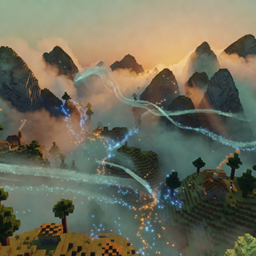
✨ GlyphForge
Trace runes in the air to weave magic.
GlyphForge turns spellcasting into an act of drawing. Players hold the casting wand — a Blaze Rod by default — and trace shapes in mid-air. The plugin samples the wand's path, recognizes the glyph, and casts the matching spell.
Built-in glyphs map to distinct effects: a circle raises an ice wall, a triangle erupts in a fire burst, a line calls down lightning, a square opens a gravity well that pulls entities inward, and a zigzag heals nearby players. Spell power and particle effects are tunable.
Players begin knowing a handful of default glyphs and can learn more with /glyph learn, while admins can forge entirely custom glyph-to-effect mappings with /glyph create.
✨ Features
- 🪄 Air-Drawn Casting — Trace shapes in mid-air with a wand and the plugin recognizes the glyph you drew.
- ❄️ Ice Wall — The circle glyph raises a wall of ice in front of you.
- 🔥 Fire Burst — The triangle glyph erupts in a burst that flings nearby entities away.
- 🌀 Gravity Well — The square glyph pulls surrounding entities toward the cast point.
- ⚡ Lightning & Healing — The line glyph strikes lightning, while the zigzag glyph heals nearby players.
- 📜 Learn & Forge Glyphs — Players learn new glyphs over time and admins can create custom glyph-to-effect mappings.
💬 Commands
/glyph <list|learn|create> [args] List known glyphs, learn a new glyph spell, or forge a custom glyph-to-effect mapping.
📥 Installation
- Drop GlyphForge.jar into your server's /plugins folder.
- Restart the server.
- GlyphForge targets Minecraft 1.21 and is ready to use.
📋 Requirements
- Server: Spigot / Paper 1.21+
- Java: 21+
🔗 Links