

Fantastic Apples
- 1.2K
- Bukkit Plugins
Find Mythical Apples in forests that do 'AMAZING' things...
- 1.2K
- December 30, 2016



Fantastic Apples
- 1.2K
- Bukkit Plugins
Find Mythical Apples in forests that do 'AMAZING' things...
- 1.2K
- December 30, 2016


just an image
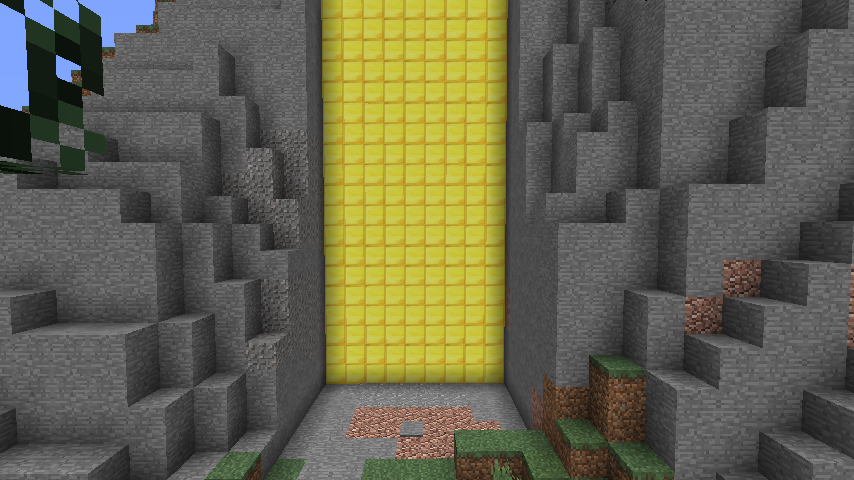
Hello everybody, this is my new plugin called Gates. Gates is a quite advanced plugin that is used to create gates of any size in your world. Create large fortresses with a working gate in its wall or create a massive golden gate as an entrance to your dwarven kingdom. Gates has a couple of commands that need to be used in order to create a gate. This plugin is recommended to be used on a RPG server to create fancy entrances to certain areas.
All commands are for OP only.
/Gate Basic Command
/Gate set x1 y1 z1 x2 y2 z2 Creates the gate, like you would make a worldedit selection.
/Gate list Shows a list of all existing gates with their IDs.
/Gate Remove ID Removes gate with id ID
/Gate open ID Opens gate with id ID
/Gate close ID Closes gate with id ID
/Gate Trigger ID Puts you into assignment mode for a trigger, look at the tutorial for more.
/Gate RemoveTrigger ID Removes all existing triggers for id ID
/Gate configure ID Material Changes the block type of id ID
To create a gate follow these steps:
Step one:
Specify the gate using the gate set command, put in the two corners of the gate, note you cannot make diagonal doors.
Step two
Specify triggers, triggers are basically pressure plates linked to the door, type gate trigger ID to get into the mode, then left click a pressure plate to specify it as a trigger. You can put as many triggers to one door as you would like.
Step three
configure your door with the block type you would like using the gate configure ID Material command, for example: gate configure 2 STONE
1. More different opening sequences
2. Able to use a prebuild gate as a preset.

Find Mythical Apples in forests that do 'AMAZING' things...
Find Mythical Apples in forests that do 'AMAZING' things...