FluxWardrobe - Advanced Skin Management
FluxWardrobe is a modern skin management plugin designed for Paper servers. It allows your players to effortlessly change, save, and manage their custom skins through a clean, intuitive in-game GUI.
✨ Key Features
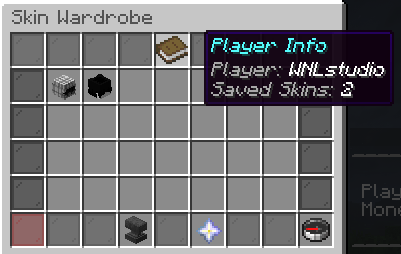
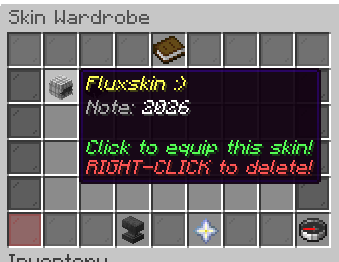
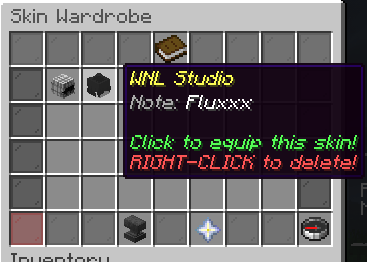
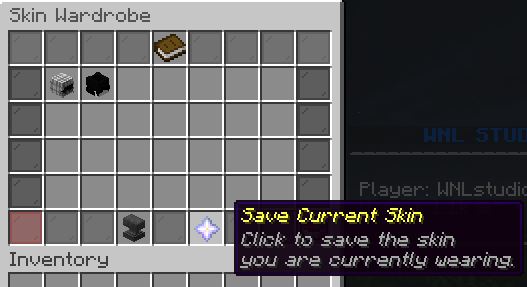
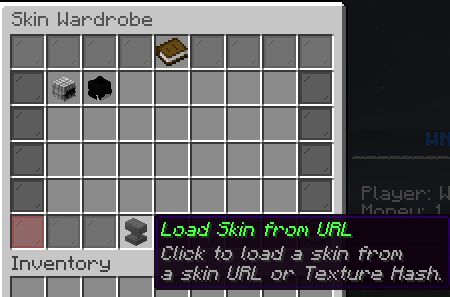
In-Game Skin Wardrobe (GUI): Players can save their favorite skins into their personal wardrobe, complete with custom names and notes, and switch between them with a single click.
Smart URL Detection: No complex commands needed. Players can simply paste links into the chat. The plugin automatically detects and processes:
NameMC (Profile & direct skin links)
Direct .png texture URLs
Raw Minecraft texture hashes
Persistent Skins (PDC): Once a player applies a skin, it is securely saved to their player data using Paper's PersistentDataContainer. Their custom skin remains completely intact even after they disconnect or the server restarts.
Seamless Application: Skin fetching and applying processes are handled smoothly in the background, ensuring a lag-free experience for your players.
Database Support: Seamlessly stores wardrobe data securely.
Fully Customizable: Clean and professional default messages and GUI designs, which can be easily customized to fit your server's theme.
🔗 Supported Formats
Players can change their skin by typing a username, or directly pasting links from popular skin websites:
Notch (Fetches the skin of the premium player)
namemc
⚙️ Requirements
Server Software: Paper, Purpur, or any Paper-fork (Spigot/Bukkit are not supported).
Java: Java 17 or higher (Java 21 recommended).
🚀 Getting Started
Drop the .jar file into your plugins folder.
Restart your server.
Configure the GUI and messages in the generated folder to match your server's aesthetics.
Open your wardrobe and start collecting skins!