First Steps Tutorial
A friendly, step-by-step tutorial plugin that teaches complete beginners how to play Minecraft, with separate instructions for keyboard/mouse and controller players. Made for families: perfect for teaching parents or grandparents, each at their own pace.
Available in English and French, and every text can be edited.
FEATURES
- 73 guided missions in 4 parts, one simple instruction at a time:
- Part 1 (20): moving, gathering wood and stone, crafting, building a shelter, surviving (sword, torch, furnace, food, bed)
- Part 2 (7): controls (sneak, switch items, inventory) and more crafts (sticks, axe, stone pickaxe, chest)
- Part 3 (18): cooking, farming wheat, feeding animals, fences, signs, going underground, mining and smelting iron, iron tools and armor
- Part 4 (28): buckets and water, shearing sheep, paintings, breeding animals, glass and windows, stairs and roofs, bridges, ladders, fishing, boats, bows and trading with villagers
- Instructions adapted to each player's controls: keyboard/mouse or controller (Xbox and PlayStation button names)
- Practice room (/tutotraining): a safe, separate world with an obstacle course, a swimming pool, an archery range, a free building zone and a "10-block tower" challenge with a friendly timer
- Quiz room (/quiz): a big screen and 3 answer buttons, playable by two players together, with 35 questions and one quiz per part (/quiz 1 to /quiz 4)
- Diploma book that updates itself every time you finish a part, with your medals listed on page 2
- 13 medals: first to finish each part, perfect quiz, baby animal, angler, farmer, iron miner, tower, fast tower, archer, swimmer
- Survival guide book given on first join, with all keys and buttons
- /tutohome takes you back to your bed when you are lost
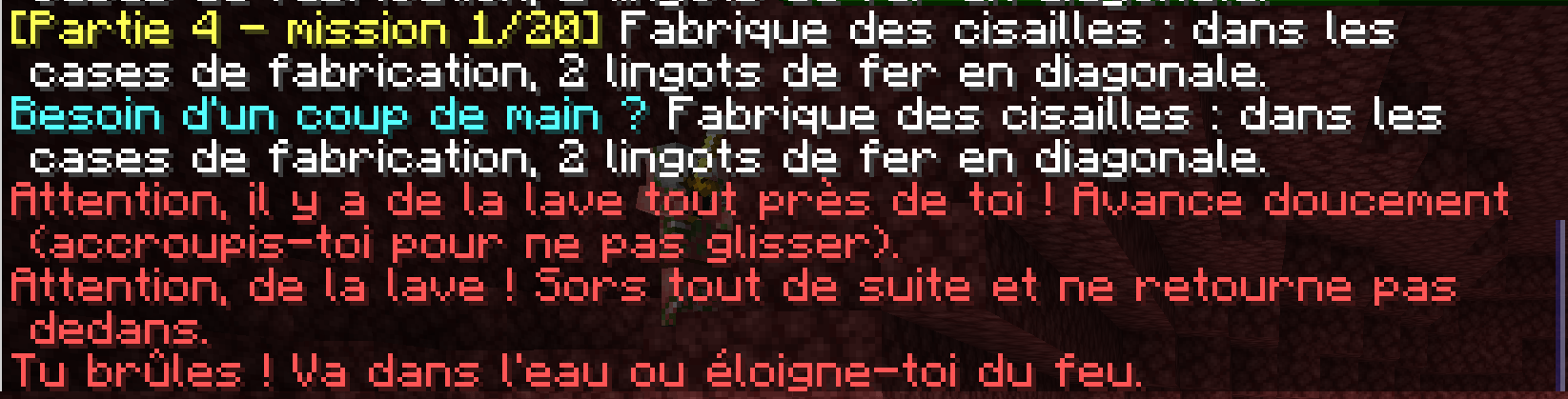
- Safety messages: warns you when lava is close, and when you are in lava, drowning, falling, burning or low on health
- A reassuring message when you die, with the coordinates of your items
- Hints if a player is stuck, a progress bar, gift items and fireworks at the end of each part
- Progress is saved in the player's data, so it survives config changes and updates
- Choose which parts to activate (for example only parts 1 and 2 for a very young beginner)
- Peaceful mode on by default (can be turned off)
COMMANDS
/tuto : show your current mission
/tuto controller or /tuto keyboard : choose your instructions
/tuto skip : skip the current mission if you are stuck
/tuto restart : start again from mission 1
/tuto diploma : get or update your diploma
/tuto guide : get the survival guide again
/tuto reload : reload config and texts (operators only)
/tutohelp <topic> : explains a control or what to do in a situation (move, look, jump, run, break, place, inventory, item, craft, sneak, lava, water, fall, night, monsters, hunger, lost, swim)
/tutocome : teleport to the other online player
/tutohome : go back to your bed
/quiz [1-4] and /quiz sortir : go to the quiz room (or leave it)
/tutotraining : go to the practice room (/tutotraining sortir to leave)
(French names also work: /tuto manette, /aide, /viens, /maison, /entrainement.)
REQUIREMENTS
- Paper 26.2 and Java 25
- Controller players on Minecraft Java need a client-side controller mod (such as Controlify) or a tool that maps the controller to keyboard and mouse.
CONFIGURATION (config.yml)
langue: en or fr
parties-actives: [1, 2, 3, 4]
difficulte-paisible: true
messages-securite: true
All texts are in plugins/TutoMinecraft/lang/ (en.yml and fr.yml). Edit them, then type /tuto reload. Delete a file to get the original back.
UPDATING
Stop the server, replace only the old .jar with the new one, start it again. Progress is kept, even if you delete config.yml. Players who already finished continue with the new missions.
NOTES
- The quiz and the practice room each create a small empty world in the server folder ("quiz_tuto" and "entrainement_tuto").
- This version is in beta: please report any bug in the comments.
LICENSE
PolyForm Noncommercial 1.0.0 (free for non-commercial use)